


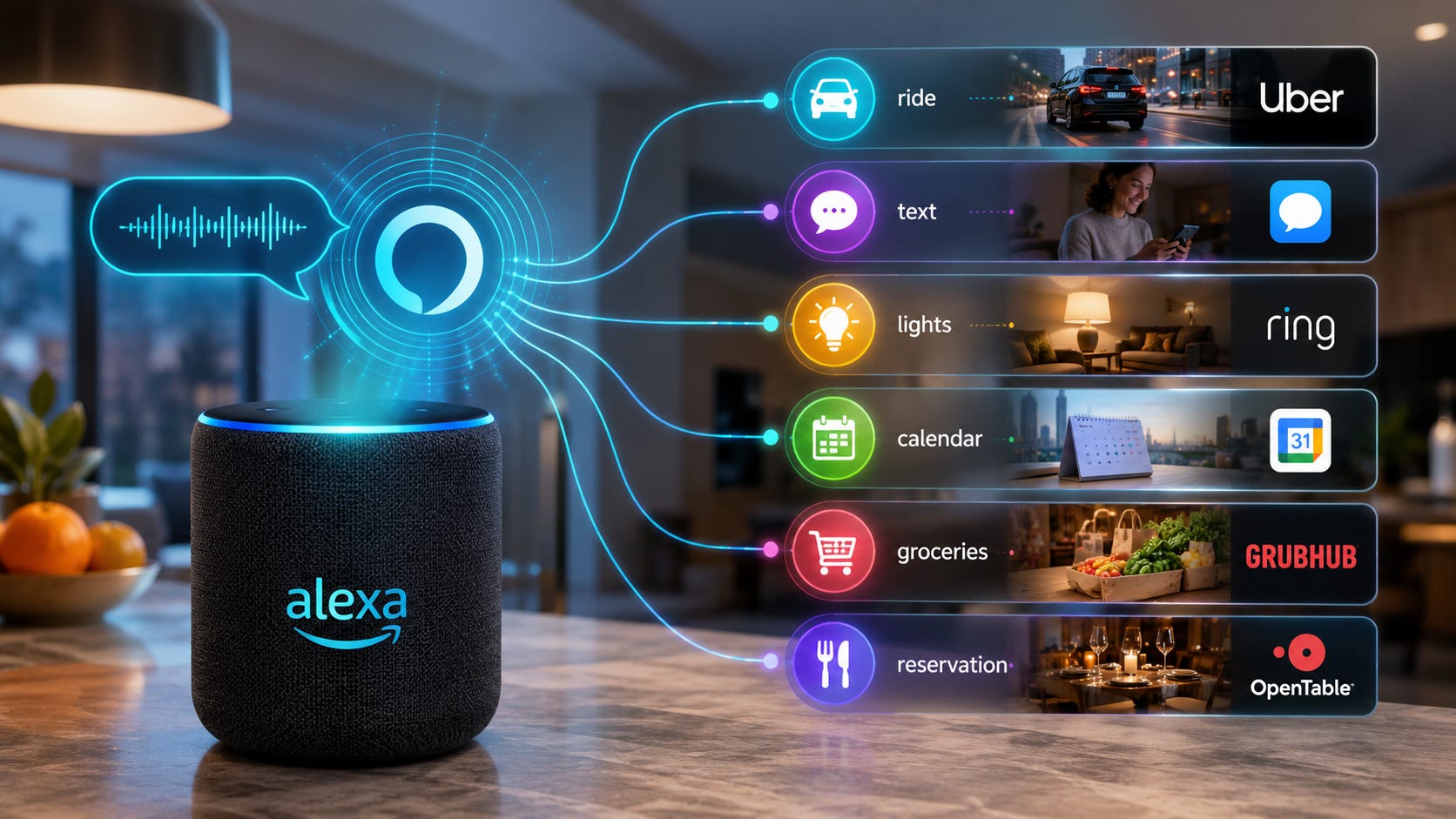
Amazon’s reported Moonraker project is the Alexa upgrade many people expected years ago: say one thing and have the assistant complete several household tasks without turning the whole exchange into a back-and-forth script.
Book the ride. Text the friend. Adjust the lights. Add the calendar event. Order the groceries. Find the tickets. Make the reservation. The promise is simple, but the execution is expensive, risky, and far more complicated than putting a chatbot inside a speaker.
That is why Moonraker matters. On July 8, 2026, Business Insider reported that internal Amazon documents describe Moonraker as a project designed to make Alexa handle more complex multi-step tasks, and that one planning document projected more than $100 million in GPU costs for Moonraker in 2026 alone.
This is the useful-agent problem in miniature. Voice AI agents need fast model routing, connected services, smart-home permissions, memory, personalization, privacy controls, partner APIs, device context, and a safe way to recover when they misunderstand a command in the real world. A chatbot can be wrong in a text box. A household agent can be wrong while touching calendars, locks, cameras, purchases, messages, rides, and family routines.
More on infrastructure at scale:

Quick verdict and key takeaways
Moonraker reportedly pushes Alexa+ toward multi-step agent tasks, such as booking a ride and sending a text from one request, rather than handling only one partner action at a time through services such as Uber or Ticketmaster. Business Insider’s report frames the project as Alexa’s move toward more agentic behavior.
Amazon’s public Alexa+ architecture already explains why this gets expensive. Amazon says Alexa+ connects large language models, agentic capabilities, services, and devices at scale, with routing across Amazon Nova, Anthropic Claude, APIs, personalization, and website navigation.
The practical answer is cautious adoption. Alexa+ is worth testing for low-risk convenience tasks if you already live in Amazon’s ecosystem, especially timers, summaries, calendars, media control, simple routines, and smart-home commands that are easy to reverse.
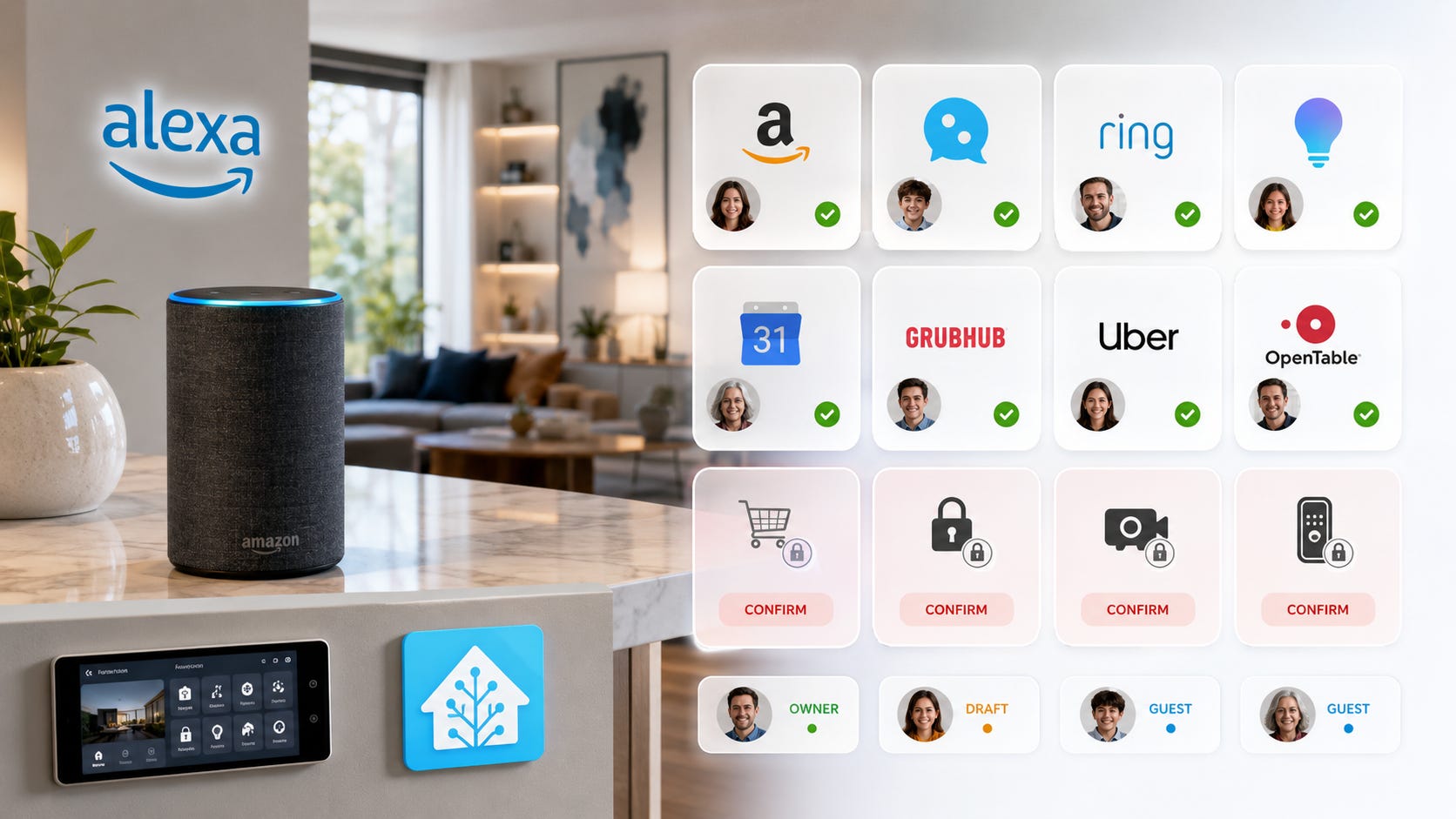
The real control lever is permission scope. The more useful a voice agent becomes, the more access it needs to accounts, contacts, shopping, calendars, cameras, family profiles, and partner services.
Keep purchases, ride bookings, food orders, locks, cameras, payments, contact messages, child profiles, and anything embarrassing or expensive behind explicit confirmation.
What Moonraker reportedly is
Business Insider describes Moonraker as an internal Alexa project built around “multi-request” engagements. In the reported example, a user could ask Alexa to book a ride and text a friend in one interaction, which is a different kind of assistant than the old single-command Alexa most people know. The Moonraker reporting says Amazon is trying to make Alexa more agentic by coordinating several tasks from one request.
That shift matters because Alexa already had isolated commands. Alexa+ already supports partner actions, including rides and tickets, according to the same report. The Moonraker idea is coordination: a household assistant that can understand a goal, pick the right services, execute steps in sequence, and know when to ask before doing something costly or sensitive. Business Insider’s account specifically places Moonraker above single partner integrations by describing multi-step requests.
Amazon has not publicly confirmed Moonraker as a product name, so it should be treated as a reported internal project rather than a finished consumer feature.
The public direction is still clear. Amazon says Alexa+ was rebuilt on an architecture that connects LLMs, agentic capabilities, services, and devices at scale. The same architecture page says Alexa+ can orchestrate APIs, string together multiple calls, and use models from Amazon Nova and Anthropic Claude through Amazon Bedrock. That is already the blueprint for a household agent.
Why voice AI agents are harder than chatbots
A normal chatbot needs to understand prompts and return useful text. A voice agent in the home needs to understand intent, speaker identity, room context, account context, device state, permissions, latency, and risk.
That is a much higher bar.
Amazon’s own Alexa+ examples show the scope. Amazon says Alexa+ can help with documents, calendars, emails, texts, smart-home routines, Ring camera events, groceries, deals, restaurant bookings, Grubhub orders, Uber rides, Ticketmaster tickets, and service bookings through providers such as Thumbtack and Vagaro. That is a useful assistant. It is also a broad permission surface.
A home voice agent needs wake-word accuracy so it knows when someone meant to talk to it. It needs speaker recognition so a child, guest, roommate, or TV voice cannot accidentally trigger the same authority as the account owner. It needs intent confidence so “turn on the kitchen lights” does not become the wrong room, wrong device, or wrong automation. It needs context control so “send it to Alex” goes to the right Alex, on the right channel, with the right tone.
It also needs permission boundaries. Who can buy something? Who can unlock a door? Who can view a camera? Who can message a contact? Who can book a ride? Who can cancel a service appointment? The assistant has to answer those questions before the user ever says a command out loud.
Then comes recovery. If Alexa misunderstands a request about music, the fix is easy. If it misunderstands a request involving a door lock, a grocery order, a text to a colleague, or a camera summary, the mistake is harder to unwind.
Amazon acknowledges part of this technical challenge. Its Alexa+ architecture page says LLMs do not inherently support APIs, which are needed for real-world actions such as appointments and grocery orders. Amazon says it built a new architecture to orchestrate APIs at scale. That is the difference between chatting and acting.
The GPU bill is the product strategy
Moonraker’s reported cost is not a side detail. It may explain the whole business model.
A consumer voice agent used by millions of homes creates a brutal cost profile. It has to answer quickly enough to feel natural, route simple tasks cheaply, reserve heavier reasoning for complex tasks, connect to services, check permissions, and recover from mistakes. That can turn every household into a small stream of inference, orchestration, logs, retries, and safety checks.
Business Insider reported that one Amazon planning document called Moonraker Alexa+’s “highest cost” new initiative and projected more than $100 million in 2026 GPU costs. The same report said some Amazon leaders were concerned that model costs had become unsustainable.
That fits the broader AI market. Reuters Breakingviews wrote on July 10, 2026 that AI cost has become the industry’s awkward reality, with companies trying to make inference cheaper and avoid wasting tokens on repetitive tasks. Another Reuters Breakingviews piece in March said Big Tech firms face the challenge of turning huge AI infrastructure budgets into functioning data centers that can actually support demand.
For users, the takeaway is simple. “Free” or bundled voice agents are unlikely to stay simple because someone pays for the model routing, GPUs, data centers, partner integrations, support, safety systems, retries, and refunds when things go wrong.
That payment can show up in several ways. It can be a subscription. It can be Prime retention. It can be shopping conversion. It can be partner fees. It can be ads, data-driven personalization, hardware sales, or tighter ecosystem lock-in. The assistant may feel like a feature, but the cost structure pushes it toward becoming a commerce, media, smart-home, and data layer.
That is why Alexa+ pricing is important. Amazon says Alexa+ is available in the U.S. for $19.99 per month and included at no additional cost for Prime members. That looks generous only if Amazon can turn the assistant into something bigger than a paid chatbot with a wake word.
The control lever is permission scope
The privacy conversation around Alexa often starts with the microphone. That is understandable, but it is no longer enough.
The control lever in Alexa+ is the permission graph.
A useful household agent becomes more powerful as it connects to your Amazon account, Prime membership, Echo devices, smart-home devices, calendars, email or forwarded documents, contacts, shopping history, location, cameras, Ring events, family profiles, and third-party services such as Uber, OpenTable, Grubhub, Ticketmaster, Thumbtack, and Vagaro.
Amazon says Alexa+ can personalize responses by remembering facts users ask it to remember, matching common patterns, asking to confirm preferences, and incorporating those preferences into future responses. That is exactly what a useful household assistant needs. It is also why the assistant should not get blanket authority.
The issue is structural. Any hosted voice agent that can act across your home becomes a control layer between your intent and your devices. Whoever owns that layer can change pricing, default behavior, supported integrations, data handling, model routing, content rules, and permission prompts.
Popular AI has covered the same platform shift in hosted agents more broadly. Once a vendor hosts the execution environment, it controls what runs, what gets logged, what gets blocked, and what becomes billable. Moonraker shows the same platform problem moving from coding tools and workflow automation into the living room.
More on AI agent lock-in:

Privacy gets harder when the assistant becomes useful
Old Alexa privacy worries were mostly about voice recordings. Alexa+ raises broader questions because the assistant can become part of household workflows.
If Alexa only sets timers, the data surface is limited. If it reads documents, manages calendars, sends texts, summarizes emails, watches camera events, remembers family preferences, and books services, the privacy question changes.
Amazon says users can choose whether to save voice recordings and can delete voice recordings manually, by date range, by device, or automatically on three-month or 18-month schedules. Amazon also says that if users choose not to save voice recordings, recordings are deleted after Alexa processes the request, while transcripts remain reviewable for 30 days before automatic deletion.
Those controls are useful, but they do not make a hosted agent local.
In March 2025, AP reported that Amazon ended a limited “Do Not Send Voice Recordings” option that allowed some Echo devices to process certain commands locally without sending audio to Amazon’s cloud. AP reported that Amazon tied the change to generative AI features that rely on cloud processing.
That is the direction of travel: more capability, more cloud dependency.
The safer assumption is practical. If you use Alexa+ for sensitive documents, personal messages, family routines, camera summaries, or purchases, treat it as a hosted workflow. Configure retention settings, limit permissions, and avoid feeding it anything you would not want tied to your Amazon account.
Reliability matters more in the home
Hallucinations are annoying in chat. In a voice agent, hallucinations become operational risk.
Amazon’s own technical page says LLMs can be unpredictable, can give different answers to the same questions, and can hallucinate. Amazon says it built systems to ground Alexa+ when answering questions because that matters when controlling devices at home or answering real-time questions.
That admission matters. A household assistant needs a different reliability standard from a chatbot because the assistant may be operating devices and accounts rather than returning text.
A good household agent should separate tasks by risk.
Low-risk tasks include answering questions, playing music, setting timers, changing lights, and starting routines that are easy to undo.
Medium-risk tasks include updating calendars, drafting texts, summarizing emails, adjusting thermostats, creating shopping lists, and recommending purchases.
High-risk tasks include buying products, ordering food, booking travel, unlocking doors, changing security modes, messaging contacts, accessing cameras, deleting data, and sharing documents.
The agent should not treat those categories the same. A voice command such as “book it” is not enough for expensive, public, or irreversible actions. The assistant should confirm the recipient, service, price, location, time, account, and final action before committing.
The safe workflow for testing Alexa+ or any voice agent
The safest way to test Alexa+ is staged access. Start with tasks that cannot cause damage, then expand only after the assistant proves it understands the household.
Step 1: Start with read-only tasks
Use the assistant for tasks that do not change anything. Ask questions. Summarize public information. Check the weather. Read calendar events. Show smart-home status. Find entertainment. Explain recipes. Summarize non-sensitive documents.
Watch for wrong context, wrong speaker, wrong room, and overconfident answers. The goal is to learn how the assistant behaves before giving it the ability to spend money, message people, open access points, or change sensitive settings.
Step 2: Add reversible smart-home actions
Next, allow actions that are easy to undo. Lights, timers, non-critical plugs, music routines, limited thermostat changes, and shopping-list additions are good early tests.
Avoid door locks, alarms, ovens, garage doors, and cameras at this stage. Those devices should come later, and some should always require confirmation.
Step 3: Test routines without money, security, or messages
Voice-created routines are useful, but they need guardrails. Amazon says Alexa+ can create complex routines from a voice request and can create monthly, annual, or weather-based routines, including a routine that closes a garage door in the evenings if rain is likely.
Start with routines that only affect lights, music, or reminders. Do not test the agent first on security, payments, appliances that create heat, water systems, or physical access.
Step 4: Turn on confirmation for purchases and bookings
For anything involving money or third-party services, require confirmation.
That includes Amazon purchases, grocery orders, food delivery, Uber rides, Ticketmaster tickets, restaurant reservations, home repair bookings, and spa or fitness bookings. Amazon’s Alexa+ examples include ordering groceries, monitoring deals, booking restaurants, ordering Grubhub, booking Uber, finding tickets, and booking service providers. Those are exactly the actions where confirmation matters.
Step 5: Keep messages as drafts first
Voice is easy to mishear. Contacts are easy to confuse. Tone is easy to get wrong.
Amazon says Alexa+ can help write and send emails or texts. Start by making the assistant draft messages, then review them on your phone before sending. That simple rule prevents most embarrassing failures without removing the benefit of AI help.
Step 6: Separate family profiles and child permissions
Do not assume one household voice profile is enough.
Children, guests, roommates, and workers may be able to trigger the assistant. Limit what each profile can do. Amazon says Alexa+ Kids has extra guardrails, including no voice purchasing and explicit music filtering when using Amazon Music. Adults should apply the same mindset to guest profiles, shared rooms, and devices near TVs or speakers.
Step 7: Review activity weekly
A voice agent fades into the room, which is why it needs routine review.
Check voice history, saved transcripts, smart-home routines, connected services, voice purchasing, contact access, camera access, family profiles, skills, third-party integrations, calendars, and email connections.
A useful agent is never “set and forget.” Treat it like an employee with keys.
The local alternative is useful, but not a drop-in Alexa replacement
There is a local path for smart-home voice control, especially through Home Assistant.
Home Assistant describes itself as open-source home automation that puts local control and privacy first. Its local Assist setup can run spoken commands on your own hardware. Home Assistant says spoken commands can stay inside the home through a local pipeline with local speech-to-text, Home Assistant intent handling, and local text-to-speech.
Home Assistant’s Voice Preview Edition also supports local and cloud paths. Its Voice Preview Edition page says users can run voice fully locally or offload speech processing to Home Assistant Cloud. The same page is clear about the tradeoff: focused local processing can work on lower-powered hardware for common home-control phrases, while full local speech processing requires more compute for acceptable speed and accuracy.
This is the honest comparison.
Use Alexa+ if you want polished consumer convenience, broad partner integrations, shopping, media, and low setup friction.
Use Home Assistant if you care more about local control, smart-home ownership, and keeping the core of your house outside one cloud account.
Use both if you want Alexa for casual convenience and Home Assistant for devices and automations you do not want trapped inside one vendor’s platform.
The local path is not painless. Home Assistant requires hardware, setup, maintenance, device exposure rules, and patience. It will not match every Alexa+ consumer feature today. Home Assistant’s Voice Preview Edition page says the project aims to match and surpass other voice assistants, but that fully local voice remains part of its future path.
For readers thinking beyond Alexa, the broader agent-platform lesson still applies. Hosted agents become more powerful when they get durable state, execution runtimes, retries, scheduling, and memory, but those same primitives make the runtime owner more important. Local smart-home systems reduce that dependency, even if they require more work.
Why mainstream agents are arriving now
Moonraker is not an isolated Amazon curiosity. It is part of a wider move from chatbots that answer to agents that act.
Meta’s Muse Spark is another signal. Reuters reported on July 9, 2026 that Meta opened developer access to Muse Spark 1.1 and described it as a model for coding and agentic tasks, including software use, external tools, multimodal inputs, and complex multi-step work with less human intervention. Meta’s own Muse Spark announcement describes tool use, visual chain of thought, and multi-agent orchestration.
Developer agents are also showing real adoption outside keynote demos. A June 2026 arXiv paper studying 180 million repositories found that commit-attributed agents generated over 320,000 commits per month across snapshots from December 2024 to April 2026.
That does not prove consumer voice agents are ready. It proves the agent category has moved past simple demos. The next fight is where these agents run, who pays for them, what they can touch, what they remember, and who controls the permission model.
What this means for smart-home users
The Alexa+ and Moonraker story should change how people think about smart speakers.
A smart speaker used to be a cheap microphone for timers, music, weather, and lights. An AI agent smart speaker is closer to a household operating system. It can become the interface for calendars, shopping, media, cameras, home automation, messages, travel, food, tickets, service bookings, and family reminders.
That is useful enough to be tempting. It is powerful enough to require boundaries.
The best setup starts with controlled access, rather than rejection by default.
Keep routine convenience in the hosted assistant. Keep sensitive automations in a local system when practical. Require confirmation for money, doors, cameras, messages, and bookings. Review permissions often. Do not let one vendor become the only way your house works.
The question is no longer whether Alexa can answer better questions. The question is whether households can understand and control what Alexa is allowed to do.
What Amazon needs to prove
Amazon does not need to prove that voice agents are cool. It needs to prove they are reliable, affordable, and controllable.
The open questions are practical.
Can Alexa+ handle multi-step household tasks without constant clarification? Can it recover safely when it misunderstands a command? Can Amazon keep inference costs low enough without turning the assistant into an aggressive shopping and partner funnel? Can users understand which third-party service is acting on their behalf?
Permission design matters even more. Amazon’s public Alexa+ architecture already promises coordination across models, APIs, services, and devices, so the proof has to be operational trust. Can households set rules by person, room, action type, and device? Can users export, delete, or limit memory in a way ordinary people understand? Can sensitive actions require confirmation without making the assistant irritating? Can Amazon explain what data is processed where, retained for how long, and used for what?
Moonraker’s reported GPU cost is the headline. The larger story is whether the consumer agent business model can survive without pushing users into more subscriptions, more commerce, more data capture, or more lock-in.
Further reading
Readers who want more control over camera processing and local smart-home infrastructure can compare our Frigate AI NVR build for Home Assistant with a broader private family AI NAS build. For agent workflows that stay closer to your own machine, our guide to private AI agents with Ollama explains how local tool calling changes the privacy and control tradeoff.


FAQ
What is Amazon Moonraker?
Moonraker is a reported internal Amazon project for Alexa. Business Insider reported that it is designed to help Alexa handle complex multi-step tasks from one request, such as booking a ride and texting a friend. Amazon has not publicly announced Moonraker as a consumer product name.
Is Moonraker the same as Alexa+?
No. Based on the reporting, Moonraker appears to be an internal project connected to Alexa+’s agentic future. Alexa+ is the public generative AI version of Alexa that Amazon says is available in the U.S. for $19.99 per month or included with Prime.
Why would Alexa AI cost so much?
Voice agents have to route requests through models, APIs, services, devices, personalization systems, and safety checks while responding quickly. Business Insider reported that one internal document projected more than $100 million in 2026 GPU costs for Moonraker. Amazon’s public docs also describe Alexa+ as using multiple models, API orchestration, and agentic capabilities.
Is Alexa+ private?
Alexa+ should be treated as a hosted assistant, not a local private assistant. Amazon provides privacy controls for Alexa recordings and transcripts, while AP reported that Amazon ended a limited option that previously allowed certain Echo devices to process some commands locally without sending audio to Amazon’s cloud.
Should I replace Alexa with Home Assistant?
Use Home Assistant if local control and privacy matter more than polish and partner integrations. Home Assistant can run a fully local voice assistant with local speech-to-text and text-to-speech, but it takes more setup and does not yet replace every Big Tech assistant feature.
The smart move is controlled adoption
Test Alexa+ like a new employee, not like a magic speaker.
Use it for low-risk convenience first. Make it prove reliability before giving it access to purchases, locks, cameras, calendars, messages, rides, deliveries, and family reminders. Keep confirmations on for anything that spends money, changes security, contacts another person, or touches private data.
Moonraker’s reported GPU bill is a warning. Amazon’s reported project shows how quickly a useful voice agent can become expensive when it moves from simple commands to multi-step household work. The more useful consumer agents become, the more permission-heavy they get. That cost will come back to users through subscriptions, commerce, lock-in, partner deals, or data dependence.
Voice agents may finally become useful. That is exactly why they need stricter boundaries.
Explore more from Popular AI:
Start here | Local AI | Fixes & guides | Builds & gear | Popular AI podcast
If Alexa+ could reliably handle multi-step tasks around your home, what would you trust it to do, and what would remain strictly off-limits?