


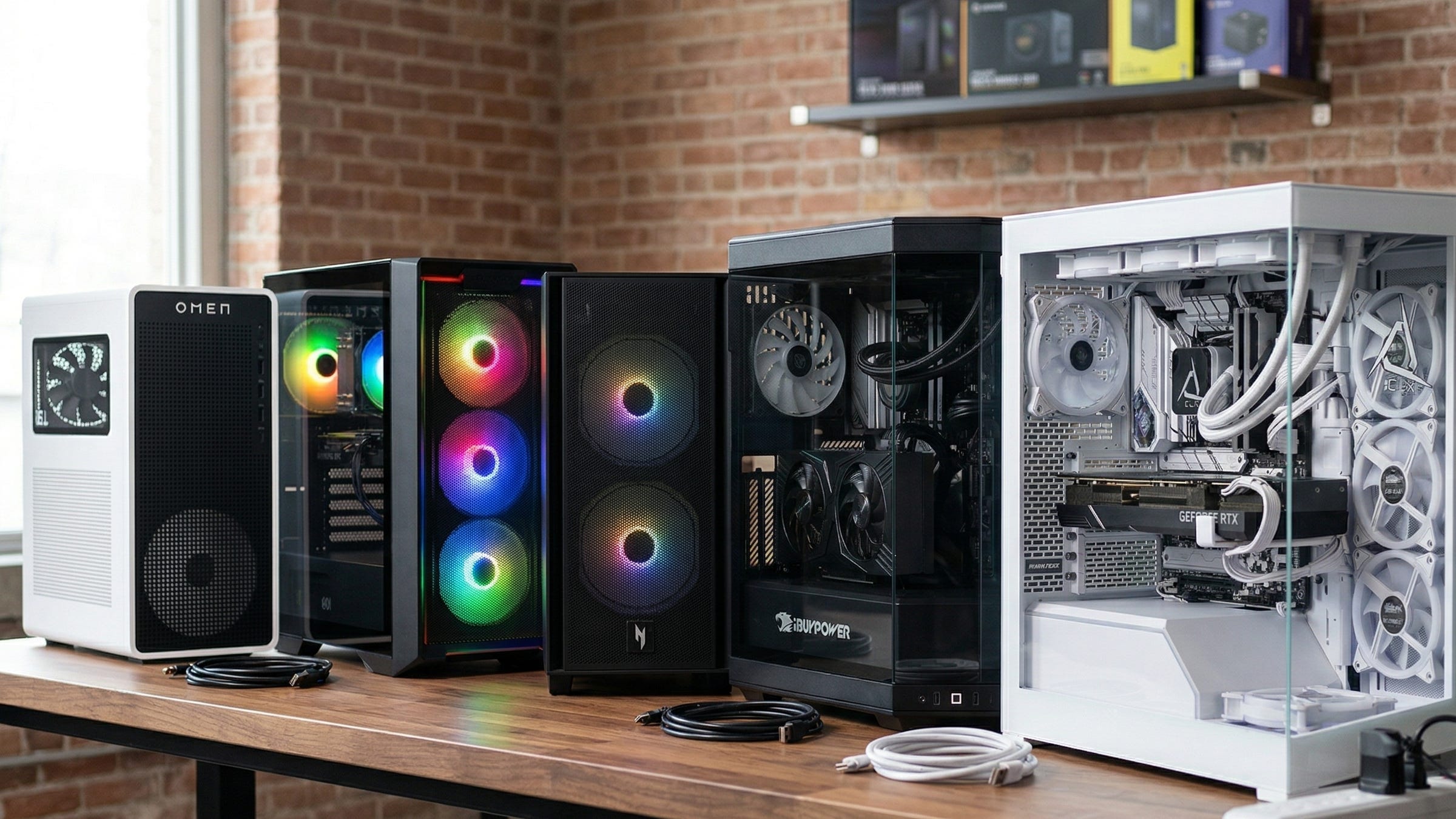
Running local LLMs on your own desktop still solves a lot of problems at once. It keeps private work local. It cuts recurring API costs. It reduces the risk that a favorite model, feature, or account tier disappears overnight. For Popular AI readers, that is the real appeal of a prebuilt desktop for Ollama or LM Studio. You buy the box once, install the software you want, and keep control of your stack.
The tricky part is that AI desktop buying advice is still flooded with gaming logic. That leads plenty of buyers toward flashy CPUs, RGB-heavy cases, and premium branding when the thing that usually matters most for local inference is much simpler. VRAM sets the tone. Research into LLM inference bottlenecks keeps circling the same limits, including memory capacity, memory bandwidth, compute, and synchronization. In day-to-day desktop buying, the short version is even easier to remember. The right GPU memory tier decides whether a machine feels comfortable or cramped.
That is why this ranking focuses on practical local AI value instead of prestige. A great local LLM desktop should feel like infrastructure you own. It should boot fast, stay responsive when a model is loaded, and leave enough room for the rest of your workday. The best pick is rarely the tower with the loudest gamer styling. It is the one that gives you the most usable AI headroom for the least wasted spend.
More on prebuilt desktop PCs for local AI:

What matters most in a local LLM desktop
For local LLM work, the desktop has to do more than open a chat window. It has to load useful quantized models into memory, keep performance predictable, and leave enough breathing room for long context windows, document search, embeddings, rerankers, transcription, and the occasional image generation job. That is why Hugging Face’s quantization documentation matters here. Lower-precision formats are what make consumer desktops viable for serious local inference in the first place.
System memory still matters too. LM Studio’s system requirements treat 16GB of RAM and 4GB of dedicated VRAM as a baseline. In real use, that baseline disappears fast. Once you have a browser open, a few productivity apps running, and a model sitting in memory, 32GB of system RAM starts to feel like the more realistic floor for a smooth experience. Storage matters as well. Models stack up quickly, and a cramped SSD gets old faster than most buyers expect.
The main thing to remember is that local AI workloads rarely stay small. A desktop that feels fine with one smaller quantized model can start to feel crowded once you add larger contexts, background transcription, or even a second AI tool on the same machine. Buyers who want a system they can keep for a while should shop for headroom, not for the absolute minimum that technically works.
Why 16GB is still the sweet spot in 2026
For most people shopping this category, 16GB of GPU VRAM is still the real value threshold. That is the point where local LLM desktops start to feel broadly useful instead of narrowly workable. NVIDIA’s GeForce RTX 5060 family page confirms that the RTX 5060 Ti comes in a 16GB configuration, and that single detail explains why so many value recommendations now center on that card.
Twelve-gigabyte cards are not worthless. They can still run smaller models and a surprising amount of local AI software. The problem is pricing. Once a prebuilt starts getting expensive, 12GB becomes much harder to justify because the machine still lands on a tighter VRAM rung. That is why this ranking gives so much weight to the jump from 12GB to 16GB. It widens the range of quantized models that feel comfortable, gives more room for mixed workloads, and reduces how often you are forced into slower compromises.
That is also why the 5070 Ti systems rank below the best 5060 Ti 16GB value picks for pure LLM buying. Yes, the faster card buys more speed and a nicer all-around experience. No, it does not buy a new memory tier. If your main goal is maximizing local LLM value per dollar, that distinction matters. The real one-box leap happens higher up the stack, where NVIDIA’s RTX 4090 page confirms the 24GB memory tier that actually changes what fits comfortably on a single consumer GPU.
How this ranking was decided
This list is ranked first by usable VRAM, then by how sensibly each machine spends the rest of the budget. After that, system RAM, storage, and overall practicality decide placement. The central question is simple. Does extra money buy a meaningfully better local AI experience, or does it mostly buy nicer gaming specs and a more expensive badge on the front of the case?
That framing matters because most local AI desktops in 2026 are doing more than one job. A box that helps with code, private notes, and document Q&A in the morning may also be handling transcription, embeddings, browser tabs, and image generation later in the day. A machine that stays responsive while those tasks overlap is worth paying for. A machine that looks premium but lands on the same VRAM ceiling is much harder to defend.
With that in mind, here are the five prebuilt desktops that make the strongest case right now.
Disclosure: This post includes Amazon affiliate links. If you buy through them, Popular AI may earn a small commission at no extra cost to you.
1. HP OMEN 16L with RTX 5060 Ti 16GB

The HP OMEN 16L takes the top spot because it clears the most important hardware threshold without running straight into luxury pricing. For most buyers, that is the whole game. Once you get into the right VRAM class, local AI work gets easier to live with. The appeal of this tower is that it reaches that point without demanding the kind of budget that makes the rest of the build feel upside down.
There is a direct Amazon option for an HP OMEN 16L configuration that puts the machine in an easy shopping path, and the broader 5060 Ti 16GB case remains strong because of the memory tier itself. The OMEN is the least complicated recommendation in this ranking. It gets you into the part of the market where Ollama, LM Studio, private document Q&A, writing help, and code assistance start to feel comfortable instead of constrained.
The main caveat is the same one that follows many value-first prebuilts. Buyers should still pay close attention to exact RAM and storage configurations before checkout. A lower-RAM variant can still be worth buying if the price is right, but 32GB of system memory is the safer place to land for anyone who wants a machine that feels relaxed under daily AI use. That is a much easier upgrade story than trying to fix a weak GPU choice after the fact.
For Popular AI readers who want the cleanest balance of privacy, capability, and price, the OMEN 16L is still the pick to beat. It is the easiest machine here to recommend to someone who wants to order once, install local tools, and get to work.
2. Skytech Gaming Nebula with RTX 5060 Ti 16GB

The Skytech Gaming Nebula lands right behind the OMEN because it sits in the same attractive VRAM tier while offering an especially sensible out-of-box memory setup. The Skytech Nebula product page on Amazon lists a Ryzen 7 5700, RTX 5060 Ti 16GB, 32GB DDR4, and a 1TB Gen4 NVMe SSD.
That 32GB memory loadout is what makes the Nebula so easy to like. It removes the first upgrade many buyers would otherwise plan from day one. In a category where system RAM can become a hidden bottleneck once local chat, browser tabs, productivity apps, and background AI tools all pile together, that matters more than a lot of flashy spec-sheet noise.
The only reason the Nebula stays in second place instead of first is value discipline. If its street price remains close to the OMEN, it is a great buy. If it drifts too close to 5070 Ti money, the logic gets weaker because you are still shopping in the same 16GB VRAM class. For strict local LLM value, the biggest question is always what new capability the extra money unlocks. Here, the answer is convenience and better default memory, not a different model-size tier.
That still makes the Nebula a very strong choice for buyers who want to shop on Amazon, want 32GB from the start, and care more about practical local AI performance than case prestige. It keeps the build focused on the parts that matter.
3. Acer Nitro 60 with RTX 5070 Ti 16GB

The Acer Nitro 60 is where this list shifts from value buying into comfort buying. The Best Buy listing for the Acer Nitro 60 pairs a Core i7-14700F with 32GB of DDR5, a 2TB SSD, and an RTX 5070 Ti, while the matching Amazon listing for the Acer Nitro 60 gives buyers another retail path. The important technical point is that the card is still a 16GB part, which is why Gigabyte’s RTX 5070 Ti 16GB board page matters as a reality check.
That keeps the Acer out of the top two spots. You are buying more speed, better multitasking comfort, and a generally nicer all-around desktop experience. You are not buying a new memory class. For readers who want a machine that will handle local chat models, transcription, rerankers, image generation, and heavier parallel desktop work with more confidence, that added speed can absolutely be worth paying for. For buyers focused on maximizing LLM headroom per dollar, it is harder to justify over a cheaper 5060 Ti 16GB box.
The Nitro 60 makes sense for a specific buyer. This is the person whose desktop is going to be an everyday AI workstation, not just a local chat machine. If your local setup will spend real time bouncing between models, media work, productivity apps, and other GPU-heavy tasks, the Acer’s more premium spec sheet starts to earn its keep.
It is still a value loss compared with the cheaper 16GB towers. It is also clearly a comfort gain. That balance is why it lands in third.
4. iBUYPOWER Y40 PRO with RTX 5070 Ti 16GB

The iBUYPOWER Y40 PRO sits in almost the same practical lane as the Acer Nitro 60, which is why these two are easy to compare. The Amazon product page for the iBUYPOWER Y40 PRO specifies a Ryzen 9 7900X, an RTX 5070 Ti 16GB, 32GB of DDR5-5200, and a 2TB NVMe SSD.
From a local LLM perspective, the same rule applies here as it does to the Acer. You are still operating inside the 16GB VRAM tier. That means the upside is polish, CPU strength, broader desktop responsiveness, and a more premium feel out of the box. The downside is that the added spend does not suddenly open a dramatically larger single-GPU model class. Buyers paying a premium here are paying for speed and smoothness more than for a new AI ceiling.
That makes the Y40 PRO a preference-driven recommendation. Some buyers want a better-looking tower, stronger supporting parts, and fewer obvious compromises elsewhere in the build. That is a perfectly reasonable thing to want in a desktop you plan to keep on your desk every day. It simply does not change the central math of local AI hardware, which still starts with VRAM and works outward from there.
If the iBUYPOWER and Acer are priced close together, the smarter move is whichever gives you the better sale, return policy, or design fit. They live in the same class, and neither escapes the 16GB plateau that defines most of this ranking.
5. CLX Horus with RTX 4090 24GB

The CLX Horus is the first machine on this list that materially changes the one-box local LLM conversation. The CLX Horus configuration page shows the kind of customizable high-end tower this category has become, while the Amazon product page for a CLX Horus RTX 4090 system gives buyers a more straightforward purchase path.
The reason this tower matters is simple. The 24GB VRAM tier is real. Once you step up to a 4090-class box, you move beyond the 16GB plateau that defines the other systems here. That does not make the machine magical, and it does not erase every limit that shows up with very large models. It does, however, widen your practical one-GPU options in a way the 5070 Ti systems do not.
That is why the CLX Horus earns the final slot even though it is not a value play. It is here because it serves a different kind of buyer. If you want one desktop tower, one large consumer GPU, fewer compromises, and no interest in hand-building a workstation, this is the kind of machine that starts to make sense. Hugging Face’s open-source LLM guide is a useful reminder that even 24GB consumer GPUs still involve tradeoffs with larger open models, but 24GB remains a meaningful jump for local inference on a single box.
For readers who already know they want the biggest realistic consumer single-GPU prebuilt and are willing to pay for that headroom, the CLX is the clear answer in this ranking. Everybody else should think hard before spending this much.
Why some big-name gaming desktops still miss the mark
One of the easiest mistakes in this category is paying premium money for a system that still lands on the wrong VRAM rung. NVIDIA’s GeForce RTX 40 series page lays out that ladder clearly. Once you view prebuilts through a local AI lens, a lot of premium gaming marketing starts to look far less convincing.
A good example is the Alienware Aurora R16 listing at Best Buy. It is a strong gaming-style system, and plenty of buyers will like the overall package. The problem is that high-end CPU choices and premium case branding do not change the fact that a tighter VRAM ceiling becomes much easier to feel once local LLM work gets serious. In this market, more expensive does not always mean more useful.
That is the bigger lesson behind the whole ranking. Local AI shopping should start with usable model headroom. Once that is settled, then it makes sense to care about the rest of the build. Buyers who reverse that order often end up paying more and changing less.
The buying advice that actually matters
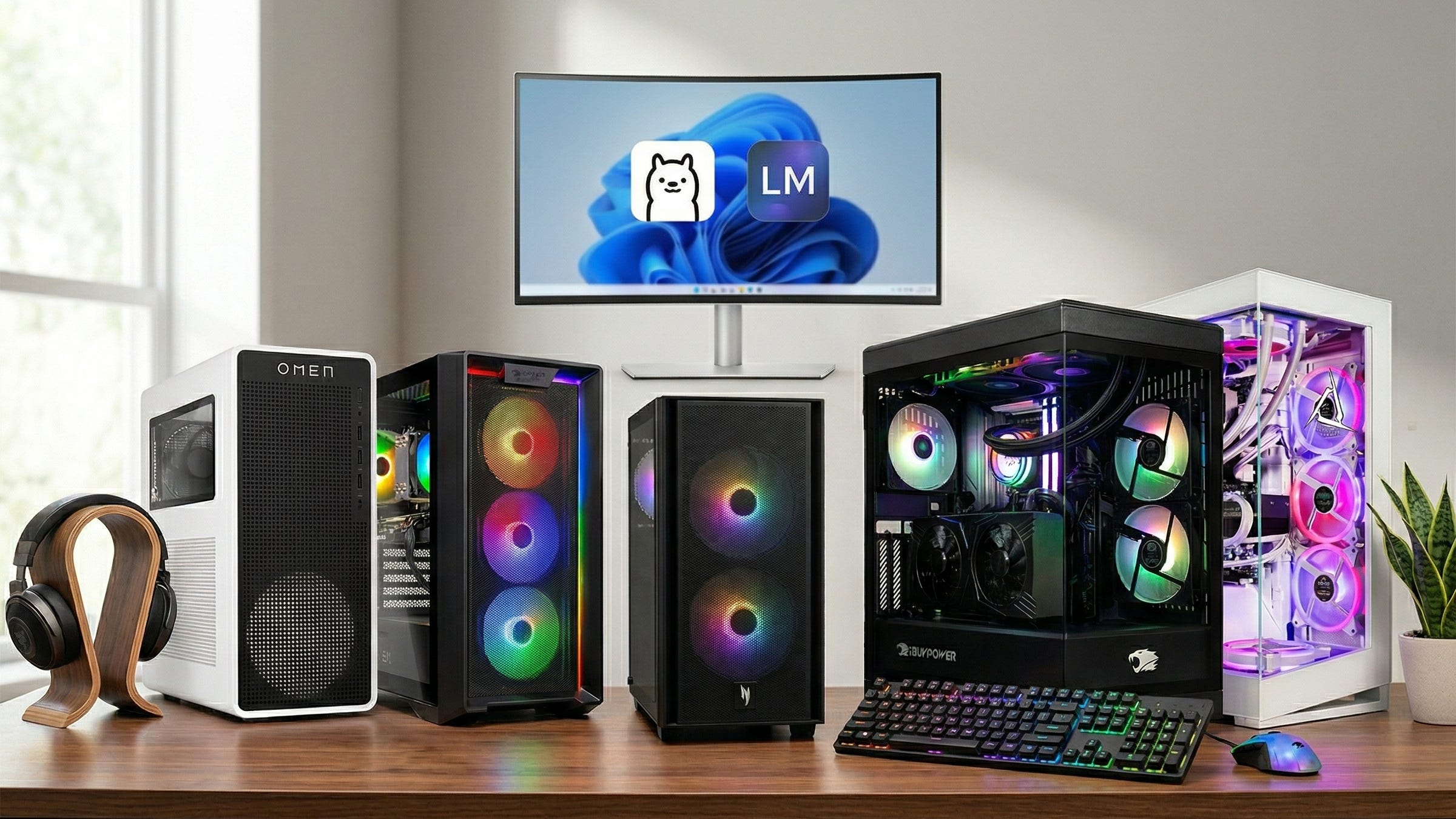
For most people buying a prebuilt desktop for local LLMs in 2026, the practical advice is still straightforward. Get to 16GB of GPU VRAM before you overspend on premium CPU bragging rights. Aim for 32GB of system RAM if you want the machine to stay responsive through real work. Leave enough SSD space for models, projects, and everyday files. Then decide how much you care about nicer cases, faster CPUs, and stronger all-around polish.
That logic is exactly why the HP OMEN 16L remains the best overall value pick in this ranking. It hits the memory threshold that matters without dragging you into a much higher price bracket. The Skytech Nebula is the strongest alternative because it keeps the same 16GB VRAM advantage while making the out-of-box RAM story more comfortable. The Acer Nitro 60 and iBUYPOWER Y40 PRO are upgrades for buyers who want more speed and refinement, while accepting that they are still paying within the same fundamental VRAM class. The CLX Horus stands apart because it is the first machine here that genuinely changes the single-GPU headroom conversation.
Buyers who want the simplest answer should still think in tiers. The OMEN is the strongest value call. The Skytech is the most appealing ready-to-go Amazon option if pricing stays sensible. The Acer and iBUYPOWER machines are the step-up choices for people who want more desktop-wide muscle. The CLX is for people who already know 24GB is the goal and are ready to pay for it.
Final verdict
The local LLM desktop market still rewards people who think like infrastructure owners. The best machine is the one that gives you enough GPU memory to keep models practical, enough system RAM to keep the desktop responsive, and enough storage to keep your work local without constant cleanup. Everything else matters after that.
For most buyers, the sweet spot remains 16GB of GPU VRAM, 32GB of system RAM, and at least 1TB of SSD storage. That is the point where local chat, document analysis, code assistance, transcription, embeddings, and light image generation start to feel genuinely useful on a desktop you control.
The best value play in this ranking is still the HP OMEN 16L in a 5060 Ti 16GB configuration. The best alternative is still the Skytech Nebula. The best higher-end single-box answer is still the CLX Horus with an RTX 4090. Everything in between comes down to how much extra speed, polish, and convenience you want to pay for.
Explore more from Popular AI:
Start here | Local AI | Fixes & guides | Builds & gear | Popular AI podcast
Great local AI hardware advice still gets buried under gaming fluff, so we ranked the best prebuilt AI PCs for Ollama and local LLMs in 2026 by what actually matters: VRAM, value, and practical daily performance. If you were buying a desktop for private local AI work right now, would you go for a 16GB value pick or stretch for 24GB headroom?