


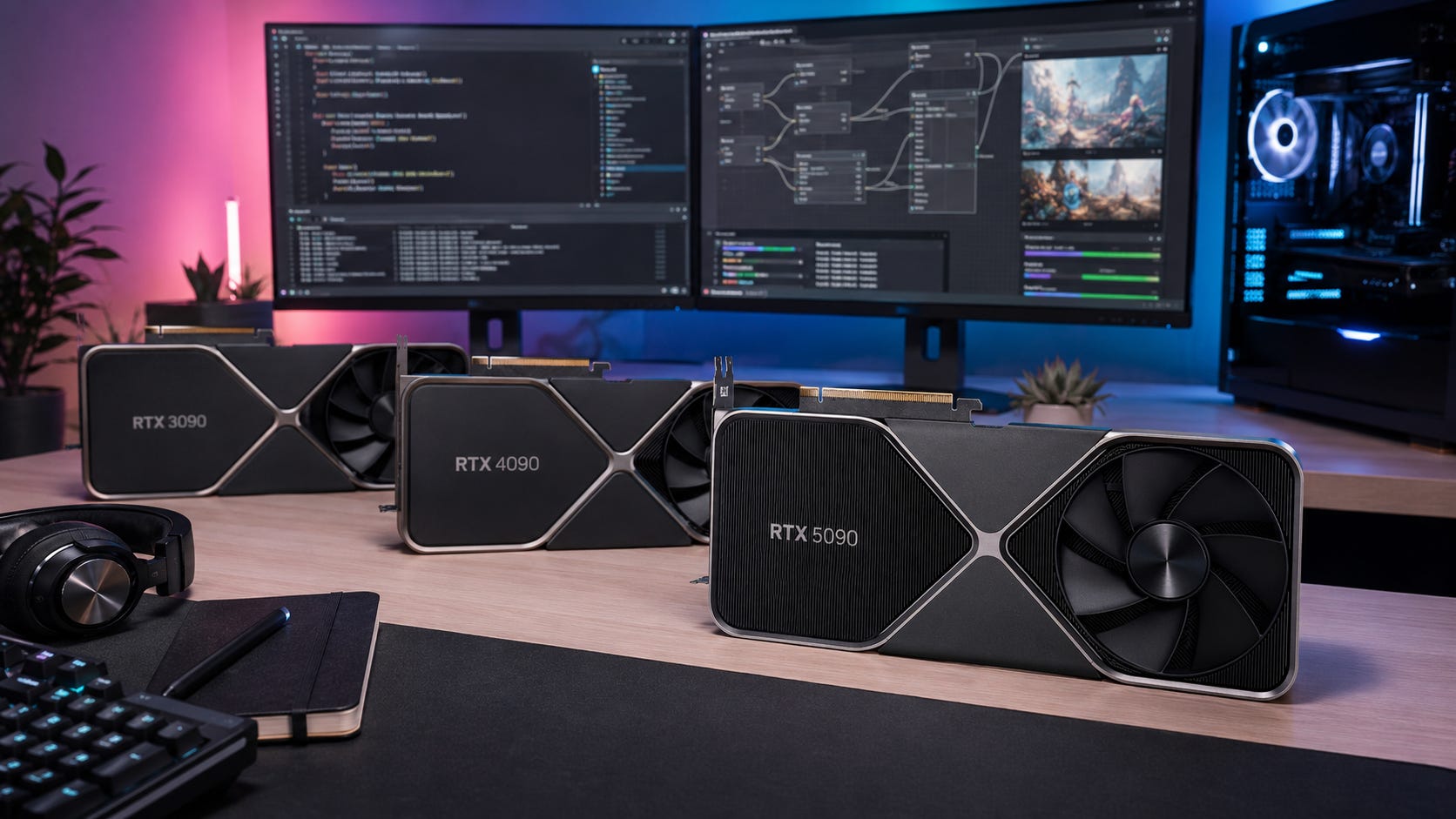
If you are comparing the RTX 3090 vs RTX 4090 vs RTX 5090 for local AI, start with VRAM before speed. Local LLMs, ComfyUI graphs, FLUX workflows, LoRA training, and coding agents all punish the same mistake: buying a fast GPU that cannot fit the job.
The RTX 3090 and RTX 4090 both give you 24GB of VRAM. The RTX 5090 gives you 32GB. That extra 8GB matters, especially for heavier image workflows and larger local models, but the price jump can be brutal. For most local AI buyers, the right answer is less about the newest card and more about the workload you actually run every day.
Disclosure: This post includes Amazon affiliate links. If you buy through them, Popular AI may earn a small commission at no extra cost to you.
Quick verdict: the best GPU for local AI
Best value for local AI: RTX 3090 24GB
Buy the RTX 3090 used if you want the cheapest serious local AI card with 24GB of VRAM. It is slower and less efficient than newer flagships, but it still fits useful LLMs and image workflows that smaller cards struggle with. NVIDIA lists the RTX 3090 with 10,496 CUDA cores and 24GB of GDDR6X. Before buying, compare the used market against current RTX 3090 24GB listings on Amazon.Best overall local AI GPU: RTX 4090 24GB
Buy the RTX 4090 if you want the best mature 24GB card for ComfyUI, local LLMs, coding models, and mixed creator work. It does not increase model fit over the RTX 3090, because both cards have 24GB, but it is much faster and more efficient. The RTX 4090 makes the most sense when 24GB is enough and daily speed matters. Compare current RTX 4090 24GB listings on Amazon only after checking whether the price is meaningfully below an RTX 5090 in your region.Best high-end option: RTX 5090 32GB
Buy the RTX 5090 only when 32GB VRAM changes what you can run, or when faster image generation is worth flagship pricing. The RTX 5090’s Blackwell architecture and 32GB GDDR7 memory are the appeal, and the PNY RTX 5090 Triple Fan brochure lists 21,760 CUDA cores, 1,792GB/s memory bandwidth, and 575W TDP. If you are shopping the premium tier, compare current RTX 5090 32GB listings on Amazon against street pricing from other sellers.Best option to skip: RTX 5090 at inflated street prices
The RTX 5090 is the strongest card here, but value collapses when pricing runs far above MSRP. In April 2026, TechSpot found RTX 5090 cards selling around $3,500 to $4,000 in several regions, with average pricing 77% above MSRP. That turns a powerful GPU into a specialist purchase unless the extra VRAM removes real limits in your workflow.
Who this guide is for
This guide is for readers building or upgrading a local AI workstation for private, daily, GPU-heavy work.
That includes local LLMs in Ollama, LM Studio, llama.cpp, text-generation-webui, or Open WebUI. It also includes ComfyUI, Stable Diffusion, SDXL, FLUX, ControlNet, IPAdapter, inpainting, outpainting, and LoRA-heavy image workflows.
It also covers AI coding agents that work on private repos without sending everything to a hosted tool. For developers, the GPU is only part of the system, but VRAM still decides which models you can run locally with reasonable speed.
This guide is less useful if you only want a gaming GPU. Gaming benchmarks help with raw context, but they do not answer the local AI buying question. For local AI, the order is simple: model fit first, speed second, then power, heat, and price.
RTX 3090 vs RTX 4090 vs RTX 5090: the core comparison
The RTX 3090 is the used-market memory play. It is old, hot, and power-hungry by modern standards, but 24GB still matters. If you buy carefully, it is usually the cheapest realistic way into serious local AI.
The RTX 4090 is the mature speed play. It keeps the same 24GB VRAM capacity as the RTX 3090, but gives you much better throughput, a newer architecture, stronger Tensor performance, and a smoother workstation experience for models that fit.
The RTX 5090 is the capacity and Blackwell play. It adds 8GB more VRAM, far higher memory bandwidth, fifth-generation Tensor Cores, and FP4 support. Those upgrades matter most for heavier image models, deeper ComfyUI graphs, local video experiments, and newer optimized inference paths.
This is why the buying decision can feel counterintuitive. A used RTX 3090 can be the smart buy even though the RTX 5090 is dramatically stronger. A 4090 can feel like the perfect local AI card even though it has no VRAM advantage over the 3090. A 5090 can be the right answer for one buyer and a waste of money for another.
Why VRAM matters more than raw speed
A local AI workload either fits in VRAM, fits with compromises, or does not fit in any useful way. Once a model spills into system RAM, performance can drop sharply. Once the workload does not fit at all, the benchmark number on the box stops mattering.
For local LLMs, quantization changes the equation. A 70B model at full 16-bit precision is far outside normal consumer-GPU territory, while aggressive 4-bit quantization can bring large models closer to high-end workstation range. Daily.dev gives a useful rule of thumb in its guide to running LLMs locally: a 70B model can need about 140GB at 16-bit, while a 4-bit Q4_K_M version can sit around 40GB, with smaller 7B models around 4GB to 5GB.
That puts 24GB in a useful but limited tier. It is excellent for 7B, 8B, 12B, 14B, 20B, and many 27B to 32B quantized workflows, depending on context length, runtime overhead, and what else is loaded. It is much less comfortable for 70B models on one GPU.
The RTX 5090’s 32GB helps with 27B to 40B models, larger context windows, bigger KV cache, heavier ComfyUI graphs, and fewer workflow compromises. Even with that extra headroom, a single consumer card still is not the clean answer for comfortable 70B work. For serious 70B fine-tuning, multi-user serving, or larger training jobs, 48GB and above remains the safer target. Unsloth’s hardware requirements list 41GB as an absolute minimum for 70B QLoRA and 164GB for 70B LoRA.
RTX 3090 for local AI: the value pick
The RTX 3090 is still relevant because NVIDIA accidentally made a local AI classic: a consumer card with 24GB of VRAM, mature CUDA support, and enough used-market supply to keep it within reach.

For ComfyUI, the RTX 3090 still works well in 2026 because local image generation cares about fitting the workflow before it cares about generational branding. The same logic applies to a first local LLM box. A used RTX 3090 plus 64GB or 128GB of system RAM can still be a practical first serious local AI setup.
Buy the RTX 3090 if you want the cheapest serious 24GB local AI GPU, you are building a first local LLM PC, and you are comfortable inspecting used hardware. It is a strong fit for Ollama, LM Studio, llama.cpp, ComfyUI, SDXL, ControlNet, and moderate coding models.
Skip the RTX 3090 if you need the fastest possible image generation, want a quiet low-power workstation, dislike used-card risk, or need 70B models to run comfortably on one GPU. It can still punch above its age, but it cannot escape its age.
Price is the reason this card still matters. Best Value GPU’s RTX 3090 tracker shows why the used price is the point: recent EU tracking put new pricing around €1,942 and used pricing around €842.72. New RTX 3090 pricing usually makes little sense unless your local market is doing something unusual.
RTX 4090 for local AI: the best mature 24GB card
The RTX 4090 is the best overall choice if you want a high-end local AI workstation and 24GB is enough for your models.

The key caveat is model fit. The RTX 4090 and RTX 3090 both have 24GB of VRAM. When a workload fails on a 3090 because it needs 32GB or 48GB, the 4090 will usually hit the same wall.
What the RTX 4090 buys is speed, efficiency, and a better daily experience. For ComfyUI, that means faster iteration. For local LLMs, that means more responsive generation with models that fit. For coding agents, that means the system is more likely to stay usable while the model, editor, browser, and tooling are all open.
Our RTX 4090 ComfyUI build guide recommends a 4090-based tower for serious local image generation, with 64GB DDR5, fast NVMe storage, and a 1000W-class PSU. That basic shape still makes sense for a high-end local AI workstation.
Buy the RTX 4090 if you want the best mature 24GB local AI GPU, use ComfyUI daily, run 8B to 32B LLMs often, and want fewer early-generation quirks than a 50-series setup. It is the safest premium choice when the price is sane.
Skip the RTX 4090 if you already own a 3090 and only need more VRAM, need 32GB for the actual workload, find it priced too close to a 5090, or are buying used from a seller you cannot verify.
Best Value GPU’s RTX 4090 tracker recently showed the card around €2,310 new and €2,238.62 used in the EU. That used price is high enough that buyers should compare it against the RTX 5090 in their own region, especially when 32GB VRAM would remove real workflow limits.
More on RTX 4090 local AI builds:

RTX 5090 for local AI: the 32GB flagship
The RTX 5090 is the only GPU in this comparison that increases single-card VRAM capacity. That is why it matters for local AI.

The jump from 24GB to 32GB does not magically turn it into a 70B workstation. It does make the card more comfortable for 32B-class models, larger context windows, heavier ComfyUI workflows, local video experiments, and newer image-generation paths that benefit from Blackwell features.
The RTX 5090 also brings much higher memory bandwidth. PNY lists 1,792GB/s for its RTX 5090 Triple Fan card, compared with 1,008GB/s for a typical RTX 4090-class spec and 936GB/s for RTX 3090-class memory bandwidth. The PNY RTX 5090 brochure also lists a 575W TDP and a 1000W or greater system power supply requirement.
For Blackwell software support, the picture is better than it was at launch. PyTorch 2.7 introduced support for NVIDIA Blackwell architecture and CUDA 12.8 wheels. That matters for RTX 50-series buyers because the best experience often depends on newer drivers, newer CUDA builds, and updated AI packages.
Buy the RTX 5090 if you need 32GB VRAM on one consumer GPU, run FLUX, SDXL, ComfyUI, local video, or larger image workflows often, and are willing to use newer software stacks. It is also the right card when you need more headroom than 24GB but do not want a used workstation GPU.
Skip the RTX 5090 if you mainly run 7B, 8B, or 14B models, only occasionally use ComfyUI, need 48GB or 96GB more than raw consumer-GPU speed, or do not want to deal with premium pricing and high power draw.
Best Value GPU’s RTX 5090 tracker recently showed EU pricing around €4,106 new and €3,473.25 used. That is the kind of pricing where the buying question becomes very specific: do you need the extra 8GB, or do you just want the fastest card?
ComfyUI: which GPU is best?
For ComfyUI, the RTX 4090 is the best practical pick for most serious buyers. The RTX 5090 is faster and has more memory, but the price can make it hard to justify. The RTX 3090 is still the value play when the used price is right.
For SDXL, ControlNet, LoRAs, IPAdapter, inpainting, and outpainting, the RTX 3090 remains usable. The RTX 4090 feels much better because iteration speed matters when you are testing prompts, nodes, resolutions, and ControlNet settings. The RTX 5090 is the comfort pick when price is secondary.
For FLUX and heavier modern workflows, the RTX 4090 is the practical high-end baseline. The RTX 5090 is more comfortable because 32GB gives you more room for larger graphs, bigger models, and fewer memory-saving compromises.
For local video generation, the RTX 5090 has the strongest case in this group because VRAM pressure rises quickly. Still, the full workflow needs more than a GPU. Fast storage, enough system RAM, strong cooling, and patience all matter.
For batch production, the RTX 4090 and RTX 5090 are easier to recommend. The RTX 3090 works, but waiting becomes part of the workflow. If image generation is a hobby, that may be fine. If it is daily production work, time becomes part of the cost.
Local LLMs: which GPU is best?
For local LLMs, the answer depends on model size more than GPU generation.
For 7B to 14B models, any of these cards is more than enough. The RTX 3090 is the better value. The RTX 4090 and RTX 5090 become speed luxuries unless you are serving many requests, using long context, or running other GPU workloads at the same time.
For 20B to 32B models, the RTX 3090 can work with the right quantization and context settings. The RTX 4090 feels better because generation is faster. The RTX 5090 gives more breathing room, especially when longer context creates a larger KV cache.
For 40B-class models, the RTX 5090 starts to make more sense. Context length and quantization still matter, but 32GB gives you a wider target than 24GB.
For 70B models, do not buy a single 24GB card expecting comfort. A 5090 is better, but still not the clean single-GPU answer for serious 70B use. Look at dual RTX 3090s, used workstation GPUs, or cloud rental when the model matters more than local ownership.
Coding agents and private repo work
For coding agents, VRAM is only one piece. You also want enough system RAM, fast storage, a clean operating system, and a model that is actually good at code.
The RTX 3090 is still a good first coding-agent GPU because it supports useful 14B to 32B coding models locally and leaves more budget for 64GB or 128GB of system RAM. Our RTX 3090 coding-agent build is aimed at exactly that private-repo use case.
The RTX 4090 is better when coding agents are part of the workday and fast responses matter. The RTX 5090 is best when you want larger models, longer context, and more headroom. For a solo developer, it is usually expensive overkill unless local AI is central to the workflow.
The system around the GPU matters here. A local coding-agent PC may run an IDE, browser, model runtime, Docker, tests, databases, vector stores, repo indexing, and background services all at once. Saving money on the GPU by choosing a used 3090 can be smart if it lets you build a more balanced workstation.
More on local RTX 3090 AI builds:

Power, heat, and build requirements
Power and heat are not side details for local AI. These cards may sit under sustained load for long denoise runs, batch generation, local model serving, or coding-agent sessions. A gaming PC that survives short benchmark bursts can still be a poor AI workstation if the case airflow, PSU, or cable routing is weak.
The RTX 3090 is commonly treated as a 350W-class card. Use a high-quality 850W PSU at minimum, and go higher when pairing it with a high-power CPU or planning future expansion. On used cards, check memory junction temperatures, fan noise, dust, pad condition, and stability under load.
The RTX 4090 is a 450W-class card. Use a strong 1000W PSU, a large airflow case, and careful 12VHPWR or 12V-2x6 cable routing. A clean build matters because power connector stress and heat can become long-term reliability issues.
The RTX 5090 should be treated like a workstation part. The PNY spec sheet lists 575W TDP and a 1000W or greater system power supply requirement. In practice, a high-quality 1000W to 1200W PSU, serious case airflow, and a tolerance for higher room heat are all part of the cost.
Used-card risk: what to check before buying
The RTX 3090 is attractive because it is used. That is also the risk.
Check memory temperatures, mining history, damaged pads, missing screws, corrosion, fan noise, warranty status, seller history, return policy, and stress-test proof. A cheap 3090 with bad thermals is not a bargain if it throttles, crashes, or needs immediate repair.
The RTX 4090 used market deserves caution too. Tom’s Hardware reported an April 2026 case where a used Asus ROG Strix RTX 4090 bought through eBay turned out to be a sophisticated fake with counterfeit core and VRAM markings. The takeaway is simple: avoid listings that look too good to be true and insist on proof that the card works under load.
For the RTX 5090, the bigger risk is often price. Used supply may be thin, new cards may carry large premiums, and early buyers may be paying for status as much as performance. If 32GB does not change what you can run, the extra money may be better spent on system RAM, storage, cooling, or a second machine.
How to choose by budget
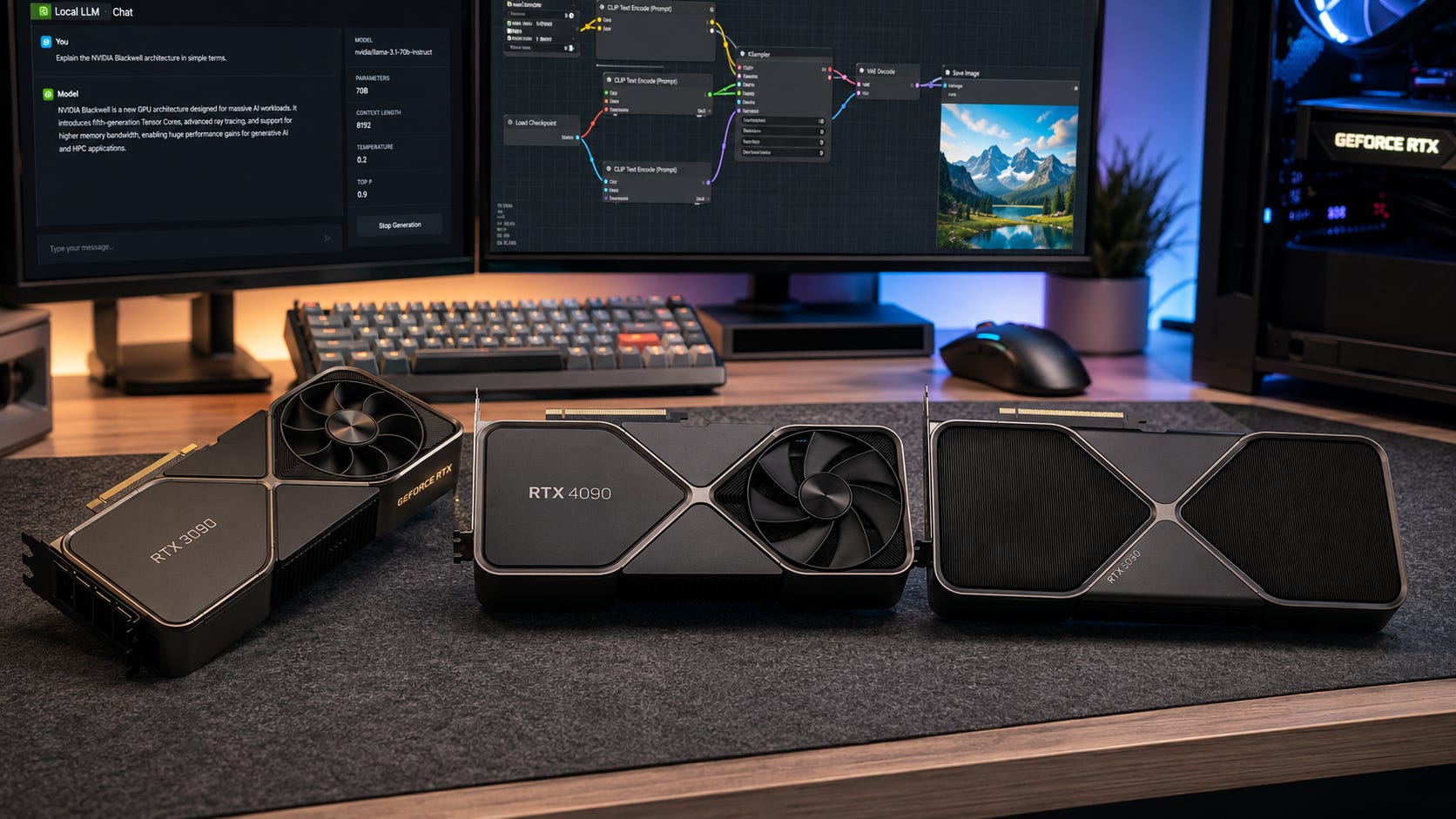
If your budget is tight, buy the best used RTX 3090 you can verify. Put the savings into 64GB or 128GB of system RAM, a fast NVMe SSD, a high-quality PSU, and a case with real airflow. That system will feel more useful for local AI than a lopsided build with a costly GPU and weak supporting parts.
If your budget is healthy and you know 24GB is enough, buy the RTX 4090. It is the cleanest high-end local AI card in this comparison because it is fast, mature, and widely supported. It is the card to buy when you want fewer compromises but do not need the 5090’s 32GB tier.
If your budget is flexible and 32GB solves a real problem, buy the RTX 5090. The best reason to choose it is not bragging rights. The best reason is that your workflow actually benefits from the extra memory, bandwidth, and newer software path.
If your work needs serious 70B models, fine-tuning larger models, or multi-user serving, none of these single consumer cards is the perfect answer. At that point, look at dual-GPU builds, used workstation cards with more VRAM, or cloud GPUs when the project needs more memory than a consumer tower can sensibly provide.
How we chose
The ranking is based on VRAM capacity for local model fit, memory bandwidth, CUDA and PyTorch ecosystem support, ComfyUI practicality, local LLM usefulness, coding-agent viability, power draw, cooling burden, current pricing signals, and used-market risk.
The conclusion does not come from gaming FPS. Gaming results can show raw GPU strength, but local AI decisions depend heavily on memory capacity, memory bandwidth, framework support, and whether the workload fits without offload.
That is why the RTX 3090 remains part of the conversation. It is not modern, quiet, or efficient compared with the newer cards. It does, however, deliver 24GB at used-market prices, and that still matters. The RTX 4090 wins when speed and maturity matter. The RTX 5090 wins when 32GB changes the job.
FAQ
Is the RTX 3090 still good for local AI in 2026?
Yes. The RTX 3090 is still good for local AI because 24GB VRAM remains a useful tier for local LLMs and ComfyUI. Its weaknesses are speed, power draw, and used-card risk, not model capacity for the price.
Is the RTX 4090 worth it over the RTX 3090 for local AI?
Yes, if you care about speed and daily responsiveness. No, if your only problem is VRAM. Both cards have 24GB, so the RTX 4090 will not fit models that fail purely because the RTX 3090 lacks memory.
Is the RTX 5090 worth it for local AI?
The RTX 5090 is worth it when 32GB VRAM, Blackwell support, and faster image workflows matter. It is a poor value for casual local AI, small LLMs, or buyers paying heavily inflated prices.
Does the RTX 5090 run 70B models locally?
It can help, but it is not the clean single-GPU answer for comfortable 70B use. 70B models remain memory-heavy, especially with longer context. For serious 70B work, consider multi-GPU 24GB setups, 48GB workstation cards, or cloud GPU rental.
Which GPU is best for ComfyUI?
The RTX 4090 is the best practical ComfyUI card for most serious buyers. The RTX 3090 is the value pick. The RTX 5090 is the premium pick for users who need more VRAM and can justify the cost.
Which GPU is best for local coding agents?
The RTX 3090 is a strong first choice for local coding agents because it gives 24GB VRAM at used-market prices. The RTX 4090 is better for daily speed. The RTX 5090 is best for larger models and longer-context workflows, but it is usually expensive overkill for a solo coding setup.
The best local AI GPU comes down to VRAM and price
Buy the RTX 3090 if you want the cheapest serious local AI GPU and can buy used safely. It is still the budget king because 24GB VRAM remains useful for local LLMs, ComfyUI, and private AI workflows.
Buy the RTX 4090 if you want the best overall 24GB local AI workstation. It is the right choice for serious ComfyUI users, local LLM users, and coding-agent builders who want speed without stepping into inflated RTX 5090 pricing.
Buy the RTX 5090 if you know exactly why you need 32GB VRAM, Blackwell FP4 support, and higher memory bandwidth. It is the strongest card here, but at current flagship pricing it is often a specialist purchase rather than the default recommendation.
For most local AI buyers in 2026, the clean answer is this: used RTX 3090 for value, RTX 4090 for mature high-end speed, RTX 5090 only when 32GB VRAM changes the job.
Explore more from Popular AI:
Start here | Local AI | Fixes & guides | Builds & gear | Popular AI podcast
What would make you upgrade your local AI GPU first: more VRAM for bigger LLMs and ComfyUI workflows, faster generation, or a cheaper used RTX 3090?