


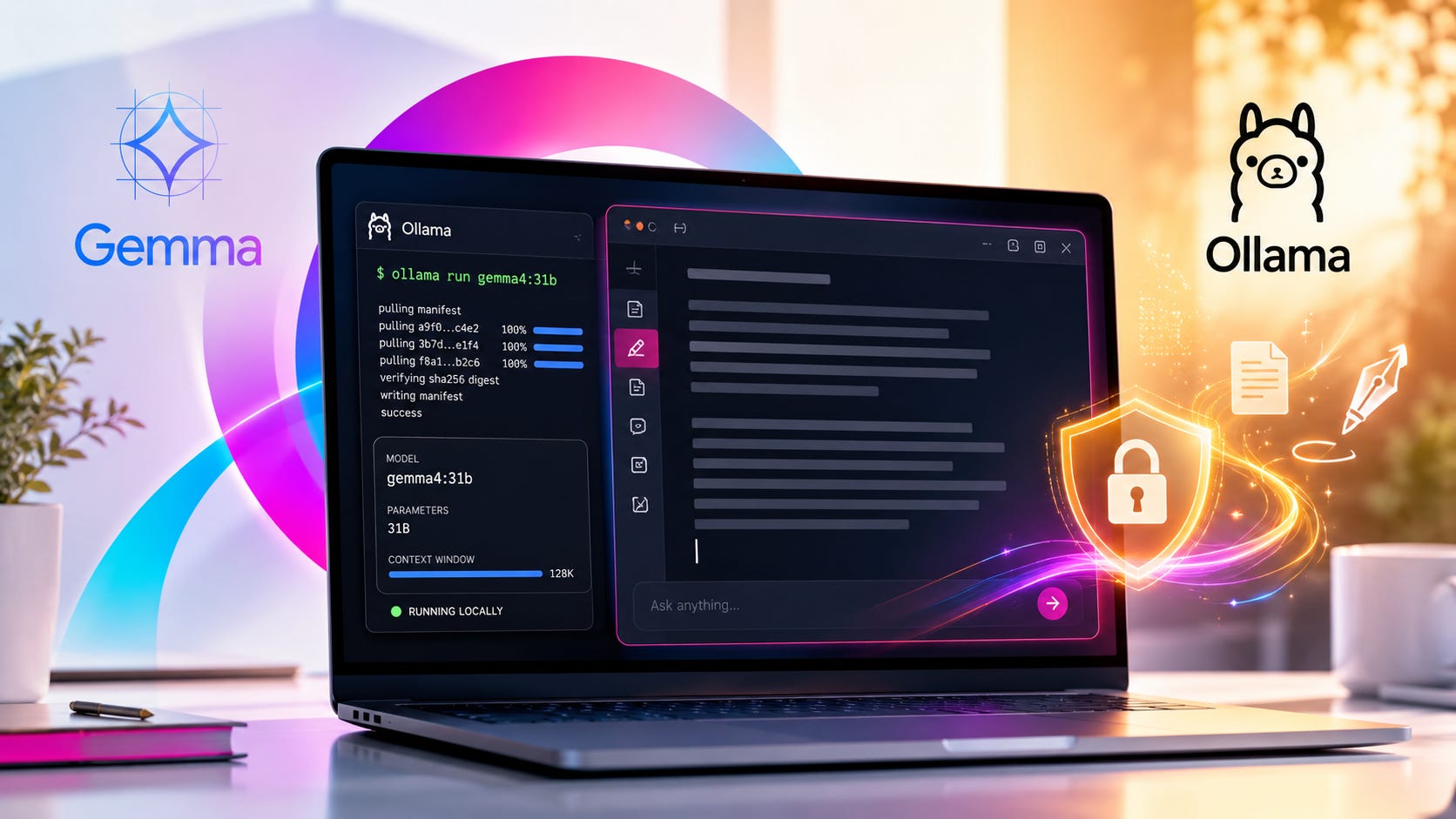
Gemma 4 31B is one of the most interesting local AI releases for writers in 2026 because it gives you a serious open-weight model with a 256K context window, native system prompt support, image input, and direct Ollama support. The practical catch is memory. You can run Gemma 4 31B locally with Ollama, but most people should start with 32K or 64K context instead of trying to use the full 256K window on day one. Google’s Gemma 4 model overview lists Gemma 4 31B at roughly 58.3GB in BF16, 30.4GB in SFP8, and 17.4GB in Q4_0 for static model weights before KV cache and runtime overhead.
That distinction matters. The model file size is only the starting point. Long context adds memory pressure, and a larger window does not guarantee perfect recall across a giant manuscript, research packet, or project bible. Ollama’s Gemma 4 model page lists gemma4:31b as a 20GB download with a 256K context window, but its benchmark table also shows Gemma 4 31B scoring 66.4 percent on MRCR v2 8-needle at 128K. Treat that as a useful warning. Long context is powerful, but “flawless recall” is not the right expectation.
Quick verdict
Use Gemma 4 31B locally if you want a high-quality writing, reasoning, and research model that can work with large manuscripts, outlines, repositories, research notes, character bibles, or worldbuilding documents without sending private material to a hosted AI account.
Skip Gemma 4 31B on underpowered machines. A small laptop may technically launch a quantized model, but the experience can become slow once you raise context length, keep other apps open, or ask the model to process long documents. Smaller Gemma 4 variants, especially E4B, are better starting points for machines with limited memory.
For writers, the sweet spot is control. A local Gemma 4 31B setup gives you a private AI writing assistant that can help with continuity, structural editing, scene revision, research synthesis, and brainstorming through a local Ollama workflow. The model can run on your own hardware, answer through a local API, and keep working without a subscription or cloud chat window.
What Gemma 4 31B is
Google introduced Gemma 4 on April 2, 2026 as an open model family built for advanced reasoning, agentic workflows, coding, multimodal understanding, and local deployment. The family includes E2B, E4B, 26B A4B Mixture of Experts, and 31B Dense variants. Google’s launch post describes Gemma 4 as its most capable open model family to date and says it is released under an Apache 2.0 license, which is much easier to work with for commercial building, fine-tuning, and deployment than the older custom Gemma terms.
Gemma 4 31B is the dense, quality-first option. Google’s model overview describes the 31B dense model as the version that bridges server-grade performance and local execution. The 26B A4B model is the speed-focused option. It uses a Mixture of Experts architecture, activates a smaller number of parameters per token during inference, and is designed for higher-throughput reasoning. Google notes that all parameters still need to be loaded into memory for fast routing and inference.
For local AI users, the key change is that Gemma 4 is much more convenient to run than a research-only model release. Google provides a Gemma with Ollama integration guide, and Ollama lists the exact tag you need: gemma4:31b. That makes the setup approachable for writers, editors, developers, and researchers who want a strong local model without building an inference stack from scratch.
More on choosing local LLMs for your hardware:

Why Gemma 4 31B matters for writers
Long-form writing runs into two problems with hosted AI tools.
First, manuscripts, outlines, client drafts, notes, character sketches, business research, and unpublished ideas often contain material that should not be pasted into a cloud chat window by default. Even when a cloud tool has strong privacy controls, many writers want a local fallback for sensitive work.
Second, hosted models can change behavior without your approval. Filters change. Plans change. Rate limits change. Model names change. Prices change. A model that handled your workflow last month may become slower, less permissive, more expensive, or unavailable later.
Gemma 4 31B does not remove every problem. You still need enough hardware. You still need to test recall. You still need backups, citations, version control, and editorial judgment. The value is that it gives serious writers a local model for work that benefits from privacy and control.
A local Gemma 4 31B writing workflow is especially useful for:
Summarizing a full manuscript or long outline
Checking continuity across chapters
Finding contradictions in worldbuilding notes
Rewriting a scene against a style guide
Building character, setting, and plot bibles
Reviewing large research packets
Running private brainstorming sessions
Auditing client drafts without sending them to a cloud account
Creating a local editorial assistant for repeatable revision tasks
The control advantage is straightforward. When Gemma 4 31B runs locally in Ollama, the model can answer through a local command line or local API on your own machine. Google’s Ollama guide for Gemma describes installing Ollama, pulling Gemma models, and using model tags, while Ollama’s own page identifies gemma4:31b as the dense workstation variant.
Hardware requirements: what you actually need
Do not plan your setup around the model file size alone. You need memory for the quantized weights, context window, operating system, Ollama, and any writing apps, editors, browsers, note tools, or scripts feeding the model.
Google’s Gemma 4 overview lists these approximate inference memory requirements for the 31B model:
Those figures cover static model weights. They do not include the additional VRAM required for context, and Google explicitly notes that KV cache memory rises dynamically with total prompt and response length. Larger context windows require more memory on top of the base model.
A practical hardware plan looks like this:
Ollama’s context length documentation gives a useful sanity check. Ollama defaults to 4K context below 24 GiB VRAM, 32K context from 24 to 48 GiB VRAM, and 256K context at 48 GiB VRAM or more. Ollama also says large-context tasks such as web search, agents, and coding tools should be set to at least 64,000 tokens when the task actually needs that much context.
For writing, bigger is not always better. A 32K or 64K context window is often enough for a chapter, a dense project bible, a style guide, and instructions. A full 256K context window can be useful for whole-manuscript passes, repository-scale work, and large research packets, but only when the machine can keep the model fast enough to make the workflow usable.
Install Ollama and pull Gemma 4 31B
Install Ollama from the official download flow described in Google’s Gemma Ollama setup guide, then confirm it works:
ollama --versionPull the 31B model:
ollama pull gemma4:31bRun a quick smoke test:
ollama run gemma4:31b "Write a 150-word scene summary for a noir detective novel."Google lists the Gemma 4 Ollama tags as gemma4:e2b, gemma4:e4b, gemma4:26b, and gemma4:31b. Ollama’s Gemma 4 library page also shows gemma4:31b as the dense workstation model.
This is the simplest path for most users. Pull the official model tag first, confirm it runs, then make adjustments for context length and writing behavior. Do not start by building a complicated toolchain. A working baseline gives you a clear performance reference before you change settings.
Set a context length your hardware can handle
Start with 32K. Then try 64K. Push toward 128K or 256K only when the model remains usable and stays in GPU or unified memory.
For a one-session test:
OLLAMA_CONTEXT_LENGTH=32768 ollama serveFor heavier writing projects:
OLLAMA_CONTEXT_LENGTH=64000 ollama serveThen check whether the model is staying on GPU:
ollama psOllama’s FAQ says ollama ps shows which models are loaded into memory, and the Processor column reports whether a model is running fully on GPU, fully on CPU, or split between CPU and GPU. Ollama’s context-length docs also recommend checking allocated context and avoiding CPU offload for best performance.
The rule is simple: reduce context before you blame the model. If 64K is slow, try 32K. If 32K is slow, close GPU-heavy apps, reduce the prompt size, or try gemma4:26b. If the model spills into CPU memory, generation can become painfully slow even though the model technically runs.
Create a writing-focused Modelfile
A Modelfile lets you save context, sampling, and system behavior as a reusable local model profile. Ollama’s Modelfile reference describes a Modelfile as the blueprint for creating customized models with Ollama, and documents PARAMETER for runtime settings and SYSTEM for defining the model’s system behavior.
Create a file named Modelfile:
FROM gemma4:31b

PARAMETER num_ctx 32768
PARAMETER temperature 1.0
PARAMETER top_p 0.95
PARAMETER top_k 64

SYSTEM """
You are a private local writing assistant. Help with long-form fiction, nonfiction, outlines, continuity, structure, research synthesis, and editorial revision.

Preserve the user's style unless asked to rewrite.
Do not invent continuity details.
When unsure, say what is missing.
For manuscript review, separate:
1. confirmed details from the supplied text
2. likely inferences
3. contradictions or open questions
4. recommended edits
"""
Create the custom model:
ollama create gemma4-31b-writing -f ./ModelfileRun it:
ollama run gemma4-31b-writingFor a 64K version, duplicate the Modelfile and change:
PARAMETER num_ctx 64000Use 256K only when your system can handle it. Gemma 4 31B supports a 256K context window, but the context cache adds memory pressure on top of the base model weights. Google’s Gemma 4 model overview makes clear that context-window memory is separate from the static model weights.
A writing-focused Modelfile is worth the effort because it saves you from repeating the same instructions in every session. It also makes your local model more predictable. You can create separate profiles for manuscript critique, continuity checking, research synthesis, copyediting, and brainstorming, each with its own context length and system behavior.
Use the local API for writing workflows
Ollama exposes a local API at localhost:11434, which makes it useful for writing tools, scripts, editors, and private workflow apps. The Ollama API documentation on GitHub documents /api/generate and shows options such as model name, prompt, system message, streaming, and generation settings.
Example:
curl http://localhost:11434/api/generate -d '{
  "model": "gemma4-31b-writing",
  "prompt": "Summarize this chapter and list continuity risks: [paste chapter here]",
  "stream": false,
  "options": {
    "num_ctx": 32768
  }
}'
For chapter-by-chapter workflows, resist the urge to paste an entire novel at once simply because the model supports large context. A better pattern is:
Ask for a chapter summary.
Ask for character, setting, and timeline facts.
Save those facts into a project bible.
Feed the project bible plus the active chapter into the next prompt.
Run a final continuity pass on the whole outline or manuscript when needed.
That method is slower than dumping everything into one giant prompt, but it is easier to audit. It also reduces the chance that the model misses a detail buried deep in context. For serious writing work, a stable project bible often beats raw context length because it turns important details into a compact, reviewable memory layer.
Best settings for creative writing
Google and Ollama list these default Gemma 4 sampling settings:
temperature = 1.0
top_p = 0.95
top_k = 64
They are good starting points for fiction, ideation, outlining, and structural feedback. Ollama lists the same standardized sampling configuration in its Gemma 4 best practices.
Use a lower temperature when you want tighter editorial work:
temperature = 0.4
top_p = 0.9
top_k = 40
Use the default settings when you want more variation:
temperature = 1.0
top_p = 0.95
top_k = 64
For continuity, fact extraction, and manuscript diagnosis, use structured prompts. For example:
Read the supplied chapter.

Return only these sections:

1. Scene summary
2. Characters present
3. New facts introduced
4. Timeline markers
5. Continuity risks
6. Questions to resolve before revision

Do not rewrite the chapter.
Do not invent facts that are not present.
For creative rewriting:
Rewrite this scene while preserving:
- point of view
- tense
- character intent
- plot facts
- approximate length

Improve:
- sentence rhythm
- sensory detail
- dialogue subtext

Do not add new lore or backstory.
The core habit is to separate tasks. Ask for fact extraction before revision. Ask for continuity risks before line edits. Ask for style diagnosis before rewriting. Gemma 4 31B can handle complex prompts, but writing workflows become more reliable when each pass has a clear job.

Should you use Gemma 4 31B or 26B?
Use Gemma 4 31B when quality matters more than speed. That includes deep planning, dense reasoning, manuscript critique, style analysis, research synthesis, or difficult continuity work.
Use Gemma 4 26B when speed matters more. Google’s Gemma 4 model overview describes the 26B A4B model as a Mixture of Experts model designed for high-throughput reasoning, and Ollama lists gemma4:26b as an 18GB model with a 256K context window on its Gemma 4 library page.
For many writing workflows, 26B may be the better daily driver. A fast model that you use constantly can be more valuable than a stronger model that feels too slow for drafting, outlining, and quick revision passes. Keep 31B for the work where quality matters enough to justify the added latency.
The best 31B tasks include:
Final continuity review
Research synthesis
High-value rewrite passes
Style consistency checks
Dense planning sessions
Long project bible analysis
Editorial critique before publication
The best 26B tasks include quick brainstorming, outline expansion, short scene rewrites, summarization, and routine writing support. Having both models available locally gives you the same workflow logic many writers already use with cloud tools: a faster assistant for daily work and a stronger model for harder passes.
Common problems and fixes
The model is too slow
Run:
ollama psIf you see CPU offload, reduce num_ctx, close other GPU-heavy apps, or use gemma4:26b instead. Ollama’s FAQ explains that ollama ps shows whether the model is loaded fully on GPU, fully on CPU, or split between CPU and GPU.
Long context is often the hidden cause of poor performance. A model that feels fine at 8K or 16K may become frustrating at 64K or 128K. Lower the context window, test again, and then increase gradually.
The model loads but crashes at long context
Lower context first:
PARAMETER num_ctx 32768Then test 64K. Large context increases memory requirements, and Ollama’s context length guide warns that raising context length requires enough available VRAM.
Crashes are often a sign that the setup is too aggressive for the available memory. Before switching models, try a smaller context window, quit memory-heavy apps, and confirm that the model is not being split into CPU memory.
The model ignores earlier details
Do not assume the answer proves that the model used every token. Ask it to cite the relevant excerpt from the supplied material before giving advice. For manuscript workflows, make the model extract facts into a project bible and use that as the stable memory layer.
A practical continuity prompt should ask for evidence before recommendations. For example, ask the model to list the exact chapter fact, the inferred issue, and the suggested fix. That makes hallucinated continuity claims easier to catch.
You are on AMD
Ollama supports AMD GPUs through ROCm on supported cards, but the support matrix is more specific than NVIDIA support. Ollama’s hardware support documentation lists GPU requirements and supported families, including NVIDIA details and platform-specific hardware support.
AMD users should check support before planning a Gemma 4 31B workstation. A smaller model with reliable acceleration is usually better than a larger model that runs unpredictably or falls back to CPU memory.
You are on Apple Silicon
Ollama supports Apple GPU acceleration through Metal. Gemma 4 31B is a realistic target only on Macs with enough unified memory, and long-context writing benefits from extra headroom. A 32GB unified-memory Mac may be able to experiment with modest context. A 64GB or larger machine is a better fit for serious long-context work.
Apple Silicon users should also consider MLX variants when available. Ollama’s Gemma 4 page lists MLX tags for some Gemma 4 models, including gemma4:31b-mlx, which can be useful for Mac-focused local inference workflows.
Where Gemma 4 31B beats a cloud writing tool
Gemma 4 31B is attractive when the manuscript, research, or business material is private enough that hosted AI should not be the default.
The strongest use cases are:
Private fiction and nonfiction manuscripts
Client drafts under NDA
Sensitive research notes
Local coding and writing assistants
Long project bibles
Offline brainstorming
Local agent experiments
Private editorial workflows
Internal documentation review
Draft analysis before a public release
The main advantage is control. The model weights can run locally. Your drafts do not need to pass through a cloud chat product. Your workflow can keep working without a subscription, account, or external API quota.
Local AI also makes experimentation easier. You can build repeatable prompts, test different Modelfiles, run the same project through multiple passes, and keep the workflow stable over time. That stability matters for long-form writing projects that can last months or years.
Where cloud models still win
Cloud models still make sense when you need the strongest available reasoning, fast inference without buying hardware, polished multimodal tools, browser access, collaboration, managed reliability, or easy sharing across a team.
A hybrid setup is usually the honest answer. Use Gemma 4 31B locally for private drafts, continuity checks, planning, sensitive notes, and offline fallback. Use a hosted model when the material is low-sensitivity, the task benefits from stronger cloud performance, or the time savings justify the privacy and control tradeoff.
For many writers, that hybrid approach is more practical than trying to make one tool handle every task. Local models can own private work and repeatable editorial workflows. Cloud models can handle low-risk tasks that benefit from speed, convenience, or the strongest frontier reasoning.
Bottom line
Gemma 4 31B is worth running locally if you have the memory and you care about keeping long-form writing work under your control. Start with Ollama, pull gemma4:31b, set a conservative context length, and build a writing-focused Modelfile.
Do not chase 256K context on day one. Start with a fast, stable 32K setup. Move to 64K when you need it. Use 128K or 256K only when your machine can keep the model in fast memory and the task truly benefits from that much context.
The model gives writers a serious local option. It still requires structure, testing, and human judgment. That is the right bargain for private writing workflows: more control, more capability, and fewer reasons to hand every draft to a cloud account.
Explore more from Popular AI:
Start here | Local AI | Fixes & guides | Builds & gear | Popular AI podcast
Would you use a local AI model like Gemma 4 31B for private writing projects, or do cloud AI tools still feel more practical for your workflow?