


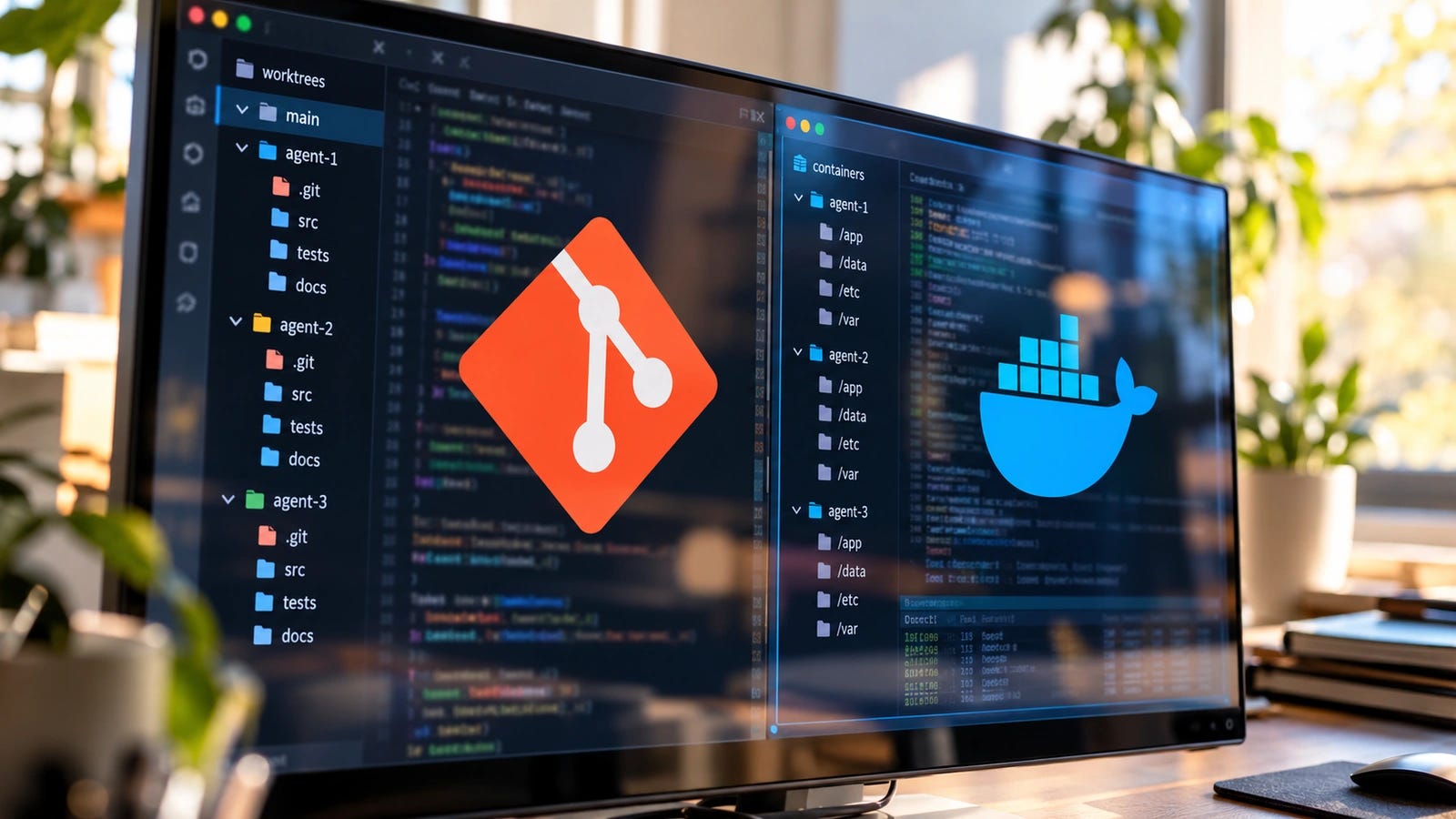
Running Claude Code and Codex in parallel can save time until one agent resets the wrong checkout or clears the other’s test data. Give each agent a separate Git worktree, and they can edit different branches without constantly overwriting each other’s files.
Those separate directories solve the everyday code-editing collision. The agents can still interfere with resources outside their checkouts.
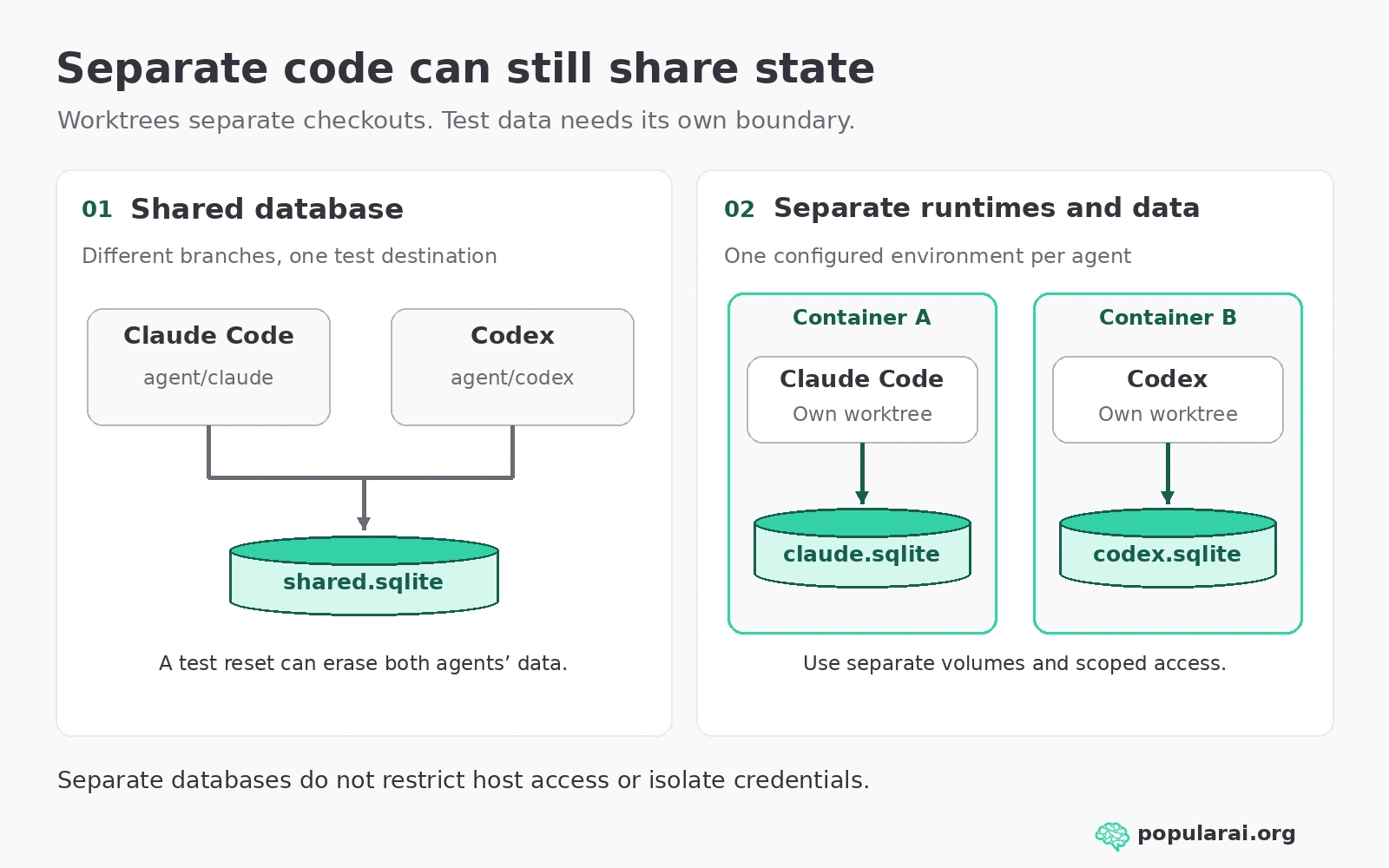
Both agents can still connect to the same development database, modify shared services, access credentials, or execute commands outside their assigned directories. A worktree keeps the checkouts separate. It doesn’t prevent an agent with sufficient permissions from damaging something elsewhere.
For a safer parallel coding setup, combine separate worktrees with isolated test data, restricted permissions, and a human-reviewed merge process. Use containers when the agents need their own services or stronger runtime separation.
The quick answer: Use worktrees for code, isolate execution separately
For two interactive coding agents working on a trusted project, separate Git worktrees are a sensible starting point. Each gets its own branch and working directory. You retain control over what reaches the main branch.
For agents running tests, databases, migrations, development servers, or unfamiliar code, give each agent a separate runtime as well. Docker containers can provide that separation, provided their volumes, networks, credentials, and host access are configured correctly.
If an agent will run unattended or execute potentially hostile code, consider a hardened container or disposable virtual machine with restricted filesystem and network access.
Git worktrees have separate working files, HEAD values, and indexes, while sharing substantial repository metadata. Each agent can stage its own patch without staging the other’s changes. Shared repository state still needs coordination.
Shared Git state is manageable when you know which operations affect other worktrees. The more dangerous assumption is that separate folders also protect the rest of your machine.
What four different setups actually isolate
▪ One shared checkout: Two agents can edit the same files, change the current branch, or leave one another with an unexpected Git status. Use this only for coordinated read-only tasks or when you serialize edits.
▪ Separate worktrees: Each agent gets its own checkout and index, with different branches. Ordinary file edits stay apart, but Git objects and most refs remain shared. The same file can still produce a merge conflict later. Neither agent is prevented by Git itself from accessing the other directory.
▪ Separate clones: Each clone normally has its own Git object store and repository settings. This reduces shared Git operations but uses more disk space and still leaves both processes on the same host, with the same reachable services and possibly the same user credentials.
▪ Containers: Properly configured containers can separate processes, filesystems, networking, and test services. They are stronger than worktrees for execution isolation, although writable bind mounts expose host files to container processes. Two containers sharing a host directory or database can still overwrite one another’s work.
The failures developers have already reported
In a March 13, 2026 Claude Code issue, a developer reported that a second agent abandoned a worktree-based approach and ran a destructive Git command in the main checkout. The command was git reset --hard origin/main. According to the reporter, it erased roughly two days of uncommitted changes, and reflog and dangling-object recovery checks failed.
A May 3 report described failed commits in parallel worktree agents, followed by automatic cleanup that allegedly removed uncommitted changes. The issue was closed as a duplicate. The reported cause needs care: Git maintains separate indexes for worktrees, so an index.lock error alone does not establish contention on a common index. Shared refs can still require coordination, and cleanup is dangerous whenever uncommitted files remain.
These are user reports, not evidence of how frequently either product loses work. They describe two ways work can disappear despite a worktree-based workflow: an agent reaches the wrong checkout, or cleanup removes changes before they are preserved. Keeping branches separate does not address either failure by itself.
Set up Claude Code and Codex on separate branches
This example assumes a clean Git repository in a directory called project, with a main branch, plus Git, Python 3, and installed Claude Code and Codex CLIs. The shell commands suit macOS, Linux, or WSL. Replace the example directory names for your repository. Checkpoint valuable changes and keep an independent backup first. Do not blindly commit secrets or private data.
From the main checkout, make sure git status --short shows nothing unexpected. Then create two worktrees:
git status --short
git worktree add -b agent/claude ../project-claude HEAD
git worktree add -b agent/codex ../project-codex HEAD
git worktree list
The result should show three checkouts: your original repository and the two agent directories. Each new branch starts at the same commit. If the branch names already exist, choose new names or inspect their existing worktrees rather than forcing a replacement.
In terminal one, run cd ../project-claude from the original checkout and start claude. In terminal two, run cd ../project-codex and start codex. Assign distinct tasks, such as a login bug and a documentation change. Keep each agent’s writable scope to its own directory and require approval for destructive or out-of-scope commands. Enforce those limits through the execution environment and permission settings. A task instruction telling an agent to stay in its folder does not prevent a command from reaching another folder.
Claude Code supports native --worktree sessions. Codex also supports worktree-backed sessions, including managed checkouts in its desktop experience. Manual Git worktrees make the boundaries and branch names explicit when using two different tools.
Reproduce the shared-database failure with SQLite
The next demonstration uses a disposable SQLite file, not your application database. It was reproduced with a temporary Git repository and two worktrees. No live coding agent or production service was involved.
From the original checkout, create a tiny script outside both worktrees:
mkdir -p ../agent-demo-runtime
cat > ../agent-demo-runtime/write.py <<'PY'
import sqlite3, sys
with sqlite3.connect(sys.argv[1]) as db:
    db.execute('CREATE TABLE IF NOT EXISTS results (agent TEXT)')
    db.execute('DELETE FROM results')
    db.execute('INSERT INTO results VALUES (?)', (sys.argv[2],))
    print(db.execute('SELECT agent FROM results').fetchall())
PY
(cd ../project-claude && python3 ../agent-demo-runtime/write.py ../agent-demo-runtime/shared.sqlite claude)
(cd ../project-codex && python3 ../agent-demo-runtime/write.py ../agent-demo-runtime/shared.sqlite codex)
The first run prints [('claude',)], and the second prints [('codex',)]. Both directories point to the same SQLite database. The script deliberately clears the scratch table each time, so the second run erases the first run’s test result. Running the two commands sequentially is enough to reveal the shared-state problem. The agents could have perfectly separate branches and still interfere this way.
Now replace shared.sqlite with claude.sqlite in the first invocation and codex.sqlite in the second. Run the modified invocations again. Each database retains its own agent’s result, so clearing one scratch table no longer clears the other’s data. Apply that same pattern to development database names, local storage, caches, temporary files, and external test accounts.
Isolate services, credentials, and container resources
If the project uses Docker Compose with a db service, start one Compose project per worktree, from each respective directory:
# In project-claude
docker compose -p agent-claude up -d db
# In project-codex
docker compose -p agent-codex up -d db
Compose project names separate normal project-scoped resources, including default networks and normally project-scoped named volumes. This works only if the Compose configuration does not override those boundaries with an external/shared volume, hard-coded container name, or shared host bind mount. Change conflicting published host ports, or omit database port publication and connect through each project’s internal network.
Give each agent a disposable database credential and the minimum network permissions its task requires. Keep production .env files, cloud keys, SSH agents, and Docker daemon access out of reach. Control of the Docker daemon can undermine container isolation. A container is not a security boundary if the agent can mount your home directory or control the host’s Docker service.
For untrusted repositories or unattended runs, a disposable VM offers an additional host boundary. Popular AI’s guide to hardening Codex after destructive operations covers stronger permissions, backups, and recovery. Its Friendly Fire security coverage explains why repository instructions and test scripts should not automatically be trusted.
More on isolating coding agents:


Finish the two-agent workflow safely
Paid subscribers get the practical merge-and-cleanup walkthrough, including how to review both agents’ changes and preserve unfinished work.
Subscribe or upgrade to a paid subscription to unlock the complete workflow.
Keep AI coding agents apart through the final merge
A message that a branch is already checked out usually means another worktree owns it. Use a different branch. An “address already in use” error usually points to two services publishing the same host port. A disappearing test record points to a shared database, volume, or fixture reset. Fix the underlying resource boundary before restarting both agents.
Before delegating parallel changes, confirm:
Each agent has a dedicated checkout and branch with recoverable commits.
Test databases, caches, volumes, and service endpoints are separate.
The agent cannot access production credentials or destructive host controls.
No worktree is deleted while it contains uncommitted work.
A human inspects both patches and reruns tests after each merge.
Start with worktrees for everyday parallel coding. Give Claude Code and Codex separate branches, keep recoverable checkpoints, and review their changes before combining them. Add isolated runtime resources as soon as agents run tests or services. For higher-risk execution, enforce permissions outside the agent and use a disposable container or VM. Before starting the next parallel task, check the database destination and writable scope as carefully as the branch name. Git separates the checkouts. Your execution environment determines what else each agent can change.
Explore more from Popular AI:
Start here | Local AI | Builds & gear | Autonomy & policy | Fixes & guides | Popular AI podcast