


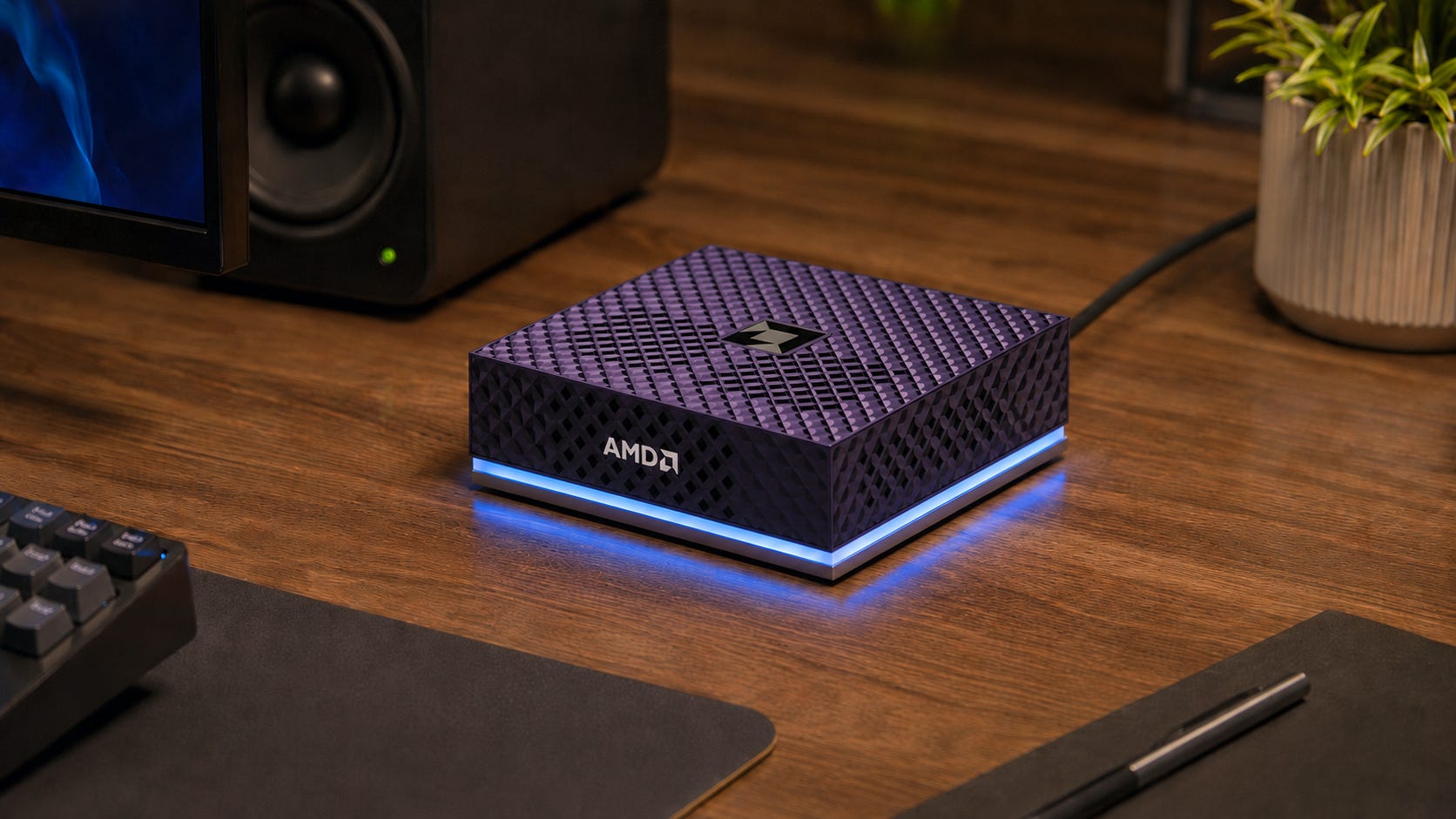
AMD’s Ryzen AI Halo Developer Platform puts 128GB of unified memory, a Ryzen AI Max+ 395 processor, Linux or Windows, a 2TB SSD, and 10Gb Ethernet into a 150mm-square workstation. Micro Center currently lists the Windows version at $3,999.99, while AMD and Micro Center position the platform as a ready-to-use local AI development system.
The hardware solves a real problem. It can load genuinely large local language models without a rack, a loud multi-GPU tower, or a recurring cloud bill. At this price, it competes directly with an M4 Max Mac Studio, Nvidia DGX Spark, and used RTX 3090 workstations. However, the buying case is less obvious.
AMD uses the same Strix Halo processor found in systems from Framework, GMKtec, and other PC makers. The premium buys an official developer platform, validated software, AMD support, 10GbE, and fewer setup decisions. It does not buy a faster Radeon 8060S or more memory bandwidth than another 128GB Ryzen AI Max+ 395 machine.
Disclosure: This post includes Amazon affiliate links. If you buy through them, Popular AI may earn a small commission at no extra cost to you.
Quick verdict and key takeaways
Best for AMD developers: Ryzen AI Halo is the cleanest reference machine for ROCm work on Ryzen AI Max+ 395. Buy it when validated configurations, official playbooks, Windows and Linux support, and a direct support path have business value.
Best value for most local-LLM hobbyists: A less expensive 128GB Strix Halo system. The 128GB GMKtec EVO-X2 is one example of the broader category, although cooling, firmware, warranty terms, storage, and return policies still need careful comparison.
Best polished workstation: A high-memory M4 Max Mac Studio offers much higher memory bandwidth and mature Apple Silicon tooling. Current Apple specifications list up to 96GB for M4 Max, so it no longer provides a clean 128GB-to-128GB comparison.
Best for CUDA and raw accelerator speed: A used GeForce RTX 3090 build remains attractive for ComfyUI, training, and repositories designed around Nvidia hardware. A dual-card system brings major power, cooling, and multi-GPU complications.
Best for high-concurrency serving: Nvidia DGX Spark costs more, but its CUDA ecosystem, FP4 path, ConnectX-7 networking, and vLLM performance make it the stronger serving platform.
Bottom line: Ryzen AI Halo is a strong official developer box and a weak bargain for an ordinary enthusiast. Its premium pays for support, validation, and deployment convenience rather than extra silicon-level local AI capability.
What AMD is selling for $3,999

As of July 16, 2026, Micro Center lists Linux and Windows versions of the AMD Ryzen AI Halo Developer Platform at a $3,999 retail price. The Windows product page confirms the core configuration:
Ryzen AI Max+ 395 with 16 Zen 5 CPU cores and 32 threads
Radeon 8060S integrated GPU with 40 RDNA 3.5 compute units
XDNA 2 NPU rated at up to 50 TOPS
128GB LPDDR5X-8000 unified memory
256GB/s memory bandwidth
2TB M.2 NVMe SSD
10Gb Ethernet
Wi-Fi 7 and Bluetooth 5.4
Three USB-C data ports, HDMI, and a separate USB-C power input
120W processor TDP
Linux or Windows 11 Pro
A 150mm-square chassis weighing less than 1.2kg
The platform also includes preconfigured software, developer playbooks, regular updates, operating-system flexibility, and support aimed at reducing time from power-on to a working AI environment. The Micro Center product listing markets support for models with up to 200 billion parameters, while AMD describes the platform as having full ROCm support.
The 200-billion-parameter number needs context. Parameter count does not determine fit by itself. Quantization, architecture, context length, KV cache, runtime overhead, and operating-system memory all matter.
A compressed mixture-of-experts model with 200 billion total parameters may fit. A dense 200-billion-parameter model at a higher precision probably will not. Even when a model loads, the remaining memory and bandwidth determine whether it is practical to use.
The 128GB specification is useful, but it is not 128GB of dedicated VRAM
Ryzen AI Max+ 395 uses unified memory. Its CPU and integrated GPU share one LPDDR5X pool instead of maintaining separate system RAM and dedicated graphics memory.
On a 128GB system, AMD says up to 96GB can be converted to VRAM through Variable Graphics Memory. That is far more GPU-addressable memory than a normal consumer graphics card provides, but it is not equivalent to a 128GB accelerator.
The rest of the memory must support Windows or Linux, background applications, the inference runtime, model metadata, context, and cache. Linux ROCm can use shared system memory without treating the whole pool as a fixed BIOS reservation, but the machine still needs headroom for the operating system and software stack.
That is why a 128GB Strix Halo system can be an excellent 70B or 120B-class inference box while still failing to load a theoretically smaller model with an aggressive context setting. Popular AI’s memory-spill troubleshooting guide is a useful companion when a model loads but performs badly.
A model that barely fits may also become unstable or painfully slow once cache growth and other processes consume the remaining memory.
More on RAM and VRAM for local AI
Model fit does not guarantee acceptable speed. Popular AI’s guide to Ollama and llama.cpp slowdowns when models spill into system memory explains why memory placement, CPU fallback, context, and parallelism can turn a working model into a frustrating one.

Memory capacity is the attraction and bandwidth is the limit
Ryzen AI Halo has 256GB/s of memory bandwidth. That is respectable for an integrated processor and modest beside high-end discrete graphics cards.
An RTX 3090 has 936GB/s of dedicated memory bandwidth. The 40-core M4 Max reaches 546GB/s. Nvidia DGX Spark reaches 273GB/s, although Nvidia’s software and low-precision hardware expose advantages that a small raw bandwidth difference does not capture.
Large-model token generation is often constrained by the speed at which weights move from memory to compute units. That makes Strix Halo good at loading models that ordinary graphics cards cannot hold, but less impressive when the goal is maximum tokens per second.
AMD’s own launch material presents a favorable result. In short, 100-token-context tests using GPT-OSS 120B, Qwen 3.5 122B, Qwen 3.6B, and GLM 4.7 Flash, AMD reported that Ryzen AI Halo matched or exceeded DGX Spark. The testing used a preproduction system, selected software, and conditions chosen by AMD. Those results are useful, but they do not describe sustained serving, large batches, or long-context workloads. The AMD benchmark disclosure on Micro Center’s Ryzen AI Halo page makes the 100-token context explicit.
Independent testing exposes the difference between personal inference and server throughput. StorageReview found that Ryzen AI Halo stayed competitive in a few single-user or decode-heavy cases, but DGX Spark delivered roughly two to four times the throughput in most higher-concurrency vLLM tests. In a prefill-heavy GPT-OSS 120B run, Spark was about 8.8 times faster. Halo remained the strongest Ryzen AI Max+ 395 system StorageReview had tested and beat Spark in several CPU workloads, but it was clearly weaker as a production inference server.
Both benchmark stories can be true. Ryzen AI Halo can be a capable personal inference machine without replacing an optimized Nvidia serving platform.
Linux is the serious local AI operating system
AMD advertises Windows and Linux support, and Windows compatibility is improving. The current ROCm Windows support matrix lists Ryzen AI Max+ 395 under ROCm 7.2.1 components with PyTorch 2.9.1 and Python 3.12.
However, AMD’s limitations page says only PyTorch is currently available on Windows, while the rest of the ROCm stack remains Linux-only. AMD also lists no machine-learning training support, no torch.distributed support, and official LLM batch-size support limited to one on Windows.
Windows is reasonable for LM Studio, selected llama.cpp builds, validated PyTorch applications, and buyers who need the machine to remain a normal Windows workstation. It is not the broadest expression of AMD’s local AI stack.
Linux is the better choice for serious development, containers, vLLM experimentation, wider ROCm access, and fewer artificial boundaries around the software stack. AMD’s Linux compatibility matrix officially lists Ryzen AI Max+ 395 under ROCm 7.2.1 with production support for the listed PyTorch configuration.
AMD also acknowledges lower-than-expected performance in some LLM workloads on Ryzen AI Max+ 395. The phrase “full ROCm support” should therefore be read as a platform and compatibility claim, not a promise that every component or workload performs identically across both supplied operating systems.
llama.cpp support is better than it used to be
Ryzen AI Max+ 395 can run GGUF models through llama.cpp, LM Studio, Ollama, and related applications. AMD now provides validated, prebuilt llama.cpp binaries for Linux, reducing the need to compile a particular HIP or ROCm build manually.
The package includes precompiled tools such as llama-server, llama-bench, and llama-cli. AMD’s instructions also show GPU layer offload and Flash Attention options, which makes the official path much more approachable than earlier community-only setups.
Backend testing still matters. Depending on the model, operating system, driver, and llama.cpp version, Vulkan and HIP may produce different prompt-processing and token-generation results. Owners should compare the available backends instead of assuming that the most native-sounding option is always fastest.
This is one area where the official platform earns part of its premium. AMD can validate one known combination of hardware, firmware, operating system, driver, and runtime. A third-party mini PC can contain the same processor, but its Linux image, thermal profile, firmware, and support path belong to another company.
The NPU is promising, but it is not the reason to buy this machine
The XDNA 2 NPU contributes to AMD’s combined AI-performance number, but most large local-LLM software still targets the Radeon GPU.
Research is beginning to make the NPU more useful. The June 2026 TileFuse paper introduced AWQ-style W4A16 and W8A16 inference on XDNA 2. That matters because these formats are closer to the quantized models people actually download and run locally.
In its tested workloads, the TileFuse research reported lower prefill latency and better energy efficiency, including up to 2.0 times lower prefilling latency and more than 64.6% lower energy consumption in end-to-end experiments on Ryzen AI laptops.
The work is still a close-to-metal research kernel library. It does not mean Ollama, LM Studio, llama.cpp, and mainstream model repositories can transparently use the NPU today.

Verdict: Buy Ryzen AI Halo for its large unified-memory GPU. Treat the NPU as possible future value.
Power, noise, storage, and networking
The 120W processor TDP is one of Ryzen AI Halo’s strongest practical advantages. It offers access to large local models without the cooling, power supply, and room-temperature consequences of a multi-GPU workstation.
A pair of RTX 3090 cards has 700W of combined graphics-card board power before counting the CPU, motherboard, storage, and cooling. Nvidia lists 24GB of GDDR6X memory on each GeForce RTX 3090, and the architecture provides 936GB/s of memory bandwidth per card.
The AMD system should be dramatically easier to power and place on a desk or shelf. That does not automatically make it silent. Sustained 120W operation inside a compact enclosure still requires active cooling, and buyers should consider measured acoustics rather than assuming mini PC dimensions guarantee quiet operation.
The included 2TB SSD is adequate for getting started and small for a serious local model library. The standard M.2 2280 bay is a welcome design choice because the drive can be replaced. StorageReview reports that the Halo’s M.2 2280 bay opens upgrade options up to 8TB.
The 10GbE port is useful for a workstation that reads model files, datasets, or document stores from network storage. It is not a clustering fabric. DGX Spark includes 200Gbps ConnectX-7 networking for linking systems, while Ryzen AI Halo stops at conventional 10GbE.
Ryzen AI Halo vs Framework Desktop
The Framework Desktop uses the same Ryzen AI Max+ 395 and offers a 128GB configuration, 5Gbit Ethernet, standard PC storage, replaceable cooling parts, repair documentation, and Framework’s modular Expansion Card system.

Framework also sells the Ryzen AI Max+ 395 mainboard with 128GB for a listed U.S. price of $3,149. That mainboard price does not represent a complete equivalent workstation. A finished build still needs storage, enclosure, cooling, accessories, and an operating system.
The same Framework mainboard listing confirms that the 128GB memory is part of the mainboard configuration. It is soldered and cannot be upgraded later. Framework’s advantages are repairability, physical customization, standard parts around the board, and a wider PC ecosystem. The official Halo counters with 10GbE, a much smaller enclosure, a validated software image, and AMD’s support path.

Verdict: Choose Framework when repairability, customization, and selecting your own storage matter. Choose Ryzen AI Halo when the completed Framework build approaches AMD’s price and official validation can save meaningful engineering time.
For a business, that difference can justify several hundred dollars. For a hobbyist, it usually cannot.
Ryzen AI Halo vs GMKtec EVO-X3
The GMKtec EVO-X3 uses the same Ryzen AI Max+ 395, Radeon 8060S, 128GB LPDDR5X memory, and up to 96GB of VGM allocation. Its current U.S. listing shows $3,799.99 for the 128GB and 2TB configuration, only $200 below Ryzen AI Halo.
GMKtec gives buyers dual M.2 2280 slots, OCuLink for an external GPU, and a triple-fan chassis. The same EVO-X3 product listing specifies 2.5Gb Ethernet, a seven-day return window, and a one-year warranty.
The EVO-X3 is therefore different from the earlier wave of aggressively priced Strix Halo mini PCs. At $3,799.99, it is no longer the automatic value alternative. Its strongest arguments are OCuLink, a second internal drive slot, and the option to add discrete graphics later.
Popular AI’s GMKtec EVO-X3 buying guide examines its fit for GGUF models, private document work, RAG, and coding assistants. The guide also explains why CUDA-first image generation, video generation, and serious training remain weak fits.

Verdict: Pay the additional $200 for Ryzen AI Halo when 10GbE, AMD validation, and a stronger development support path matter. Choose EVO-X3 when OCuLink and dual internal drives matter more. At their current listed prices, neither is a bargain.
More on the GMKtec EVO-X3:

Ryzen AI Halo vs M4 Max Mac Studio
Apple’s current Mac Studio specifications list the higher M4 Max configuration with a 16-core CPU, 40-core GPU, and 546GB/s of memory bandwidth. The page currently shows M4 Max memory options up to 96GB, not 128GB.
That is important because some earlier comparison and retail copy described a 128GB M4 Max ceiling. Popular AI’s earlier M4 Max versus Ryzen AI Max+ 395 comparison reflects that older configuration information. Buyers should check the current Apple configurator before assuming a 128GB M4 Max remains available.
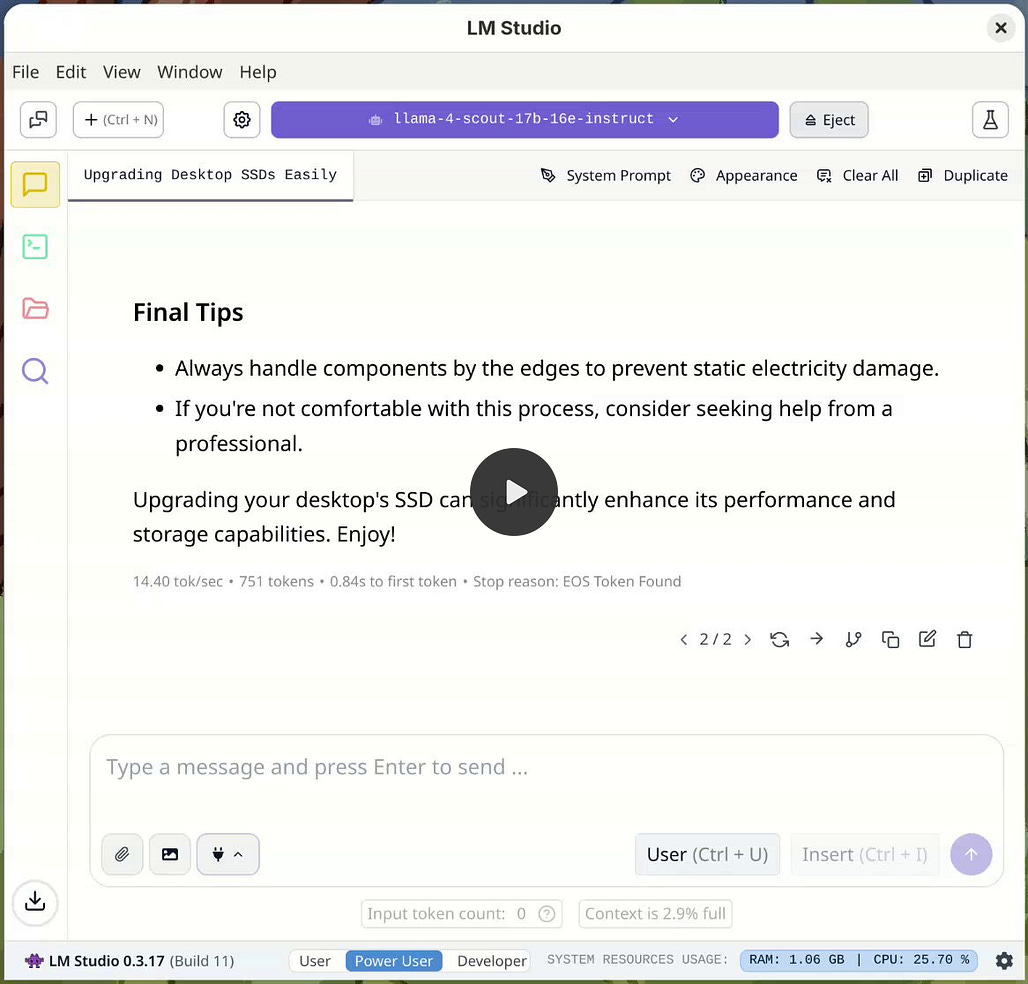
The M4 Max is usually the more polished personal local-LLM workstation. MLX and MLX LM are built around Apple Silicon’s unified-memory architecture. Mac Studio is compact, predictable, and requires less operating-system or backend experimentation.
The compromises are macOS, non-upgradeable memory and internal storage, expensive factory upgrades, and no CUDA or ROCm. The current 96GB ceiling also gives Ryzen AI Halo more room for models and context that need substantially more than 80GB.
Popular AI’s full M4 Max and Ryzen AI Max+ 395 guide remains useful for comparing bandwidth, software, storage, and workflow differences, but its memory configuration details should be read alongside Apple’s current specifications.

Verdict: Buy the M4 Max Mac Studio when local LLMs are part of a broader Mac workflow and bandwidth matters more than maximum memory capacity. Buy Ryzen AI Halo when 128GB, Linux, Windows, x86 containers, ROCm, and replaceable storage matter more.
More on local AI mini computers:

Ryzen AI Halo vs Nvidia DGX Spark
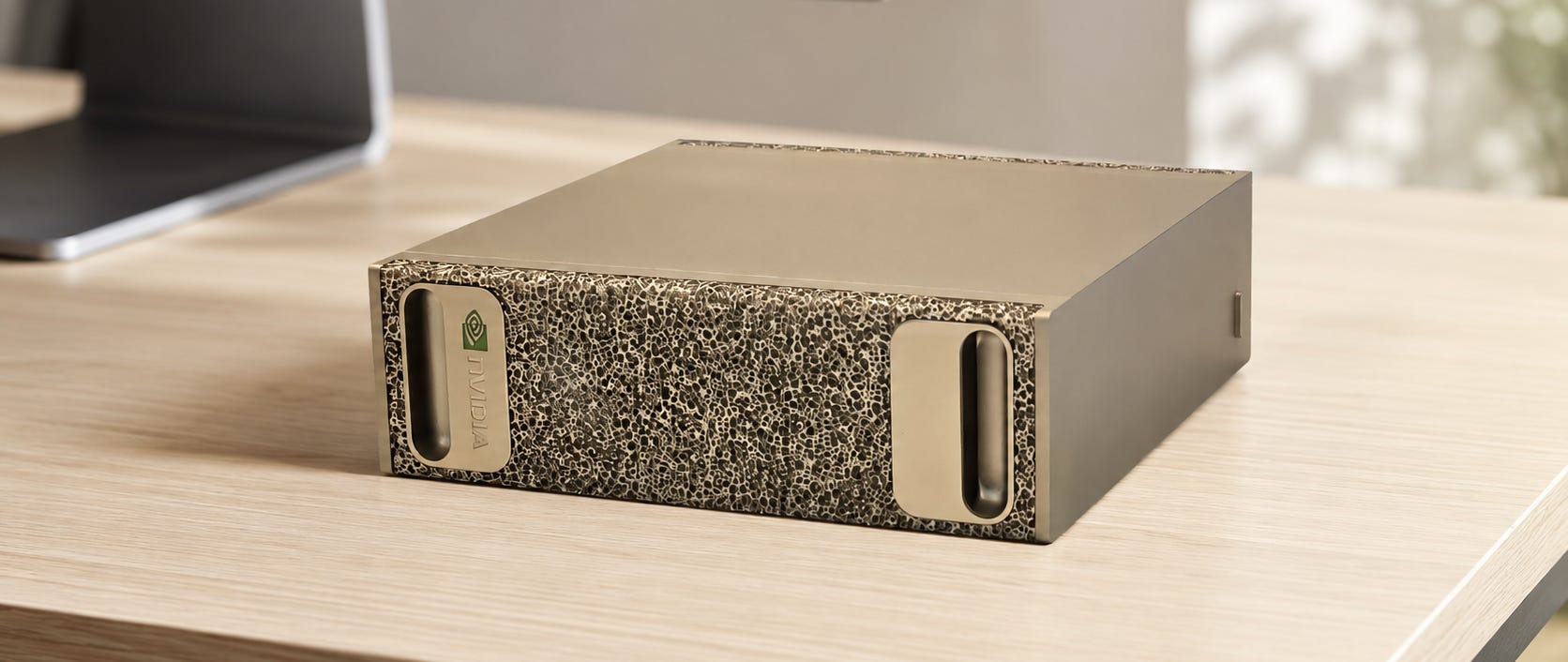
DGX Spark is the closest conceptual competitor.
Both systems use 128GB of coherent or unified LPDDR5X memory. Nvidia lists 273GB/s memory bandwidth, 4TB of storage, a 140W GB10 TDP, 10GbE, and 200Gbps ConnectX-7 networking. DGX Spark uses a Grace Blackwell processor with a 20-core Arm CPU and runs Nvidia’s Linux-based DGX OS.
AMD’s launch disclosure compares Ryzen AI Halo’s $3,999 retail price with a $4,699 Nvidia first-party price. Halo runs ordinary x86 software, supports Windows, and is the stronger general-purpose CPU workstation in StorageReview’s testing.
DGX Spark is much stronger when the workload depends on CUDA, Nvidia’s optimized FP4 path, vLLM serving, high concurrency, or multi-node networking. Those capabilities are central to the product rather than minor extras.
Nvidia’s official DGX Spark specifications also make the platform difference clear. The system is built around a Blackwell GPU, fifth-generation Tensor Cores, a ConnectX-7 NIC, and DGX OS. Ryzen AI Halo is a flexible x86 workstation that happens to be good at fitting large models. DGX Spark is an AI development and serving appliance that can also perform workstation tasks.
Verdict: Buy Nvidia DGX Spark for Nvidia development, production-like serving, and multi-node experimentation. Buy Ryzen AI Halo for a flexible x86 workstation that runs large local models. Do not buy Halo expecting it to match Spark’s serving throughput.
Ryzen AI Halo vs a used dual-RTX 3090 PC
Two RTX 3090 cards provide 48GB of aggregate dedicated VRAM. They also provide CUDA, mature PyTorch support, high memory bandwidth, fast ComfyUI generation, practical training capability, and broad compatibility with repositories that assume Nvidia hardware.
The catch is that two 24GB cards do not automatically behave as one seamless 48GB card. The runtime must split the model across GPUs. Some applications handle this well. Others do not.
A dual-3090 tower needs a large case, a serious power supply, strong airflow, and a buyer who is comfortable evaluating used graphics cards. Popular AI’s guide to whether dual RTX 3090s still make sense for local AI covers memory, heat, power, software support, and used-hardware risk.
The practical appeal is still strong when 48GB is enough. Popular AI’s dual RTX 3090 analysis explains why the setup remains attractive for CUDA-heavy workloads but becomes awkward when models exceed the usable aggregate memory or an application handles multi-GPU splitting poorly.
Ryzen AI Halo gives up substantial speed in exchange for a much larger contiguous memory pool, lower power consumption, compact size, and simpler ownership

Verdict: Buy a pair of RTX 3090 cards when 48GB is enough and CUDA speed matters. Buy Ryzen AI Halo when models exceed that practical memory ceiling and interactive inference matters more than throughput.
More on building local AI with the RTX 3090:

Does the official developer platform justify its premium?
It justifies the premium for three types of buyer.
▪ Developers building specifically for AMD: A team targeting ROCm on Ryzen hardware benefits from a known reference system, validated software versions, official playbooks, and a direct support path. Reproducing bugs is easier when AMD’s engineers can work against the same platform.
▪ Companies that value setup time more than purchase price: A few days of engineering time can cost more than the gap between Ryzen AI Halo and another Strix Halo machine. The premium is easier to defend when the system is a development tool rather than a personal chatbot box.
▪ Buyers comparing it with another $3,700 to $3,800 system: When EVO-X3 is only $200 cheaper, AMD’s support, 10GbE, validated image, and stronger development positioning can be worth the difference.
The premium is harder to justify for an enthusiast comparing Halo with discounted or older Strix Halo systems. The processor, graphics architecture, memory capacity, and memory bandwidth remain fundamentally similar.


Tom’s Hardware’s Ryzen AI Halo launch coverage frames the product accurately as a $3,999, 128GB Strix Halo developer system that undercuts Nvidia’s first-party DGX Spark price. The missing implication is that AMD has built a better-supported product around Strix Halo, not a faster class of Strix Halo silicon.
✅ Who should buy Ryzen AI Halo?
Buy it for:
Large quantized local LLMs that need substantially more than 48GB
Private document analysis, RAG, coding assistants, and research
AMD ROCm development on a known reference platform
Linux and Windows testing on the same x86 machine
A compact local AI server connected through 10GbE
Low-power, always-available personal inference
A supported reference machine for an engineering team
Workloads where model fit matters more than maximum token speed
❌ Who should skip it?
Skip it for:
CUDA-first projects
High-throughput vLLM serving
Multi-user inference servers
ComfyUI as the primary workload
AI video generation
Serious fine-tuning or model training
Multi-node clustering
Buyers expecting 128GB of dedicated accelerator memory
Buyers unwilling to use Linux for the broadest ROCm support
Hobbyists who can find the same 128GB processor in a much cheaper system
Frequently Asked Questions
Can Ryzen AI Halo really run 200-billion-parameter models?
AMD markets the system for models with up to 200 billion parameters, but the answer depends on architecture, quantization, context, and runtime overhead. Some heavily quantized or mixture-of-experts models can fit. Dense, higher-precision models may not. The Micro Center Ryzen AI Halo listing supports the 200B marketing claim, not a guarantee that every 200B model will run well.
How much memory can the GPU use?
AMD says a 128GB Ryzen AI Max+ 395 system can reserve up to 96GB through Variable Graphics Memory. Linux ROCm can also work with shared system memory, but the operating system, runtime, context, and cache still need part of the 128GB pool.
Should Ryzen AI Halo run Windows or Linux?
Choose Linux for serious ROCm development, containers, vLLM, and the broadest framework support. Choose Windows when the computer must remain a normal workstation and your required applications fit AMD’s current PyTorch, LM Studio, or llama.cpp paths. AMD’s Windows limitations remain significant, including no training support and an incomplete ROCm stack.
Does AMD provide an easy llama.cpp setup?
AMD provides validated prebuilt llama.cpp binaries for supported Linux configurations. That removes compilation work, but owners should still compare HIP and Vulkan backends because performance can change with the model and software version.
Is Ryzen AI Halo faster than an M4 Max Mac Studio?
Not as a general rule. Apple’s current Mac Studio specifications list 546GB/s for the high-end M4 Max, compared with 256GB/s for Ryzen AI Halo. That can give a high-end M4 Max Mac Studio a substantial advantage in well-supported LLM workloads. Halo offers more memory under Apple’s current 96GB M4 Max ceiling, plus x86 and operating-system flexibility.
Is Ryzen AI Halo better than DGX Spark?
It is better as a general-purpose x86 workstation and costs less at the listed first-party prices. DGX Spark is better for CUDA, FP4, high-concurrency serving, and multi-node development. StorageReview’s vLLM results strongly favor Spark once concurrency rises.
Is Ryzen AI Halo worth $3,999 instead of a Strix Halo mini PC?
For most personal users, no. For a developer or company that values official support, validated configurations, 10GbE, and predictable deployment, yes. The answer becomes easier when the competing system costs nearly $3,800 and harder when a suitable 128GB Strix Halo machine is available for much less.
Ryzen AI Halo is worth $3,999 only when support is part of the product
Most local AI users should not buy AMD’s Ryzen AI Halo at $3,999.
The machine solves a real problem. It fits large quantized models into a compact, efficient x86 computer. Its memory capacity is excellent, its storage is replaceable, its networking is useful, and AMD’s software support has improved substantially.
It remains a Ryzen AI Max+ 395 system with 256GB/s of memory bandwidth and meaningful Windows ROCm limitations. Less expensive Strix Halo systems can run the same classes of model. An M4 Max Mac Studio is the more polished bandwidth-first choice when 96GB is enough. A used RTX 3090 tower is better for CUDA and raw throughput. DGX Spark is better for serious serving and Nvidia development.
Buy Ryzen AI Halo when the official development environment is part of what you need. Skip it when all you need is the processor and memory architecture.
The hardware is worth owning. The AMD badge, validation, and support are worth $3,999 only when they save more time and risk than the premium costs.
Explore more from Popular AI:
Start here | Local AI | Builds & gear | Autonomy & policy | Fixes & guides | Popular AI podcast
Would you pay $3,999 for the AMD Ryzen AI Halo, or choose a Mac Studio, DGX Spark, Framework system, or used RTX 3090 build instead?