


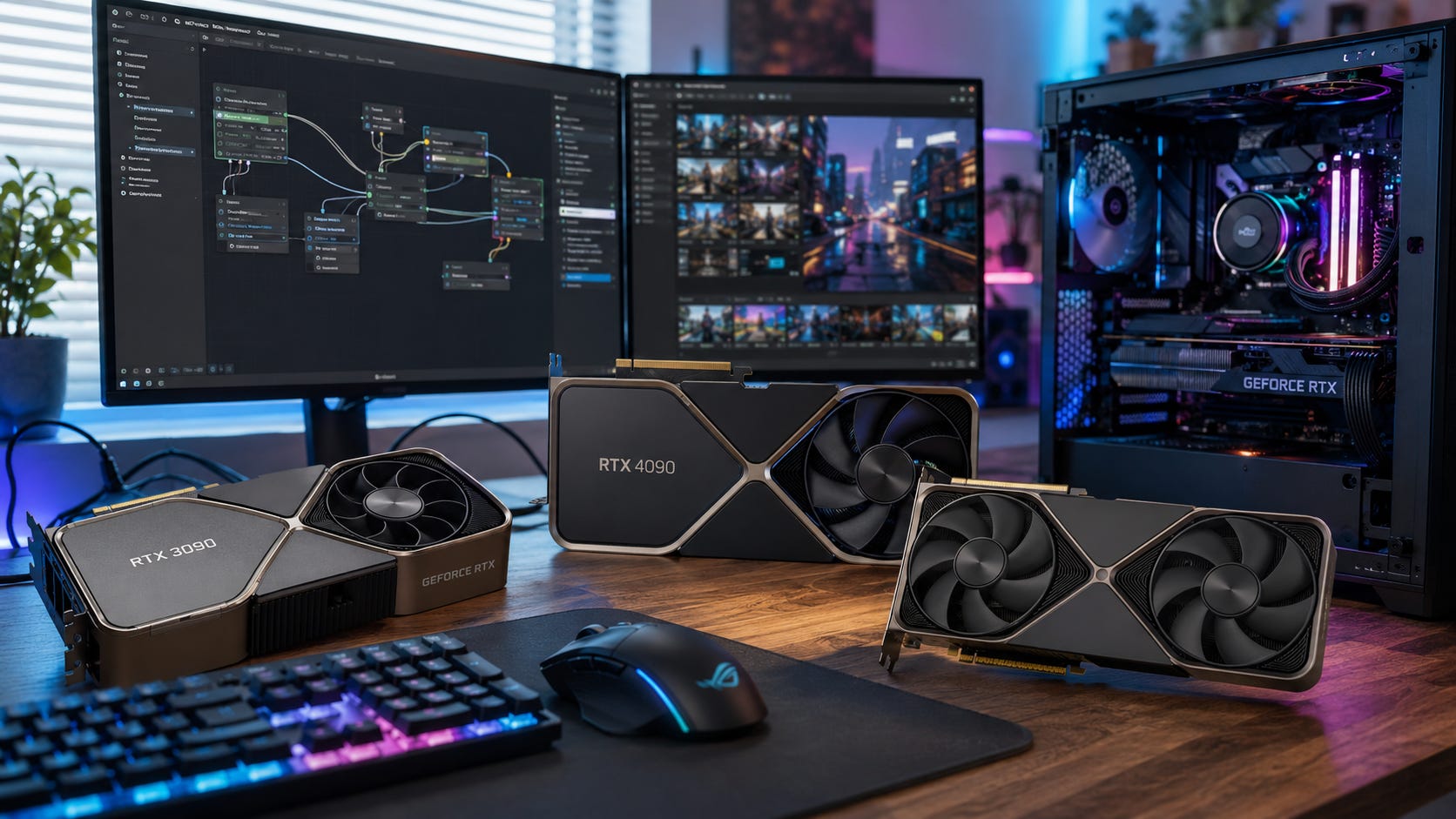
Buying the best GPU for local video AI in 2026 is mostly a VRAM decision. Raw speed matters after the model fits. Before that, a faster card can simply reach an out-of-memory error faster.
That is the trap in AI video generation. A gaming benchmark can make a 12GB card look stronger than an older 24GB card, but local video models care about memory first. Open video models and ComfyUI workflows now span a wide hardware range. The official ComfyUI Wan2.2 workflow guide says the 5B version should fit on 8GB VRAM with native offloading, while heavier audiovisual models such as LTX-2.3 officially call for much more memory.
The practical answer is simple. Buy 12GB only as an entry point. Buy 16GB as the sane new-card baseline. Buy 24GB when you want fewer compromises. Buy 32GB when high-end consumer performance and broader model fit matter. Buy 48GB to 96GB only when local video is part of a serious production, lab, or research workflow.
This guide ranks GPUs for local video AI by what actually matters for ComfyUI video, Wan, CogVideoX, HunyuanVideo, LTX, image-to-video workflows, longer clips, and memory-heavy generation graphs. It favors useful local capability over gaming prestige.
Updated July 2, 2026: This guide has been refreshed with current GPU picks, VRAM tiers, model requirements, and buying advice for local video AI.
More on local AI GPU rankings:

Quick verdict
Best overall value: A clean used GeForce RTX 3090 24GB. NVIDIA lists the RTX 3090 with 24GB of GDDR6X, 10,496 CUDA cores, NVLink support, and 350W graphics card power, which still makes it one of the most useful consumer GPUs for local AI work per dollar when the used price is sane.
Best new GPU for most local video buyers: The GeForce RTX 5060 Ti 16GB. NVIDIA lists the RTX 5060 Ti with 16GB or 8GB of GDDR7, 4,608 CUDA cores, fifth-generation Tensor Cores, 759 AI TOPS, and a 128-bit memory interface. For local video AI, the 16GB version is the one that matters.
Best cheap entry point: The GeForce RTX 3060 12GB. NVIDIA lists the RTX 3060 with 12GB of GDDR6, 3,584 CUDA cores, a 192-bit memory interface, and PCIe Gen 4 support, and that 12GB frame buffer still makes it more useful for entry-level AI video than many 8GB cards.
Best high-end consumer card: The GeForce RTX 5090 32GB. NVIDIA lists the RTX 5090 with 32GB of GDDR7, 21,760 CUDA cores, a 512-bit memory interface, 3,352 AI TOPS, 575W total graphics power, and no NVLink support. It is the fastest consumer option here, but not the best value for most buyers.
Best workstation choice when money matters less than fit: The NVIDIA RTX PRO 6000 Blackwell Workstation Edition. NVIDIA lists the workstation card with 96GB of GDDR7 ECC memory, 1,792 GB/s memory bandwidth, 24,064 CUDA cores, 4,000 AI TOPS, and 600W total board power. NVIDIA’s product page also positions the RTX PRO 6000 Blackwell as a professional desktop GPU for large AI, data science, and graphics workloads.
Most interesting non-NVIDIA option to watch: Intel Arc Pro B60 24GB. Intel lists the Arc Pro B60 with 24GB memory, 20 Xe cores, 197 pTOPS, 456 GB/s memory bandwidth, and 120W to 200W total board power. The hardware is interesting, but NVIDIA still has the easier software path for most local video users today.
Why local video AI is harder on GPUs than local image AI
Local image generation is already VRAM-hungry. Local video is worse because the model has to reason across frames, motion, temporal consistency, conditioning, text encoders, VAE memory, and often image-to-video inputs inside one workflow.
That is why official requirements vary so widely. The Wan2.1 T2V-1.3B model page says the smaller text-to-video model targets 480p and supports consumer-grade GPU use, with model documentation and search snippets noting an 8.19GB VRAM requirement for a 5-second 480p video. That makes it one of the friendlier starting points for local video experiments.
CogVideoX is more flexible than many older video stacks because the CogVideo GitHub documentation lists memory modes that can start from 10GB for CogVideoX1.5-5B BF16 with Diffusers and from 7GB for INT8. Those numbers are useful, but they do not mean every real workflow will feel good on a small GPU. Add a heavier VAE, image conditioning, higher frame count, larger resolution, or a more complicated ComfyUI graph, and memory pressure climbs quickly.
HunyuanVideo-1.5 is a better example of the current middle tier. Tencent’s HunyuanVideo-1.5 repository lists an NVIDIA GPU with CUDA support, 14GB minimum GPU memory with model offloading enabled, Linux, Python 3.10 or higher, and a CUDA version compatible with the user’s PyTorch install. That puts 16GB cards into a useful zone, while 12GB cards become more conditional.
LTX-2.3 sits near the heavy end of this guide. Its system requirements call for an NVIDIA GPU with 32GB or more VRAM, 32GB system memory, 100GB free storage, CUDA 11.8 or higher, and Python 3.10 or higher. The recommended configuration names A100 80GB or H100, which is a clear signal that some local video models now reach beyond ordinary consumer cards.
The buying lesson is blunt. A GPU that can technically run a demo may still be a poor purchase for weekly local video work. The better question is whether the card gives you enough VRAM to run the models, clip lengths, resolutions, and ComfyUI graphs you will actually use.
How these GPUs were ranked
This ranking favors local video usefulness over gaming benchmarks. The main criteria are VRAM, CUDA and framework support, model compatibility, price-to-capability, power draw, cooling risk, used-market risk, and whether the card reduces dependence on hosted video tools.
NVIDIA gets priority because the PyTorch install selector still separates CUDA and ROCm paths, and many local video projects document NVIDIA CUDA first or require it outright. A buyer who wants the least painful path through ComfyUI video nodes, model wrappers, quantized checkpoints, and community troubleshooting should still treat CUDA as the default.
AMD is much more credible than it used to be. AMD’s current ROCm Linux support matrix lists multiple Radeon RX 9000 and RX 7000 GPUs as supported for compute workloads, including RX 9070 XT, RX 9070, RX 9060 XT, RX 7900 XTX, RX 7900 XT, RX 7900 GRE, RX 7800 XT, RX 7700 XT, and RX 7700. The same page also limits those Radeon cards to specific Linux distributions, which is exactly the kind of caveat that matters in a local AI build.
Intel is improving too. The PyTorch team’s post on PyTorch 2.7 support for Intel GPUs says Intel GPU support had expanded across Windows, Linux, and WSL2, including Arc A-Series, Arc B-Series, Core Ultra graphics, and Data Center GPU Max products. That is good progress, but local video AI still rewards the ecosystem with the least friction.
That is why this guide ranks NVIDIA cards first, then treats AMD and Intel as serious but more hands-on alternatives. Supported hardware and boring day-to-day usability are related, but they are not the same thing.
Disclosure: This post includes Amazon affiliate links. If you buy through them, Popular AI may earn a small commission at no extra cost to you.
1. GeForce RTX 3090 24GB: best overall value for local video AI
The RTX 3090 remains the card to beat for value because it gives 24GB of VRAM without workstation pricing. NVIDIA lists the GeForce RTX 3090 with 24GB of GDDR6X, a 384-bit memory interface, 10,496 CUDA cores, NVLink support, PCIe Gen 4, and 350W graphics card power.

That 24GB matters more than the age of the card. It gives far more room for larger ComfyUI graphs, image-to-video workflows, higher resolutions, longer clips, and fewer offloading compromises than a 12GB or 16GB GPU. It will not make LTX-2.3’s 32GB official minimum disappear, but it gets much closer to comfortable local video than any cheap new card.
The RTX 3090 is also why local AI buyers sometimes ignore neat product generations. A newer 12GB or 16GB card may be faster in a game, more efficient under load, and easier to buy new. Local video generation can still prefer the older 24GB card because the model has to fit before speed matters.
The drawback is the used-market gamble. The RTX 3090 is a 350W card in NVIDIA’s Founders Edition specs, and board partner models can be large, hot, and power-hungry. Buyers should check the seller’s return policy, fan noise, hotspot behavior, power connectors, physical size, and whether the card has been run hard for mining or rendering.
This is also the card that fits best with our broader local AI build advice. Our related guide to dual RTX 3090s for local AI explains why 24GB on one card is often more useful than chasing a newer 16GB option for memory-bound workloads. Our companion article on dual RTX 3090s in 2026 makes the same broader point for local LLMs and workstation-style AI builds.
Price is the key. Buy an RTX 3090 when it is cheap enough that 24GB is the reason to tolerate the power draw and used-card risk. Skip it when sellers price it too close to newer 24GB or 32GB options.

Best for: Serious hobbyists, creators, ComfyUI users, and local video experimenters who want the most VRAM per dollar.
Skip it if: A warranty, low power draw, small case fit, or quiet operation matters more than 24GB VRAM.
Verdict: Buy a clean RTX 3090 when the price is right. It remains the strongest value pick for local video AI because 24GB still changes what fits.
2. GeForce RTX 5060 Ti 16GB: best new GPU for most buyers
The RTX 5060 Ti 16GB is the best new-card choice for most local video buyers because it reaches the 16GB tier with modern Blackwell hardware. NVIDIA lists the GeForce RTX 5060 Ti with 4,608 CUDA cores, fifth-generation Tensor Cores, 759 AI TOPS, 16GB or 8GB of GDDR7, a 128-bit memory interface, PCIe Gen 5, and Blackwell architecture.

The key phrase is 16GB. The 8GB version may be fine for gaming and light AI, but it is the wrong version for a serious local video buying guide. HunyuanVideo-1.5’s documented 14GB minimum GPU memory with model offloading enabled puts 16GB cards in a useful middle zone that 8GB cards cannot reach comfortably.
The RTX 5060 Ti 16GB also makes sense for buyers who do not want used hardware. It has lower power draw than an RTX 3090, a newer architecture, current-generation NVIDIA software support, and the practical advantage of retail availability. For a first local video machine, that matters.
The main weakness is memory bandwidth and ceiling. A 16GB card is a good local video starting point, but it is not a replacement for 24GB or 32GB when workflows get heavier. It is the sensible new buy, not the card that makes local video feel unconstrained.
It also needs price discipline. The RTX 5060 Ti 16GB is attractive when it stays in its intended mainstream tier. It becomes much less compelling if street pricing rises close to used RTX 3090 territory or discounted higher-end 16GB cards.

Best for: New builds, warranty-conscious buyers, Windows-first ComfyUI users, and creators who want useful local video without a 350W used card.
Skip it if: You can get a clean RTX 3090 24GB for similar money and can handle the heat, power, and used-hardware risk.
Verdict: The RTX 5060 Ti 16GB is the safest new recommendation for most readers. Do not buy the 8GB version for local video AI.
3. GeForce RTX 5090 32GB: best consumer GPU when speed matters
The RTX 5090 is the strongest consumer GPU in this guide, and it is the first GeForce card here that clears the 32GB line. NVIDIA lists the GeForce RTX 5090 with 32GB of GDDR7, a 512-bit memory interface, 21,760 CUDA cores, fifth-generation Tensor Cores, 3,352 AI TOPS, PCIe Gen 5, 575W total graphics power, and 1000W required system power.

That 32GB frame buffer matters because LTX-2.3’s official minimum calls for an NVIDIA GPU with 32GB or more VRAM. A card that exactly meets a minimum is not the same as a comfortable workstation, but it moves the RTX 5090 into a tier that 24GB GeForce cards cannot officially enter for that model.
The RTX 5090 32GB is the right consumer choice when time matters. If you generate every day, iterate constantly, or use AI video as part of paid creative work, faster runs can become more valuable than lower upfront cost.
The tradeoff is price, power, and system design. The RTX 5090’s 575W total graphics power makes it a full-system decision, not a casual GPU swap. You need a suitable PSU, airflow, case clearance, and cooling plan. NVIDIA’s own specs also show that the RTX 5090 has no NVLink support, so buyers should not treat two RTX 5090 cards as a simple way to create one giant shared VRAM pool.
Our separate RTX 5090 local AI guide covers the same theme for LLMs: the RTX 5090 is fast inside its memory tier, but VRAM still decides when a workload moves to RTX PRO, H100, or cloud hardware. The companion article on the RTX 5090’s bandwidth and VRAM wall is useful context for readers who are choosing between consumer and workstation-class hardware.

Best for: High-end creators, researchers, advanced ComfyUI users, and local AI builders who want the fastest consumer card with 32GB VRAM.
Skip it if: The same money would buy a more balanced RTX 3090 workstation, cloud GPU time, or a broader local AI setup.
Verdict: Buy the RTX 5090 for speed and the 32GB tier. Do not buy it expecting workstation-class memory headroom.
4. GeForce RTX 4090 24GB: best premium 24GB GeForce card
The RTX 4090 is still an excellent local AI GPU, but it is harder to justify purely on value when used RTX 3090s are much cheaper and RTX 5090s offer 32GB. NVIDIA lists the GeForce RTX 4090 with 24GB of GDDR6X, 16,384 CUDA cores, a 384-bit memory interface, fourth-generation Tensor Cores, and 1,321 AI TOPS.

For local video, the RTX 4090’s advantage over the RTX 3090 is speed, efficiency, newer architecture, and stronger overall performance. Its disadvantage is simple: it does not add VRAM. A local video workflow that fails because it needs more than 24GB will not care that the RTX 4090 is much faster than the RTX 3090.
That makes the RTX 4090 24GB a great card for people who already own one or find a strong used deal. It is less attractive as a fresh purchase if the goal is maximum local video headroom per dollar.
Our budget ComfyUI build guide uses the RTX 4090 as a serious image-generation workstation anchor, which remains a good fit for users whose workflows mix FLUX, SDXL, LoRAs, ControlNet, and some video generation. The related guide to a budget ComfyUI local AI build also gives useful context for people building a general local AI PC rather than a pure video machine.
The RTX 4090 sits in an awkward but still powerful spot. It is the premium 24GB card. The RTX 3090 is the value 24GB card. The RTX 5090 is the consumer card that moves up to 32GB.

Best for: Users who want premium 24GB GeForce performance and do more than video generation.
Skip it if: You mainly need more VRAM, not more speed inside 24GB.
Verdict: The RTX 4090 is still powerful, but in local video AI it sits between the value of the RTX 3090 and the memory tier of the RTX 5090.
5. GeForce RTX 4060 Ti 16GB: best discounted fallback
The RTX 4060 Ti 16GB remains useful only when the price is low enough. NVIDIA lists the GeForce RTX 4060 Ti with 16GB or 8GB of GDDR6, 4,352 CUDA cores, fourth-generation Tensor Cores, 353 AI TOPS, a 128-bit memory interface, Ada Lovelace architecture, and PCIe Gen 4.

The good part is obvious. A 16GB frame buffer is much more useful than 8GB for local video, and it clears HunyuanVideo-1.5’s documented 14GB minimum with offloading enabled. If you find a cheap RTX 4060 Ti 16GB, it can be a valid low-power CUDA option for ComfyUI video experiments.
The problem is value. NVIDIA’s 2023 RTX 4060 family announcement said the RTX 4060 Ti 16GB would arrive in July starting at $499, while the newer RTX 5060 Ti 16GB brought GDDR7, Blackwell, and fifth-generation Tensor Cores into the same rough class of buyer.
That makes the RTX 4060 Ti 16GB a sale card, not a default recommendation. It is worth considering in a compact, low-power, or discounted build. At normal pricing, the RTX 5060 Ti 16GB is the cleaner buy.

Best for: Discount hunters who want 16GB on NVIDIA with low power draw.
Skip it if: The price overlaps with a better new 16GB card or a used 24GB card.
Verdict: The RTX 4060 Ti 16GB is still useful, but it has to win on price.
6. GeForce RTX 3060 12GB: best true budget entry point
The RTX 3060 12GB is the cheapest GPU here that still deserves a local video recommendation. NVIDIA lists the GeForce RTX 3060 with 12GB of GDDR6, a 192-bit memory interface, 3,584 CUDA cores, PCIe Gen 4, and third-generation Tensor Cores.

The RTX 3060 12GB works best as a learning card. It can handle small Wan workflows, CogVideoX experiments, short clips, 480p tests, still-image animation, and ComfyUI learning. Wan2.1’s T2V-1.3B documentation points to a consumer-GPU-friendly 480p model, and ComfyUI’s Wan2.2 5B guide says the workflow should fit on 8GB VRAM with native offloading. That gives the RTX 3060 enough room to be useful at the low end.
The limitation is comfort. A 12GB GPU can be a valid local video starting point, but it is not a future-proof video generation card. Longer clips, larger models, heavier graphs, higher resolutions, and less offloading will push it quickly.
Our RTX 3060 ComfyUI performance guide is a useful companion for buyers who are trying to keep costs down while learning the local AI stack. The related RTX 3060 12GB ComfyUI article also frames the card correctly: useful for learning and lighter workflows, not a comfort-tier video generator.

Best for: Beginners, budget builders, students, and users who want a cheap CUDA card for ComfyUI video experiments.
Skip it if: The goal is regular high-resolution local video generation or fewer memory compromises.
Verdict: The RTX 3060 12GB is the entry point. It is not the comfort zone.
7. GeForce RTX 5070 12GB: best speed-first 12GB compromise
The RTX 5070 is faster and newer than the RTX 3060, but its 12GB VRAM ceiling keeps it low in this local video ranking. NVIDIA lists the GeForce RTX 5070 with 12GB of GDDR7, a 192-bit memory interface, 6,144 CUDA cores, fifth-generation Tensor Cores, 988 AI TOPS, PCIe Gen 5, and Blackwell architecture.

The RTX 5070 12GB makes sense only when the buyer already knows the target workflows fit in 12GB. It should feel much faster than an RTX 3060 inside compatible workflows, but it cannot solve the central local video problem of needing more memory.
That matters because HunyuanVideo-1.5’s documented minimum is 14GB with offloading enabled, which puts the RTX 5070 below that specific line despite its newer architecture. A 12GB card can still run smaller or optimized video workflows, but it should not be treated as the best pure local video purchase.
The RTX 5070 is easier to recommend for mixed gaming, creator apps, and lighter AI than for dedicated video generation. Local video buyers should be careful not to confuse a better GPU tier with a better AI video memory tier.

Best for: Users who want a modern 12GB card and already know their video workflows fit.
Skip it if: The local video workload benefits more from 16GB or 24GB VRAM than from faster 12GB performance.
Verdict: The RTX 5070 is a good GPU. For local video AI, 12GB keeps it boxed in.
8. NVIDIA RTX PRO 6000 Blackwell 96GB: best serious workstation GPU
The RTX PRO 6000 Blackwell is not a normal consumer recommendation. It belongs here because local video AI eventually becomes a memory problem that consumer GPUs cannot solve.

NVIDIA’s RTX PRO 6000 Blackwell datasheet lists the workstation card with 96GB of GDDR7 ECC memory, a 512-bit memory interface, 1,792 GB/s memory bandwidth, 24,064 CUDA cores, fifth-generation Tensor Cores, 4,000 AI TOPS, PCIe 5.0 x16, and 600W total board power. NVIDIA’s RTX PRO product page also emphasizes 96GB of GPU memory for larger AI, data science, graphics, and multi-app workflows.
This is the class of card that makes sense when video generation is tied to paid production, research, multi-model workflows, heavier fine-tuning, or models that push 24GB and 32GB cards into constant offload mode.
The price pushes it out of ordinary buyer-guide territory. It should be compared with cloud GPUs, workstation depreciation, tax treatment, support expectations, and the cost of waiting for renders. For most readers, it is a reference point, not a shopping cart item.

Best for: Studios, labs, advanced AI builders, and businesses that need large local video workloads without cloud dependency.
Skip it if: The workload is occasional, experimental, or better served by renting A100, H100, or H200 time.
Verdict: The RTX PRO 6000 is the real local video workstation answer. It is also far beyond what most buyers should spend.
Where AMD and Intel fit
AMD is much more credible for local AI in 2026 than it used to be. AMD’s ROCm documentation lists multiple Radeon RX 9000 and RX 7000 cards as supported on Linux, including RX 9070 XT, RX 9070, RX 9060 XT, RX 7900 XTX, RX 7900 XT, RX 7900 GRE, RX 7800 XT, RX 7700 XT, and RX 7700.
That is a real improvement. It does not automatically make AMD the easiest buy for local video. Many open video workflows, wrappers, and community fixes still assume CUDA first, and HunyuanVideo-1.5 and LTX-2.3 both document NVIDIA CUDA in their requirements. For a buyer who wants fewer surprises, NVIDIA remains the default recommendation.
Intel is interesting because the Arc Pro B60 offers 24GB in a workstation-oriented card with much lower board power than many GeForce options. Intel lists the Arc Pro B60 with 24GB memory, 20 Xe cores, 197 pTOPS, 456 GB/s memory bandwidth, and 120W to 200W total board power.
The catch is software maturity. PyTorch’s Intel GPU work has improved, and PyTorch 2.7 brought broader Intel GPU support across Windows, Linux, and WSL2. Local video users should still expect more friction than with NVIDIA until the ComfyUI and model-wrapper ecosystem is equally boring on Intel.
The practical recommendation is clear. Buy NVIDIA when the goal is the least painful local video path. Consider AMD or Intel when you are comfortable troubleshooting, have a specific supported workflow, or value the hardware deal enough to accept software risk.
What VRAM tier should you buy?
The right GPU tier depends on how serious your local video plans are. A cheap card can teach you the tools. A 16GB card can run real workflows with compromises. A 24GB card starts to feel practical. A 32GB card enters the high-end consumer tier. A 48GB to 96GB card belongs in workstation and cloud-decision territory.
8GB: only for existing cards and small workflows
An 8GB card can run some carefully built workflows. ComfyUI’s Wan2.2 guide says the 5B version should fit well on 8GB VRAM with native offloading, and Wan2.1’s smaller text-to-video model is built for consumer-grade 480p generation.
That does not make 8GB a smart fresh purchase for local video. It means 8GB owners have options. A new GPU purchase should start at 12GB only when money is tight, and 16GB when possible.
12GB: the bare-minimum buying tier
A 12GB card is enough for learning, small clips, optimized ComfyUI workflows, and entry-level experimentation. The RTX 3060 12GB is still relevant because NVIDIA lists it with 12GB of GDDR6, and the open video ecosystem still has models and workflows that can run below that level.
Buy 12GB only when budget controls the decision. If the choice is between a very cheap RTX 3060 12GB and no local GPU at all, the RTX 3060 can be a good learning card. If the budget can stretch to 16GB, local video buyers should usually stretch.
16GB: the practical new-card baseline
A 16GB card is the minimum comfortable target for a new local video build. HunyuanVideo-1.5’s 14GB minimum with offloading makes 16GB much more credible than 12GB for current open video experiments.
This is why the RTX 5060 Ti 16GB beats faster-looking 12GB cards in this guide. It is also why the RTX 4060 Ti 16GB remains useful when deeply discounted, despite its weaker value against newer hardware.
24GB: the best value comfort tier
A 24GB card is where local video starts to feel less like a constant memory-management exercise. NVIDIA lists both the RTX 3090 and RTX 4090 with 24GB of GDDR6X, and the RTX 3090 remains the stronger value play when the used price is good.
This is the tier most serious home users should target. It gives you more room for image-to-video, higher resolutions, bigger graphs, and fewer offload compromises. It still does not cover every model, but it is the best balance of cost and capability for many local video users.
32GB: the high-end consumer tier
The RTX 5090’s 32GB GDDR7 crosses into workflows where 24GB cards are more constrained. LTX-2.3’s docs list 32GB or more VRAM as the minimum, which makes 32GB the first consumer GeForce tier that matches that official line.
This is a speed and capability tier, not a budget tier. Buy it when local video is frequent enough that render time matters and the system budget can handle the card, PSU, cooling, and case requirements.
48GB to 96GB: workstation and cloud decision territory
Once a workflow truly needs more than 32GB, the buyer should compare workstation GPUs, used data-center GPUs, multi-GPU rigs, and cloud rental. NVIDIA’s RTX PRO 6000 Blackwell offers 96GB GDDR7 ECC, while LTX-2.3 recommends A100 80GB or H100 for its higher-end configuration.
This is no longer a best budget GPU question. It is a production infrastructure question. The right answer depends on utilization, privacy, uptime, support, depreciation, and whether local control is worth more than renting cloud capacity when needed.
What to avoid when buying a GPU for local video AI
The worst local video AI purchases usually come from treating video generation like gaming. Local video rewards memory, framework support, and workflow fit. A card can be fast in games and still be a poor AI video purchase.
Avoid buying an 8GB GPU for local video. The fact that some workflows can fit on 8GB means existing 8GB owners have options. It does not make 8GB a good buying target in 2026.
Avoid paying new-card money for a weak VRAM tier. The RTX 5070 is a modern 12GB card, while the RTX 5060 Ti 16GB has more memory for video workflows. For local video, the larger frame buffer can matter more than the cleaner product tier.
Avoid assuming AMD or Intel will be painless. AMD ROCm and Intel GPU support have improved, but NVIDIA CUDA remains the safer default for most local video workflows because key projects still document CUDA-first requirements.
Avoid forgetting system RAM and storage. The GPU is the main decision, but LTX-2.3 lists 32GB system memory and 100GB free storage as minimum requirements. For a serious local video PC, 64GB system RAM and a 2TB NVMe SSD are more realistic than a bare-minimum desktop.
Avoid buying a used RTX 3090 without checking the rest of the system. NVIDIA lists the RTX 3090 Founders Edition at 350W graphics card power and 750W required system power, and some board partner cards are physically larger or use different connector layouts. Check case clearance, PSU wattage, power connectors, return policy, and whether the card sounds healthy under load.
Recommended builds by budget
A good local video PC is a balanced system, not a GPU bolted onto a weak desktop. You need enough system RAM for offloading, enough storage for checkpoints and generated outputs, enough airflow for long runs, and a PSU that can handle real load without drama.
Cheapest useful local video build
Use an RTX 3060 12GB, 32GB to 64GB system RAM, a 1TB to 2TB NVMe SSD, and a clean Windows or Linux setup.
This is for learning ComfyUI, running small Wan workflows, testing image-to-video, and deciding whether local video is worth more money. NVIDIA lists the RTX 3060 with 12GB GDDR6, which keeps the rest of the system easier than an RTX 3090 build.
This build is not for high-resolution production. It is for learning the stack, proving your workflow, and avoiding cloud subscriptions while you experiment.
More on building a local AI workstation on a budget:

Best new-card value build
Use an RTX 5060 Ti 16GB, 64GB system RAM, a 2TB NVMe SSD, and a 650W to 750W quality PSU.
This is the cleanest fresh-build path for most users because the RTX 5060 Ti 16GB offers a modern NVIDIA stack, a 16GB frame buffer, GDDR7, and lower power requirements than a used RTX 3090. It is also easier to recommend to someone who wants warranty coverage and a quieter, more efficient system.
This is the build for people who want real local video capability without stepping into used high-end GPU risk.
More on the RTX 5060 for local AI:

Best value serious local video build
Use a clean used RTX 3090 24GB, 64GB system RAM, a 2TB NVMe SSD, a high-airflow case, and a quality 850W PSU.
This is the value sweet spot because the RTX 3090 gives 24GB of GDDR6X and 10,496 CUDA cores, but buyers need to respect its 350W graphics card power and used-hardware risk.
This build is for people who plan to use local video often enough to justify a larger card, but do not want to spend RTX 5090 or workstation money.
Best high-end consumer build
Use an RTX 5090 32GB, 64GB to 128GB system RAM, a 2TB to 4TB NVMe SSD, a high-airflow case, and a quality 1000W to 1200W PSU.
This is for users who generate often enough that render time matters. NVIDIA lists the RTX 5090 with 32GB GDDR7, 575W total graphics power, and 1000W required system power. That means the card drives the whole platform decision.
Do not treat this as a casual upgrade. Treat it as a workstation-class consumer build around a very power-hungry GPU.
More on the RTX 5090 for local AI:

Workstation build
Use RTX PRO 6000 Blackwell only when local video is business infrastructure. Pair it with 128GB or more system RAM, fast NVMe storage, workstation airflow, and a platform built around reliability.
NVIDIA lists the RTX PRO 6000 Blackwell with 96GB GDDR7 ECC, 1,792 GB/s bandwidth, and 600W total board power, so the rest of the workstation must be chosen around that class of load.
This build is for studios, labs, companies, and advanced users who know why cloud rental is not enough. For everyone else, the RTX 3090, RTX 5060 Ti 16GB, and RTX 5090 are more realistic choices.
More on building a local AI rig with the RTX PRO 6000:

Cloud video tools versus local GPUs
Local video AI is worth the friction when privacy, repeatability, prompt freedom, sensitive source assets, or account risk matter. Hosted tools are still useful when you need speed, polished defaults, no setup, and no hardware maintenance.
Cloud video tools make more sense when the work is occasional, public, non-sensitive, or larger than a home GPU can handle. Local GPUs make more sense when the work is frequent, iterative, private, or tied to workflows you cannot afford to lose to a platform policy change.
The strongest setup is often hybrid. Use cloud tools for quick polished outputs when the data is safe to upload. Use local video for private source material, repeatable experimentation, and workflows where the account switch should not control the whole project.
A local GPU also changes how you learn. You can test bad prompts, rerun nodes, try new models, break workflows, and build muscle memory without thinking about credits every time you click generate. That matters for creators who want to understand the stack rather than rent a black box.
FAQ
What is the best GPU for local video AI in 2026?
The best value GPU for local video AI is still a clean used RTX 3090 24GB because it gives 24GB of VRAM and mature CUDA support at a lower price than newer high-end cards. NVIDIA lists the RTX 3090 with 24GB GDDR6X and 10,496 CUDA cores, which makes it unusually strong for memory-bound local AI work.
Is 12GB VRAM enough for local video generation?
12GB is enough for entry-level local video workflows, smaller Wan or CogVideoX experiments, and learning ComfyUI. It is not a comfortable long-term target for heavier video generation. Wan2.1’s T2V-1.3B model targets 480p consumer-GPU generation, while HunyuanVideo-1.5 lists 14GB minimum GPU memory with offloading enabled.
Is 16GB VRAM enough for Wan, HunyuanVideo, and ComfyUI video?
16GB is the practical new-card baseline. ComfyUI’s Wan2.2 5B workflow says it should fit on 8GB with native offloading, and HunyuanVideo-1.5 lists 14GB minimum GPU memory with model offloading enabled. That makes 16GB useful, but not unlimited.
Is the RTX 5060 Ti 16GB better than the RTX 4060 Ti 16GB for local video AI?
For most new buyers, yes. NVIDIA lists both cards with 16GB options, but the RTX 5060 Ti has Blackwell architecture, fifth-generation Tensor Cores, GDDR7, and 759 AI TOPS, while the RTX 4060 Ti uses Ada Lovelace, GDDR6, fourth-generation Tensor Cores, and 353 AI TOPS.
Is the RTX 5090 worth it for local video AI?
The RTX 5090 is worth it when speed and 32GB VRAM justify the price and power draw. NVIDIA lists it with 32GB GDDR7, 21,760 CUDA cores, 3,352 AI TOPS, and 575W total graphics power. It is overkill for casual testing, but valuable for frequent generation.
Should I buy AMD for local video AI?
AMD is much better supported than it used to be, but NVIDIA is still the safer default. AMD’s ROCm documentation now lists several Radeon RX 9000 and RX 7000 cards as supported on Linux, but many local video projects and community workflows still move fastest around CUDA.
Should I buy Intel Arc Pro B60 for local video AI?
The Intel Arc Pro B60 is interesting because Intel lists it with 24GB memory, 456 GB/s memory bandwidth, 197 pTOPS, and 120W to 200W board power. It is still a more experimental local video choice than NVIDIA because the CUDA ecosystem remains stronger for ComfyUI video workflows.
How much system RAM do I need for local video AI?
32GB is a workable minimum for heavier stacks such as LTX-2.3, but 64GB is a better target for a serious local video PC. LTX-2.3 lists 32GB system memory as minimum and 64GB or more as recommended.
Do I need Linux for local video AI?
Not always. ComfyUI Desktop supports Windows 10 or later and recommends a dedicated GPU, while HunyuanVideo-1.5 lists Linux in its software requirements. The right answer depends on the exact model, nodes, and workflow.
What is the worst GPU mistake for local video AI?
The worst mistake is buying too little VRAM because the card looks fast in gaming benchmarks. A 12GB card can be useful, but a 16GB or 24GB card will usually age better for local video workflows.
The GPU to buy for local video AI in 2026
Buy the RTX 3060 12GB only when the budget is tight and the goal is learning. Buy the RTX 5060 Ti 16GB when you want a new, efficient, warranty-backed card that can run real local video workflows. Buy a clean used RTX 3090 24GB when value and VRAM matter most. Buy the RTX 5090 32GB when render speed and the 32GB tier are worth the money. Buy RTX PRO 6000 Blackwell only when local video is serious workstation infrastructure.
For most readers, the choice comes down to three cards. The RTX 5060 Ti 16GB is the safe new-card baseline. The RTX 3090 24GB is the best value if you can tolerate a used, power-hungry GPU. The RTX 5090 32GB is the high-end consumer option when speed matters and the budget can absorb the whole platform around it.
The best local video GPU is the card that keeps the model, clip, and workflow inside memory long enough to keep you creating. VRAM does not make every generation good, but too little VRAM can stop the work before it starts.
Explore more from Popular AI:
Start here | Local AI | Builds & gear | Autonomy & policy | Fixes & guides | Popular AI podcast
Great local video AI starts with the right GPU, and in 2026 that still means thinking hard about VRAM, real model compatibility, and total cost. In this guide, we broke down the best GPUs for local video AI, from the RTX 3060 12GB up to the RTX 3090 24GB, so readers can pick the smartest option for Wan, CogVideoX, HunyuanVideo, and other local video workflows without wasting money on the wrong card. Which GPU are you using, or considering, for local video generation this year?