


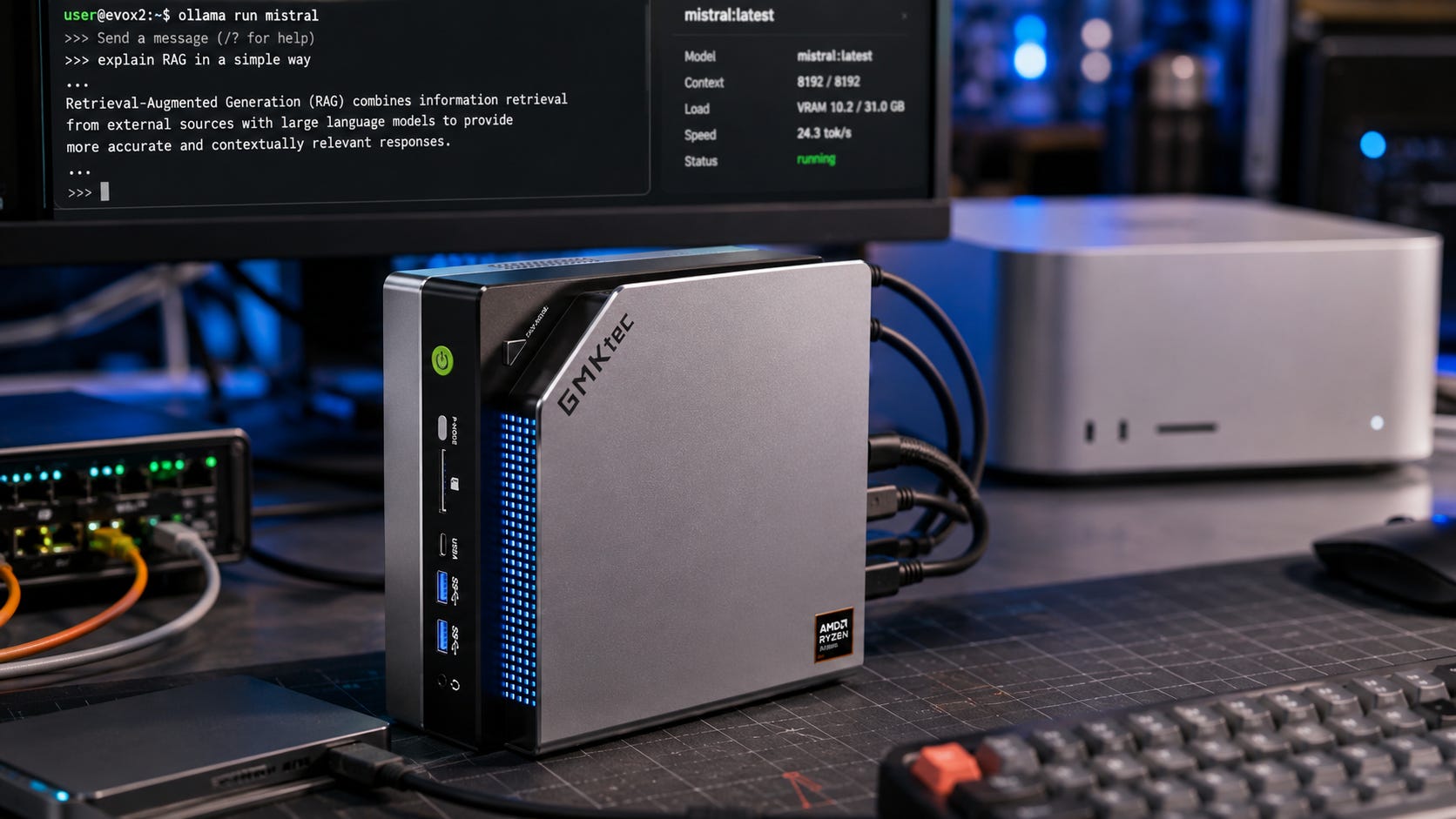
If you are choosing between an M4 Max Mac and a Ryzen AI Max+ 395 mini PC for local AI, the decision is really about unified memory.
Both platforms can run larger local models than typical consumer GPUs with 16GB or 24GB of VRAM. The difference is where each platform compromises. Apple gives you faster memory bandwidth, macOS polish, and strong Apple Silicon tooling. AMD gives you cheaper access to 128GB-class unified memory, x86 flexibility, Linux and Windows support, and a more PC-like path around storage.
That makes the M4 Max vs Ryzen AI Max+ 395 decision less about brand loyalty and more about the workload. For local LLMs, the first question is whether the model fits. The second question is how fast it feels once it loads.
If you are shopping retail listings, a M4 Max Mac Studio listing and a 128GB GMKtec EVO-X2 Ryzen AI Max+ 395 mini PC show the split clearly. Apple is the polished bandwidth play. Strix Halo is the memory-per-dollar play.
More on local AI mini PCs:

Quick verdict
Best overall for most local LLM users: Ryzen AI Max+ 395 with 128GB unified memory. It is the better value if your main goal is fitting large local models without spending heavily on a Mac Studio configuration.
Best for speed on supported LLM workflows: M4 Max with 128GB unified memory. Apple’s high-end M4 Max Mac Studio configuration lists a 16-core CPU, 40-core GPU, and 546GB/s memory bandwidth, while AMD’s Ryzen AI Halo Developer Platform lists 256GB/s memory bandwidth for the Ryzen AI Max+ 395. That gap matters because large-model generation is often memory-bandwidth limited.
Best for Apple-native local AI: M4 Max. Apple’s MLX framework is optimized for Apple Silicon unified memory, and MLX LM directly targets text generation and fine-tuning on Apple Silicon.
Best for Linux, Windows, and x86 experimentation: Ryzen AI Max+ 395. AMD’s developer platform lists Linux or Windows 11 support, and AMD’s ROCm documentation lists Ryzen AI Max+ 395 support under gfx1151 for ROCm 7.2.1 on Linux.
Best for ComfyUI image generation: Neither is the cleanest first choice if image generation is the main workload. ComfyUI supports Windows, Linux, and macOS, including Apple Silicon, but its own GPU buying guide still recommends NVIDIA 3000-series and newer cards for best performance and says more VRAM is always preferable. Use these unified-memory machines for LLMs first, with ComfyUI as a secondary workload.
Skip both if: You need maximum training performance, CUDA-first tooling, multi-GPU scaling, serious ComfyUI throughput, or heavy video AI work. A used RTX 3090 build, a dual-GPU box, or a workstation GPU may be a better fit depending on the workload.
Who this guide is for
This guide is for someone deciding between a high-memory Apple Silicon system, usually an M4 Max Mac Studio, and an AMD Strix Halo system built around the Ryzen AI Max+ 395.
The likely workloads are local LLMs in Ollama, LM Studio, llama.cpp, MLX, or similar tools. You may also be looking at large MoE models such as Qwen3-235B-A22B in heavy quantization, open-weight reasoning models such as gpt-oss-120b, private document work, coding assistants, research workflows, and occasional ComfyUI, Stable Diffusion, FLUX, or LoRA experiments.
This is also the kind of machine someone buys for a personal AI lab. Privacy, offline use, avoiding API bills, and testing open models all matter here.
This is not the best guide if you mostly want the fastest image generation box. For that, start with NVIDIA VRAM. Check out our local LLM VRAM guide for a better companion if you are still deciding what model size your hardware should target.
The core difference is fit versus speed
For local LLMs, the first question is whether the model fits. Speed comes after that.
That is why unified-memory machines are suddenly interesting. A normal consumer GPU may have 16GB, 24GB, or 32GB of dedicated VRAM. A high-memory Mac Studio or Ryzen AI Max+ 395 mini PC can expose a much larger shared memory pool to AI workloads.
The tradeoff is that shared LPDDR memory is much slower than top-end dedicated GPU memory, and the software stack matters more than the spec sheet suggests.
Apple’s Mac Studio technical specifications list an M4 Max option with a 16-core CPU, 40-core GPU, and 546GB/s memory bandwidth. The same Apple specs list M4 Max unified memory starting at 36GB and configurable to 48GB, 64GB, or 128GB when you choose the higher 16-core CPU and 40-core GPU M4 Max configuration.
AMD’s Ryzen AI Halo Developer Platform lists a Ryzen AI Max+ 395 processor with 128GB LPDDR5x memory, 8000MT/s memory speed, 256GB/s memory bandwidth, Radeon 8060S integrated graphics with 40 RDNA 3.5 compute units, a 2TB M.2 SSD, a 120W TDP, and Linux or Windows 11 support.
That makes the simple buying logic clear. Buy Ryzen AI Max+ 395 if you want the more affordable serious path to 128GB-class unified memory. Buy M4 Max if you want Apple’s faster memory subsystem, macOS, and stronger Apple-native LLM tooling.
M4 Max for local AI: what you get

The M4 Max Mac Studio is the polished choice.
Apple’s base M4 Max Mac Studio configuration starts with a 14-core CPU, 32-core GPU, 36GB unified memory, and 410GB/s memory bandwidth. The higher M4 Max configuration moves to a 16-core CPU, 40-core GPU, and 546GB/s memory bandwidth. For local AI buyers, the important detail is that Apple allows up to 128GB unified memory on that higher M4 Max configuration. Apple’s Mac Studio specs are unusually direct on the configuration ceiling.
That makes the M4 Max a serious local LLM machine. It will not replace a datacenter GPU. It will not behave like a CUDA workstation. It can, however, run large quantized models locally with fewer memory compromises than a 24GB or 32GB consumer GPU.
The stronger M4 Max configuration is the one local AI buyers should focus on. A smaller 36GB or 48GB model may still be useful for 7B, 8B, 14B, 27B, 30B, and some 70B experiments, depending on quantization and context. It is not the same buying class as a 128GB machine.
Where M4 Max is strong
The first M4 Max strength is Apple-native LLM tooling. Apple’s MLX framework is optimized for the unified memory architecture of Apple Silicon. That matters because local LLM workloads often sit directly on the boundary between memory capacity, memory movement, and backend optimization.
MLX LM makes the Apple case stronger. The MLX LM project is built for generating text and fine-tuning large language models on Apple Silicon with MLX. It also supports Hugging Face Hub integration, quantization workflows, and fine-tuning options.

The second M4 Max strength is memory bandwidth. The high-end M4 Max configuration’s 546GB/s memory bandwidth is more than double the 256GB/s listed for AMD’s Ryzen AI Halo Developer Platform. That does not automatically mean every model will run twice as fast. Real-world speed depends on runtime, quantization, prompt length, context length, batching, and backend maturity. It does mean Apple has a much stronger raw bandwidth story for large local LLM inference.
The third strength is ownership experience. A Mac Studio is a finished workstation. You are not assembling a mini PC, choosing a storage layout, tuning BIOS memory allocation, waiting for a Linux kernel change, or trying three ROCm containers to find the one that works. For writers, developers, researchers, and creators who want local AI as part of a daily workstation, that polish is worth money.
The fourth strength is the broader Apple ecosystem. If you already live in Final Cut, Logic, ProRes, Apple displays, iCloud, Xcode, and macOS apps, the M4 Max does more than run models. It becomes your main computer.
Where M4 Max falls short
The first M4 Max weakness is price. Apple lists the Mac Studio from $1,999, but that entry price is not the local AI configuration most large-model buyers should target. The serious version is the higher M4 Max chip with much more unified memory and enough SSD space to store model files. Once you configure for 128GB unified memory and a useful SSD, the machine moves into a much higher price class.
The second weakness is the lack of CUDA. A lot of AI tooling still assumes NVIDIA first. Apple Silicon support has improved quickly, and MLX is a real advantage for Apple-native workflows, but CUDA remains the default target for many training, inference, image generation, and research projects.

The third weakness is storage pricing. Local AI eats SSD space. GGUF files, MLX conversions, ComfyUI checkpoints, LoRAs, datasets, outputs, and test builds can fill terabytes faster than expected. Apple’s Mac Studio specs list M4 Max storage from 512GB, configurable up to 8TB, but Apple storage upgrades are rarely the cheap part of the machine. Apple’s storage configuration list confirms the SSD tiers.
The fourth weakness is permanence. Unified memory is not upgradeable later. If you buy too little memory, the machine’s local AI ceiling is fixed for the life of the system.
Ryzen AI Max+ 395 for local AI: what you get
The Ryzen AI Max+ 395, also known as part of the Strix Halo family, is the more interesting value play.

AMD’s official Ryzen AI Max+ 395 specifications list support for 128GB memory, LPDDR5x-8000 memory speed, a 256-bit LPDDR5x memory interface, Radeon 8060S graphics, and 40 graphics cores.
AMD’s developer platform adds the local AI framing. It pairs the Ryzen AI Max+ 395 with 128GB LPDDR5x memory, 256GB/s memory bandwidth, a 2TB M.2 SSD, Linux or Windows 11 support, and a 120W platform TDP. It is built as a compact AI development box rather than a normal consumer gaming desktop.
Framework’s Ryzen AI Max desktop is the more consumer-friendly reference point. Framework says the machine can run models like Llama 70B locally with up to 96GB of graphics-addressable memory and a 256-bit memory bus. This shows how Strix Halo is being sold to local AI buyers rather than only to developers.
That 96GB graphics-addressable memory number matters. A 128GB Strix Halo system does not always behave like a 128GB dedicated VRAM card. The total memory pool is large, but the amount exposed to graphics or AI workloads can depend on system design, firmware, operating system, and vendor controls. That is still a huge jump from normal consumer GPU VRAM, but buyers should not treat “128GB unified memory” and “128GB VRAM” as identical.
Where Ryzen AI Max+ 395 is strong
The biggest Ryzen AI Max+ 395 strength is price-to-memory. If your priority is getting a large local memory pool for model experiments, Strix Halo is compelling. A 128GB Ryzen AI Max+ 395 mini PC or desktop can put you into a class of local models that normal 16GB and 24GB GPUs cannot comfortably touch.
The second strength is x86 flexibility. AMD’s developer platform supports Linux or Windows 11. That matters if you want to test ROCm, Vulkan, llama.cpp builds, Docker workflows, server tools, and Linux-first AI projects without working around macOS.

The third strength is improving ROCm support. AMD’s ROCm 7.2.1 Linux support matrix lists Ryzen AI Max+ 395 under supported gfx1151 hardware. That is a meaningful change from the earlier Strix Halo period, when many users had to rely on experimental or unofficial paths.
The fourth strength is storage flexibility. Many Ryzen AI Max+ 395 systems use standard M.2 storage. The 128GB GMKtec EVO-X2 product listing, for example, lists a 2TB PCIe 4.0 SSD and additional M.2 expansion. That kind of storage path is useful because local AI model folders grow quickly.
Where Ryzen AI Max+ 395 falls short
The first Ryzen AI Max+ 395 weakness is memory bandwidth. AMD’s developer platform lists 256GB/s. Apple’s high-end M4 Max is listed at 546GB/s. For large local LLM generation, that gap can matter a lot.
The second weakness is software messiness. ROCm support is improving, but AMD local AI remains more fragmented than NVIDIA CUDA and more DIY than Apple MLX. Some workflows may run best through Vulkan, some through ROCm, and some through a specific container or package combination. Version sensitivity is part of the deal.

The third weakness is system variation. Ryzen AI Max+ 395 can appear inside very different machines. Cooling, BIOS options, fan noise, memory allocation controls, power targets, support quality, and warranty handling can change the experience. A Framework Desktop is a different buying risk than an unknown mini PC listing. A developer platform is different again.
The fourth weakness is ComfyUI. ComfyUI can run on multiple platforms, and its docs include Apple Silicon, AMD, Intel, and other options through manual installation. But ComfyUI’s own buying guide still points buyers toward NVIDIA for the best performance. For image generation, CUDA and dedicated VRAM remain the safer path.
What matters for local AI hardware
Unified memory capacity decides what you can load. Bandwidth decides how painful it feels once the model is loaded. Software decides whether the theoretical hardware advantage turns into a working daily setup.
That is why this comparison is tricky. The M4 Max has the stronger bandwidth story and the smoother Apple-native stack. The Ryzen AI Max+ 395 has the stronger memory-per-dollar story and gives you more operating system freedom.
A 70B model in a reasonable quantization can fit on high-memory unified systems. Bigger MoE models can sometimes fit if they are quantized aggressively, but context length and KV cache still consume memory. Long prompts, high context windows, multiple loaded models, and background apps all reduce the room you thought you had.
OpenAI’s gpt-oss announcement says gpt-oss-120b can run within 80GB of memory, while gpt-oss-20b requires 16GB. The gpt-oss-120b Hugging Face model card describes MXFP4 quantization of the MoE weights and frames gpt-oss-120b as fitting on a single 80GB GPU.
Qwen3-235B-A22B is a different type of large-model target. The Qwen3-235B-A22B model card lists 235B total parameters, 22B activated parameters, 128 experts, 8 activated experts, and a 32,768-token native context length with YaRN extension options. That makes it attractive for unified-memory machines because the active compute per token is lower than a dense 235B model, but the full model footprint still has to fit somewhere.
Why memory bandwidth matters
Capacity decides whether the model loads. Bandwidth affects whether you enjoy using it.
That is the M4 Max advantage. Its high-end 546GB/s memory bandwidth is more than double the 256GB/s listed for AMD’s Ryzen AI Halo Developer Platform. This does not guarantee a clean 2x real-world speedup, because runtime, model format, quantization, prompt processing, context length, and backend all matter. It does mean Apple has the stronger raw memory subsystem for bandwidth-bound inference.
This is especially important for local LLMs because generation often involves streaming model weights through memory again and again. When the GPU is waiting on memory movement, more bandwidth can help more than more compute.
The Ryzen AI Max+ 395 still has a strong memory story compared with ordinary integrated graphics. It has a 256-bit LPDDR5x interface, high memory speed, and a much larger pool than a normal iGPU platform. Its problem is that Apple’s high-end M4 Max starts from a stronger bandwidth position.
The software stack may decide the purchase
On Apple Silicon, the strongest local LLM paths are MLX, llama.cpp with Metal, LM Studio with MLX or llama.cpp backends, and Ollama for convenience. MLX is explicitly designed around Apple Silicon unified memory. MLX LM gives Apple users a direct path for local text generation and fine-tuning.
On Ryzen AI Max+ 395, the practical paths are llama.cpp with Vulkan or ROCm, Ollama or LM Studio depending on backend maturity, ROCm for PyTorch where supported, and Linux for the least painful serious setup. AMD’s documentation is much better than it was during early Strix Halo adoption, but buyers should still expect more tuning than on a Mac.
This is where personality matters. If you want an appliance-like workstation, the M4 Max is easier to live with. If you like owning the whole stack and are comfortable debugging drivers, containers, kernels, and backend flags, the Ryzen AI Max+ 395 is more flexible.
More on software and local AI speed:

ComfyUI and image generation
For image generation, do not overread unified memory.
Large system memory helps with workflow headroom, loading, and some edge cases, but many ComfyUI workflows still care deeply about GPU backend support, kernels, and VRAM behavior. A large shared memory pool does not automatically turn an integrated GPU into a CUDA workstation.
ComfyUI’s official system requirements list Windows, Linux, and macOS support, including Apple Silicon. Comfy Desktop also supports standalone installation for Windows and macOS on ARM in beta. Manual installation supports a wider range of GPU types, including AMD and Apple Silicon.
Compatibility is not the same as best performance. ComfyUI’s own GPU buying guide says NVIDIA GPUs from the last 10 years are supported in PyTorch, recommends 3000-series and newer NVIDIA cards for best performance, and says more VRAM is always preferable. That is why the best ComfyUI-first answer is still NVIDIA.
If LLMs are the main reason for the purchase and ComfyUI is secondary, both M4 Max and Ryzen AI Max+ 395 can make sense. If ComfyUI, FLUX, SDXL, video generation, or LoRA training is the main reason, buy NVIDIA first.
How the two platforms compare by use case
For most people asking the LocalLLaMA-style question, the Ryzen AI Max+ 395 with 128GB is the better overall buy. It gets you into the large unified-memory class for less money, gives you Linux and Windows flexibility, and opens the door to large quantized models that would be painful on a 24GB GPU.
The M4 Max with 128GB is the better polished workstation. It has higher bandwidth, better Apple-native LLM tooling, quieter ownership, and a stronger daily-computer experience. It is the better choice if macOS is already where you work.
For Linux experimentation, Ryzen AI Max+ 395 is the obvious pick. AMD’s developer platform lists Linux support, and ROCm now lists Ryzen AI Max+ 395 in the Linux support matrix. If you want to test ROCm, Vulkan, Docker, self-hosted workflows, and server-style local inference stacks, Ryzen gives you more control.
For macOS creators, M4 Max is easier to recommend. The Mac Studio is compact, quiet, and strong in Apple’s media ecosystem. Local AI becomes one workload among several rather than the only reason to own the machine.
For ComfyUI-first buyers, neither is ideal. NVIDIA remains the safer route because CUDA, PyTorch support, documentation, and dedicated VRAM behavior still matter more than a large shared memory pool for many image-generation workflows.
More GPU recommendations for generative AI:

M4 Max vs Ryzen AI Max+ 395 for 70B models
Both platforms can be good 70B machines when configured with enough memory.
A 70B model in 4-bit or 5-bit quantization can fit comfortably into a 128GB unified-memory system with room left for the operating system, context, and other tasks. That is the kind of workload that makes these machines appealing in the first place.
The M4 Max should generally feel faster when the backend is well optimized for Apple Silicon, largely because of memory bandwidth. The Ryzen AI Max+ 395 should usually be cheaper for similar memory capacity and gives you more Linux flexibility.
For a 70B-first buyer, the decision comes down to experience. Choose M4 Max if you want speed and polish. Choose Ryzen AI Max+ 395 if you want value, Linux, and experimentation.
M4 Max vs Ryzen AI Max+ 395 for gpt-oss-120b
gpt-oss-120b is where the unified-memory argument becomes more interesting.
OpenAI says gpt-oss-120b can run within 80GB of memory, and the Hugging Face model card describes MXFP4 quantization for fitting the model on 80GB-class hardware. A 128GB unified-memory machine gives you a plausible local path, especially through runtimes that support the model well.
That does not mean either machine will behave like an H100. Expect slower generation, backend-specific tuning, and context-length tradeoffs. A model that fits in memory can still be slow enough that you only use it for certain jobs.
For this workload, Ryzen AI Max+ 395 is attractive because it gets you a large memory pool at a lower price. M4 Max is attractive because the bandwidth is higher and the Apple-native stack is stronger.
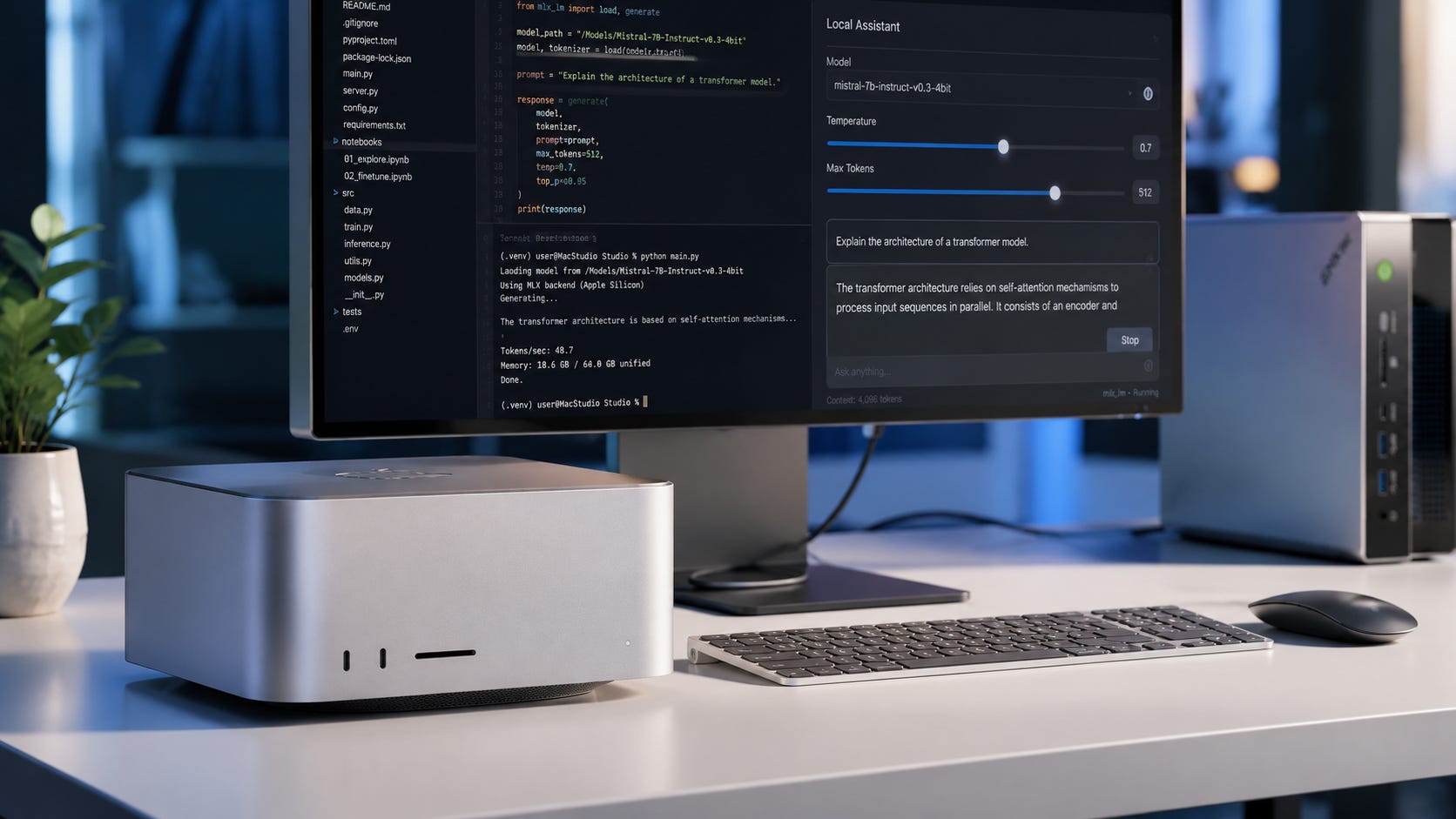
M4 Max vs Ryzen AI Max+ 395 for Qwen3-235B-A22B
Qwen3-235B-A22B is the kind of model that makes people consider these machines.
The model card lists 235B total parameters and 22B activated parameters, with 128 experts and 8 activated experts. That MoE structure can be much more efficient per token than a dense 235B model, but the model still has a huge weight footprint. Qwen’s model card is the source to check before assuming a specific local configuration will work.
This is a “possible with compromises” class of workload, not a casual one. You will care about quantization, context length, backend support, patience, and your tolerance for troubleshooting.
Choose Ryzen AI Max+ 395 if you are experimenting and want the cheaper 128GB-class local lab. Choose M4 Max if you specifically want Apple Silicon support, MLX conversions, and higher bandwidth.
Do not buy either expecting cloud-frontier speed. These are personal local AI machines, not datacenter replacements.
Price and value
The Ryzen AI Max+ 395 is the value winner in this comparison.
AMD’s own Ryzen AI Halo Developer Platform is a premium developer box, but the broader Strix Halo market includes Framework, GMKtec, Minisforum, and other compact systems that put 64GB or 128GB unified memory into machines aimed at local AI buyers. Framework’s desktop page emphasizes Llama 70B-class local use and up to 96GB of graphics-addressable memory.
The Framework Desktop Mainboard also shows why Strix Halo is appealing to DIY buyers. The 128GB Ryzen AI Max+ 395 mainboard is sold as a standalone part in supported regions, which makes the platform feel more PC-like than a Mac Studio. Pricing and availability vary by region, so the main point is not one fixed price. The point is that AMD’s ecosystem gives buyers more form-factor and storage choices.
The Mac Studio starts much lower than a fully configured local AI machine, but the entry configuration is not the one large-model buyers should target. A local AI-focused M4 Max build should use the higher M4 Max configuration, more unified memory, and enough SSD capacity for models. Apple’s official specs confirm the 128GB memory ceiling for the high-end M4 Max configuration, but the configured price depends on the Apple Store options at purchase time.
The practical value summary is simple. Ryzen AI Max+ 395 buys more model fit per dollar. M4 Max buys more bandwidth, polish, and Apple-native tooling per dollar. Neither is cheap if your real goal is large local AI.
Build and upgrade implications
Memory is the most important choice, and it is permanent.
Both platforms use soldered memory. Treat the memory configuration as final. For local AI, 64GB is the minimum serious configuration for large-model experiments. 96GB is more comfortable. 128GB is the version to target if the whole point is large local models.
Do not buy a 36GB or 48GB M4 Max thinking it is the same class of local AI machine as a 128GB Strix Halo box or a 128GB M4 Max. It is not.
Storage is the next major choice. Local AI model folders grow quickly. A few large GGUF variants, an MLX conversion, a ComfyUI checkpoint folder, LoRAs, datasets, and outputs can eat 2TB faster than expected.
This is one of the quiet advantages of the Ryzen AI Max+ 395 ecosystem. Many systems use standard NVMe storage. The 128GB GMKtec EVO-X2 listing, for example, lists 2TB storage and additional M.2 expansion. Apple storage is clean and fast, but expensive to configure.
Thermals also matter. The Mac Studio is the safer choice for quiet, predictable cooling. Ryzen AI Max+ 395 systems vary more because vendors can tune power, cooling, and fan curves differently. A small box with a powerful APU can be excellent, but only if the cooling and firmware are good.
Operating system choice is another dividing line. M4 Max means macOS. Ryzen AI Max+ 395 means Windows or Linux, with Linux usually being the better path for serious local AI experimentation.
That is a real control difference. macOS is polished and consistent, but Apple controls the platform. Linux on x86 is more open and more flexible, but also more frustrating when the stack is immature.
M4 Max vs Ryzen AI Max+ 395 vs NVIDIA
A unified-memory M4 Max or Ryzen AI Max+ 395 is not a normal GPU workstation. That is the point.
A single RTX 3090 gives you 24GB dedicated VRAM. A dual RTX 3090 setup gives you 48GB aggregate VRAM, but multi-GPU LLM use is not the same as one large unified pool. Newer high-end consumer GPUs can give you more speed, but still hit VRAM limits long before a 128GB unified-memory system does.
Unified-memory machines make sense when the model is too large for consumer VRAM and the user is willing to accept slower speeds than real datacenter GPUs.
NVIDIA still makes more sense when you need CUDA, train models often, run ComfyUI heavily, need high image or video generation throughput, or rely on projects that document NVIDIA first.
More on dual GPU local AI builds:

M4 Max and Ryzen AI Max+ 395 make more sense when you need a single large memory pool, run large quantized LLMs, care about quiet desktop use, want local private inference, do not want a loud tower or server, and understand the speed tradeoff.
Who should buy the M4 Max?
Buy the M4 Max if you want a polished local LLM workstation, macOS as your daily operating system, MLX and Apple Silicon tooling, higher memory bandwidth than Strix Halo, a quiet compact machine, and strong creator workflows alongside local AI.
It is especially compelling if you already use a Mac for writing, coding, video, audio, research, or development. In that context, local AI becomes another high-value workload on a machine you wanted anyway.
Do not buy the M4 Max if you mainly need CUDA, want the cheapest 128GB local AI box, expect to upgrade memory later, want Linux as the primary operating system, or are buying mostly for ComfyUI.
Also be careful with lower-memory retail configurations. A M4 Max Mac Studio listing with 64GB unified memory can be a strong workstation, but the largest local LLM workflows discussed here are better matched to Apple’s 128GB configuration from the official build options.
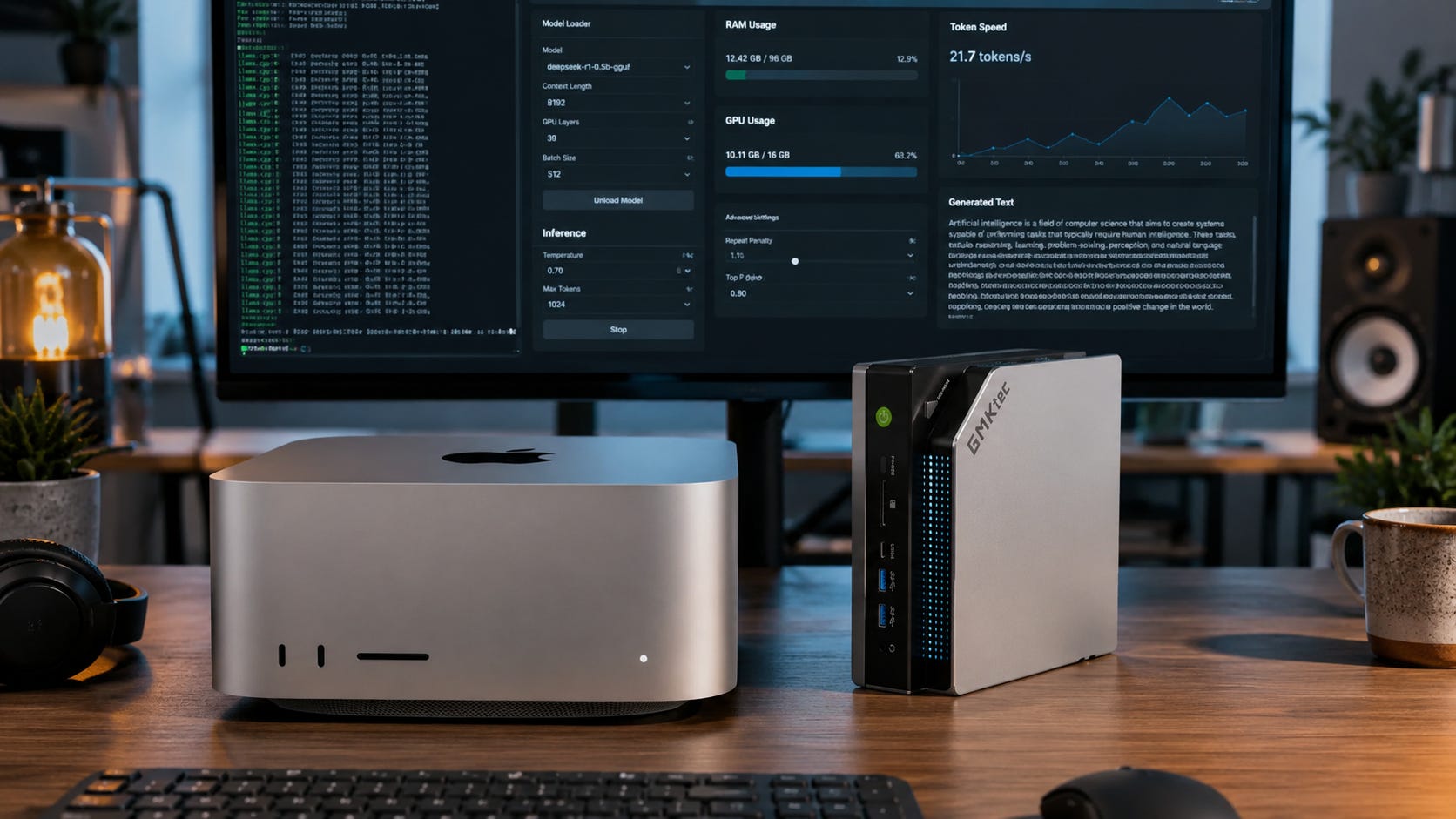
Who should buy the Ryzen AI Max+ 395?
Buy the Ryzen AI Max+ 395 if you want the better value path to 128GB-class unified memory, a local AI mini PC or small desktop lab, Linux or Windows flexibility, ROCm and Vulkan experimentation, standard storage options, and a more open x86 platform.
It is the better pick for people who want to test models, runtimes, containers, and self-hosted tools without living entirely inside Apple’s ecosystem. It also makes more sense if storage expansion matters and you want several terabytes of models without paying Apple’s upgrade prices.
Do not buy it if you want the smoothest possible setup, hate Linux troubleshooting, need maximum token generation speed, expect every AI project to work cleanly on day one, or mainly want ComfyUI performance.
For a ready-made Strix Halo box, the 128GB GMKtec EVO-X2 Ryzen AI Max+ 395 is one example of the kind of hardware category this comparison is really about. The better buying rule is still to compare cooling, warranty, storage expansion, firmware controls, and return policy before choosing a specific vendor.
What to buy
For most people asking the M4 Max or Ryzen AI Max+ 395 local AI question, the answer is Ryzen AI Max+ 395 with 128GB.
That is the practical local AI lab choice. It gives you the memory headroom that makes large local models interesting, at a price that is easier to justify than a heavily configured Mac Studio. Pair it with 2TB to 4TB of NVMe storage, run Linux if you can, and expect to test backends rather than assume one perfect setup.
Buy the M4 Max with 128GB if you already want a Mac, care about Apple Silicon tooling, and are willing to pay for bandwidth and polish. It is the better machine to live with every day. It is not the better bargain.
Skip both and buy NVIDIA if ComfyUI, LoRA training, CUDA projects, or image and video generation are the real priority.
FAQ
Is the M4 Max faster than the Ryzen AI Max+ 395 for local LLMs?
Usually, it should have an advantage in token generation when the backend is well optimized, because Apple lists up to 546GB/s memory bandwidth on the high-end M4 Max, while AMD lists 256GB/s for its Ryzen AI Halo Developer Platform. Real performance still depends on the model, quantization, context length, and runtime. See Apple’s Mac Studio specs and AMD’s Ryzen AI Halo Developer Platform specs for the bandwidth numbers.
Is the Ryzen AI Max+ 395 better value than the M4 Max?
Yes, for most large local LLM buyers. The Ryzen AI Max+ 395 is the better value if the goal is 128GB-class unified memory at the lowest practical price. The M4 Max is the premium choice for bandwidth, macOS, and software polish.
Can the Ryzen AI Max+ 395 use all 128GB as VRAM?
Do not assume that. Framework describes its Ryzen AI Max desktop as supporting up to 96GB of graphics-addressable memory, even on systems positioned around 128GB-class memory. That is still far more than most consumer GPUs, but it is not the same thing as a 128GB dedicated VRAM card. Framework’s desktop page is the reference for that 96GB graphics-addressable memory claim.
Can the M4 Max run Qwen3-235B-A22B?
It can run some very large models in quantized form when enough unified memory is available and the runtime supports the model well. Qwen3-235B-A22B is a 235B total parameter MoE model with 22B activated parameters, so the exact experience depends heavily on quantization, context length, and backend. The Qwen3-235B-A22B model card is the place to check the model’s current details.
Can the Ryzen AI Max+ 395 run gpt-oss-120b?
It is a plausible target for local gpt-oss-120b experiments because OpenAI says the model can run within 80GB of memory and the Hugging Face card describes MXFP4 quantization for 80GB-class hardware. A 128GB unified-memory Strix Halo system gives useful memory headroom, but speed and backend maturity still matter. Start with OpenAI’s gpt-oss announcement and the gpt-oss-120b model card.
Is either platform good for LoRA training?
For small experiments, yes. For serious LoRA training, NVIDIA remains the safer choice. CUDA support, VRAM behavior, documentation, and ecosystem maturity still matter a lot for training workflows.
Should I buy 64GB or 128GB?
For this specific buying decision, choose 128GB if the goal is large local models. A 64GB machine is useful, but it changes the class of models and context lengths you can run comfortably. Buying too little unified memory is the mistake you cannot fix later.
Should I buy the GMKtec EVO-X2 Ryzen AI Max+ 395?
The 128GB GMKtec EVO-X2 Ryzen AI Max+ 395 is a relevant example of the Strix Halo category because it pairs the Ryzen AI Max+ 395 with 128GB LPDDR5x memory and 2TB SSD storage. Compare it against Framework, Minisforum, HP, and AMD’s developer platform before buying, because cooling, warranty, firmware controls, and storage expansion can matter as much as the chip.
Is the M4 Max better than M3 Ultra for local AI?
It depends on the configuration. The M3 Ultra can offer much larger unified memory and higher memory bandwidth in some Mac Studio configurations, but it is also much more expensive. This article focuses on M4 Max versus Ryzen AI Max+ 395 because that is the cleaner buying decision for a high-memory personal local AI box.
The smart local AI buy depends on your patience
Buy the Ryzen AI Max+ 395 with 128GB if you want the best value unified-memory machine for local AI. It is the better personal lab for large quantized LLMs, Linux experimentation, and avoiding cloud dependence without paying Apple’s full workstation premium.
Buy the M4 Max with 128GB if you want the better polished workstation. It is faster on paper where memory bandwidth matters, stronger for Apple-native tooling, and easier to live with if macOS is already your main work environment.
Do not buy either as a ComfyUI-first machine. For image generation, LoRA training, and CUDA-heavy AI work, buy NVIDIA VRAM first and treat unified memory as a different kind of local AI tool.
For most local LLM buyers, the Ryzen AI Max+ 395 is the more rational purchase. For people who want a premium Mac workstation that also runs serious local models, the M4 Max remains the better machine to own.
Explore more from Popular AI:
Start here | Local AI | Fixes & guides | Builds & gear | Popular AI podcast
For local AI in 2026, would you rather have Apple’s polished M4 Max workflow or the Ryzen AI Max+ 395’s 128GB-class memory value, and what model would you actually run first?