


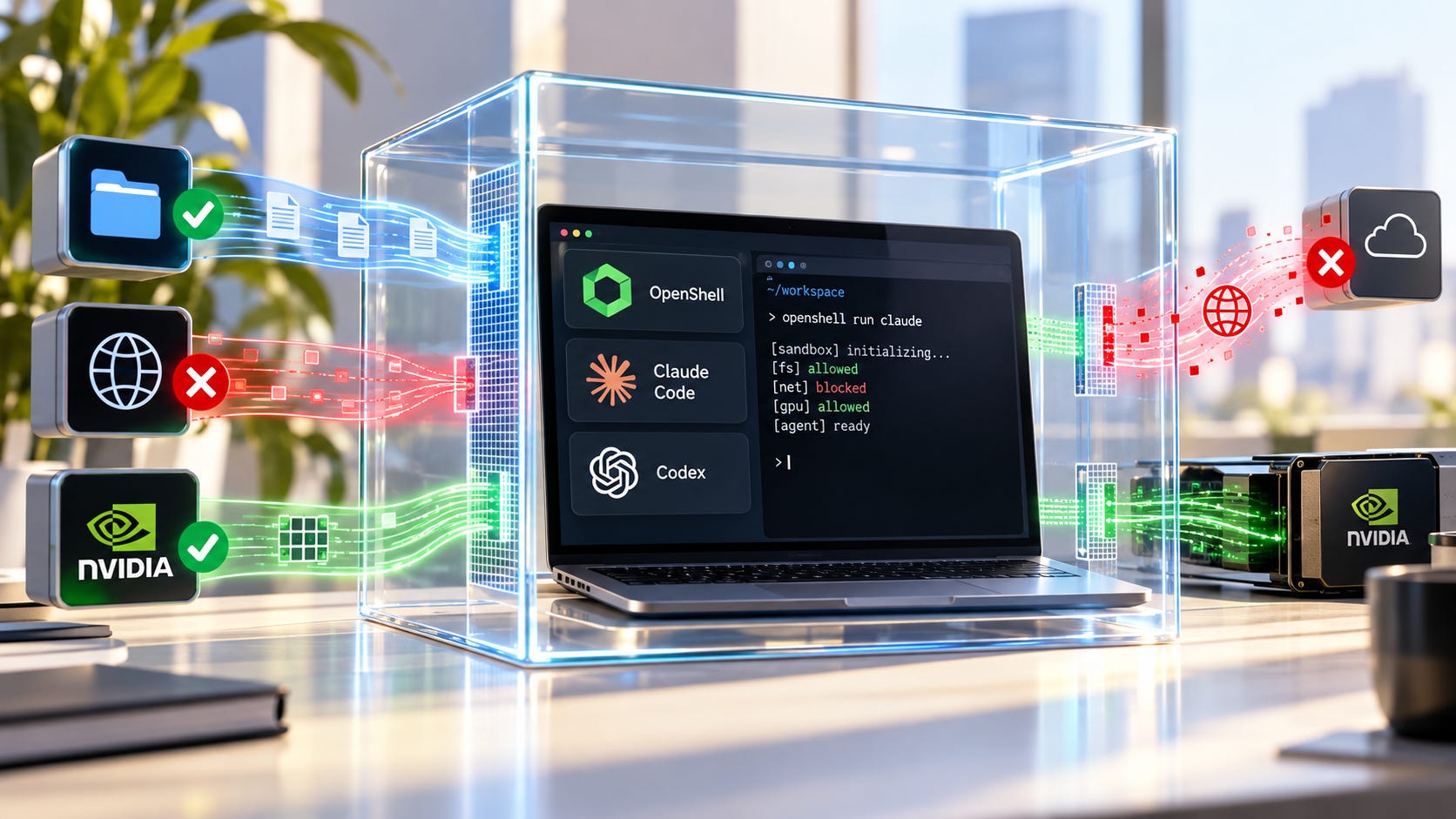
NVIDIA OpenShell gives developers a way to put Claude Code, Codex, OpenCode, and local agents behind a security boundary that the agent itself does not control. You can run it on an ordinary workstation. You do not need NVIDIA BlueField hardware.
That makes OpenShell most useful when an agent will work unattended, inspect untrusted repositories, use credentials, spawn subprocesses, or keep running after you stop watching the terminal. For a normal interactive Claude Code or Codex session on a trusted project, the extra layer is optional. Both tools already have real OS-level sandboxing.


The point is control. OpenShell lets you define the maximum filesystem, network, process, credential, and inference access outside the agent harness. NVIDIA positioned OpenShell inside its broader Open Agent Safety Platform on September 28, 2026, alongside a separate BlueField-based watchdog called Sentry. OpenShell itself existed before that announcement.
NVIDIA OpenShell: the quick verdict
OpenShell does not require BlueField hardware. OpenShell is the software runtime. Sentry is the separate hardware watchdog built around BlueField-4. OpenShell can run on ordinary supported workstations.
Claude Code currently has the smoothest OpenShell path. NVIDIA lists Claude Code with full default-policy coverage. Codex is supported, but its current agent-support matrix says Codex has no default-policy coverage and needs explicit endpoint and binary rules.
OpenShell starts from a restrictive boundary. Its default policy makes the working directory writable, keeps common system paths read-only, and denies outbound network access when no rule or provider grants it.
Claude Code and Codex already have native sandboxes. OpenShell is useful because the outer boundary can be defined independently of the agent’s own permission interface. OpenAI likewise separates Codex sandbox controls from approval controls.
Local inference can stay outside the sandbox. NVIDIA documents a host-level Ollama setup that routes sandboxed agents through controlled inference access, and the same pattern can be adapted to other local inference servers.
When OpenShell is worth adding
Try OpenShell when you want to leave an AI coding agent running overnight, let it inspect a questionable third-party repository, run a home-built autonomous agent, or give several agents shell access without trusting every agent’s own approval UI.
For an ordinary interactive Claude Code session, that may be more machinery than you need. Claude Code already has an OS-level sandbox that uses bubblewrap on Linux and Seatbelt on macOS, with filesystem and network restrictions. Anthropic has said its sandbox cut permission prompts by 84 percent.
Codex also has a technical sandbox that limits what the process can access. Its approval system is a separate control. A request can therefore be technically blocked even if the model wants to perform it, while higher-risk actions can still be routed for review.
OpenShell adds a second place to define authority. That is useful when you want the maximum permissions of the whole agent process set once, outside the harness, instead of supervising a long stream of individual prompts.
The risk is already familiar. Popular AI’s earlier guide to locking down Codex after destructive file operations argued for disposable workspaces, restricted credentials, and technical containment instead of relying on instructions alone. The Friendly Fire security demonstration showed coding agents executing attacker-controlled repository code during a security review.
OpenShell fits that problem well. The operating boundary can refuse an action even when the agent decides the action is useful.
More on AI agent risk management:


What OpenShell actually restricts
OpenShell is the open source runtime in NVIDIA’s agent-safety stack. It places an agent inside a controlled execution environment and applies policy to the files it can touch, the processes it can run, the network destinations it can reach, the credentials it can use, and the inference services it can call.
Sentry is different. It is the hardware-backed watchdog NVIDIA is designing around BlueField-4 DPUs. It monitors agent behavior from an isolated trust domain and can quarantine workloads independently of the agent process. A developer trying OpenShell on a laptop or workstation can ignore Sentry.
OpenShell’s restrictive filesystem policy is concrete. The sandbox working directory is writable. Common system paths such as /usr, /lib, and /etc are readable but not writable. /tmp is writable. Paths outside the declared filesystem policy are not available to the workload.
Networking is also default-deny when no rule or provider grants access. That is much more useful than telling an agent to avoid the internet and hoping the instruction survives a long task.
Rules can be precise. NVIDIA’s first network-policy tutorial shows /usr/bin/curl receiving read-only access to api.github.com. The policy can constrain the executable, host, port, protocol, and HTTP operation. A GET can be allowed while POST, PUT, and DELETE remain blocked.
That gives you a technical answer to a simple security question: what can this binary actually contact?
Who should use OpenShell
OpenShell makes its strongest case when the agent gets substantial autonomy.
A nightly coding agent is an obvious example. Give it a disposable repository copy, the package registries it genuinely needs, a scoped GitHub credential, and little else. The agent can work for hours without gaining access to unrelated files, normal SSH keys, production services, or arbitrary internet destinations.


The same rule applies to agents reviewing unknown repositories. Popular AI’s coverage of agent containment after Gemini security incidents made the same practical point: moving an agent onto hardware you own does not fix the security problem if the process can still reach your everyday credentials, browser sessions, filesystem, and local network.
OpenShell is also attractive for open source and home-built agents. The agent project does not need to implement every security control itself if the operating boundary sits underneath it. The VIKI local-agent walkthrough shows why local shell access still needs explicit boundaries once an agent can execute commands and use tools.
For quick coding on a trusted repository, Claude Code’s native sandbox or Codex’s native sandbox plus a disposable workspace and sensible credentials will be enough for many developers. Adding OpenShell is most defensible when autonomy, untrusted input, credential access, or long runtimes increase the cost of one bad decision.
More on autonomous agentic AI:


What you need before installing OpenShell
Linux is the cleanest path. NVIDIA’s current support matrix lists Debian and Ubuntu on x86-64 and Arm64, Apple Silicon macOS with Docker Desktop, and experimental Windows support through WSL 2 with Docker Desktop.
For local use, OpenShell supports Docker 28 or newer and Podman 5.x. It also supports a MicroVM driver using KVM on Linux or Hypervisor.framework on macOS.
The MicroVM option deserves attention when you are building a machine specifically for autonomous or hostile workloads. Containers are convenient and fast. A VM-backed sandbox gives the workload a separate guest kernel, which is a stronger host boundary when you do not trust the code the agent may execute.
Do not undo that work by exposing the host filesystem. OpenShell’s gateway configuration keeps Docker bind mounts disabled by default because host paths can bypass the filesystem isolation you thought you had. Use named volumes or disposable data when shared storage is actually required.
Step 1: Install OpenShell
NVIDIA’s current install command is:
curl -LsSf https://raw.githubusercontent.com/NVIDIA/OpenShell/main/install.sh | shThen confirm the gateway is reachable:
openshell statusThe OpenShell quickstart says the installer selects the appropriate package and starts a local gateway.
OpenShell is moving quickly. A reproducible agent machine should pin a version instead of silently changing underneath a security-sensitive workflow. The installer supports OPENSHELL_VERSION for that purpose.
As of September 29, 2026, v0.1.2 is the current release. A pinned install therefore looks like this:
curl -LsSf https://raw.githubusercontent.com/NVIDIA/OpenShell/main/install.sh \
  | OPENSHELL_VERSION=v0.1.2 sh
Check the current release before copying that version into a long-lived setup. The 0.1 series is changing quickly enough that agent coverage, provider behavior, and examples can move between posts and publication.
Step 2: Put Claude Code inside OpenShell
Claude Code currently has the easiest documented path.
If you use Anthropic directly, set an API key on the host:
export ANTHROPIC_API_KEY="your-key-here"Then create the sandbox:
openshell sandbox create --name claude-safe -- claudeOpenShell can discover the host credential and create a provider for it. The Anthropic credential must be an API key from the Anthropic console. A Claude subscription token is not the same credential.
The provider design is one of OpenShell’s better ideas. Provider profiles can expose an opaque placeholder inside the sandbox and resolve the real credential only for an authorized endpoint. The agent process does not need the raw secret value.
That reduces a common failure mode. If the agent can read a long-lived API key from its normal environment, it can potentially print it, write it into a file, send it somewhere unexpected, or hand it to a subprocess. A placeholder tied to an allowed endpoint gives the agent useful access without handing it the credential itself.
Do not throw permanent secrets into arbitrary sandbox environment variables when a provider can hold them instead.
Want to make sure the sandbox actually holds?
The next section is for paid subscribers. It covers the hands-on OpenShell hardening workflow: how to verify the effective policy, test that filesystem and network restrictions are really being enforced, diagnose blocked requests, and safely handle requests for additional network access.
Subscribe or upgrade to a paid subscription to unlock the OpenShell hardening guide.
The article continues below with our Claude Code comparison, Codex setup guidance, local-model support, troubleshooting, and FAQ.
Claude Code already has a sandbox, so what changes?
Claude Code’s native sandbox is substantial. Anthropic uses OS security primitives to restrict filesystem writes and route internet access through controlled domains.
There is still a reason to put an outer boundary around the whole process. Anthropic has explained that Claude Code has a privileged component outside its sandbox that can execute an approved action beyond the normal boundary. Anthropic contrasts that design with its VM-based Cowork architecture, where there is no comparable escape-hatch component.
OpenShell lets you put the maximum authority of the agent process somewhere else. The agent and its normal approval interface can ask for more, but the outer OpenShell policy still decides what the workload can reach.
That does not make every OpenShell configuration safer than every Claude Code configuration. A careless OpenShell setup with broad bind mounts, exposed secrets, and unrestricted networking can be worse than Claude Code’s native sandbox configured conservatively.
The policy is the security boundary. The OpenShell label does not rescue a bad policy.
Codex works, but expect more policy work
Codex is the less polished OpenShell case right now.
NVIDIA’s supported-agent documentation lists Codex as preinstalled but without default-policy coverage. You need to define the OpenAI endpoints and Codex binary paths that the workload is allowed to use.

The repository already contains a Codex provider profile that defines OpenAI and ChatGPT endpoints plus allowed Codex binary locations. That is a better starting point than inventing an allowlist from memory.
There is another detail worth noticing. NVIDIA’s current agent-driven policy demo runs Codex with its internal sandbox set to danger-full-access. The demo script passes --sandbox danger-full-access to Codex while OpenShell acts as the outer containment boundary.
That setup should not be copied out of context. danger-full-access only makes sense there because another technical boundary is supposed to be containing the process. Running the same Codex flag directly on a normal host removes the protection you were trying to add.
It also shows why “two sandboxes are better than one” is too simple. Nested sandboxing can create compatibility problems. In this example, OpenShell becomes the actual containment layer instead of stacking cleanly under Codex’s own bubblewrap sandbox.
Follow the current Codex provider profile and current OpenShell documentation rather than copying an older command sequence. The integration is changing quickly.
Local agents and local models may be the best use case
OpenShell gets more interesting when the model is local but the agent still has shell access.
You do not need to put the inference engine inside the agent sandbox. A host-level Ollama server can stay on the machine while sandboxed agents reach it through inference.local. NVIDIA says the same basic pattern can be adapted to vLLM, SGLang, TensorRT-LLM, and NIM.
LM Studio can work in the same architecture. Its local-inference guide routes a sandbox to a host LM Studio server through host.openshell.internal.
That gives you a useful separation:
Claude Code / Codex / local agent
        |
   OpenShell sandbox
        |
 controlled inference route
        |
 Ollama / LM Studio / vLLM
        |
       GPU
The model server stays outside the agent’s writable filesystem. The agent gets inference without receiving general host access.
If you actually need the GPU visible inside the sandbox, OpenShell supports GPU allocation:
openshell sandbox create --gpu -- claudeA count can be supplied when you need more than one GPU. OpenShell’s sandbox management documentation covers GPU allocation, and the developer documentation describes NVIDIA CDI handling for Docker and Podman-backed sandboxes.
For an existing local inference server, direct GPU passthrough may be unnecessary. Keeping the GPU service on the host and exposing only the inference route can make the security boundary easier to reason about.
What default-deny policies break
Quite a lot. That is part of the value.
A coding agent may fail to install a package because the registry is blocked. git fetch can stop working. Web search can fail. A test suite may try to download fixtures. An SDK may contact a telemetry service that you never realized it used.
Claude Code shows how granular the dependencies can become. OpenShell’s Claude Code provider profile allows Anthropic’s API plus Statsig and Sentry endpoints used for telemetry and error reporting. The profile notes that the telemetry endpoints can be removed when that traffic is unwanted.
That is useful information. You can separate “Claude needs Anthropic inference” from “the Claude client also wants these other destinations.”
Expect some friction at first. A default-deny sandbox makes hidden dependencies visible. The right response is usually to add the smallest rule the workload needs, not to switch the whole internet back on.
Common OpenShell problems
▪ The agent cannot reach its model API
Inspect the effective policy first:
openshell policy get <sandbox> --fullThen check recent sandbox logs:
openshell logs <sandbox> --since 10m --source sandboxA policy_denied error usually means the executable, host, port, protocol, method, or path does not match an allowed rule. Check the exact binary path too. A policy for /usr/bin/curl does not automatically cover a different executable that happens to make a similar request.
▪ Claude Code asks for credentials
For direct Anthropic access, make sure you supplied an Anthropic console API key. A Claude subscription by itself does not provide the same credential.
Also inspect how the provider is attached. A stored provider and an attached provider are different things. The sandbox only gets the provider-backed access you actually attach or auto-configure.
▪ Codex works on the host but fails inside OpenShell
Start with the Codex binary path and OpenAI endpoint policy. Codex currently needs explicit policy coverage in OpenShell.
If you copied a policy from another image, confirm that Codex is installed at the same path. Binary-scoped rules fail safely when the executable path does not match.
▪ The GPU does not appear
Check the runtime’s GPU support and CDI configuration before changing the policy. Docker and Podman use NVIDIA CDI devices for GPU allocation, while other drivers handle GPU resources differently.
Also confirm that the sandbox was created with --gpu or an appropriate GPU count. Inference running on a host-level Ollama or LM Studio server does not require the GPU to appear inside the sandbox at all.
▪ Ollama or LM Studio works on the host but not in the sandbox
localhost inside the sandbox is the sandbox, not your host.
For host-level Ollama, use host.openshell.internal and make sure the server listens on an interface the gateway can reach instead of only 127.0.0.1. The same basic networking issue applies to LM Studio.
The biggest mistake is punching holes through the sandbox
It is easy to make OpenShell look secure while restoring most of the original risk.
Do not mount your real home directory into an autonomous agent sandbox. Do not pass through your everyday SSH agent. Do not expose the Docker socket. Do not hand the agent a production .env directory because fixing a policy is inconvenient.
Host bind mounts are especially dangerous because they can bypass workspace isolation and filesystem policy. Give the agent a disposable clone, a scratch volume, purpose-specific credentials, and only the destinations required for the job.
The useful test is simple. Imagine the agent destroys everything it can reach. The damage should be annoying, recoverable, and contained.
FAQ
Does OpenShell require an NVIDIA GPU?
No. OpenShell sandboxing is not dependent on an NVIDIA GPU. NVIDIA describes OpenShell as open source software that can extend to third-party compute platforms, while GPUs are optional sandbox resources.
Does OpenShell require BlueField-4?
No. BlueField-4 is tied to NVIDIA Sentry, the separate out-of-band hardware watchdog. OpenShell is the software runtime and can be used without Sentry.
Does OpenShell support Windows?
Yes, experimentally. NVIDIA currently lists Windows through WSL 2 with Docker Desktop as experimental. Linux is the safer choice for a serious installation today.
Can OpenShell run Claude Code?
Yes. NVIDIA currently lists Claude Code with full default-policy coverage, and the normal quickstart can launch it inside an OpenShell sandbox.
Can OpenShell run Codex?
Yes. Codex is supported and preinstalled in the relevant agent image, but it currently needs explicit policy coverage for its OpenAI endpoints and binary paths.
Can OpenShell use a local LLM?
Yes. NVIDIA documents local inference through Ollama and LM Studio, and its Ollama guidance says the host-level pattern can be adapted to vLLM, SGLang, TensorRT-LLM, and NIM.
NVIDIA OpenShell is most useful when the agent works without you
For interactive Claude Code and Codex sessions on trusted repositories, their native sandboxes already provide substantial protection. Add disposable workspaces, restricted credentials, and normal review, and many developers will have enough containment without OpenShell.
The case changes when the agent is working overnight, inspecting attacker-controlled code, spawning subprocesses, using credentials, calling external services, or running without continuous supervision.
That is where NVIDIA OpenShell earns the setup cost. It moves the hard limit outside the agent harness. The agent can reason, persuade, retry, and request more access, but it does not get to silently redefine the maximum authority of its own process.
Local models do not change that requirement. Owning the GPU means you control where inference runs. It does not make the agent process trustworthy.
Sentry and BlueField can stay in the datacenter. For ordinary developers, OpenShell is the piece worth testing now, especially anywhere the agent is expected to keep working after you stop watching it.
Explore more from Popular AI:
Start here | Local AI | Builds & gear | Autonomy & policy | Fixes & guides | Popular AI podcast