


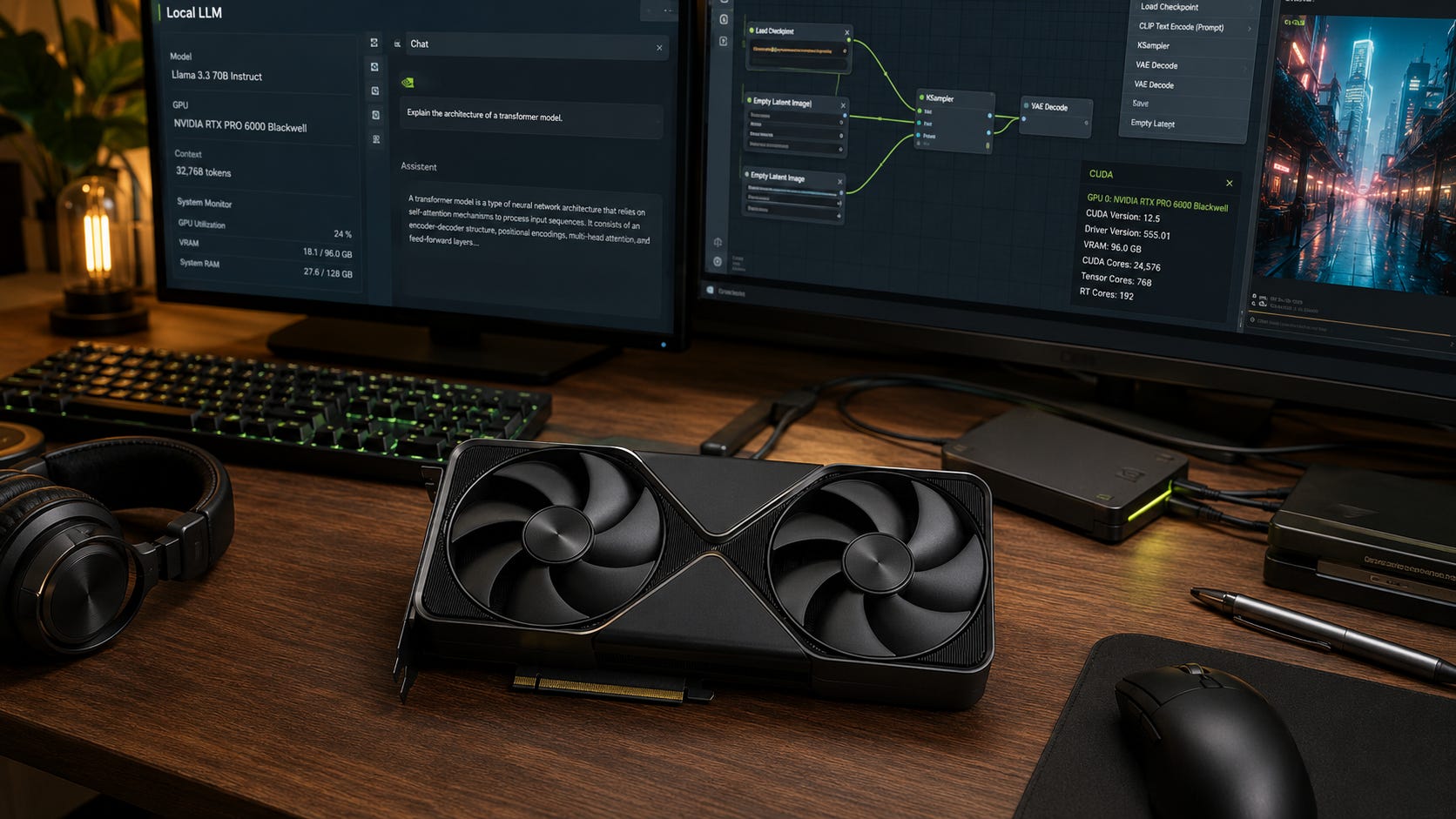
The RTX PRO 6000 Blackwell is the local AI card that sounds like it fixes everything: one NVIDIA workstation GPU, 96GB of VRAM, modern Blackwell Tensor Cores, ECC memory, and enough capacity to avoid many of the awkward multi-GPU tradeoffs that make home AI builds painful.
The catch is the price. Tom’s Hardware reported on June 13, 2026, that NVIDIA had raised RTX PRO 6000 Blackwell pricing to $13,250, up from an $8,565 launch listing. That turns a dream workstation GPU into a much harder local AI buying decision.
If you need one quiet-ish CUDA workstation card with 96GB of VRAM, RTX PRO 6000 Blackwell may be the cleanest local option. If you mostly run 7B to 32B models, ComfyUI, coding assistants, or occasional 70B experiments, it can also be a very expensive way to avoid simpler choices.
Disclosure: Popular AI may earn a commission if you buy through some links in this guide. That does not change the recommendation. The goal is to help you buy hardware that matches real local AI workloads, not the most expensive spec sheet.
Quick verdict: who should buy RTX PRO 6000 Blackwell
Best single-GPU local AI card for huge VRAM: RTX PRO 6000 Blackwell. Buy it only if one 96GB CUDA GPU solves a workload you already run often, not because 96GB looks good on a spec sheet.
Best high-end consumer choice: RTX 5090 32GB. NVIDIA lists the RTX 5090 with 32GB of GDDR7, 21,760 CUDA cores, fifth-generation Tensor Cores, 575W total graphics power, and no NVLink support. For most serious single-user local AI work that fits inside 32GB, it is the better buy.
Best used-market value: Used RTX 3090 24GB. One card remains a useful local AI tier, and two cards can provide 48GB aggregate VRAM for LLM inference if you can handle the heat, power, case spacing, and software friction. NVIDIA lists the RTX 3090 with 24GB of GDDR6X and NVLink support.
Best 48GB single-card compromise: RTX 6000 Ada or a similar used workstation card. This tier is less exciting than Blackwell, but 48GB on one card can be more practical than splitting a model across two 24GB cards.
Best option if use is bursty: Rent. RunPod lists RTX PRO 6000 rental from $2.09 per hour, and marketplace pricing can move lower or higher depending on provider, availability, region, and interruptibility.
Skip RTX PRO 6000 Blackwell if: You are buying it for casual local chat, occasional image generation, small coding models, or status. Put the money into a cheaper GPU, more RAM, fast storage, backups, and a workflow you will actually use.
Who this guide is for
This guide is for local AI builders deciding whether RTX PRO 6000 Blackwell is worth buying for local LLM inference, AI coding agents, private document search and RAG, ComfyUI, SDXL, FLUX-style workflows, LoRA and QLoRA experiments, AI video workflows, multimodal models, small business workstations, studio machines, and home labs that need CUDA compatibility with high VRAM.
It is not for gamers, ordinary creators, or anyone who only wants “the best GPU” without a workload that can use 96GB of VRAM. It is also not for buyers who expect local AI to fully replace hosted frontier models. Owned compute gives you privacy, repeatability, fewer account chokepoints, and predictable local availability. It does not magically give you frontier-model quality.
The practical question is simple: does one large local GPU save enough time, privacy risk, setup pain, or cloud spend to justify a workstation-class purchase?
What the RTX PRO 6000 Blackwell actually gives you
NVIDIA’s workstation page lists the RTX PRO 6000 Blackwell Workstation Edition with 96GB of GDDR7 ECC memory, 1,792 GB/s memory bandwidth, 4,000 AI TOPS, fifth-generation Tensor Cores, fourth-generation RT Cores, and 600W maximum power consumption.
The Verge’s launch coverage framed the card correctly: RTX PRO 6000 Blackwell is aimed at professional workstations, servers, designers, developers, data scientists, AI workloads, and other professional tasks that need a lot of VRAM. This is not a gaming card with extra memory. It is a professional GPU line that happens to be unusually attractive to local AI builders.

That positioning matters because the purchase has to be judged like production gear. The card is attractive only when its stability, ECC memory, professional packaging, and one-GPU memory pool reduce real operational pain. For a solo hobbyist, those advantages may feel abstract. For a small studio, lab, consultant, or developer who repeatedly loses time to failed local runs, fragmented multi-GPU setups, or cloud handoffs, they can become part of the return on investment.
The important part for local AI is not the branding. It is the memory tier.
A single 96GB memory pool changes what you can keep on one accelerator. Larger models, longer context windows, heavier multimodal workloads, larger image graphs, and more demanding local services become easier to run without splitting the job across multiple GPUs.
That single-GPU simplicity is the point. It is easier to cool one workstation card than a stack of used gaming cards. It is easier to debug one CUDA device than a multi-GPU machine with risers, lane sharing, split modes, uneven memory, and runtime-specific behavior. It is also easier to hand a workstation to a studio, lab, or business user who needs it to work every day.
Why 96GB VRAM matters for local AI
VRAM matters because local AI fails when the model, context, cache, batch size, or workflow graph does not fit. Speed is irrelevant when the workload spills into system RAM, crashes at load, or forces you into a compromise that ruins the purpose of running locally.
Quantization helps. Hugging Face describes quantization as a way to reduce memory and computational costs by representing weights and activations with lower-precision data types, including 8-bit and 4-bit methods. But quantization is not free money. Lower precision can make larger models fit, but it can also reduce quality or increase sensitivity to model choice, context length, and task type.
A 96GB card is most useful when one or more of these are true:
You want 70B-class local LLMs with less aggressive quantization.
You need longer context without constant CPU offload.
You serve multiple local users, agents, or tools from one machine.
You run RAG, coding agents, image generation, and video workflows on the same workstation.
You work with private code, client files, legal documents, medical data, financial material, research files, or internal business knowledge that should not flow through hosted APIs.
Your time is expensive enough that failed runs, restarts, swapping, and multi-GPU debugging cost real money.
That is the positive case. The negative case is just as important: 96GB is weak value when your workload fits comfortably inside 24GB or 32GB. Many solo users can already run useful local chat, coding models, embeddings, Whisper, private document tools, SDXL, and ComfyUI workflows on cheaper GPUs.
The $13,000 problem
At $8,565, RTX PRO 6000 Blackwell was already a serious workstation purchase. At the $13,250 figure reported by Tom’s Hardware on June 13, 2026, the decision changes from expensive but tempting to prove you need it.
Tom’s Hardware also reported a wide retailer spread around the same period, including RTX PRO 6000 Blackwell listings at $12,099.99 on Newegg and $13,349 at B&H, with some PNY listings higher.
That pricing lands in an awkward zone. It is too expensive for most hobbyists, too close to full workstation pricing to ignore the rest of the build, and still not the same category as datacenter infrastructure with HBM, NVLink-heavy scaling, MIG-oriented deployment, and the operational advantages of H100, H200, or B200-class systems.
It also arrives during a broader memory squeeze. Reuters reported on July 2, 2026, that Currys’ CEO warned higher prices for smartphones, laptops, and other electronics were likely later in 2026 because AI and data centers were consuming more silicon supply. That does not prove RTX PRO 6000 pricing will keep rising, but it helps explain why high-memory hardware feels unusually painful.
RTX PRO 6000 Blackwell vs RTX 5090
The RTX 5090 is the better answer for most local AI buyers who want a modern single GPU.

NVIDIA lists the RTX 5090 with 32GB of GDDR7, a 512-bit memory interface, 21,760 CUDA cores, 3,352 AI TOPS, 575W total graphics power, and a 1000W recommended system power rating. That makes it a very strong consumer card for local AI workloads that fit inside 32GB.
Choose the RTX 5090 if you mainly run 7B to 32B local LLMs, coding models that fit in 32GB with useful context, ComfyUI and image workflows where speed matters, FLUX-style workflows that benefit from more VRAM than 24GB, private RAG with moderate context, or local tests before pushing occasional large jobs to rented GPUs.
Choose the RTX PRO 6000 Blackwell if 32GB is the wall you hit every week. RTX 5090 is fast, but speed does not matter when the job fails to fit. Our RTX 5090 local AI guide makes the same distinction: RTX 5090 is the consumer king inside 32GB, while RTX PRO 6000 Blackwell moves into a different memory tier.
The mistake is buying RTX PRO 6000 for workloads RTX 5090 already handles. If 32GB is enough, the workstation card becomes a luxury tax.
More on building local AI rigs with an RTX 5090:

RTX PRO 6000 Blackwell vs dual RTX 3090s
Dual RTX 3090 24GB cards are still the cheap-VRAM argument.

One RTX 3090 gives 24GB. Two give 48GB aggregate VRAM. Four give 96GB aggregate VRAM. Our multi-RTX 3090 server guide explains the catch: aggregate VRAM does not behave like one transparent memory pool, and multi-GPU inference depends on the software stack and interconnect.
That means dual RTX 3090s make sense when you want cheap aggregate CUDA VRAM, mainly run local LLM inference, are comfortable with Linux and tools such as llama.cpp, vLLM, ExLlamaV2, or similar stacks, and can handle a hot, loud, power-hungry build. They make less sense when you want a quiet office workstation, simple Windows desktop behavior, image or video workflows that prefer one fast GPU, or a setup that behaves like one clean 48GB card.
The software side matters. The llama.cpp multi-GPU guide says multi-GPU helps when a model does not fit in one GPU’s VRAM, but performance depends on split mode and interconnect speed. vLLM supports distributed inference with tensor and pipeline parallelism, and its docs recommend pipeline parallelism for uneven GPU splits and for nodes without NVLink interconnect.
That is the practical difference. Dual RTX 3090s buy cheaper aggregate memory. One RTX PRO 6000 Blackwell buys one large pool.
More on multi-GPU AI server builds:

RTX PRO 6000 Blackwell vs renting cloud GPUs
Renting is the better choice when the expensive workload is occasional.
RunPod lists RTX PRO 6000 rental from $2.09 per hour. Vast.ai’s pricing pages describe live marketplace rates that move with supply and demand, with an RTX PRO 6000 WS page for renting that GPU class.
Simple break-even math makes the point. At $13,250 for the card alone, $2.09 per hour buys about 6,340 rental hours. At 40 hours per week, that equals roughly three years of GPU rental at that rate. At 10 hours per week, it equals more than 12 years.
That math ignores electricity, taxes, downtime, warranty risk, the rest of the workstation, storage, RAM, backups, and the value of instant local availability. It also ignores the cloud side: data upload time, storage fees, Docker setup, instance reliability, marketplace variability, and privacy constraints.
Rent when you only need 96GB VRAM for occasional training, batch jobs, model tests, or experiments. Rent when your workload is reproducible in Docker and your data is safe to upload. Rent before buying if you do not yet know whether 96GB changes your real workflow.
Buy when you use the card heavily every week, your data should stay local, your workflow is interactive, or your workstation needs predictable availability without waiting on a marketplace instance.
Who should actually buy RTX PRO 6000 Blackwell?
Buy the RTX PRO 6000 Blackwell if most of this describes you:
You already know that 24GB and 32GB are blocking your work.
You need one large CUDA memory pool.
You run 70B-class models, multimodal models, AI video, heavy ComfyUI graphs, local inference services, or a mix of professional graphics and AI.
You work with private code, documents, client material, research data, or internal business files.
You can turn local compute into saved money, faster delivery, stronger privacy, or fewer blocked workflows.
You are buying a full workstation, not trying to cram a 600W professional card into a fragile gaming build.
This is a workstation purchase. Treat it like one.
That means thinking about the machine around the card. Power delivery, airflow, RAM, storage, backups, driver stability, and downtime planning matter. If those details feel like distractions, this may be the wrong card.
Who should skip it?
Skip RTX PRO 6000 Blackwell if you mostly run 7B, 8B, 14B, 20B, or 32B models. Skip it if ComfyUI is mostly a hobby. Skip it if you want the best price-to-performance choice. Skip it if you are trying to avoid learning quantization, model selection, or local inference tools.
Most of all, skip it if you do not already know why 32GB is too small. Future-proofing is not a business case by itself, and 96GB can become an expensive way to postpone workflow decisions.
A used RTX 3090, RTX 4090, RTX 5090, RTX 6000 Ada, or rented GPU will be the better decision for most buyers.
Full build costs matter more than the GPU price
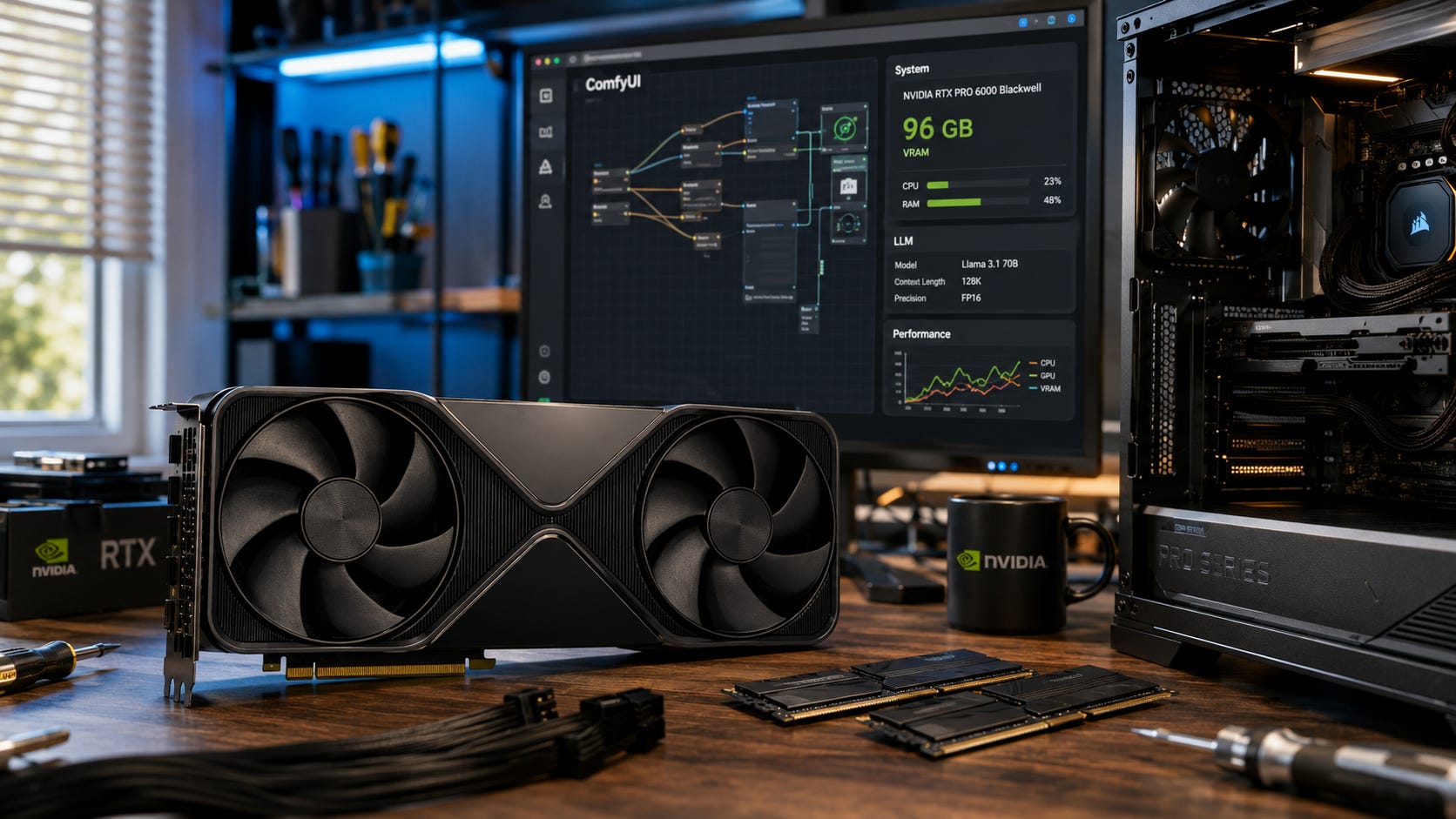
A 600W workstation GPU is not a drop-in purchase for many desktops. NVIDIA lists the RTX PRO 6000 Blackwell Workstation Edition at 600W max power with a dual-slot, 12-inch card length. NVIDIA’s own RTX 5090 specs call for a 1000W recommended system power rating, and RTX PRO 6000 sits slightly above it in GPU power.
A serious RTX PRO 6000 build should budget for a high-quality 1200W to 1600W PSU, depending on CPU and storage. It should use a case with real airflow, a motherboard with appropriate PCIe layout, enough system RAM for the models and tools you run, fast NVMe storage for model files and scratch space, and a backup plan for datasets, model stores, and client files.
For heavier local AI work, 128GB to 256GB of system RAM is often the practical workstation tier. Fast storage matters because model libraries, datasets, cache directories, and checkpoints get large quickly. Noise and heat matter because a machine that is too loud to use near your desk may end up underused, no matter how impressive the GPU is.
If the full build pushes you from a $13,000 GPU into an $18,000 to $25,000 workstation, rented GPUs start looking much smarter unless you have steady work for the machine.
The support plan matters too. A workstation used for client work should have spare storage, tested backups, a known-good driver version, and a rollback path before major updates. That sounds boring, but it is the difference between owning powerful local compute and owning a fragile science project. The more the machine is expected to replace cloud GPU access, the more it needs to be treated like infrastructure rather than a gaming PC with an expensive card installed.
How we chose
This guide ranks options by practical local AI value, not gaming benchmarks or launch excitement.
The buying criteria are VRAM capacity, whether real workloads fit, CUDA and software support, single-GPU simplicity versus multi-GPU complexity, current pricing as of July 4, 2026, power and heat, workstation fit, cloud rental alternatives, used-market risk, privacy, account dependence, workflow control, and whether the hardware solves a recurring problem or simply feels desirable.
Our analysis is based on official NVIDIA specifications, current pricing reports, cloud rental pages, relevant earlier coverage, and public documentation for local inference stacks.
Best picks by use case
Best for one-card 70B local experiments: RTX PRO 6000 Blackwell
Use it when the entire point is a large single-GPU memory pool. The 96GB GDDR7 ECC capacity is the reason to buy it.
Verdict: Buy it if 96GB on one CUDA GPU solves a workload you run often.
Best for most serious solo local AI users: RTX 5090 32GB
The RTX 5090 gives you Blackwell speed, 32GB of GDDR7, and a simpler consumer build path. NVIDIA’s specs confirm the 32GB GDDR7 memory configuration.
Verdict: Buy it if your workload fits inside 32GB and speed matters.
Best cheap serious local LLM path: used RTX 3090 24GB
The RTX 3090 remains relevant because 24GB of CUDA VRAM still matters. NVIDIA’s official specs list 24GB of GDDR6X and NVLink support.
Verdict: Buy one first if you want a serious local AI box without workstation pricing. Consider two only if you understand multi-GPU friction.
Best 48GB single-GPU compromise: RTX 6000 Ada
RTX 6000 Ada gives 48GB ECC memory and lower 300W board power, according to NVIDIA’s RTX 6000 Ada Generation datasheet. It is not Blackwell, but 48GB on one card can be more pleasant than two used RTX 3090s.

Verdict: Consider it if 32GB is too small, 96GB is too expensive, and a used workstation card is available at a sane price.
Best for occasional huge jobs: rented RTX PRO 6000 or H100-class GPUs
RunPod’s RTX PRO 6000 page lists rental from $2.09 per hour, and marketplace providers can be lower or higher depending on availability, region, interruptibility, and instance quality.
Verdict: Rent before buying if your 96GB workload is occasional, experimental, or hard to forecast.
FAQ
Is 96GB VRAM worth $13,000 for local AI?
Only if you regularly hit the 24GB or 32GB VRAM wall and need one large CUDA memory pool. If your workload fits on an RTX 5090, RTX 4090, or RTX 3090, RTX PRO 6000 Blackwell is usually too expensive.
Can dual RTX 3090s replace one RTX PRO 6000 Blackwell?
Sometimes for LLM inference, but not for general simplicity. Four RTX 3090s can provide 96GB aggregate VRAM, but aggregate VRAM does not behave like one clean 96GB pool. Multi-GPU inference depends on software support, split mode, interconnect, motherboard layout, power, and cooling. Popular AI’s multi-GPU guide explains why RTX 3090 aggregate VRAM is useful but not transparent.
Is the RTX 5090 enough for local AI?
For many users, yes. It is a strong choice for fast local LLMs, coding assistants, RAG, and image workflows that fit inside 32GB. It is weaker value for uncompressed 70B-class inference, large MoE models, heavy multi-user serving, and serious training. Popular AI’s RTX 5090 guide calls it the consumer king for local AI inside 32GB.
Should I rent an RTX PRO 6000 before buying?
Yes, if you are unsure. Renting can show whether your workload actually benefits from 96GB VRAM. It can also save thousands if you only need the card for occasional batch jobs, model tests, or experiments.
Is RTX PRO 6000 Blackwell better than H100?
It depends on the workload. RTX PRO 6000 Blackwell gives you a large 96GB GDDR7 workstation memory pool. H100-class hardware is datacenter gear with HBM, server deployment features, and stronger infrastructure fit. If you need production serving, multi-GPU scaling, MIG, or enterprise deployment behavior, compare RTX PRO 6000 against H100, H200, B200, or managed cloud infrastructure.
The smarter RTX PRO 6000 decision
RTX PRO 6000 Blackwell is the dream local AI card for a specific buyer: someone who needs a single 96GB CUDA workstation GPU and uses it often enough to make the cost rational.
For everyone else, the smarter decision is more boring. Buy an RTX 5090 if 32GB is enough and speed matters. Buy a used RTX 3090 if value matters and 24GB gets you into the workloads you actually use. Consider RTX 6000 Ada if 48GB on one card is the practical middle ground. Build dual RTX 3090s only if you understand the heat, power, and multi-GPU software tradeoff. Rent RTX PRO 6000 or H100-class GPUs when the large-memory job is occasional.
The RTX PRO 6000 Blackwell is not bad hardware. It is excellent hardware with a buyer problem. At roughly $13,000 for the GPU alone, “I want 96GB” is not enough. The sharper question is whether 96GB on one local GPU saves enough money, privacy risk, setup pain, or production time to beat cheaper builds and rented compute.
For most people, the answer is no.
For the right workstation buyer, the answer can be yes.
Explore more from Popular AI:
Start here | Local AI | Fixes & guides | Builds & gear | Popular AI podcast
For local AI builders, what would actually make a 96GB VRAM workstation GPU worth it to you: bigger models, privacy, fewer cloud bills, or avoiding multi-GPU headaches?