

A local Perplexity alternative with Vane, Ollama and SearXNG
Build a Perplexity-style research stack you control using Vane, Ollama, Docker, and SearXNG for private web search.

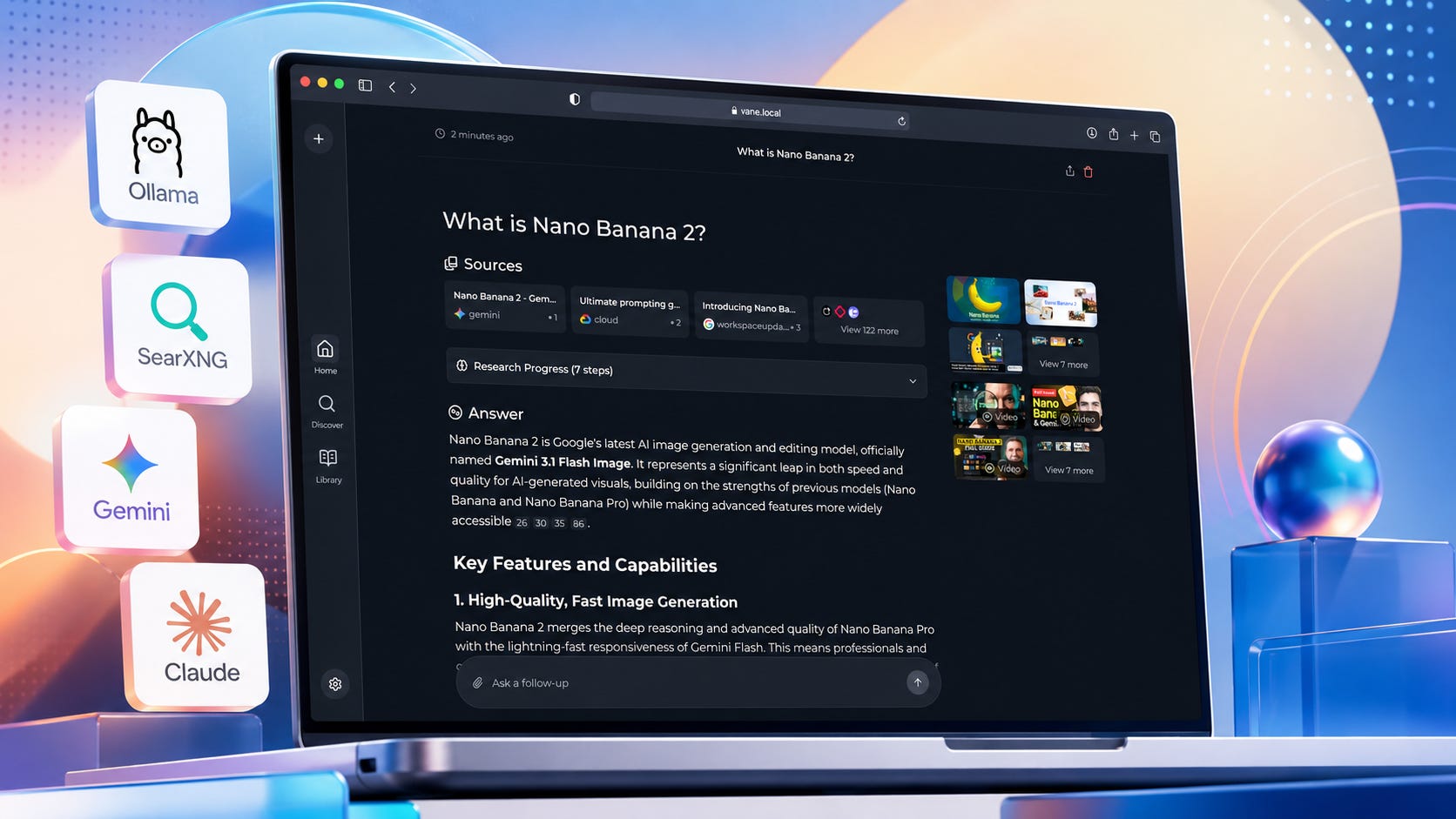
If you want a private Perplexity-style research workflow in 2026, start with the most important update: Perplexica now redirects to Vane. The Vane GitHub repository describes the project as a privacy-focused AI answering engine that runs on your own hardware, supports local LLMs through Ollama, and uses SearXNG for web search.
That makes the practical goal simple. Use Vane as the browser interface, Ollama as the local model runner, and SearXNG as the search layer.
Hosted Perplexity is still smoother and faster for everyday research. Vane gives you a more private research stack with fewer account dependencies, fewer cloud data paths, and more control over the tools doing the work.
Key takeaways
Perplexica is now Vane. The old Perplexica GitHub URL redirects to the Vane repository, so use the current Vane setup instructions.
The easiest setup is Docker. Vane’s README recommends Docker and provides a one-command setup with bundled SearXNG.
Use Ollama for the local LLM layer. Ollama installs on macOS, Windows, Linux, and Docker, and exposes a local REST API on localhost:11434.
Use SearXNG for private metasearch. SearXNG aggregates results from many search services and says users are not tracked or profiled.
This is better for private research than polished convenience. Hosted Perplexity is easier, but the local stack gives you more control over search queries, prompts, model choice, and stored research history.
Do not expose this stack to the public internet casually. A private research tool becomes a liability if you run it on an open port with weak or missing authentication.
The practical answer
For most users, the best path is:
Install Ollama.
Pull a practical local model.
Run Vane with Docker.
Configure Vane to use Ollama.
Use the bundled SearXNG first.
Move to a separate SearXNG instance only when you need more control.
Use hosted Perplexity when you want the fastest polished research tool and the data is not sensitive. Use Vane with Ollama and SearXNG when you want a private AI research workflow for client work, business planning, unpublished drafts, technical research, private notes, or topics you do not want tied to a hosted AI account.
The tradeoff is maintenance. This local setup gives you more ownership, but you are also responsible for Docker, model downloads, updates, machine security, and troubleshooting.
What this workflow is for
This setup is for people who want AI-assisted web research without making a hosted AI company the center of every query.
Good use cases:
Private market research.
Technical documentation searches.
Competitor research.
Source gathering for articles.
Local business planning.
Internal research notes.
Research over sensitive topics.
Repeatable AI search workflows for creators and small businesses.
Skip this setup when you need the most polished interface, the strongest frontier model, easy mobile access, team admin features, or no maintenance. Hosted tools win on convenience. Local tools win when control matters more.
What you need
You need:
Docker Desktop or Docker Engine
The Vane README says Docker is the recommended setup path. Docker keeps the install simple because the main container can include the Vane web app and bundled SearXNG search layer.
Ollama
Ollama provides official install paths for macOS, Windows, Linux, and Docker. The Ollama GitHub README also shows how to run models and use the local REST API.
A local model
Start with a smaller model before chasing huge context windows. A 7B or 8B model is enough to test the pipeline. Use a stronger model later if your hardware can handle it.
Good starter choices in Ollama:
ollama pull gemma3or:
ollama pull qwen3A browser
Vane runs as a local web app. The Docker setup in the Vane README points users to http://localhost:3000 after the container starts.
Enough RAM and storage
The interface itself is light compared with the local model. If you only have 8GB RAM, use small models. If you have 16GB to 32GB RAM, you have more room. If you want larger models, read Popular AI’s guide to budget GPUs for local LLMs before spending money.
Learn how to build your first local AI pc:

What you will have when finished
You will have a browser-based local AI research tool running on your machine.
The workflow will look like this:
Your browser
  → Vane local web app
    → SearXNG search layer
    → Ollama local LLM
      → Answer with sources
The important difference from hosted AI search is where the control sits. Your model runs locally through Ollama. Your search layer can be self-hosted. Your interface and history stay on your machine unless you deliberately connect cloud providers.
That does not mean every web query becomes invisible. Web research still needs internet access, and SearXNG still sends queries to upstream search services. The privacy gain comes from reducing account-level tracking, keeping model inference local, and controlling more of the research path yourself.
Step 1: Install Ollama
Install Ollama first because Vane needs a model provider.
On macOS or Linux:
curl -fsSL https://ollama.com/install.sh | shOn Windows PowerShell:
irm https://ollama.com/install.ps1 | iexThese commands come from Ollama’s official README. The macOS and Linux command uses the official Ollama install script, while the Windows command uses the official Ollama PowerShell installer.
After installation, test that Ollama runs:
ollama --versionThen pull a starter model:
ollama pull gemma3Test the model:
ollama run gemma3Ask:
Reply with one sentence: local AI is running.Exit the chat with:
/byeThis first step proves that local inference works before you add Docker, Vane, or search.
Step 2: Confirm the Ollama API is reachable
Vane needs to reach Ollama’s local API.
The Ollama README shows a REST API example using http://localhost:11434/api/chat. Test it:
curl http://localhost:11434/api/chat -d '{
  "model": "gemma3",
  "messages": [
    {
      "role": "user",
      "content": "Reply with OK."
    }
  ],
  "stream": false
}'
Expected result: a JSON response containing a short model reply.
If this fails, Vane will not work with Ollama yet. Fix Ollama before moving on. Common causes include the Ollama app not running, the wrong model name, a blocked local port, or a shell that cannot reach the local API.
Step 3: Run Vane with bundled SearXNG
The simplest Vane setup uses Docker with bundled SearXNG. The project README gives this command:
docker run -d -p 3000:3000 -v vane-data:/home/vane/data --name vane itzcrazykns1337/vane:latestThen open:
http://localhost:3000According to the Vane Docker setup instructions, this pulls and starts the container with the bundled SearXNG search engine and lets you configure providers through the setup screen.
This is the recommended starting point because it removes one moving part. Get Vane working first. Replace the bundled SearXNG later only if you need more control over search engines, settings, or network access.
Step 4: Configure Vane to use Ollama
Inside the Vane setup screen, choose Ollama or a local OpenAI-compatible provider if the UI presents that path.
Use this Ollama API URL on macOS or Windows when Vane is running in Docker:
http://host.docker.internal:11434The Vane README lists host.docker.internal:11434 for Windows and Mac Docker setups when fixing Ollama connection errors.
On Linux, Docker often cannot use that hostname by default. The Vane README recommends using the host’s private IP and, when needed, exposing Ollama with OLLAMA_HOST=0.0.0.0:11434 in the Ollama systemd service.
Use this Linux pattern only on your trusted local network:
http://YOUR_HOST_PRIVATE_IP:11434Do not expose Ollama to the public internet. Treat it like any other local service that can receive prompts and return model output.
Step 5: Run your first private research query
Use a simple query first:
Find three current sources explaining what SearXNG is. Summarize each source in one sentence and include the source links.Check three things:
Vane returns an answer.
The answer includes sources.
The local model is doing the synthesis.
If the answer works but quality is weak, the search layer may be fine and the model may be the bottleneck. Try a stronger Ollama model before blaming Vane.
A weak first answer is usually a signal to test methodically. Try a narrower query. Ask for source summaries first. Then ask for synthesis. Local models can do useful research work, but they often need more structure than hosted frontier models.
Step 6: Move to your own SearXNG instance only if needed
The bundled SearXNG setup is enough for most first installs.
Use your own SearXNG instance if you want:
More control over search engines.
More predictable settings.
Separate maintenance.
Network-wide search for several local tools.
A private search endpoint that other apps can use.
SearXNG describes itself as a metasearch engine that aggregates results from up to 244 search services, with no user tracking or profiling. The SearXNG documentation also says users can set up their own instance if they do not trust someone else’s.
Vane’s README says the slim container can point to an existing SearXNG instance with SEARXNG_API_URL, but it also says the SearXNG instance needs JSON format enabled and Wolfram Alpha enabled.
Use the slim Vane container like this:
docker run -d \
  -p 3000:3000 \
  -e SEARXNG_API_URL=http://your-searxng-url:8080 \
  -v vane-data:/home/vane/data \
  --name vane \
  itzcrazykns1337/vane:slim-latest
Replace:
http://your-searxng-url:8080with your actual SearXNG address.
A separate SearXNG instance makes sense once you know Vane works. It is less useful as the first troubleshooting step because it adds another service, another configuration file, and another place where search can fail.
Step 7: Use a better research prompt
Bad prompt:
Research this topic.Better prompt:
Research [TOPIC] using current web sources.

Return:
1. A short answer.
2. Five source-backed findings.
3. A section called "What is uncertain."
4. A section called "What I should verify manually."
5. Links to the original sources.

Do not make claims that are not supported by the sources.
For article research, use:
You are helping prepare a source brief for an article.

Topic:
[TOPIC]

Task:
Find primary sources first. Prefer official documentation, GitHub repositories, product pages, pricing pages, privacy policies, changelogs, and legal documents.

Return:
- The strongest sources.
- What each source proves.
- What each source does not prove.
- Claims that need manual verification.
- Suggested article angle.

Do not write the article yet.
For technical research, use:
Research [TOOL OR ERROR].

Focus on:
- Official docs.
- GitHub issues.
- Release notes.
- Known fixes.
- Version requirements.
- Common failure modes.

Return:
- Likely cause.
- Safest fix.
- Risky fixes to avoid.
- Sources.
Structured prompts matter more with local models. A hosted research product often hides the workflow. With Vane and Ollama, you get better results when you tell the model what kind of sources to prefer, what uncertainty to report, and what claims need manual checking.
Step 8: Add a workflow rule for sensitive research
Create a simple rule for yourself before using the stack with client, business, or private material.
Use this:
Private research rule:
- Hosted tools may be used for public facts and non-sensitive summaries.
- Vane with Ollama and SearXNG is used for sensitive queries, unpublished drafts, private strategy, client material, and internal planning.
- No API keys, passwords, customer data, private documents, or legal material are pasted into cloud tools unless there is a deliberate reason and a written record of the tradeoff.
This is where a local workflow earns its keep. The point is not to avoid every cloud tool forever. The point is to stop making a hosted account the default place where all research begins.
A good private research workflow should be boring and repeatable. Public facts can go through hosted tools when speed matters. Sensitive queries, unpublished strategy, client context, and early article angles should start in the local stack.
Commercial Perplexity vs local Vane: the real tradeoff
Hosted Perplexity is still easier. It is polished, fast, and good at turning search results into readable answers.
The catch is the control layer. A hosted AI search account can change pricing, change models, apply usage limits, alter retention settings, remove features, or restrict access. Perplexity’s own Privacy & Security documentation says the Sonar API has zero data retention and does not use customer API data to train models, but that statement applies to the Sonar API. It should not be treated as a blanket promise about every consumer product surface.
Perplexity Pro has also been sold as a paid subscription. Reuters reported in September 2025 that Perplexity Pro was worth $200 per year or $20 per month in a PayPal and Venmo promotion.
Vane with Ollama and SearXNG gives up some polish. In exchange, you can keep the model local, control the search layer, and avoid building your entire research habit around a hosted AI search account.
Use Perplexity when:
You need speed.
The research is not sensitive.
You want a polished mobile and web experience.
You do not want to maintain a stack.
You need stronger hosted models.
Use Vane when:
The topic is sensitive.
You want a local fallback.
You want to avoid subscription dependency.
You want to choose your own local model.
You want your search workflow to survive account or pricing changes.
You are willing to maintain Docker, Ollama, and SearXNG.
Use both when:
Hosted Perplexity is your fast public-research tool.
Vane is your private research and source-gathering tool.
You manually verify important claims before publishing or acting on them.
The best workflow for most people is hybrid. Let hosted tools handle low-risk public research. Keep sensitive work, unpublished thinking, and private source gathering in the local stack.
Privacy, account risk, and lock-in
This workflow has three privacy layers.
The model layer
With Ollama, model inference can run locally. That means prompts do not need to go to OpenAI, Anthropic, Google, Perplexity, or another model provider unless you add one.
The Ollama project describes local model running, model management, and a local REST API. That makes it a practical base layer for local AI research because the model does not have to leave your machine.
Local model choice still matters. Small models are easier to run, but they may miss nuance or produce weaker summaries. Larger models can improve synthesis, but they need more RAM, VRAM, storage, and patience.
The search layer
SearXNG protects more privacy than ordinary search, but it is not magic. It still sends search requests to upstream engines. Its advantage is that it can reduce profiling and tracking, especially when self-hosted and configured carefully.
The SearXNG documentation says users are neither tracked nor profiled and that SearXNG can be self-hosted. That makes it a useful search layer for private research, especially when paired with a local model.
The tradeoff is maintenance. Search engines change. Engines can fail. Rate limits happen. A private metasearch setup gives you more control, but it may require occasional tuning.
The interface layer
Vane can save search history locally, according to its README. That is useful for research continuity, but it also means your local machine becomes the place where research history lives.
Protect it accordingly:
Use disk encryption.
Do not expose the local app to the public internet.
Do not run unknown containers without checking the project.
Keep Docker images updated.
Keep sensitive research out of shared machines.
Back up useful notes deliberately rather than relying on hidden app data.
A local research stack is only as private as the machine and network around it. If your laptop is shared, unencrypted, or exposed, local storage can become a risk.
Common problems and fixes
Problem: Vane cannot connect to Ollama
What it means: The Vane container cannot reach the Ollama API.
How to fix it:
On Windows or macOS, set the Ollama URL to:
http://host.docker.internal:11434The Vane README lists this address for Windows and Mac Docker setups.
On Linux, use your host machine’s private IP:
http://YOUR_HOST_PRIVATE_IP:11434If needed, configure Ollama to listen on the network interface, then restart Ollama. Keep this local. Do not expose it publicly.
Problem: Search works, but answers are weak
What it means: The local model is probably too small, poorly suited for research synthesis, or running with weak settings.
How to fix it:
Try a stronger Ollama model.
Ask for source summaries before final answers.
Keep prompts structured.
Reduce the task size.
Use hosted models only for non-sensitive research if local quality is not enough.
Model quality matters because Vane is the interface, not the intelligence layer. If the search results are good but the summary is thin, upgrade or change the local model before rebuilding the whole stack.
Problem: Search returns too few sources
What it means: SearXNG settings or engine availability may be limiting results.
How to fix it:
Test SearXNG directly.
Enable more engines.
Check whether JSON output is enabled.
Try the bundled SearXNG first.
Try a public query before a niche query.
Start with a broad query that should return many results. Then narrow the topic. This helps you separate a search configuration problem from a topic problem.
Problem: Docker says the container name already exists
What it means: You already created a container named vane.
How to fix it:
docker stop vane
docker rm vane
Then run the container again.
Problem: You want to update Vane
What it means: Your Docker image may be old.
How to fix it:
docker pull itzcrazykns1337/vane:latest
docker stop vane
docker rm vane
docker run -d -p 3000:3000 -v vane-data:/home/vane/data --name vane itzcrazykns1337/vane:latest
The vane-data volume preserves your data. Still, back up anything important before updating.
Best local models to start with
Start small. Prove the pipeline works before trying a huge model.
Best first test model
ollama pull gemma3Use it to confirm that Vane can talk to Ollama.
Better research model
Use a stronger Qwen, Llama, Gemma, or Mistral model that fits your machine.
General guidance:
8GB RAM: use small models.
16GB RAM: use 7B or 8B models.
32GB RAM: try larger quantized models.
24GB VRAM GPU: you have far more room for useful local LLM work.
For buying advice, use Popular AI’s local AI hardware guide and the budget Ollama GPU guide.
Do not make your first test harder than it needs to be. A small model that responds reliably is better for setup than a giant model that barely fits in memory. Once the pipeline works, upgrade the model and compare results.
A safer hybrid workflow
The strongest practical setup is role separation.
Use Vane locally for:
Sensitive queries.
Early research.
Unpublished angles.
Client-specific questions.
Internal strategy.
Source discovery.
Draft outlines.
Use hosted Perplexity or another cloud research tool for:
Low-sensitivity public facts.
Fast source discovery.
Casual searches.
Queries where convenience matters more than privacy.
Then verify important facts manually from primary sources before publishing.
That gives you speed without making your most sensitive research dependent on a hosted account. It also gives you a fallback if a cloud tool changes pricing, limits features, or becomes unavailable.
FAQ
Is Perplexica still available?
The old Perplexica GitHub URL redirects to Vane. In practice, use the current Vane repository and current Vane setup instructions. The project still appears in some references as Perplexica, but the current repo branding is Vane.
Is Vane a full Perplexity replacement?
No. Vane is a local, self-hostable alternative for AI-assisted search and answering. Hosted Perplexity is more polished and easier to use. Vane gives you more control over the model, search layer, and local data path.
Does Vane run fully offline?
No, not for web research. The local LLM can run through Ollama, but web search requires internet access. If you ask it to search the web, SearXNG still has to query search sources. The private advantage is reduced account dependency and more control, not total offline operation.
Does SearXNG make searches completely anonymous?
No. SearXNG improves privacy by reducing tracking and profiling, and it can be self-hosted, but upstream search engines still receive queries from the server making the request. SearXNG says users are neither tracked nor profiled by SearXNG itself.
Can I use cloud models inside Vane?
Yes. Vane’s README says it supports local LLMs through Ollama and cloud providers including OpenAI, Claude, and Groq. That is useful, but it changes the privacy model. Once you connect a cloud provider, prompts sent to that provider are no longer local.
What is the best model for this setup?
Use a small model first to test the pipeline. Then use the strongest model your hardware can run comfortably. For many users, a good 7B or 8B model is the sensible starting point. Larger models improve synthesis but need more RAM, VRAM, and patience.
Final recommendation
Set up Vane with bundled SearXNG first, connect it to Ollama, and test it with a small local model. After that works, decide whether you need a separate SearXNG instance or a stronger model.
Treat this as a practical local research stack. Hosted AI search is smoother, but Vane with Ollama and SearXNG gives you a working fallback for research you do not want tied to a cloud account, changing subscription terms, or vendor-controlled defaults.
For creators, consultants, researchers, small businesses, and technical writers, that fallback matters. It helps separate public research from sensitive work, keeps more of the workflow under your control, and makes AI search less dependent on one hosted product.
Explore more from Popular AI:
Start here | Local AI | Fixes & guides | Builds & gear | Popular AI podcast