

Practical AI PC buying guides for local LLMs, ComfyUI, coding, and private AI, from portable laptops to 128GB workstations.
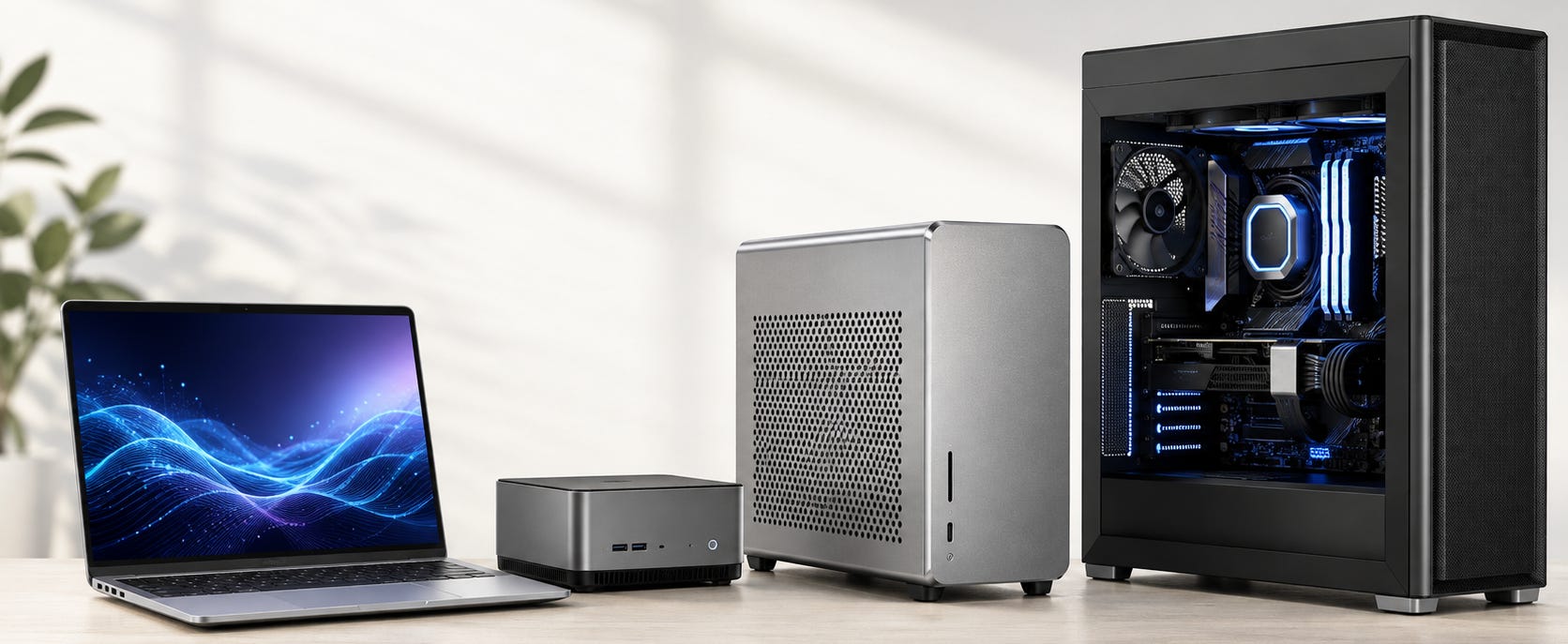
An AI PC can mean almost anything now. A thin laptop with an NPU, a gaming notebook with an NVIDIA GPU, a 128GB unified-memory mini PC, and a workstation built around serious discrete GPUs can all carry some version of the label.
For local AI, the sticker is close to useless. What matters is what the machine can actually run, how much memory the workload can access, which software stack supports it, and whether the system can sustain the work without running out of memory or cooking itself.
These AI PC buyer’s guides focus on that practical capability. Use them to compare laptops, compact PCs, Mac Studio configurations, Ryzen AI Max systems, Framework hardware, and conventional GPU workstations for local LLMs, image generation, coding, research, and other private AI workflows.
The practical answer
Start with the workload, then buy the computer.
If you primarily want local LLMs, memory capacity is usually the first constraint. A slower machine that can fit the model may be more useful than a faster one that cannot. That is why high-memory Apple Silicon and AMD Ryzen AI Max systems have become credible alternatives to conventional GPU workstations.
If you primarily want ComfyUI, AI video, LoRA training, or software built around CUDA, NVIDIA remains the safer default. Large unified-memory pools are attractive, but software support and GPU throughput can outweigh capacity once your workflow depends on CUDA-first tools.
If you need portability, accept that laptops impose stricter limits on memory, cooling, power, and upgrades. Our guide to the best laptops for running local LLMs in 2026 is the best place to start.
If portability does not matter, a desktop or compact workstation usually buys more AI capability for the money.

Start here
▪ I want a laptop for local AI
Start with our best laptops for local LLMs.
The central buying question is memory. On Windows, dedicated GPU VRAM still determines how much work can stay accelerated on the GPU. On Apple Silicon, unified memory changes the calculation because the CPU and GPU can work from a larger shared pool.
Do not assume a more expensive GPU badge automatically means a more useful local AI laptop. Moving into a higher memory tier can change what fits. Paying for more compute while remaining stuck at the same memory capacity often changes much less.
Buy a laptop when you genuinely need AI capability away from a desk. If the machine will spend 95% of its life connected to a monitor, power supply, and external storage, compare desktop options before paying the portability tax.
▪ I want a ready-made desktop
See our ranking of the best prebuilt AI PCs for Ollama and local LLMs.
These machines make sense when you want conventional Windows or Linux hardware without choosing every motherboard, cooler, power supply, and case yourself.
For local LLMs, judge the GPU by usable VRAM before getting distracted by gaming-oriented CPU upgrades, lighting, or premium case branding. For heavier image and video workflows, cooling and sustained GPU performance become more important.
If image generation is the priority, use our guide to the best desktop PCs for local AI image generation.
For heavier video workflows, see the best desktop PCs for ComfyUI and local video AI.


▪ I want to run very large models locally
This is where high-memory systems get interesting.
AMD’s Ryzen AI Max platform has created a new class of compact computer that can expose far more memory to local AI workloads than a normal consumer graphics card. The question is whether that additional capacity is worth accepting a different software ecosystem and, for some workloads, lower accelerator performance.
Our AMD Ryzen AI Halo review looks at the 128GB developer platform against Framework, Mac Studio, DGX Spark, and cheaper Strix Halo systems.
For a broader look at the platform, read whether a Strix Halo mini PC is worth buying for local AI.
These machines are especially interesting when model fit is the problem. They are less obviously superior when your workload already fits inside a conventional NVIDIA GPU and raw throughput is the priority.


Mac Studio vs Ryzen AI Max for local AI
Apple and AMD have made unified memory a serious part of the local AI hardware conversation.
A high-memory Mac Studio can be an excellent local LLM workstation. Apple Silicon has strong memory bandwidth, mature native tooling, and a comparatively polished desktop experience. The tradeoff is a fixed hardware configuration, macOS, and the absence of CUDA.
Ryzen AI Max systems take a more PC-like route. They offer Windows or Linux options, x86 software compatibility, large unified-memory configurations, and systems from multiple manufacturers.
Our M4 Max vs Ryzen AI Max+ 395 local AI comparison breaks down the practical differences in memory, software support, storage, local LLM use, and workload fit.
Framework is especially interesting because it puts the Ryzen AI Max platform into a more repairable and configurable PC ecosystem. The Ryzen AI Halo review includes a direct comparison with the 128GB Framework Desktop.

The important distinction is capacity versus ecosystem. A large memory pool is valuable when it lets you run a model that would otherwise be impossible on the machine. CUDA can be more valuable when the software you depend on assumes NVIDIA hardware.

Compact AI PCs and mini workstations
Mini PCs have gone from lightweight office boxes to credible personal AI machines.
The attraction is obvious. You can get a quiet, compact system with enough memory for serious local models without building a tower full of discrete GPUs.
NVIDIA's DGX Spark is the most explicit expression of this idea: datacenter-style AI tooling compressed into a machine designed to sit on a desk.
The catch is that machines built around similar processors can still differ substantially in cooling, firmware, storage expansion, ports, warranty support, and how much memory an AI workload can actually use.
Our GMKtec EVO-X3 128GB local AI buying guide looks at one of these systems against NVIDIA GPUs, Mac Studio, and other compact options.

Think of this category as a large-model inference alternative, not an automatic replacement for every GPU workstation.


When an NVIDIA workstation is still the better buy
Unified memory solves capacity problems. NVIDIA still solves a lot of software problems.
If your weekly work involves ComfyUI custom nodes, CUDA-focused repositories, LoRA training, local video generation, PyTorch projects written around NVIDIA, or applications where GPU throughput is more important than fitting enormous models, a conventional NVIDIA system remains hard to beat.
The ecosystem advantage keeps extending to new models. NVIDIA, for example, is already promoting RTX-specific optimization for newer open models such as Gemma 4.


This is where dedicated VRAM matters more than an AI-branded NPU.
A local AI workstation built around a 16GB, 24GB, 32GB, 48GB, or larger NVIDIA GPU gives you a much more predictable software path than buying an exotic architecture and hoping every dependency supports it.
If you are willing to build rather than buy prebuilt, our budget local AI PC guide explains why used high-VRAM hardware can still make more sense than a shiny new “AI PC.”
For buyers wondering whether owning hardware makes economic sense at all, read should you buy local AI hardware in 2026?.


What actually matters when buying an AI PC
▪ Memory capacity
Start here.
For a discrete GPU, look at VRAM. For Apple Silicon and integrated AMD systems, look at unified memory, then find out how much of that pool the AI workload can realistically access.
Do not treat unified memory and dedicated VRAM as identical. Capacity, bandwidth, operating-system overhead, drivers, and software backends all influence real performance.
▪ Software support
A theoretical accelerator is useless if your workload does not support it properly.
Check the exact tools you intend to run. Ollama, LM Studio, llama.cpp, PyTorch, ComfyUI, MLX, ROCm, Vulkan, CUDA, and other backends do not provide identical support across every machine.
This can easily matter more than an impressive TOPS number on a product page.
▪ Memory bandwidth
Fitting a model is step one. Running it at a tolerable speed is step two.
Large local LLMs move enormous amounts of data through memory during inference. Two systems with similar capacity can therefore behave very differently once the same model is loaded.
▪ Cooling and sustained power
Short demos flatter laptops.
Long inference sessions, image batches, video generation, training, and AI development can keep the hardware loaded for far longer. Thin machines may reduce power once temperatures rise.
A workstation that maintains its performance can be more useful than one that wins a short benchmark and slows down after sustained use.
▪ RAM and storage
Model files get large quickly. So do quantizations, checkpoints, LoRAs, datasets, embeddings, containers, caches, and generated media.
A machine advertised as an AI workstation with a small SSD may immediately push you toward expensive upgrades or external storage.
▪ Upgradeability
Check what can actually be changed later.
Many laptops and unified-memory computers lock memory in at purchase. Some compact PCs allow normal NVMe upgrades while keeping their main memory fixed. Traditional desktops generally offer more freedom to replace GPUs, RAM, storage, cooling, and power supplies.
If you expect your AI use to grow, the upgrade path deserves part of the budget.
What to watch out for
The easiest trap is buying an AI PC for its AI branding.
An NPU can be useful for specific optimized applications, background effects, speech processing, and operating-system AI features. It does not magically give a laptop enough GPU memory for a large local LLM or turn a thin notebook into a serious ComfyUI workstation.
Also watch for expensive laptops with surprisingly little GPU memory, soldered configurations that cannot grow with you, mini PCs whose cooling cannot sustain their advertised processor, enormous factory storage markups, and workstation pricing that buys support or branding rather than more actual compute.
The question to keep asking is simple: What new AI workload does the extra money let me run?
If the answer is vague, keep shopping.
Common questions
Is a laptop good enough for local AI?
Yes, for many workloads. Smaller and medium local LLMs, coding assistants, private document work, transcription, and lighter image workflows can all make sense on a laptop.
A desktop becomes more attractive when you need additional VRAM, sustained performance, storage, cooling, or upgradeability.
Is an NPU important for local LLMs?
Usually less than the marketing suggests.
NPUs can accelerate software designed specifically for them, but local LLM buyers should still pay close attention to GPU or unified-memory capacity, bandwidth, runtime support, and the exact applications they plan to use.
Do not substitute an NPU TOPS figure for a real workload test.
Should I buy a Mac Studio or a Windows AI workstation?
Choose the Mac Studio when you want a polished Apple Silicon workstation, large unified memory, strong native local LLM tooling, and macOS fits your broader workflow.
Choose a Windows or Linux workstation when CUDA, discrete GPU upgrades, PC software compatibility, storage flexibility, or replaceable hardware matters more.
Our M4 Max vs Ryzen AI Max+ 395 comparison covers the unified-memory side of that decision in more detail.
Is 128GB of unified memory better than 24GB of NVIDIA VRAM?
It is better when the workload needs more than 24GB simply to fit.
It is not automatically faster. A 24GB NVIDIA GPU can still be the better machine for workloads that fit within its memory and benefit heavily from CUDA, dedicated GPU bandwidth, and mature acceleration.
This is one of the most important distinctions in current AI PC buying.
Should I buy an AI PC or keep using cloud AI?
Buy local hardware when you have enough recurring work to justify it, when private or offline processing has real value, when local models already meet your needs, or when you want a reliable capability that does not depend on a vendor account.
Keep using hosted AI when you need frontier-model quality occasionally and buying thousands of dollars of hardware would solve no recurring problem.
The more useful comparison is increasingly workload-by-workload rather than “local versus cloud” in the abstract. Projects such as vLLM are now explicitly demonstrating local OpenAI-compatible serving and comparing its latency with hosted services.


Owning compute is useful. Buying hardware you barely use is still wasting money.
▶ View all AI builds & gear articles
Explore more from Popular AI:
Start here | Local AI | Fixes & guides | Builds & gear | Popular AI podcast