


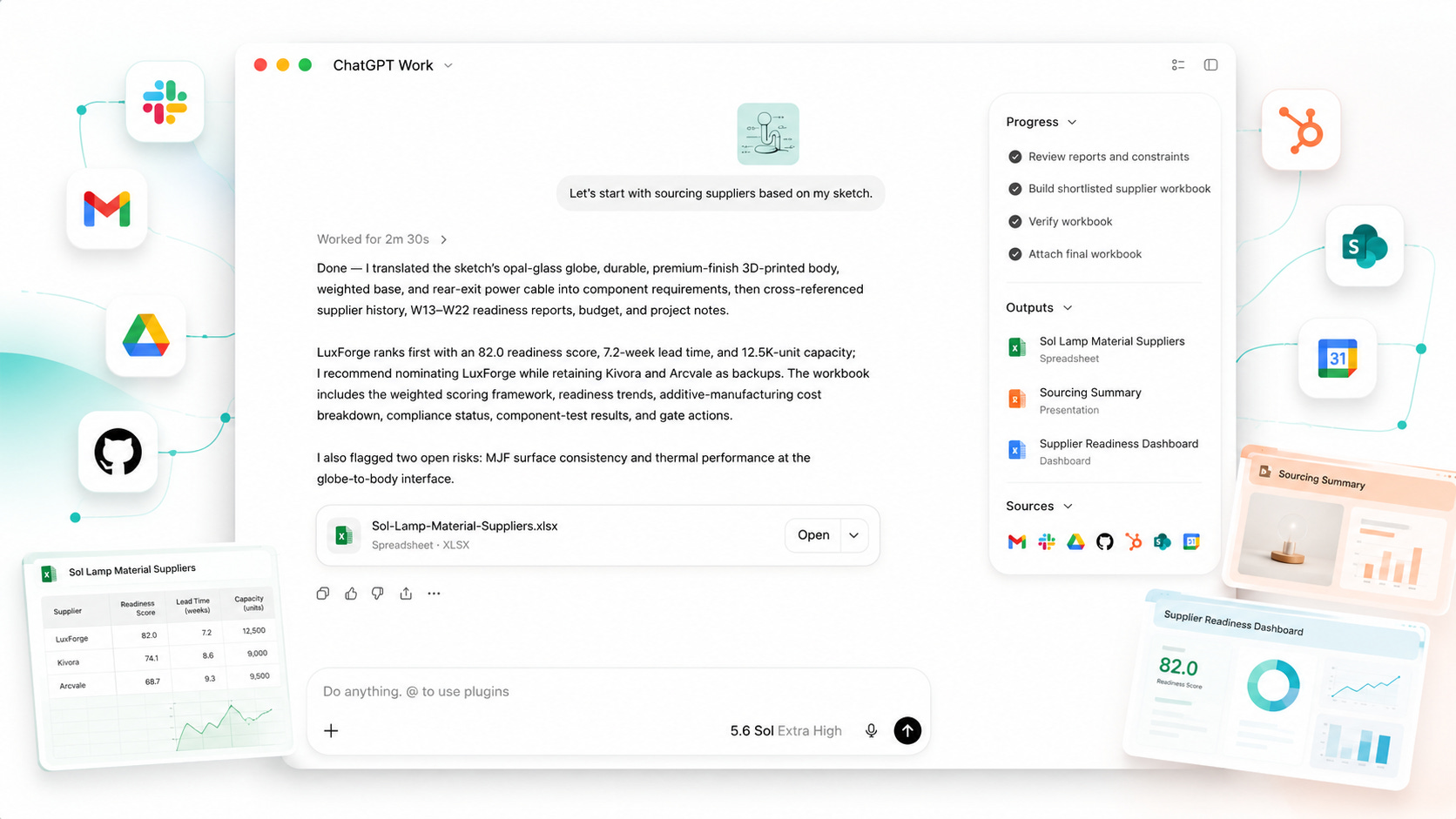
ChatGPT Work is OpenAI’s clearest attempt yet to turn ChatGPT into a workplace operating system.
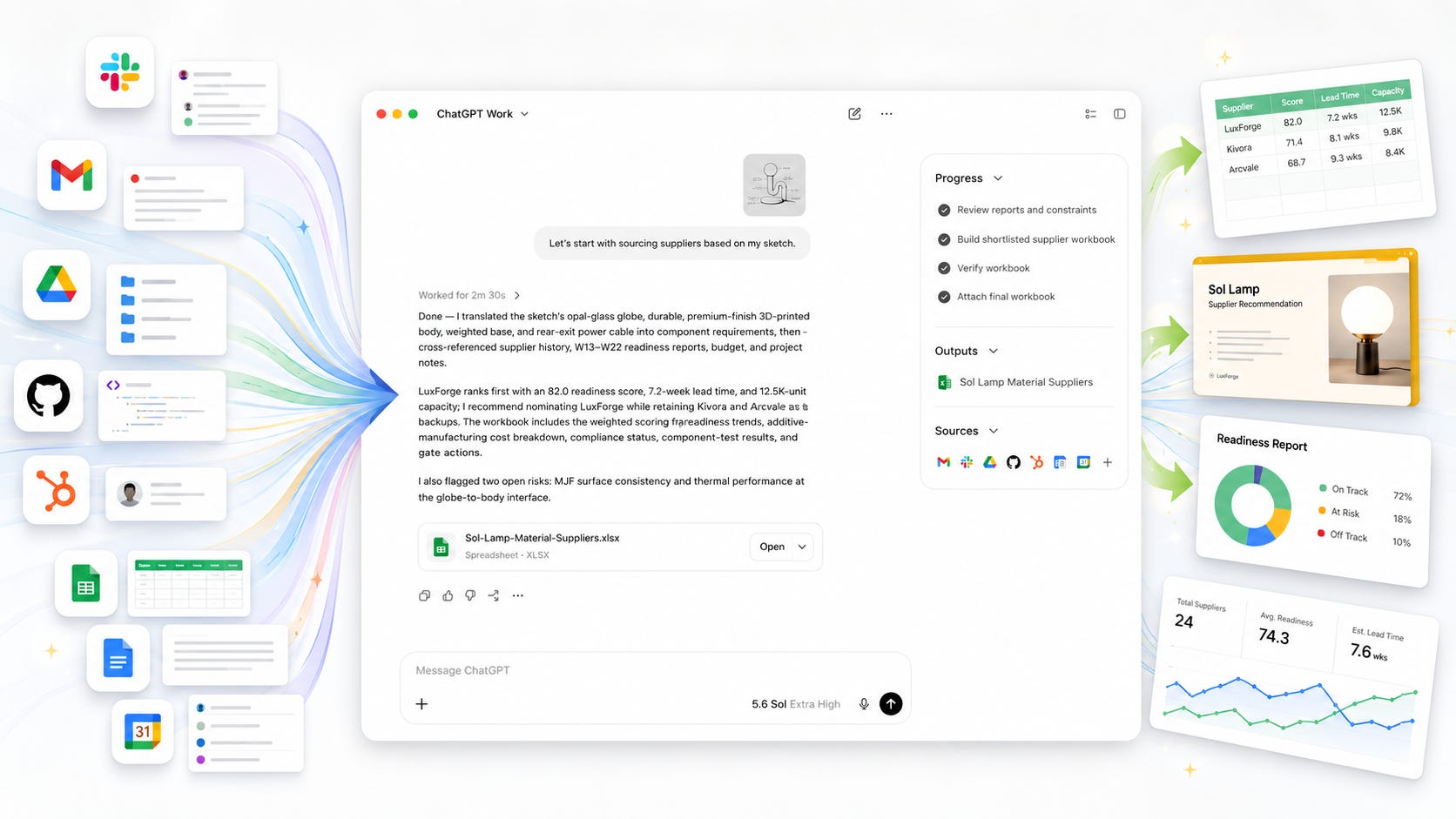
The pitch is simple: connect your apps, files, workflows, and desktop tools, then let GPT-5.6 turn messy context into documents, spreadsheets, slides, dashboards, websites, and apps.
That is useful. It is also exactly the kind of tool that should be tested slowly before a company points it at Slack, Gmail, Google Drive, SharePoint, GitHub, HubSpot, customer records, or sensitive internal files.
Key takeaways
ChatGPT Work is powered by GPT-5.6 and can gather context from team tools, files, desktop apps, and workflows to produce finished work.
The control lever is permissioned access to workplace data and actions. Once connected, the agent can search, reference, sync, and in some cases act inside third-party tools through apps in ChatGPT.
OpenAI says organization data from ChatGPT Enterprise, ChatGPT Business, ChatGPT Edu, ChatGPT for Healthcare, ChatGPT for Teachers, and the API platform is not used for model training by default, but personal Free, Plus, and Pro users need to check their data controls.
Existing permissions matter, but they are not enough. For Company Knowledge, OpenAI says ChatGPT can only access what each user is already allowed to view, which means messy workplace permissions can become an AI-assisted exposure problem.
Teams should test ChatGPT Work with read-only, low-risk sources first, then add write actions only after logging, rollback, approval, and data classification are working.
The right question is not “Is ChatGPT Work powerful?” The better question is “Which data and actions are we willing to let a hosted agent touch?”
What happened
OpenAI launched ChatGPT Work on July 9, 2026, alongside GPT-5.6. Reuters described ChatGPT Work as a new AI agent that combines ChatGPT with Codex to create documents, presentations, and websites, powered by OpenAI’s GPT-5.6 model.
OpenAI’s own product page says ChatGPT Work brings together context from a team’s tools and can gather context, plan an approach, and take action across tools, files, and desktop apps to create spreadsheets, docs, and slides.
The Verge reported that ChatGPT Work can gather context from chosen apps, files, and workflows, then create finished materials such as documents, spreadsheets, presentations, and web apps. It also reported that OpenAI’s unified plugins directory connects ChatGPT to tools like Slack, Gmail, Google Drive, calendars, and CRMs.
That is the story: ChatGPT is moving from “answer my question” to “operate across my work.”
The control lever is permission plus action
The control lever is workspace permission plus agent action.
A chatbot that answers a pasted question is limited by what the user gives it. ChatGPT Work is different. It is designed to connect to apps, index or reference workplace context, use files, and perform tasks across tools. OpenAI’s Help Center says apps can take actions on a user’s behalf, search and reference information from connected data sources, run research across multiple sources, display UI, and sync content in advance into a workspace knowledge base.
That makes permissions the real product boundary.
The user is no longer only deciding what to paste into a chat box. The user, or the admin, is deciding what the agent can see, what it can retrieve, which app actions it can take, which files it can sync, and which employees can use those capabilities.
That is powerful. It is also where the risk starts.
What ChatGPT Work means for users
For ordinary workers, ChatGPT Work can reduce the gap between “I have the data somewhere” and “I have a finished deliverable.” It can turn scattered notes into documents, generate presentations, summarize business drivers, and produce dashboards or executive-ready materials. OpenAI’s product page lists finance, operations, marketing, sales, data analytics, and engineering as target use cases.
For developers and technical teams, this matters because OpenAI is blending workplace tasks with Codex-style agent behavior. Reuters reported that ChatGPT Work is meant to help non-coders access capabilities associated with AI coding tools.
For small businesses, the appeal is obvious. One tool that can read docs, inspect spreadsheets, summarize customer history, draft emails, generate reports, and build internal web apps could replace pieces of several SaaS workflows.
For privacy-sensitive teams, the catch is just as obvious. The more useful the agent becomes, the more valuable the connected data becomes. Private files, customer records, invoices, HR notes, product plans, contracts, support tickets, and private repositories should not be treated like harmless prompt context.
We already covered the related risk of AI coding agents touching private repositories. The same logic applies here: an agent with file access, app access, action permissions, telemetry, and account rules is infrastructure, not a toy.
More on AI agent risks:

The official safety story is control
OpenAI’s official story is that organizations remain in control. The company says ChatGPT Work is built on the security, privacy, compliance, and workspace management foundation of ChatGPT Enterprise, and that Enterprise and Edu admins can manage who has access, what company context ChatGPT can use, which tools it can connect to, and what actions it can take through workspace management controls.
OpenAI also says business data is not used for model training by default across ChatGPT Enterprise, ChatGPT Business, ChatGPT Edu, ChatGPT for Healthcare, ChatGPT for Teachers, and the API platform.
Those controls matter. They are also not magic.
“Not used for training by default” does not mean sensitive data cannot leak through bad permissions, bad prompts, bad exports, bad plugin choices, poor workspace hygiene, or overbroad app access.
Where permissions can go wrong
OpenAI says Company Knowledge respects existing permissions, meaning ChatGPT can only access what each user is already allowed to view.
That sounds reassuring until you look at how companies actually run.
Many workplaces have stale shared drives, overbroad Slack channels, inherited Google Drive permissions, old CRM access, forgotten vendor folders, and “temporary” project permissions that never got removed. A human may not browse all of that. An agent can.
If an employee can technically view old board decks, acquisition notes, payroll exports, customer complaints, legal drafts, or private roadmap files, existing permissions may still give ChatGPT enough access to surface material that was never meant to be part of a normal workflow.
The right test is not whether ChatGPT honors permissions. The right test is whether your permissions were sane before you gave an AI agent the ability to search across them.
Read access is the first risk. Write access is the second
A workplace agent becomes much more serious when it can act.
OpenAI’s apps documentation says apps can take actions on a user’s behalf. OpenAI’s June 19 release notes say Slack connector actions can let ChatGPT do supported actions such as joining a channel, creating a reminder, uploading a file, or updating a user’s Slack profile when the connector and relevant actions are enabled.
OpenAI also added custom connector action controls that let admins enable or disable individual actions, such as allowing read but not write. New actions are disabled by default until approved.
That is exactly the line teams should draw.
Start with read-only. Then test actions in a sandbox. Then approve specific write actions one by one. Do not turn on broad write access because a demo looked good.
The Google Drive problem
Google Drive is the perfect example of why this needs discipline.
OpenAI’s Google Drive sync setup says Google Workspace admins need to create a Google service account and an admin account configured with read-only access to Google Drive. It also says ChatGPT syncs files and existing permissions automatically for enabled users.
Admins can choose whether to include all shared drives, include most shared drives while excluding specific ones, or exclude most shared drives while including specific ones.
The safe default is obvious: exclude most, include specific.
Including everything first and cleaning up later is how companies end up testing a new AI feature against years of messy corporate memory.
GPT-5.6 makes the stakes higher
GPT-5.6 is not being introduced as a simple chat upgrade. OpenAI says GPT-5.6 Sol is designed for coding, knowledge work, cybersecurity, science, computer use, documents, presentations, and spreadsheets.
OpenAI also says GPT-5.6 introduces ultra, a setting that coordinates multiple agents across parallel workstreams to finish complex tasks faster.
That matters because workplace risk scales with capability.
A weaker assistant may fail before it does much damage. A stronger agent can make more convincing documents, move faster through tool calls, and produce polished outputs that look ready for use. OpenAI’s own system card says GPT-5.6 Sol’s safeguards block much more potentially harmful cyber activity than previous models, while acknowledging that stronger safeguards can create friction for benign users.
The useful takeaway is scope control.
A stronger agent should get tighter boundaries, better logs, clearer approvals, and a smaller initial blast radius.
Agents break in boring ways too
The risk is not limited to dramatic data leaks or rogue agents. Many failures will be ordinary software failures.
A 2026 empirical study of Claude Code, Codex, and Gemini CLI analyzed more than 3,800 publicly reported bugs and found that more than 67% were functionality-related. The paper found that 37.3% came from API, integration, or configuration errors, with common symptoms including API errors, terminal problems, and command failures in AI coding tools.
That matters for ChatGPT Work because workplace agents sit on the same fragile layers: APIs, connectors, permissions, files, app state, command execution, browser actions, desktop context, and third-party services.
When a normal chatbot makes a bad suggestion, you can ignore it. When an agent has access to files and actions, a bad integration can create duplicate records, wrong summaries, stale reports, broken workflows, or files that look correct until someone relies on them.
What to check before connecting ChatGPT Work
1. Classify your data first
Before enabling connectors, sort data into practical categories:
Public or already-published material
Internal but low-risk material
Confidential business material
Customer or client data
HR, legal, finance, security, or medical material
Secrets, credentials, private keys, tokens, unreleased code, and incident records
Do not connect high-risk data on day one.
2. Use a dedicated test workspace
Start with a small workspace, test accounts, and sample files. Include realistic data shapes without real secrets.
Test folders should include messy spreadsheets, old docs, conflicting notes, duplicate files, and deliberately restricted files. You are testing how the agent behaves when the workplace is imperfect, because production will be imperfect too.
3. Start read-only
Read access is already sensitive. Write access should be treated as a separate launch.
For Slack, Drive, CRM, ticketing, calendars, and code tools, ask whether the agent can only read, create, edit, delete, upload files, message people, invite users, change metadata, or trigger automations.
OpenAI’s release notes show why this distinction matters: connector controls can separate read and write actions for custom connectors, and Slack actions can extend beyond search.
4. Check training and retention settings
For business plans, OpenAI says it does not use organization data for training by default under its business data commitments. For personal Free, Plus, and Pro users, OpenAI says data sharing is enabled by default on personal workspaces, though users can opt out in Data Controls.
That difference matters.
Do not let employees connect sensitive work files through personal accounts because “ChatGPT has privacy settings.” Account type changes the bargain.
5. Audit OAuth scopes
Every connector should have a documented list of scopes and actions. For Slack actions, OpenAI says some actions may require additional Slack OAuth scopes or Slack admin approval.
Do not approve scopes because the button is there. Approve them because the workflow needs them.
6. Test permission boundaries
Create test files that only certain users can access. Then ask ChatGPT Work questions that would tempt it to retrieve restricted material.
The expected result is simple: it should only use what the current user can access.
Also test the opposite failure: users with broad access getting answers from files they forgot existed. This is where many organizations will find the real problem is not the agent. It is the permission structure the agent reveals.
7. Review logs and admin visibility
Before production use, admins should know what they can see after an agent run:
Which connectors were used
Which files were referenced
Which actions were attempted
Which actions succeeded
Which actions failed
Which user initiated the run
Which model or mode was used
What artifacts were created
What credits or tokens were consumed
OpenAI’s Enterprise and Edu release notes say admins now have billing and analytics tools that include credit usage, usage views, plan details, invoices, usage alerts, and views broken down by feature.
Logs are not paperwork. They are how teams learn whether a workflow is safe enough to expand.
8. Require human approval for external outputs
Do not let the agent send client emails, publish web pages, update CRM records, modify public docs, or message partners without review.
A good first rule: ChatGPT Work can draft, summarize, inspect, and prepare. Humans approve external actions.
This keeps the agent useful while reducing the chance that a confident mistake becomes a customer-facing error.
9. Keep secrets out of connected workspaces
No .env files. No API keys. No private keys. No password exports. No credential spreadsheets. No incident-response tokens. No OAuth client secrets in test repos.
This is basic, but agents make basic mistakes faster.
10. Keep a local or lower-dependency fallback
Hosted agents are useful, but the account, model, connector, plugin directory, pricing, and policies are outside your control.
Earlier, we already covered local and lower-dependency workflows such as GGUF Loader Agentic Mode for local coding tasks and Odysseus-style private AI workspaces. These are not direct replacements for ChatGPT Work, but they show the right fallback pattern: keep sensitive workflows possible outside a hosted account when the data justifies it.
More on local AI agent fallbacks:

A safe ChatGPT Work rollout plan
Phase 1: personal productivity, no sensitive data
Use ChatGPT Work for harmless tasks: drafting internal outlines, summarizing public docs, reformatting test spreadsheets, creating sample presentations, building toy internal pages, and producing meeting templates.
No customer data. No private repos. No HR. No legal. No finance exports.
Phase 2: controlled team pilots
Add limited shared folders and approved apps.
Use one team, one admin owner, one documented purpose, and one weekly review. Measure time saved, errors caught, permissions issues, hallucinated citations, bad formatting, and failed actions.
The point is not to prove the tool is impressive. The point is to learn where it breaks before the rest of the company depends on it.
Phase 3: read-only business context
Connect low-risk internal docs and selected project folders. Require citations back to sources. Reject outputs that cannot show where claims came from.
OpenAI says Company Knowledge answers include citations and links back to original sources. Make that mandatory for serious work.
Phase 4: limited write actions
Turn on write actions only where rollback is easy.
Good first candidates include drafting calendar holds for review, creating reminders, creating draft docs in a sandbox folder, updating test CRM records, and posting to a private test Slack channel.
Bad first candidates include sending customer emails, editing production databases, updating legal documents, changing source code in main branches, messaging external partners, and creating public web pages.
Phase 5: production with escape routes
Before full production, require an admin-owned connector inventory, data classification rules, OAuth scope review, logs and export process, human approval for external actions, an incident procedure, a rollback procedure, an offboarding procedure, a policy for personal account use, and a local or manual fallback for sensitive workflows.
If those pieces sound boring, that is the point. Boring controls are what make powerful systems usable.
The real risk is dependency
ChatGPT Work may be worth using. For many teams, it probably will be.
The danger is pretending that a workplace agent is just another productivity app. It is closer to a new control surface over company knowledge, documents, workflows, and actions.
Once teams build processes around it, OpenAI’s account system, connector rules, plugin directory, model choices, safety policy, usage pricing, and admin controls become part of the company’s operating environment.
That is the bargain.
Use the tool where it saves real time. Do not connect everything because the launch demo makes it feel inevitable.
Further reading
For more on product lock-in and account-control risks, check out our earlier coverage of the Alibaba Claude Code ban, AI agents becoming platforms, and the control layer on everything.


For teams deciding which workflows should stay local, the same pattern shows up in GGUF Loader Agentic Mode and PewDiePie’s Odysseus-style private AI workspace.

FAQ
Is ChatGPT Work available now?
OpenAI says ChatGPT Work is available on desktop and is rolling out to Plus, Pro, Business, Enterprise, and Edu on web and mobile over the next few days.
What can ChatGPT Work do?
OpenAI says ChatGPT Work gathers context, plans an approach, and takes action across tools, files, and desktop apps to create spreadsheets, docs, and slides. Reuters also reported that it combines ChatGPT with Codex to create documents, presentations, and websites.
Does OpenAI train on business data from ChatGPT Work?
OpenAI says it does not use data from ChatGPT Enterprise, ChatGPT Business, ChatGPT Edu, ChatGPT for Healthcare, ChatGPT for Teachers, or the API platform for training or improving models by default.
What about Free, Plus, and Pro accounts?
OpenAI says data sharing is enabled by default for ChatGPT Plus, Pro, and Free users on personal workspaces, though users can opt out in Data Controls.
Does ChatGPT Work respect existing permissions?
For Company Knowledge, OpenAI says ChatGPT can only access what each user is already allowed to view, and connected apps require OAuth. The practical warning is that existing workplace permissions are often too broad, so teams should audit permissions before connecting major data sources.
Should companies connect Slack, Gmail, Drive, and CRMs immediately?
No. Start with low-risk sources and read-only access. Add write actions only after testing logs, approval flows, rollback, and permission boundaries.
Is ChatGPT Work a replacement for local AI?
No. ChatGPT Work is a hosted workplace agent. Local AI remains useful for sensitive drafts, private code, unpublished material, and workflows where account dependency or cloud upload is not acceptable. It will usually be less polished, but it gives the user more control.
Treat ChatGPT Work like infrastructure, not a shortcut
Use ChatGPT Work, but roll it out like infrastructure.
Start with harmless data. Keep connectors read-only. Use dedicated test folders. Audit OAuth scopes. Separate personal and business accounts. Require source citations. Turn on write actions one by one. Keep secrets out. Keep a fallback for sensitive work.
ChatGPT Work may become the most useful version of ChatGPT for teams. That is exactly why it deserves slower onboarding, tighter permissions, and a serious exit plan.
Explore more from Popular AI:
Start here | Local AI | Fixes & guides | Builds & gear | Popular AI podcast
What would you let ChatGPT Work access first, and what would you never connect?