


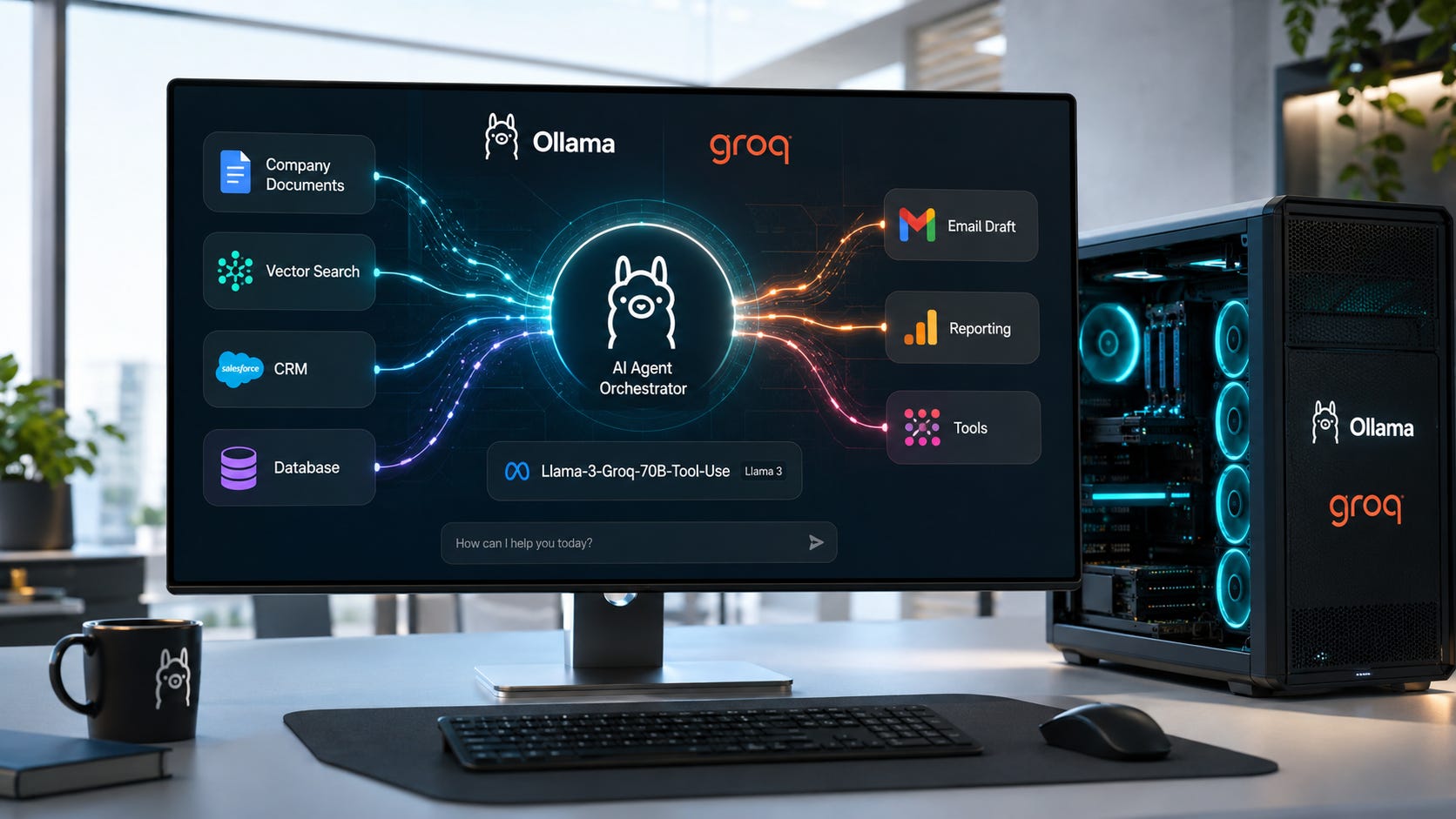
Artificial intelligence agents are moving fast from experimental prototypes into production systems. Businesses now use them to search internal knowledge bases, generate reports, automate support workflows, retrieve company data, and coordinate actions across multiple software systems.
Many agent platforms still depend heavily on cloud-hosted models. That can be convenient, especially when teams want to move quickly. But cloud-based agents also introduce recurring costs, vendor dependence, and privacy concerns that become harder to ignore once workflows begin touching sensitive customer records, financial data, legal documents, or internal business systems.
Large local tool-use models offer a practical alternative. By running Llama-3-Groq-70B-Tool-Use locally through Ollama, organizations can build private agents capable of complex reasoning and structured function calling without sending data to external AI providers.
This guide explains how to deploy, optimize, and scale local agent workflows using one of the most capable open tool-use models available for self-hosted environments.
More on Llama-3-Groq-70B-Tool-Use:

Why large tool-use models matter
Tool calling has become one of the most important capabilities in modern AI systems. With Ollama tool calling, a model can invoke tools and incorporate their results into a response, which makes local agents far more useful than simple chatbots.
Instead of merely generating text, a tool-use model can query databases, search internal documentation, retrieve customer records, generate reports, trigger automations, call APIs, and execute business workflows.
A typical interaction looks like this:
User Request
      ↓
Model decides which tool is needed
      ↓
Tool executes
      ↓
Result returned to model
      ↓
Final response generated
Smaller models can handle straightforward tool calls effectively. As workflows become more sophisticated, larger models typically demonstrate stronger planning, better multi-step reasoning, improved context retention, and more reliable tool selection.
That matters when an agent needs to coordinate several actions before producing a useful result. A simple customer support question might require account lookup, ticket search, invoice review, policy retrieval, and response drafting. If the model chooses the wrong tool or loses track of the sequence, the entire workflow becomes unreliable.
Installing the model with Ollama
Begin by downloading the model:
ollama pull llama3-groq-tool-use:70b
Launch an interactive session:
ollama run llama3-groq-tool-use:70b
For application development, the local Ollama chat API provides a simple interface:
curl http://localhost:11434/api/chat \
-d '{
  "model":"llama3-groq-tool-use:70b",
  "messages":[
    {
      "role":"user",
      "content":"Hello"
    }
  ]
}'
Once running, the model becomes available to local applications without requiring external API keys or internet connectivity. That makes it especially useful for teams that want to keep agent workflows close to their own data, infrastructure, and access controls.
Hardware considerations
A 70B model represents a substantial step up from smaller open models. It can offer stronger reasoning and tool-use performance, but it also requires more careful planning around memory, throughput, and deployment architecture.
GPU-based deployments
The most practical approach involves dedicated GPUs with significant memory capacity.
Suitable configurations include:
Multi-GPU workstations
Enterprise inference servers
RTX 4090 clusters
Data center accelerators
GPU acceleration is the best fit for production-grade agent systems where multiple users, long workflows, or frequent tool calls are expected.
More on GPUs for local LLMs:

Apple Silicon systems
High-memory Apple Silicon devices have become popular for self-hosted AI deployments.
Systems equipped with:
128 GB unified memory
192 GB unified memory
can run heavily quantized large models while maintaining acceptable performance.
More on Apple Silicon systems for local AI:

CPU execution
CPU-only inference remains possible but is generally best reserved for testing, experimentation, or low-frequency workloads.
Production-grade agent systems benefit significantly from GPU acceleration.
More on CPUs for local LLMs:

Understanding agent architecture
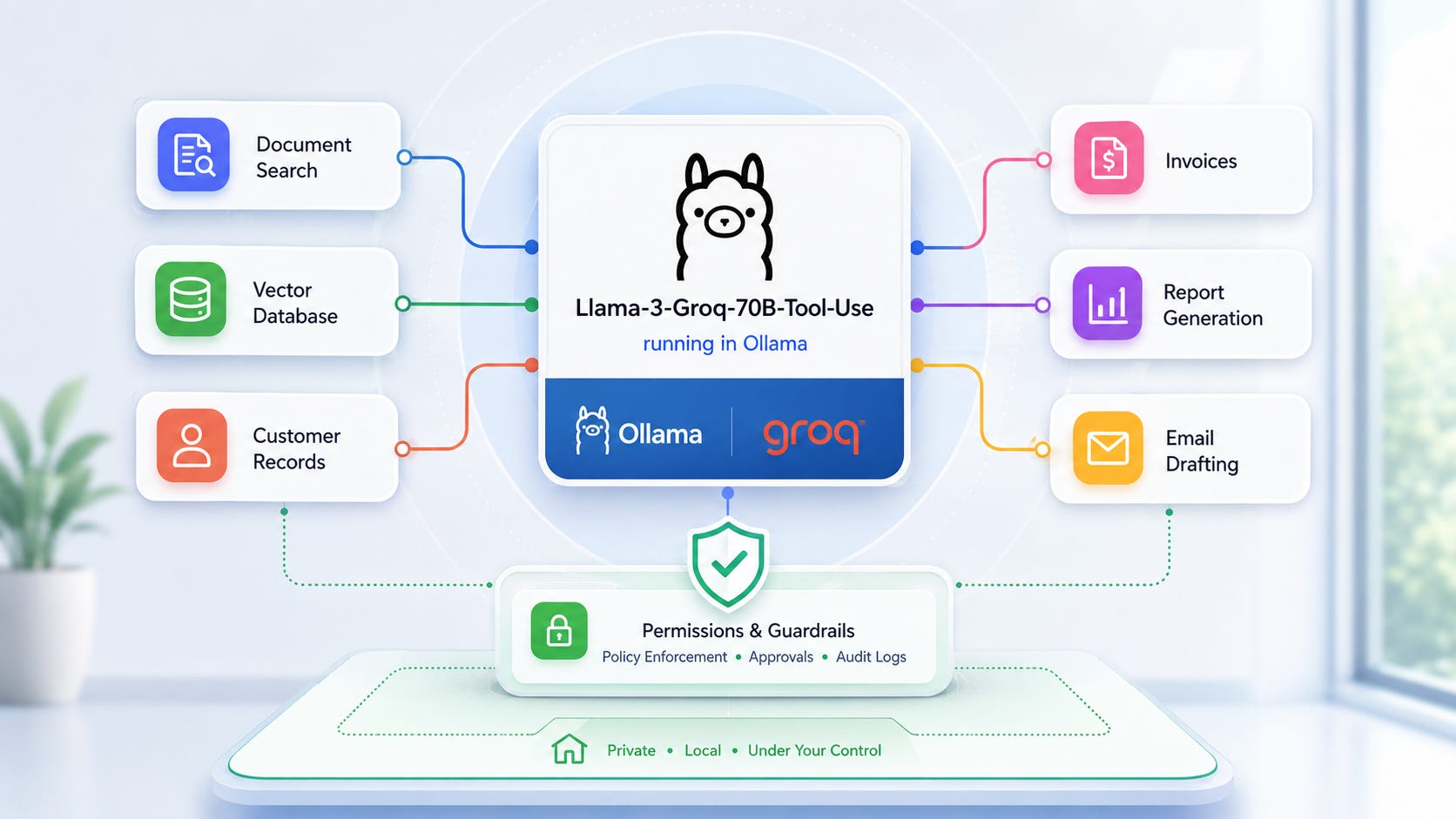
An agent is fundamentally a reasoning layer that sits above tools. The model decides which actions should occur, while the external tools perform those actions.
A typical architecture looks like:
User
 ↓
Llama-3-Groq-70B-Tool-Use
 ↓
Available Tools
 ├── Search Documents
 ├── Query Database
 ├── Read CRM
 ├── Generate Reports
 └── Draft Emails
The model determines when each tool should be used and how results should be combined. This separation is important. The model should not directly control every business system without guardrails. Instead, it should operate through clearly defined tools that expose only the actions the agent is allowed to take.
That design gives teams more control. It also makes agent behavior easier to test, monitor, and audit.
Building a multi-tool agent
A simple Python example might expose several business functions:
def search_documents(query):
    pass

def get_customer_record(customer_id):
    pass

def get_invoice_status(invoice_id):
    pass

def create_email_draft(recipient, subject, body):
    pass
A user request such as:
Review Acme's account, check unpaid invoices,
summarize recent support activity,
and prepare a follow-up email.
can trigger multiple tool calls.
The model might:
Retrieve account information.
Check invoice status.
Search support notes.
Draft communication.
Present a final summary.
To the user, the workflow appears seamless even though several independent systems were consulted. Behind the scenes, the agent is planning the sequence, selecting tools, interpreting each result, and deciding whether another action is needed before producing the final answer.
This is where a large tool-use model becomes valuable. Basic tool calls are easy. Coordinating a chain of related actions while preserving context is much harder.
Designing effective tool schemas
The quality of your tool definitions directly influences agent performance.
Avoid vague interfaces:
def process_data(input):
    pass
Instead, create highly specific functions:
def get_invoice_status(invoice_id):
    pass

def search_support_tickets(customer_id):
    pass

def retrieve_contract(contract_id):
    pass
Clear names reduce ambiguity and improve tool selection accuracy. A model is more likely to call the right function when each tool has a narrow purpose and an obvious name.
For production systems, structured schemas are even better:
{
  "type":"object",
  "required":["customer_id"],
  "properties":{
    "customer_id":{
      "type":"string"
    }
  }
}
Explicit requirements help prevent malformed tool calls. They also make validation easier before a tool touches a database, CRM, ticketing platform, or other production system.
Strong schemas are one of the simplest ways to make private AI agents more reliable. The model should not need to infer what a tool expects from vague parameter names or loosely written descriptions.
Creating a private knowledge assistant
One of the most valuable local-agent patterns combines internal documents, embedding models, vector search, and tool calling.
Architecture:
Company Documents
        ↓
Embedding Model
        ↓
Vector Database
        ↓
Search Tool
        ↓
Llama-3-Groq-70B-Tool-Use
        ↓
Answer
Instead of feeding entire document collections into prompts, the agent retrieves only relevant information. This approach helps keep context windows manageable while improving answer quality.
Benefits include:
Better accuracy
Lower context usage
Faster responses
Reduced hallucinations
Stronger privacy controls
A private knowledge assistant can support legal teams, finance departments, HR operations, support agents, sales teams, and engineering groups. The key is to keep retrieval focused. The search tool should return concise passages, summaries, or structured snippets rather than overwhelming the model with every possible document.
Supporting long multi-step conversations
Large models excel when workflows extend across many interactions.
Example:
User
Find contracts expiring in the next 60 days.
Agent
Uses contract-search tools.
User
Show only customers spending more than $10,000 annually.
Agent
Filters results.
User
Draft renewal proposals for each account.
Agent
Generates tailored drafts.
Maintaining coherence across multiple steps is one area where larger models often outperform smaller alternatives. In business workflows, users rarely provide every requirement in the first message. They refine, filter, and redirect as new information appears.
A strong local agent needs to remember what has already happened, understand the user’s current intent, and decide whether to reuse previous results or call another tool.
Implementing permission controls
Powerful agents require strict controls. Every tool should have a clear risk level, and the agent should not be allowed to treat all actions the same way.
Low-risk tools
search_documents()
get_customer_record()
get_inventory_levels()
High-risk tools
delete_file()
send_email()
approve_payment()
modify_database()
A practical framework is:
Read operations: automatic
Write operations: review required
Critical actions: explicit approval required
This significantly reduces the risk of unintended consequences. An agent can search a knowledge base or retrieve a record automatically, but sending an email, modifying a database, approving a payment, or deleting a file should require human review.
Permission design is especially important for local deployments because private agents are often connected to internal systems. The more useful the agent becomes, the more carefully teams need to control what it can do.
Scaling across departments
Organizations frequently achieve better results using specialized agents rather than one universal system.
Sales agent
Tools:
CRM lookup
Lead scoring
Proposal generation
Customer support agent
Tools:
Ticket search
Knowledge retrieval
Response drafting
Finance agent
Tools:
Invoice lookup
Budget analysis
Forecast generation
Operations agent
Tools:
Inventory systems
Vendor databases
Procurement workflows
Each agent receives access only to the resources necessary for its role. That keeps prompts simpler, reduces tool-selection confusion, and limits risk if an agent behaves unexpectedly.
A department-specific agent can also be tuned around the workflows, vocabulary, and approval requirements of that team. Sales may care about CRM context and proposal drafts. Finance may care about invoice status, budget variance, and audit trails. Support may care about ticket history and response quality.
The best private agent systems usually grow in stages. Start with one workflow, make it reliable, then expand the toolset and user base gradually.
Optimizing performance
Large models consume substantial resources, making optimization important. Performance problems often come from overly large tool responses, unchecked conversation growth, and unnecessary tool calls.
Keep tool responses short
Instead of returning large records:
Entire customer history...
Return structured summaries:
{
  "status":"active",
  "balance":"$420",
  "last_payment":"paid"
}
Short, structured responses are easier for the model to interpret. They also reduce latency and help preserve context for the rest of the conversation.
Limit context growth
Very long conversations eventually degrade performance.
Periodic summarization helps preserve responsiveness.
The summary should capture the user’s goal, tools already called, key facts retrieved, and pending next steps. That gives the model enough continuity without forcing every prior message back into the prompt.
Reduce tool spam
Agents sometimes call unnecessary tools.
Prompt instructions such as:
Only call tools when required.
can significantly reduce latency.
Tool descriptions can also help. Make it clear when a tool should be used, when it should be avoided, and what kind of result it returns. The goal is to make the correct path obvious to the model.
Monitoring and auditing agent activity
Production systems should log:
Timestamp
User request
Tool selected
Arguments
Tool output
Final response
These logs help:
Debug failures
Audit decisions
Identify bottlenecks
Improve prompts
Evaluate tool effectiveness
Without visibility into tool usage, troubleshooting complex agent systems becomes difficult.
Monitoring also helps teams spot patterns. If an agent repeatedly calls the wrong tool, the schema may be unclear. If tool outputs are too large, the response format may need tightening. If users frequently override the final answer, the workflow may need better approval steps or better retrieval.
Real-world use cases
Local 70B tool-use models are particularly attractive for:
Legal research
Financial analysis
Compliance operations
Internal knowledge management
Software development support
Enterprise search
Customer service automation
These environments often contain sensitive information that organizations prefer to keep entirely within their own infrastructure.
For legal teams, a private agent can search contracts, summarize clauses, and identify renewal dates. For finance teams, it can retrieve invoice records, compare budgets, and prepare reports. For support teams, it can search ticket history and draft customer replies based on approved knowledge sources.
The common thread is control. Local agents let organizations decide where data lives, which systems the agent can access, and which actions require human approval.
The road ahead for private agents
The capabilities of self-hosted agents have improved dramatically over the past few years. Tasks that once required expensive proprietary APIs can now be performed locally with open models and consumer-accessible hardware.
Llama-3-Groq-70B-Tool-Use demonstrates how far local AI has progressed. Combined with Ollama, vector databases, internal tools, and careful permission design, it enables organizations to build sophisticated automation systems while maintaining stronger ownership of their data.
For businesses prioritizing privacy, control, and long-term cost predictability, large local tool-use models are quickly becoming a practical foundation for the next generation of AI-powered workflows.
Explore more from Popular AI:
Start here | Local AI | Fixes & guides | Builds & gear | Popular AI podcast
What would you rather run locally first: a private knowledge assistant, a customer support agent, or an internal automation agent?