



AI smart glasses have a privacy problem that no camera light can solve. Useful visual AI often means sending what the camera sees to somebody else’s servers.
That is finally becoming optional.
On September 23, PrismML demonstrated a 2-billion-parameter vision-language model running locally on Snapdragon AR1 Gen 1 smart-glasses hardware. Open-source projects are taking another route by using the glasses as a camera while a paired phone performs the AI inference locally.
For privacy-conscious buyers, this is the smart-glasses feature worth watching. It is also easy to misunderstand.
If privacy is your main reason for buying AI glasses, true local vision is worth waiting for. There still is not a mainstream pair you can buy today that combines polished consumer hardware with the kind of glasses-side local vision PrismML demonstrated.
Tinkerers have more options. Ray-Ban Meta glasses paired with an iPhone can already run local visual AI through OpenVision. Android users have CyanBridge. Developers can build more independent systems around hardware such as Mentra Live.
The catch is simple. “On-device AI” tells you where one part of the computation happens. It does not tell you what happens to the image before or after inference, which features still contact a server, or how much control the hardware vendor retains.
Key takeaways
PrismML has demonstrated a 2B vision-language model running directly on Snapdragon AR1 Gen 1 smart-glasses hardware. That is strong evidence that useful glasses-side visual inference is becoming technically practical.
No retail smart glasses with PrismML’s Bonsai vision model have been announced yet. The demonstration is a capability milestone, not a product recommendation.
Stock Ray-Ban Meta visual AI is still cloud-based. Ray-Ban’s own FAQ says a photo is sent to Meta’s cloud when you ask Meta AI about what you are seeing.
OpenVision can pair Meta Ray-Ban glasses with local SmolVLM2 inference on a recent iPhone. The glasses supply the camera. The phone runs the model.
Mentra Live gives developers a cleaner standalone Bluetooth SDK path, while CyanBridge offers a growing Android route with local models.
If privacy is the buying priority and you do not want to build anything, wait. If you are comfortable assembling your own stack, local smart-glasses vision is already useful enough to experiment with.
Three very different kinds of local AI smart glasses
There are three very different products hiding behind the phrase “local AI glasses.”
▪ The first is true glasses-side inference. Camera frames enter the processor inside the glasses and the model interprets them there. PrismML’s Snapdragon demonstration belongs in this category. This is the cleanest version of local vision because the visual data does not have to leave the glasses for the model to understand it.
▪ The second is phone-local inference. The glasses act as a wearable camera, microphone, and speaker, while a model running on your phone interprets what you see. OpenVision and CyanBridge can work this way.
That still introduces another device into the data path, but it can remove the AI vendor’s server from the visual inference process. For somebody who already carries a capable phone, that is a useful compromise.
▪ The third is ordinary cloud AI glasses. The glasses capture visual context and send it to a remote model for interpretation. This is still how mainstream visual AI works on products such as Ray-Ban Meta.


Those three architectures can look nearly identical while you are wearing them. The privacy difference happens behind the camera.
For a privacy-conscious buyer, phone-local inference is already interesting. Glasses-side inference is the next step to watch.
Do not pay extra for vague “on-device AI” branding without finding out which category you are actually buying. A device can perform some AI locally while still sending the visual feature you care about to the cloud.
What PrismML actually proved
PrismML’s September demonstration deserves more attention than another camera-resolution bump because smart glasses have an unpleasant hardware problem.
There is very little room for memory, cooling, or battery capacity in something that still needs to resemble ordinary glasses. Large multimodal models were not designed around that constraint. Moving visual inference into the frames means making the model fit within a much tighter hardware budget.
PrismML attacked the memory problem with its 1-bit Bonsai architecture. Its smart-glasses model combines a 1.7B-parameter 1-bit language model with a 0.3B-parameter 4-bit vision encoder, for roughly 2B parameters total.

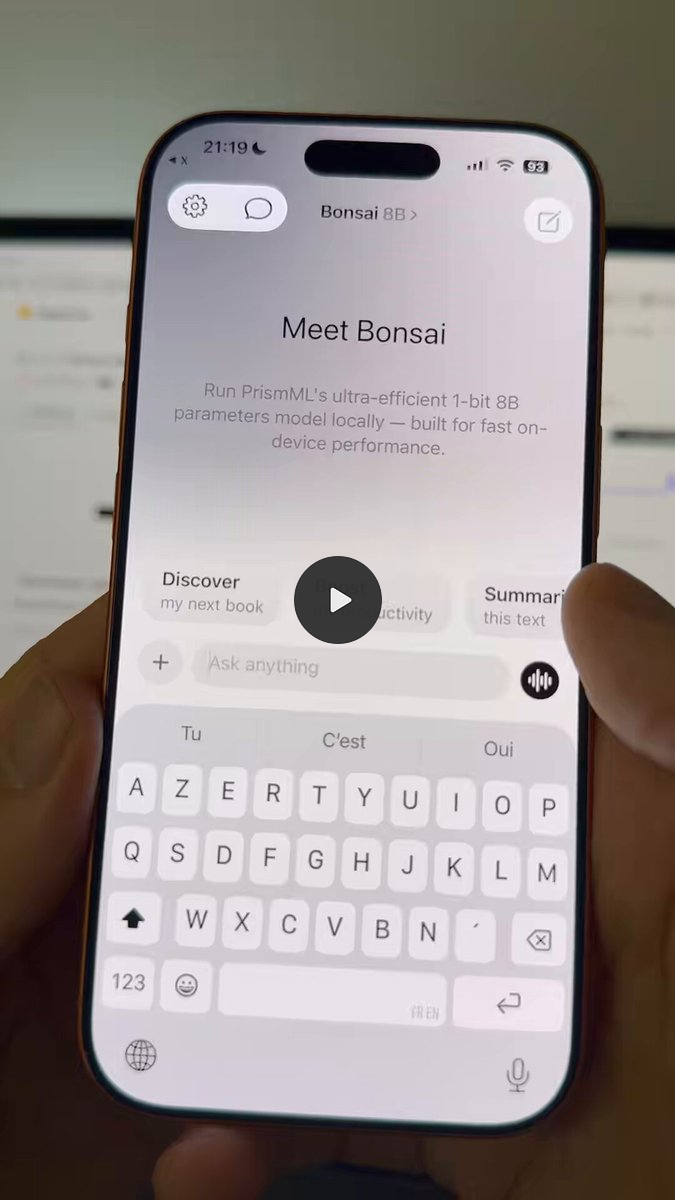
According to PrismML’s published Qualcomm test results, the test platform had 4GB of memory. The 1.7B language-model weights occupied 0.43GB instead of 1.66GB for the corresponding 4-bit version. Qualcomm measured 15.36 tokens per second for the 1-bit model versus 7.44 tokens per second for the 4-bit version.
Those are promising engineering numbers. They are not retail battery-life results. They do not tell us how hot a finished frame gets when somebody repeatedly asks visual questions throughout the day. They also do not prove that a manufacturer has solved the rest of the product.
The demonstration used an internal QNN SDK with 1-bit kernel support. PrismML notes that performance can vary with the final model configuration, software, hardware, workload, and operating conditions.
More importantly, no commercial smart glasses using the PrismML model had been announced as of September 28, 2026.
That makes the PrismML demo important without turning it into something you can buy.
The practical change is that the compute objection to glasses-side visual AI looks weaker. A useful multimodal model can fit into the class of hardware designed for smart glasses. Manufacturers still have to turn that capability into a complete wearable.
Snapdragon AR1 is already designed for real smart glasses
There is another reason the demo deserves attention. Snapdragon AR1 Gen 1 is not a large developer board being used as a stand-in for wearable hardware.
Qualcomm designed Snapdragon AR1 Gen 1 specifically for smart glasses, including camera processing, connectivity, optimized thermals, and on-device AI.
That puts the PrismML result much closer to the hardware class people actually wear than a demo running a small model on a laptop.


The remaining gap is product integration.
A manufacturer still has to make local visual AI coexist with cameras, audio, battery management, wake words, connectivity, permissions, and the other services that turn a vision-language model into something useful throughout the day.
It also has to expose that capability in the retail product. A processor being able to run a local model does not mean every pair of glasses built around that hardware lets users do it.
For buyers, that is the difference between an impressive chipset demo and a feature worth paying for.
Ray-Ban Meta shows why local vision changes the privacy equation
Ray-Ban Meta is the obvious comparison because it is already a polished consumer product. In the U.S., Gen 2 models currently start at $379.
It is important to separate ordinary camera use from visual AI.
The camera is not permanently uploading everything it sees. Meta says gallery photos and videos are stored privately on the glasses until the wearer chooses to import them.
Visual AI follows a different path.
Ray-Ban’s U.S. FAQ says that when you ask Meta AI about what you are looking at, the glasses send a photo to Meta’s cloud for AI processing. The same FAQ says AI-processed photos are stored, used to improve Meta products, and used to train Meta’s AI with help from trained reviewers. Ray-Ban describes that handling for AI-processed photos in its smart-glasses FAQ.
That is exactly the workload local vision can change.
With cloud vision, the path looks like this:
camera → internet → vendor server → vision model → response
With glasses-side local vision:
camera → local processor → vision model → response
With today’s phone-assisted projects:
glasses camera → your phone → local vision model → response
The phone-assisted version is not as self-contained as running the model inside the frames. From a data-exposure perspective, though, it can still remove the most consequential hop. The image no longer has to reach a hosted AI model merely to identify or describe what the wearer sees.
That is a meaningful privacy improvement even if the rest of the glasses platform remains proprietary.
“Local” needs four separate privacy checks
The useful question is not whether the product page says “on-device AI.” You need to inspect four parts of the data path.
1. Where does inference happen? If the image has to reach Meta, Google, OpenAI, or another hosted provider before a model can understand it, that visual workload is not local. A device can still perform other AI tasks locally while outsourcing the camera analysis you actually care about.
2. Where is the image stored? Local inference does not automatically mean local storage. An application could analyze a frame on your hardware and later synchronize that image, a derivative, or related data elsewhere. Inference location and retention are separate questions.
3. Which features still need the cloud? Web search, maps, current information, account synchronization, agent tools, and larger fallback models can still depend on internet services. A local VLM can make visual understanding private without making the entire assistant offline.
4. What does the vendor still control? A local model can coexist with a mandatory account, companion app, SDK authorization, telemetry, firmware updates, and a closed hardware interface. You can remove the cloud model from one step without gaining control over the rest of the product.
This is the same trap that appears elsewhere in local AI. Moving inference onto hardware you control removes an important dependency. It does not automatically make every surrounding component private or independent.
There is also a separate privacy question that local inference cannot solve.
The person standing across from you may still dislike having a camera pointed at them.
Local inference changes what happens after the camera sees something. It does not make the camera socially invisible, and it does not answer the bystander question for you.
That is why “private AI glasses” should describe a data path, not serve as a vague product adjective.
More on local AI:

OpenVision is the most practical local option today
The most interesting setup available right now does not replace Ray-Ban hardware. It changes the AI path behind it.
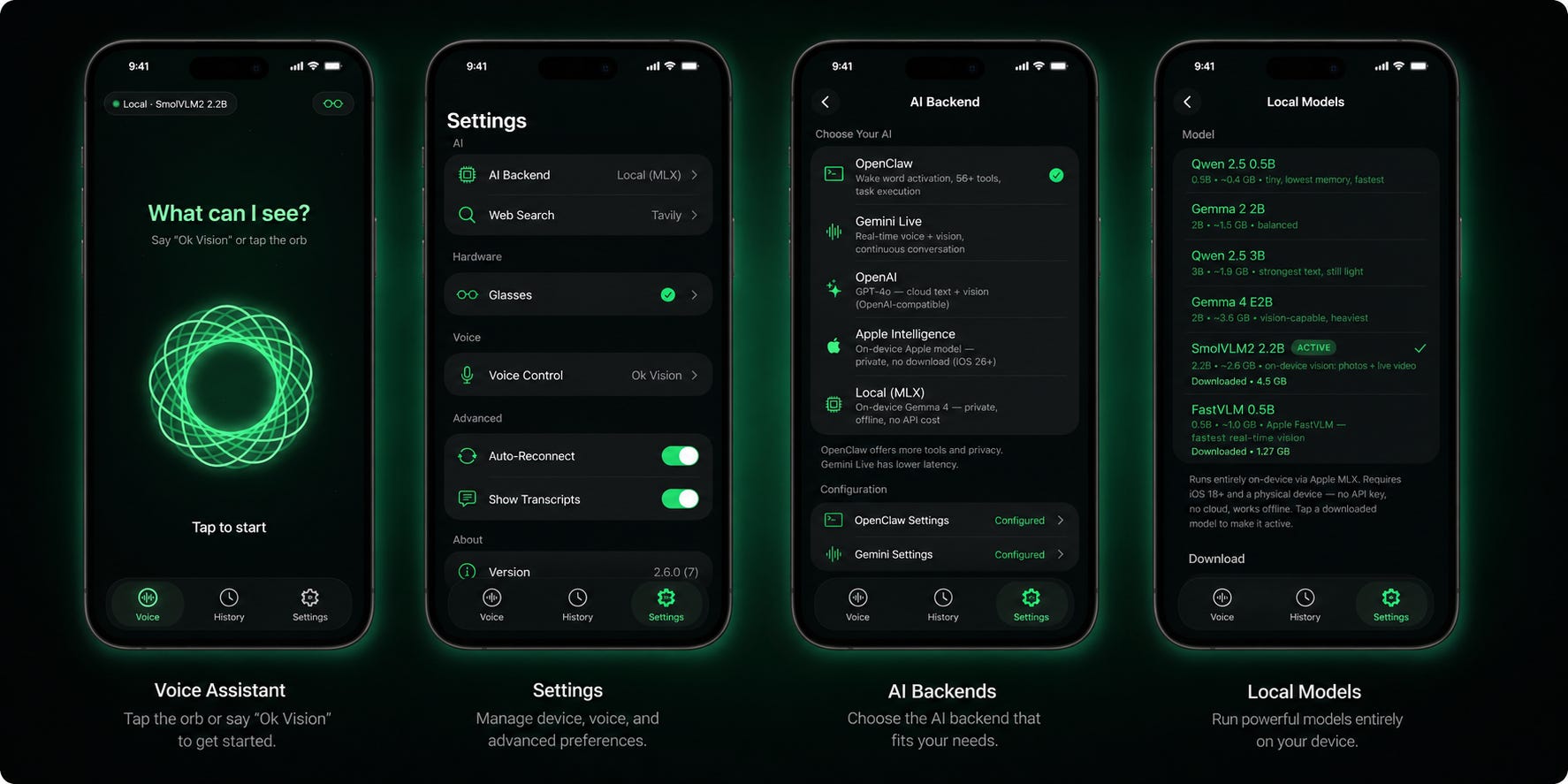
OpenVision is an MIT-licensed open-source iOS application that connects Meta Ray-Ban glasses to several AI backends. Those include cloud services, Apple Intelligence, and downloadable models running through Apple’s MLX stack.
For visual AI, OpenVision supports SmolVLM2 2.2B. The project says a frame captured by the glasses can be processed entirely on the paired iPhone, with the response spoken back to the user without sending that image to an AI cloud provider.
It also supports a local live-video mode in which the latest glasses frame is interpreted on the phone.
That qualifies as real local inference, but the location needs to be stated precisely. The AI runs locally on the phone, not inside the glasses.
For a privacy-conscious user, that can be enough. The phone becomes the private AI computer attached to a more convenient wearable camera. You still get the form factor and hardware of Ray-Ban Meta without requiring the stock cloud vision path for the local OpenVision workflow.
There are tradeoffs.
OpenVision’s current setup requires building the application with Xcode, using a physical iPhone, registering with Meta as a developer, and working through Meta’s wearable stack. Its August 17 v2.13 release added support for newer Meta hardware through Meta’s Device Access Toolkit and includes additional registration and camera-permission steps.
This is not a hidden App Store toggle that turns Ray-Ban Meta into private glasses.
Meta is opening the hardware path further. The company says Wearables Device Access Toolkit 1.0 begins rolling out September 30, 2026, with camera, microphone, audio, and motion access for compatible mobile applications.
That should give projects built around the toolkit a more formal route into Meta’s wearable hardware. It does not remove Meta from the stack. The glasses, firmware, companion software, account requirements, and access controls still matter even when the visual model runs on your iPhone.
OpenVision makes the most sense if you already like Ray-Ban Meta as hardware, own a sufficiently recent iPhone, and care enough about keeping visual inference local to tolerate developer tooling.
It is especially attractive if you already own the glasses. You can change the AI architecture without replacing the wearable.
Skip this route if your definition of a finished product is “install an app and start using it.” OpenVision is a serious open-source project, but it remains a DIY layer over somebody else’s consumer hardware platform.
Mentra Live is the cleaner builder route
If you are buying specifically to build private smart-glasses applications, Mentra Live deserves more attention than its consumer visibility might suggest.

The glasses currently cost $449. More important for this use case, Mentra provides a Bluetooth SDK that allows a standalone iOS, Android, or React Native application to connect directly to the glasses.
According to Mentra’s standalone SDK documentation, your app can own pairing and device control without requiring the Mentra App for the functions your application implements.
That makes Mentra Live a more attractive foundation if your actual goal is to build the camera-to-model pipeline yourself.
It is not a turnkey local visual assistant. You still have to provide the phone-side model and application logic.
That is the tradeoff. Mentra gives developers a cleaner doorway into the hardware. OpenVision already supplies much more of the AI workflow on top of existing Meta glasses.
Buy Mentra Live if you are a developer, researcher, or business building a wearable workflow and direct hardware access is more valuable than consumer polish.
Do not buy it expecting PrismML-style 2B vision inference to appear on the glasses after installation. In the setup described here, the local AI layer remains your job.
CyanBridge gives Android users a local route
Android now has a similar control-first project.
CyanBridge connects supported smart glasses to AI running on the phone. It supports LiteRT-LM and llama.cpp, including local Gemma and Qwen models, plus self-hosted OpenAI-compatible servers.
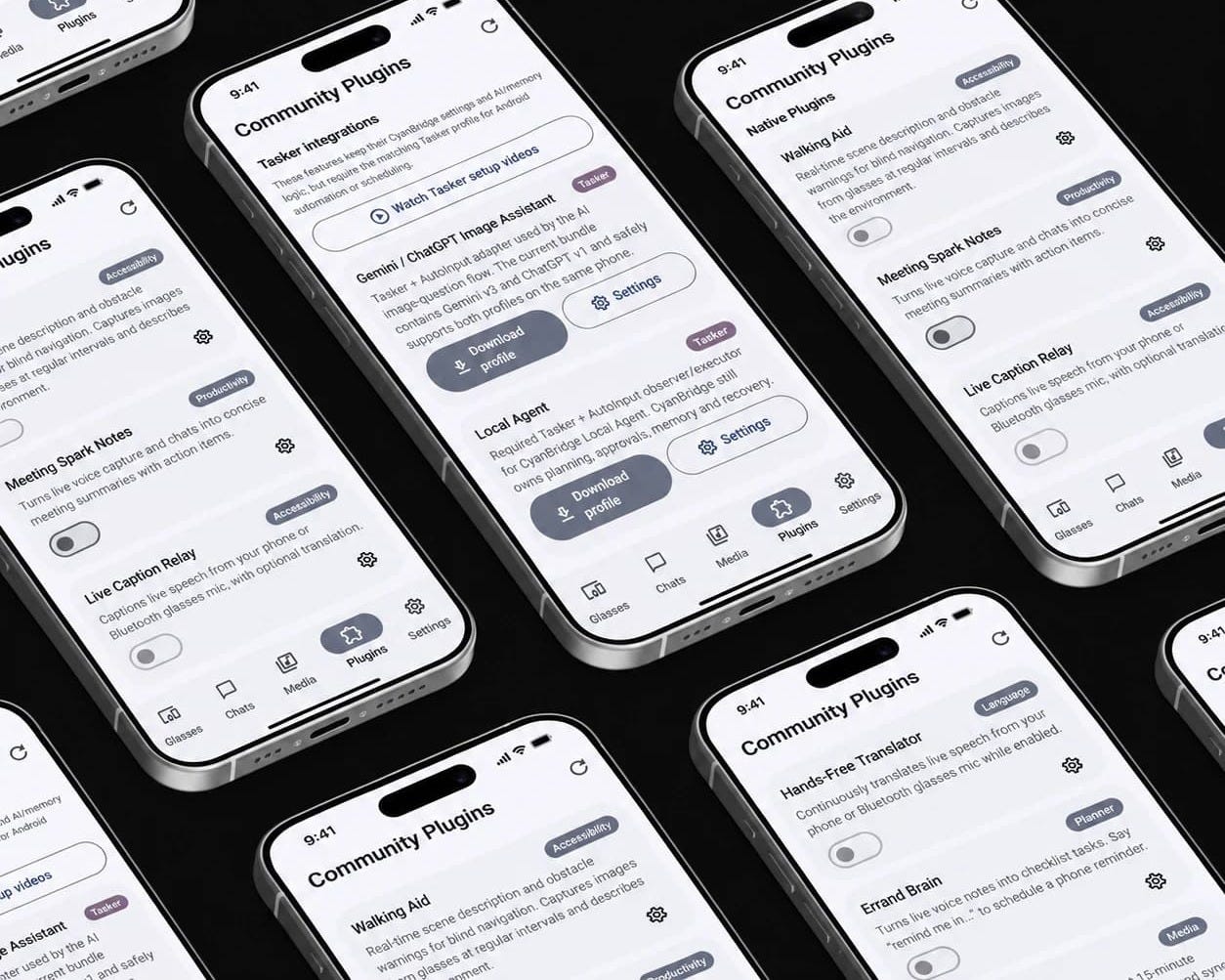
Its strongest hardware support is currently around HeyCyan-compatible devices. Ray-Ban Meta support remains experimental and is being developed around Meta’s Device Access Toolkit.
CyanBridge released version 2.3.0 on September 14, and the project provides a Google Play installation path along with signed APK releases.
For Android tinkerers, the appeal is control over the phone-side model and endpoint. You can experiment with local runtimes or point the application toward infrastructure you operate yourself instead of accepting one bundled AI provider.
The cost is rougher edges.
This is the smart-glasses equivalent of assembling your own local AI stack. That is useful if model choice, self-hosting, and Android support are the goal. It is a poor recommendation for somebody who simply wants a pair of glasses that works without thinking about runtimes or compatibility.
Do not buy Ray-Ban Meta solely for privacy
Ray-Ban Meta can still be a sensible purchase. Privacy just should not be the reason for buying the stock experience.
Buy it if you want Ray-Ban’s hardware, camera, audio, consumer polish, and Meta’s integrated features. Gen 2 is one of the easiest ways to get useful camera glasses without building the hardware yourself.
But stock Meta visual AI is not the privacy-first option. Meta’s own documentation says visual requests send imagery to its cloud.
The presence of capable smart-glasses processors elsewhere in the market does not change that. A chipset being able to run a local model and a finished retail product exposing local visual inference are two different buying propositions.
If you already own Ray-Ban Meta and a recent iPhone, OpenVision changes the calculation. You can use the same glasses as the camera and audio hardware while moving compatible visual inference onto your phone.
That turns an existing consumer product into a useful local-AI experiment.
It still does not make the entire Meta hardware and software stack local.
Which local AI smart-glasses setup should you choose?
Choose mainstream cloud glasses if you care most about polish, hands-free capture, calls, audio, and an integrated assistant, while occasional cloud processing of visual requests is acceptable. Ray-Ban Meta Gen 2 is the obvious current example in this article.
You are buying a finished consumer experience rather than maximum control over the visual data path.
▪ Choose OpenVision if you want the strongest practical local-vision experiment described here and already own, or are comfortable buying, compatible Meta glasses plus a recent iPhone.
This setup comes closest to normal-looking consumer glasses with phone-local visual inference without waiting for a new class of hardware. The compromise is developer setup and continued dependence on Meta’s hardware access stack.
▪ Choose Mentra Live if you are building your own application and want a hardware platform that gives your standalone app a direct Bluetooth development path.
Its value is architectural freedom. You still have to assemble the AI layer, which makes it more appropriate for builders than consumers shopping for a finished assistant.
▪ Choose CyanBridge if you are an Android power user who would rather experiment with local phone models, self-hosted endpoints, and supported alternative smart-glasses hardware than center the whole workflow on a proprietary AI service.
Expect more setup and less polish.
▪ Wait if privacy is the main reason you want AI glasses.
That is the recommendation for most readers.
PrismML has demonstrated the part of the stack that was difficult to imagine fitting comfortably into smart glasses: a useful multimodal model running directly on hardware in that class.
The next step is a complete product with documented local inference, sensible storage behavior, limited cloud dependencies, and a clear explanation of which features still go online.
A company selling “private AI glasses” should be able to describe that data path before asking you to buy them.
If it cannot tell you whether ordinary visual questions leave the device, the privacy label is doing more work than the architecture.
What to check before buying the next generation
When the first wave of glasses starts advertising local vision, ignore the privacy adjective for a moment and trace the data path.
▪ Start with the camera. Find out whether frames reach a remote server during ordinary visual Q&A. If the product claims to work locally, check whether its core visual understanding continues to function without an internet connection.
▪ Then check storage. Local inference is much less useful as a privacy feature if the same image is uploaded afterward or retained somewhere you did not expect. The company should explain what happens to captured frames after the local model has finished with them.
▪ Next, separate optional online features from mandatory ones.
It is reasonable for live web search or other network services to require internet access. That does not mean basic visual recognition also needs a hosted model. A useful privacy-first design can keep the ordinary visual workload local while making explicitly online features opt-in.
Account and platform dependencies deserve the same scrutiny. Ask whether the glasses remain useful without a paid AI subscription. Check whether an account is mandatory, whether third-party applications need vendor authorization, and whether you can choose a different model or endpoint.
▪ Then look at performance.
PrismML’s demonstration shows that a roughly 2B VLM can fit within the smart-glasses hardware constraints used in its test. A finished product still needs acceptable latency, battery life, and thermals when that model is used repeatedly throughout the day.
Those are separate engineering problems. Fast token generation on a controlled test platform does not tell you how comfortable the glasses will be after frequent visual queries or how quickly repeated inference drains a small wearable battery.
The first genuinely convincing local AI smart glasses will need to get both sides right. The model needs to stay local, and the glasses still need to behave like something a person wants to wear.
FAQ
Do Ray-Ban Meta glasses process visual AI locally?
Not for Meta AI’s standard visual question feature. Ray-Ban says the glasses send a photo to Meta’s cloud for AI processing.
Third-party projects such as OpenVision can instead take camera input from compatible Meta glasses and perform supported vision inference locally on a paired iPhone. In that setup, the phone is doing the local AI work rather than the glasses themselves.
Can AI smart glasses work completely offline?
Parts of the stack can. OpenVision’s local SmolVLM2 path can perform visual inference on the phone without using a hosted AI model, and PrismML has demonstrated a vision-language model operating directly on smart-glasses hardware.
Cloud search, live online information, maps, and other network services stop working offline. A vendor account, companion app, or SDK can also remain part of the setup even when inference itself is local.
“Offline inference” therefore describes the model path, not necessarily the whole product.
Does on-device AI make smart glasses private?
It can remove one of the biggest data exposures by keeping camera imagery away from a third-party inference service.
It does not automatically eliminate cloud storage, telemetry, accounts, firmware control, or other vendor dependencies. It also does not solve the privacy concerns of people around the wearer who may not want a camera pointed at them.
Check inference, storage, online features, and vendor control separately.
Can I buy the PrismML smart glasses?
No retail pair using PrismML’s 2B Bonsai vision-language model had been announced as of September 28, 2026. PrismML demonstrated the model on Snapdragon AR1 Gen 1 smart-glasses hardware at Snapdragon Summit.
Treat it as evidence that glasses-side local vision is becoming technically practical, not as a product you can order today.
Is local AI worth paying extra for in smart glasses?
Yes, if you regularly use visual AI in places where you would rather not transmit what you see to a vendor.
There is not yet a mainstream retail model in this article for which local vision alone makes a higher purchase price an obvious recommendation. For most privacy-first buyers, waiting for an integrated product makes more sense. DIY users can already experiment with phone-local setups such as OpenVision or CyanBridge.
Local AI smart glasses are worth waiting for if privacy comes first
Local vision is the AI smart-glasses upgrade worth caring about.
A better camera can give a cloud model a better picture. A local vision-language model can change whether the picture has to reach that cloud model in the first place.
PrismML’s Snapdragon demonstration shows that real glasses-side inference is becoming practical within the hardware constraints of smart glasses. OpenVision and CyanBridge show that privacy-conscious users do not have to wait for every bit of compute to fit inside the frames. A phone can already act as the local AI computer behind the glasses.
Mentra Live offers another route for developers who would rather own more of the application path themselves.
What you still cannot buy is the obvious end product: normal consumer glasses, polished software, competent local vision, acceptable wearable performance, and a data path that stays local by default.
That missing combination is why the buying recommendation remains conservative.
If privacy is the reason you want AI glasses, wait for a product that can clearly document where visual inference happens, what gets stored, which features still contact the cloud, and how much of the system remains under vendor control.
If building the stack yourself sounds more interesting than waiting, the useful pieces are already here.
Explore more from Popular AI:
Start here | Local AI | Builds & gear | Autonomy & policy | Fixes & guides | Popular AI podcast
Would you trust AI smart glasses more if everything they saw and heard stayed on hardware you controlled?