


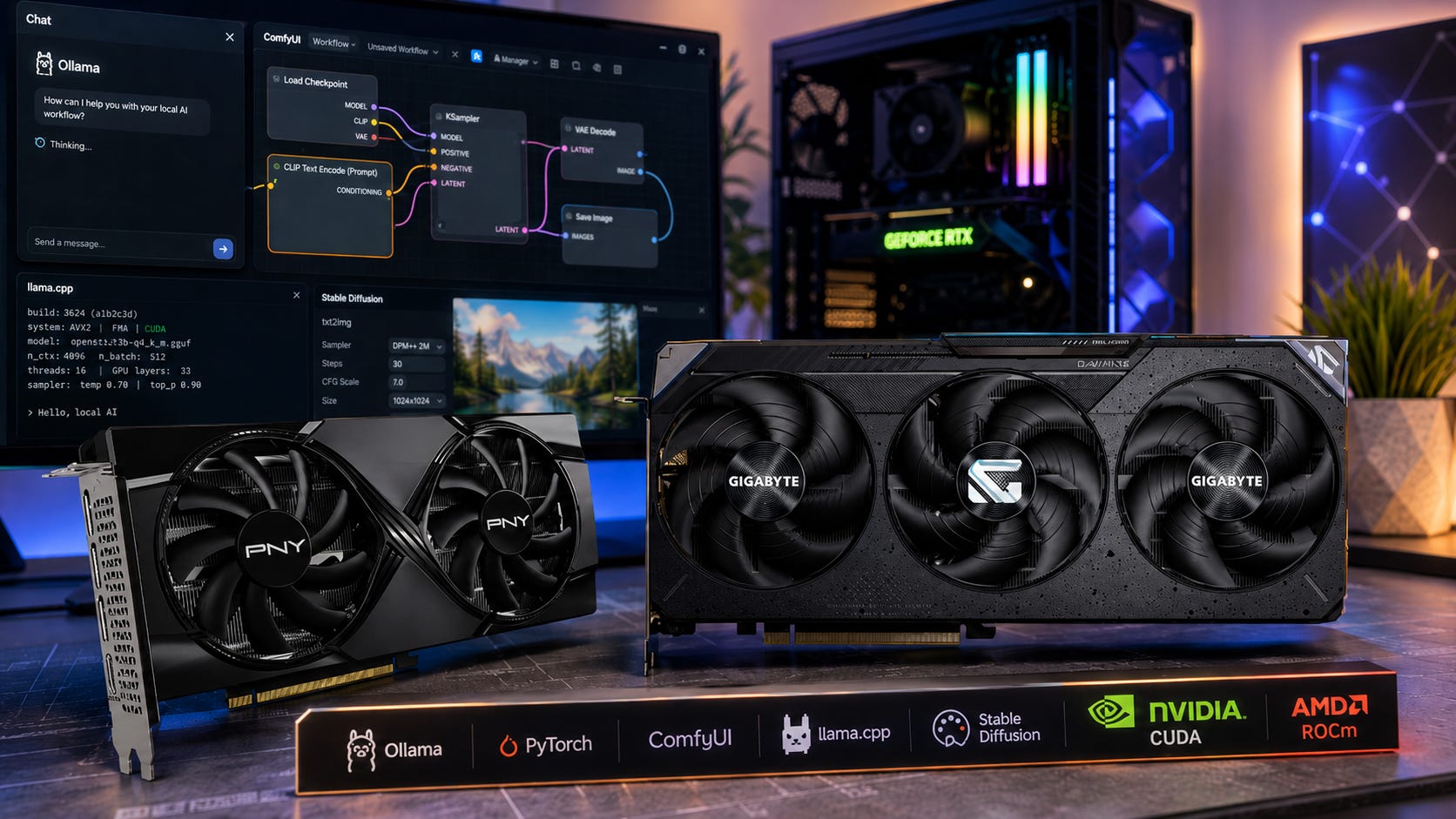
A recent r/LocalLLaMA thread about the RTX 5060 Ti 16GB and RX 9070 XT captured the exact GPU dilemma many first-time local AI buyers are facing in 2026.
The choice looks simple at first. One card is an RTX 5060 Ti 16GB around $520. The other is an RX 9070 XT around $560. Both have 16GB of VRAM. Both can run local LLMs. Both can handle gaming. Both are close enough in price that the wrong choice can feel painful.
The real decision is deeper than the spec sheet.
The RTX 5060 Ti 16GB is the safer local AI card because it gives you CUDA, broad tutorial support, and fewer software surprises. The RX 9070 XT is the stronger gaming card and has more memory bandwidth, but it asks more from the buyer, especially if you are on Windows and want every local AI tool to work with minimal setup.
For a first local LLM build, the best default pick is still the RTX 5060 Ti 16GB. If you are ready to buy, compare a specific PNY RTX 5060 Ti 16GB on Amazon while checking current street prices elsewhere.
The RX 9070 XT becomes more interesting if gaming matters as much as inference, if you are Linux-friendly, or if you find it at a meaningful discount. For that route, compare a specific GIGABYTE Radeon RX 9070 XT 16GB on Amazon against local pricing before buying.
Disclosure: This post includes Amazon affiliate links. If you buy through them, Popular AI may earn a small commission at no extra cost to you.
More on local AI GPUs:

The quick buying answer
Buy the RTX 5060 Ti 16GB if this is your first local AI GPU, especially if you are using Windows. CUDA remains the smoother path through Ollama, llama.cpp, PyTorch, ComfyUI, Stable Diffusion workflows, AI coding models, and the many GitHub projects that quietly assume NVIDIA first.
Buy the RX 9070 XT if gaming performance matters as much as local LLM inference, if you are comfortable dealing with AMD’s software stack, and if the price is close enough to make the stronger hardware appealing.
For image generation, the safer pick is still the RTX 5060 Ti 16GB. The current ComfyUI system requirements include AMD ROCm paths and experimental RX 9000 support, but NVIDIA CUDA remains the lower-friction option for most ComfyUI users.
For Linux tinkerers, the RX 9070 XT deserves more respect than older Radeon cards. AMD’s ROCm Linux system requirements list the RX 9070 XT as supported, and Ollama’s GPU hardware support documentation lists RX 9070 XT support through ROCm on Linux.
The card to be careful with in this exact price fight is the RTX 5070 12GB. It is a faster gaming and compute card than the RTX 5060 Ti, but local LLM buyers should be cautious about paying similar money for less VRAM. NVIDIA’s RTX 5070 family specs list 12GB of GDDR7, while the RTX 5060 Ti is available in 16GB and 8GB versions. If you are tempted anyway, compare a specific ASUS Prime RTX 5070 on Amazon, then ask whether 12GB is enough for the models you actually want to run.
Who should use this guide
This guide is for someone buying one GPU for a mixed local AI and gaming PC.
That means local LLMs in Ollama, LM Studio, or llama.cpp. It also means ComfyUI, Stable Diffusion style image generation, light LoRA experiments, AI coding models, Whisper-style transcription, private document chat, RAG experiments, and gaming on the same machine.
It is aimed at the buyer who wants to try local AI seriously, but does not want to build a full multi-GPU workstation yet. If you already know you need 24GB or more of VRAM, this comparison changes. You should also be looking at a used RTX 3090 on Amazon, an RTX 4090 on Amazon, an RTX 5090 on Amazon, or a professional AMD card such as a Radeon AI PRO R9700 on Amazon.
Popular AI has a separate guide to the best budget GPUs for local LLMs in 2026, which is worth reading if you are comparing used cards, 24GB cards, and budget AI builds more broadly.
VRAM matters more than gaming charts
For local AI, GPU buying rules are different from normal gaming buying rules.
Gaming benchmarks usually reward raw frame rates, raster performance, ray tracing, power efficiency, and price per frame. Local AI cares about those things too, but it starts with a harder limit: VRAM.
If the model does not fit in VRAM, the rest of the card’s performance matters much less. You may be forced into a smaller model, a heavier quantization, CPU offload, shorter context, or a slower workflow.
That is why both the RTX 5060 Ti 16GB and RX 9070 XT are in the conversation. Sixteen gigabytes is the practical entry point for a modern local AI hobbyist who wants more flexibility than an 8GB or 12GB card can offer.
It is still a compromise. A 16GB GPU will not make huge local models feel effortless. You will still care about quantization. You will still make choices about context size. You will still bump into limits if you try to run larger models, big image-generation workflows, or multiple AI tools at once.
But 16GB is enough to learn, experiment, and build useful workflows. That makes the RTX 5060 Ti 16GB and RX 9070 XT much more attractive than cheaper 8GB cards for local AI.
Software support is where NVIDIA still wins
After VRAM, the next deciding factor is software support. This is where NVIDIA still has the clearest advantage.
PyTorch’s local install guidance separates NVIDIA CUDA and AMD ROCm paths, and that split matters in daily use. A huge amount of local AI software, documentation, troubleshooting, and community advice starts with the assumption that you have an NVIDIA GPU.
That does not mean AMD cannot run local AI. The RX 9070 XT is much more credible than older Radeon cards, especially on Linux. It means a beginner is more likely to hit fewer strange errors on the NVIDIA path.
CUDA is boring in the best possible way. It is the default path that many projects test first. When a tutorial says “install the CUDA version,” a new user with an RTX 5060 Ti 16GB is usually following the path of least resistance.
ROCm is improving fast, and AMD deserves credit for that. But even when ROCm works, the user often needs to think harder about operating system support, backend choice, driver versions, model compatibility, and whether a specific tool’s AMD support is mature or experimental.
For a first local AI GPU, fewer decisions can be worth more than a spec-sheet win.
RTX 5060 Ti 16GB: the safer first local AI GPU

The RTX 5060 Ti 16GB is not the most exciting graphics card on paper. Its 128-bit memory bus makes it look less impressive than the RX 9070 XT, and it is not the card most gamers would pick if gaming performance were the only goal.
For local AI beginners, though, it has the three things that matter most: 16GB of VRAM, CUDA, and lower power draw.
NVIDIA lists the RTX 5060 Ti family with fifth-generation Tensor cores, PCIe Gen 5, CUDA capability 12.0, and 16GB or 8GB GDDR7 configurations in its RTX 5060 family specifications. PNY’s GeForce RTX 5060 Ti 16GB listing lists 16GB of GDDR7, a 128-bit bus, 448 GB/s of memory bandwidth, and a 600W recommended system power figure on its model page.
The important part is the user experience. Most local AI tutorials still assume NVIDIA first. Many ComfyUI workflows are tested on CUDA first. Many PyTorch examples are written around CUDA. Many GitHub issues have more NVIDIA answers than AMD answers.
That support gap matters when you are new. A beginner does not just need theoretical performance. A beginner needs the model to load, the driver to behave, the Python environment to work, and the tool to use the GPU without turning the weekend into a driver hunt.
The RTX 5060 Ti 16GB is the better choice if you are on Windows, if you want the least annoying first Ollama or llama.cpp setup, if you care about ComfyUI, if you expect to follow tutorials, and if you want a lower-power card.
It is less compelling if gaming is the main goal, if you can find a clean used RTX 3090 near the same budget, if you are comfortable with Linux and ROCm, or if you know you need 24GB or more VRAM.
For buyers who want the safest 16GB local AI card from this comparison, start by checking a specific RTX 5060 Ti 16GB Amazon listing and compare it against Newegg, Micro Center, Best Buy, and used-market pricing.
RX 9070 XT: stronger hardware with more setup risk

The RX 9070 XT is the stronger gaming GPU and the more muscular piece of hardware in this comparison.
AMD lists the Radeon RX 9070 XT with 16GB of GDDR6, a 256-bit memory interface, up to 640 GB/s of memory bandwidth, 64 compute units, 128 AI accelerators, and 304W typical board power. On paper, that gives the AMD card a clear bandwidth and gaming-performance advantage over the RTX 5060 Ti 16GB.
That is why the RX 9070 XT is tempting for local LLM inference. In the Reddit thread, commenters often framed the RTX 5060 Ti 16GB as the safer LLM pick, while the original poster eventually bought the RX 9070 XT after finding it for less than the 5060 Ti and focusing more on inference than image generation.
That is a reasonable decision under the right conditions.
The RX 9070 XT makes sense if you also care about gaming, if you mainly want text generation rather than image generation, if you are willing to run Linux for the better ROCm path, or if the AMD card is cheaper than the RTX 5060 Ti 16GB in your region.
It makes less sense as a first local AI card on Windows. The tools exist, but the path can be less predictable. Ollama documents AMD support and Vulkan support in its GPU hardware support page, but the cleanest beginner path remains NVIDIA CUDA.
If you want the AMD route, compare a specific RX 9070 XT Amazon listing with local retail and make sure your preferred local AI tools support the backend you plan to use.
The real price problem
At the Reddit prices, the decision is close.
The RTX 5060 Ti 16GB was around $520. The RX 9070 XT was around $560. The RTX 5070 was also around $560.
A $40 gap is small enough that software support should decide the local AI purchase. For most first-time local LLM buyers, that points to the RTX 5060 Ti 16GB.
Current U.S. retail pricing can look very different from a single Reddit snapshot. In early June 2026, Newegg search results for RTX 5060 Ti 16GB cards showed listings that had already moved above the original $520 reference point. RX 9070 XT pricing can also swing widely depending on region, model, stock, and seller.
That means the rule is simple.
If the RTX 5060 Ti 16GB and RX 9070 XT are close in price, buy the RTX 5060 Ti 16GB for local AI.
If the RX 9070 XT is meaningfully cheaper and you are mainly doing LLM inference, AMD becomes defensible.
If the RX 9070 XT costs much more, do not buy it for local AI alone. At that point, you are paying for gaming performance and stronger hardware, not the easiest AI experience.
If RTX 5060 Ti 16GB pricing climbs too close to used 24GB NVIDIA cards, stop and compare again. A good used RTX 3090 can be a better local LLM buy because VRAM matters so much.
CUDA versus ROCm for beginners
This whole debate comes down to CUDA versus ROCm.
CUDA gives the RTX 5060 Ti 16GB its biggest practical advantage. It is the platform most local AI software expects. It is where tutorials, GitHub issues, install commands, and troubleshooting answers are easiest to find.
ROCm gives AMD a serious path into local AI, and the RX 9070 XT benefits from that progress. AMD’s ROCm support is much better than it was during the old “avoid Radeon for AI” era. The RX 9070 XT appearing in AMD’s current Linux support documentation is a meaningful step forward.
llama.cpp also helps AMD users because it supports multiple acceleration backends. The llama.cpp build documentation covers backends such as CUDA, HIP, Vulkan, Metal, OpenCL, and others. That flexibility makes the AMD option more credible than it would be in a CUDA-only world.
Even so, the two cards are not equally easy for beginners.
The NVIDIA card gives up some raw hardware strength in exchange for a smoother software path.
The AMD card gives you stronger gaming performance and better listed bandwidth, but it asks you to care more about backend support, driver maturity, Linux versus Windows behavior, and tool-specific compatibility.
For experienced users, that tradeoff can be worth it. For a first local LLM setup, the easier stack is often the better buy.
ComfyUI and image generation still favor NVIDIA
If image generation matters, the safest advice is to buy NVIDIA unless the AMD deal is too good to ignore.
ComfyUI’s current system requirements page lists NVIDIA with stable PyTorch CUDA support, AMD Linux with ROCm support, and experimental AMD Windows and Linux support for RDNA 3, RDNA 3.5, and RDNA 4 hardware, including RX 9000 series cards.
That is real progress. It means an RX 9070 XT can be part of a ComfyUI setup. It does not mean the experience is as simple as buying an NVIDIA card and following the most common CUDA instructions.
AMD also publishes ComfyUI installation steps for Radeon and Ryzen through ROCm, including a Python virtual environment, PyTorch ROCm wheels, cloning ComfyUI, and launching the app locally.
That path is fine for someone who likes to tinker. It is less ideal for someone who wants to install ComfyUI, download a workflow, and start generating images without thinking about backend details.
For image generation, the RTX 5060 Ti 16GB remains the safer 16GB pick. It may not be the fastest card in every workload, but it gives you the compatibility advantage that matters most when running community workflows, custom nodes, and tutorials.
Ollama, llama.cpp, and LM Studio are more flexible
For simple local LLM inference, both cards can make sense.
Ollama supports NVIDIA broadly and lists RX 9070 XT support through ROCm on Linux in its hardware support documentation. It also points to Vulkan as another path for additional GPU support on Windows and Linux.
llama.cpp is especially important because it gives users many backend options. That makes AMD more practical for inference than it would be if every tool required CUDA.
LM Studio and other local AI apps can also hide some of the setup complexity, depending on the build, operating system, and backend support available at the time you install them.
The difference is predictability. With NVIDIA, you are more likely to use the default path. With AMD, you may need to choose between ROCm, HIP, Vulkan, a specific build, or a specific operating system.
That can be perfectly fine for power users. It can be frustrating for a first card.
The RTX 5070 problem
The RTX 5070 was part of the original Reddit comparison, and it is easy to see why buyers are tempted by it. Around the same price, it looks like a stronger NVIDIA card than the RTX 5060 Ti.
For gaming and some compute workloads, that may be true. For local LLMs, the 12GB VRAM limit is the problem.
NVIDIA’s RTX 5070 specs list 12GB of GDDR7 on the RTX 5070. The RTX 5060 Ti 16GB gives you 4GB more VRAM, and that matters more than many new buyers expect.
For local LLMs, choose 16GB over 12GB unless you already know your models, context sizes, quantizations, and workloads fit comfortably inside 12GB.
The RTX 5070 can still be a good gaming card. It can still run AI workloads. But if your goal is a first local LLM machine, do not ignore VRAM just because the GPU tier number is higher.
If you are considering the 5070 anyway, compare a specific RTX 5070 buy page on Amazon and weigh it against 16GB and 24GB alternatives before deciding.
Used RTX 3090: the alternative that can beat both
The best alternative to both cards is often a clean used RTX 3090.
The reason is simple: 24GB of VRAM plus CUDA.
For local LLMs, that extra 8GB over a 16GB card can matter more than a newer architecture. It opens up larger models, more comfortable context sizes, and fewer compromises. It also keeps you in the NVIDIA CUDA ecosystem, which is still the easiest path for most local AI users.
Popular AI’s guide to a budget local AI PC built around a used RTX 3090 frames the RTX 3090 as the classic first serious local LLM build when the price is right.
The catch is the used market. RTX 3090 prices are often too high, and used GPUs carry risk. You need to think about seller history, return policy, warranty, thermals, mining history, and whether the card fits your case and power supply.
If a used RTX 3090 is close to the price of a new RTX 5060 Ti 16GB, the 3090 can be the better local AI card. If it costs much more or looks risky, the RTX 5060 Ti 16GB becomes easier to recommend.
For comparison shopping, start with a specific RTX 3090 Amazon listing, then compare against reputable used-market listings with strong buyer protection.
What about RTX 4090, RTX 5090, Radeon AI PRO, and Intel Arc?
If you can spend more, the RTX 4090 and RTX 5090 move you into a different class of card.
The RTX 4090 on Amazon can still be attractive for serious local AI users because it has 24GB of VRAM and CUDA, but pricing can be brutal. The RTX 5090 on Amazon pushes even higher with 32GB-class flagship pricing, which makes it a very different purchase from a midrange 16GB card.
AMD’s workstation options are also worth watching. A Radeon AI PRO R9700 on Amazon gives you a professional AMD route with more VRAM than the RX 9070 XT, but it is not the same kind of simple beginner recommendation as a CUDA card.
Intel Arc B-series cards also deserve attention, especially when price and VRAM are attractive. An Intel Arc B580 on Amazon can be interesting for budget buyers, particularly through Vulkan and llama.cpp. For a beginner who wants the least friction, though, Intel is still not the default recommendation over NVIDIA.
These alternatives matter because they keep the RTX 5060 Ti 16GB and RX 9070 XT in perspective. A 16GB card is a useful starting point. It is not the comfort tier for serious local LLM work.
Recommended buying rules
Buy the RTX 5060 Ti 16GB if local AI is the main goal. This is the safest answer for a beginner because CUDA support saves time, especially on Windows.
Buy the RX 9070 XT if gaming and LLM inference are both important. This card makes more sense when local AI is one workload among several and you are comfortable checking backend support.
Buy the RX 9070 XT if it is cheaper and you are Linux-friendly. At equal prices, NVIDIA wins for convenience. At a meaningful AMD discount, the value math changes.
Skip both if you can afford a good 24GB card. For serious local LLM use, 24GB is a much better tier. A clean used RTX 3090 can beat both cards for local AI practicality when the price is right.
Do not overpay for 16GB. The RTX 5060 Ti 16GB is useful, but it is still a compromise. If prices climb too close to used 24GB NVIDIA cards, compare again before buying.
FAQ
Is the RTX 5060 Ti 16GB good for local LLMs?
Yes. The RTX 5060 Ti 16GB is a good first local LLM card because it combines 16GB of VRAM with CUDA support. You will still use quantized models, and you will still make tradeoffs, but the software path is easier than most non-NVIDIA options.
Is the RX 9070 XT bad for local AI?
No. The RX 9070 XT is much more credible for local AI than older AMD gaming cards, especially on Linux with ROCm. AMD’s ROCm documentation lists the RX 9070 XT in its current Linux support material, and Ollama documents RX 9070 XT support through ROCm on Linux.
The issue is not whether it can work. The issue is whether it is the easiest first GPU for a beginner. For most Windows users, NVIDIA still wins that part.
Which card is better for ComfyUI?
The RTX 5060 Ti 16GB is the safer pick. ComfyUI supports AMD paths, including experimental support for RX 9000 series hardware, but NVIDIA CUDA remains the easier default for most image-generation workflows.
Which card is better for gaming?
The RX 9070 XT is the better gaming card. AMD lists a 256-bit memory interface and up to 640 GB/s of bandwidth for the RX 9070 XT, while PNY’s RTX 5060 Ti 16GB listing shows a 128-bit bus and 448 GB/s bandwidth.
If gaming matters as much as AI, that stronger Radeon hardware becomes a real reason to consider the AMD card.
Is 16GB enough for local AI in 2026?
It is enough to start, and it is much better than 8GB or 12GB for local LLM flexibility. It is not the ideal comfort tier. If you plan to run larger models often, 24GB or more should be your long-term target.
Should you buy AMD for local AI on Windows?
Only if you are comfortable troubleshooting. Ollama documents AMD and Vulkan support paths, and AMD support is improving, but the cleaner beginner path on Windows remains NVIDIA CUDA.
Final recommendation
Buy the RTX 5060 Ti 16GB if your main goal is trying local LLMs for the first time, especially on Windows. It is the safer CUDA choice, and that matters more than raw specs when you are still learning the local AI stack.
Buy the RX 9070 XT if you also care about gaming, if you are comfortable with Linux or AMD backend tinkering, and if the price is close enough to make the stronger hardware appealing.
At $520 for the RTX 5060 Ti 16GB versus $560 for the RX 9070 XT, the first-time local AI answer is still NVIDIA. At RX 9070 XT cheaper than the RTX 5060 Ti 16GB, the AMD card becomes a reasonable inference-first gamble.
For current U.S. buying options, compare the RTX 5060 Ti 16GB, the RX 9070 XT, the RTX 5070, and a used-market RTX 3090 before you buy. Prices change fast, and the best local AI GPU is often the one that gives you enough VRAM, the least software friction, and the fewest regrets for your actual workload.
Explore more from Popular AI:
Start here | Local AI | Builds & gear | Autonomy & policy | Fixes & guides | Popular AI podcast
If you were building a local AI PC today, would you choose the safer CUDA path with the RTX 5060 Ti 16GB, or take the stronger gaming hardware of the RX 9070 XT and deal with ROCm/Linux setup?