


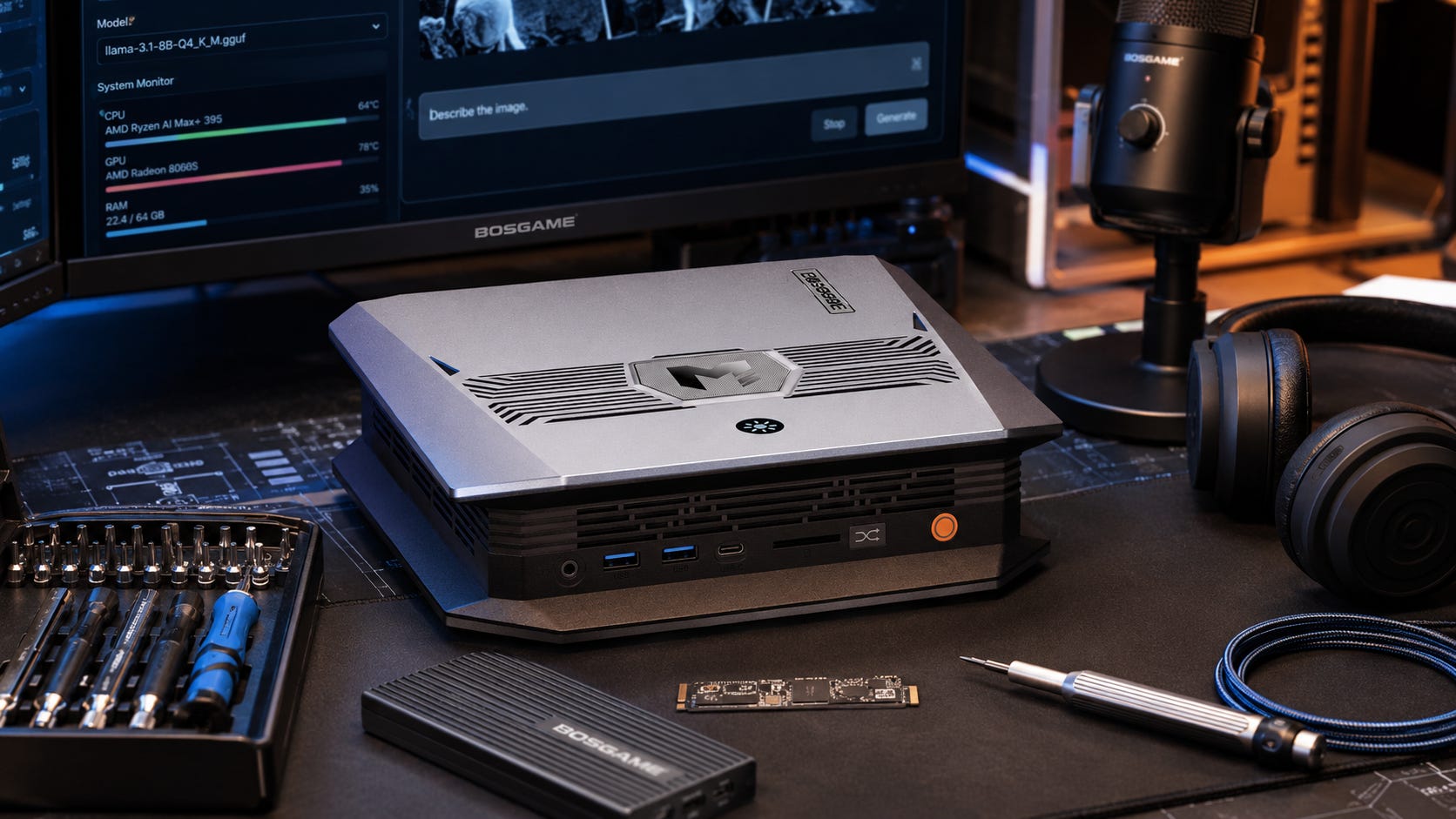
A Strix Halo mini PC looks almost too good for local AI: a tiny desktop, a Ryzen AI Max+ 395, Radeon 8060S graphics, and up to 128GB of unified memory. For local LLM users, that memory is the hook. It can load models that ordinary 16GB and 24GB GPUs struggle to fit comfortably.
The catch is speed, software maturity, and workload fit. A Strix Halo box can be a serious personal AI lab. It should not be treated as a plug-and-play replacement for a CUDA workstation if your main work is ComfyUI, video generation, or fast LoRA training.
Key takeaways
Buy a Strix Halo mini PC if your main goal is large local LLM inference in one compact, low-power box. GPT-OSS 120B and large MoE models are the reason this category exists.
Skip it if your main goal is fast ComfyUI, video generation, or LoRA training. NVIDIA CUDA still gives you the smoother path for most image and training workflows.
The 128GB unified memory pool is the real advantage. HP says its Ryzen AI Max workstation can assign up to 96GB of unified memory to the GPU, which is unusual in a mini workstation.
Do not treat 128GB unified memory like 128GB of high-bandwidth NVIDIA VRAM. Capacity helps model fit. Memory bandwidth, kernels, drivers, and backend support still decide performance.
At around €1,700 including taxes, the Bosgame M5 was a strong experimenter’s buy. At the current Bosgame EU listing price of about €2,400 for the 128GB model, the decision gets much harder.
For a buyer who already owns an RTX 5080 laptop, Strix Halo makes the most sense as a large-model lab box, not as a replacement for the NVIDIA machine.
Why this question is coming up
The buying question became easy to understand in a recent r/LocalLLaMA thread titled “Is Strix Halo the right fit for me?”. The poster was considering a Bosgame M5 Ryzen AI Max+ 395 with 128GB RAM as a personal AI lab for GPT-OSS, Qwen3 235B, ComfyUI, pruning, quantization, and LoRA work.
That is exactly the right way to frame Strix Halo. This is not a normal mini PC purchase. It is a bet that one big shared memory pool will help more than a smaller, faster, and better-supported discrete GPU.
That bet can make sense. It can also become expensive FOMO if you are buying because the spec sheet looks magical rather than because your workloads are memory-bound.
What Strix Halo actually gives you
“Strix Halo” was AMD’s codename for the Ryzen AI Max platform. The high-end chip in systems like the Bosgame M5 is the AMD Ryzen AI Max+ 395.
The specs that matter for local AI are 16 Zen 5 CPU cores and 32 threads, Radeon 8060S integrated graphics with 40 graphics cores, up to 128GB of LPDDR5x memory, a 256-bit LPDDR5x memory interface, LPDDR5x-8000 memory support, up to 126 total AI TOPS, and up to 50 NPU TOPS. AMD also lists PCIe 4.0, native USB4 support, and Windows 11, RHEL, and Ubuntu support.
The Bosgame M5 product page currently lists the Ryzen AI Max+ 395, Radeon 8060S graphics, onboard LPDDR5X memory, and an M.2 2280 NVMe PCIe 4.0 SSD.
As of June 24, 2026, the Bosgame EU page showed the M5 395 128GB and 2TB configuration at €2,439.95, down from €2,875.95.
That matters because the Reddit buyer described a price around €1,700 including shipping and taxes. At that lower price, Strix Halo is much easier to justify. At the current higher price, it should be compared against used RTX 3090 builds, RTX 5090 systems, Mac Studio configurations, and other Ryzen AI Max machines before buying.
Why unified memory changes local LLMs
Local LLMs often fail before they get slow because the model does not fit.
That is the main reason Strix Halo is interesting. A normal consumer GPU has fixed VRAM. An RTX 5080 has 16GB of GDDR7. An RTX 5090 has 32GB of GDDR7. A used RTX 3090 24GB GPU has 24GB. Those cards are much faster in many AI workloads, especially through CUDA, but their memory ceiling is hard.
Strix Halo attacks the problem from the other direction. It gives you a much larger shared pool, then lets the integrated GPU use a large slice of it. HP’s Z2 Mini G1a page says its Ryzen AI Max workstation can assign up to 96GB of unified memory to the GPU.
That changes what you can load. It does not make every workload fast.
The rough rule is simple. GPU-addressable memory decides whether the model fits. Memory bandwidth and kernels decide how fast it runs. Software support decides how much setup pain you should expect.
Strix Halo wins the first point. NVIDIA usually wins the second and third.
What it can realistically run
GPT-OSS 120B
GPT-OSS 120B is one of the strongest reasons to consider Strix Halo. The OpenAI GPT-OSS 120B model card says the model has 117B parameters with 5.1B active parameters and is designed to run on a single 80GB GPU using MXFP4 quantization. It also lists LM Studio and Ollama support paths.
That puts Strix Halo in an interesting position. It does not have H100-class memory bandwidth, but it can offer enough GPU-addressable shared memory to load models that smaller consumer GPUs cannot.
StorageReview tested an HP Z2 Mini G1a with Ryzen AI Max+ Pro 395 and reported that LM Studio detected the Radeon 8060S with 96GB VRAM, loaded GPT-OSS 120B as a 63.39GB GGUF with full GPU offload, and maintained close to 40 tokens per second in that test run. That is a strong result for a small integrated-graphics workstation, even though it should not be treated as a universal benchmark for every Strix Halo box. You can read the full StorageReview HP Z2 Mini G1a test for the exact setup and workload context.
Verdict: Strix Halo makes sense for GPT-OSS 120B inference, especially if you want a compact local machine rather than a cloud GPU or enterprise card.
Qwen3 235B
Qwen3 235B is more complicated.
The Qwen3-235B-A22B-Instruct-2507 model card lists 235B total parameters, 22B activated parameters, 128 experts, 8 activated experts, and a native 262,144-token context window that can be extended higher. Hugging Face also points users toward quantizations for llama.cpp, Ollama, LM Studio, and compatible apps.
That sounds ideal for Strix Halo, but there is a catch. Huge MoE models can fit in aggressive quantizations, but quality and speed depend heavily on the quantization format, context length, backend, and prompt workload. Q2 and very small quants can be useful for experimentation, but they are a different experience from running the model at stronger precision on enterprise hardware.
The vLLM Ascend documentation for Qwen3-235B-A22B shows how serious the full model’s hardware assumptions can be, with BF16 and W8A8 examples aimed at multi-accelerator Atlas systems. That does not mean you cannot experiment locally with quantized versions. It means you should be honest about the class of experiment you are running.
Verdict: Strix Halo is a good Qwen3 235B quantization playground. It is the wrong thing to buy if you want full-quality 235B serving at high speed.
70B and 30B class models
This is where Strix Halo feels more comfortable. StorageReview’s HP Z2 Mini G1a test showed Ollama generation rates declining as model size increased, with 70B output at 4.24 tokens per second in that specific workload. That is not fast, but it proves the broader point: the system can scale into model sizes where smaller GPUs are already out of room.
For regular daily use, many people will prefer 14B, 30B, or 32B models because the responsiveness is better. The larger memory pool lets you keep more context, run larger quants, or keep multiple services alive. It does not remove the normal latency tradeoffs that come with large models.
Verdict: Strix Halo is more useful as a “what can I fit?” machine than a “how fast can I generate?” machine.
ComfyUI and image generation
This is where the recommendation becomes less enthusiastic.
ComfyUI can run on AMD paths, and AMD support has improved. AMD’s ROCm documentation now lists the Ryzen AI Max+ 395 in its Windows ROCm support matrix, although AMD also notes that PyTorch on Windows includes ROCm components while the full ROCm stack is not yet supported on Windows. LM Studio’s 0.3.19 release notes added Linux ROCm support for AMD 9000 series GPUs and Ryzen AI PRO 300 integrated GPUs.
That is progress. It still does not feel like the NVIDIA CUDA path.
ComfyUI, Stable Diffusion, SDXL, Flux, video diffusion, custom nodes, and training workflows tend to be easier on NVIDIA. CUDA gets the first-class path in more tutorials, GitHub issues, wheels, and troubleshooting answers. AMD can work, especially on Linux or with specific Windows workarounds, but a buyer should expect more backend checking.
Strix Halo’s other problem is bandwidth. The Radeon 8060S has access to a large memory pool, but it does not have the same memory bandwidth as a high-end GDDR7 card. An RTX 5080 lists 16GB of GDDR7 on a 256-bit bus, while an RTX 5090 lists 32GB of GDDR7 on a 512-bit bus. The RTX 5090 also has fifth-generation Tensor Cores and far more AI throughput on paper. For many image workloads, the NVIDIA card will feel much faster and easier despite having less memory than a 128GB Strix Halo system.
Verdict: Use Strix Halo for ComfyUI experimentation if you enjoy tinkering. Do not buy it primarily for ComfyUI speed.
LoRA training and fine-tuning
LoRA training is the hardest part of this buying decision.
The Reddit poster’s thinking makes sense. Fine-tuning often needs more memory than inference, so a 128GB unified-memory machine sounds attractive. For some LLM LoRA, QLoRA, pruning, and quantization experiments, Strix Halo may be genuinely useful because you can fit experiments that a 16GB laptop GPU cannot.
For image LoRAs and many GPU-heavy training jobs, speed and CUDA support matter a lot. The RTX 5080 laptop the poster already owns is likely the better machine for many image-generation and training workflows that fit inside 16GB. It has less memory, but the NVIDIA software stack is cleaner and the GPU bandwidth is far higher.
The sensible split is to use the RTX 5080 laptop for CUDA-friendly training and ComfyUI workflows that fit, use Strix Halo for model-compression experiments where memory capacity is the blocker, and use cloud GPUs or a larger NVIDIA workstation when both memory and speed matter.
GPT-OSS is also relevant here. The model card says both GPT-OSS models can be fine-tuned, with GPT-OSS 120B fine-tunable on a single H100 node and GPT-OSS 20B fine-tunable on consumer hardware. That is a useful warning. The large model’s official fine-tuning target is still far above a mini PC.
Verdict: Strix Halo is a defensible LoRA and quantization lab. It is not the fastest training purchase for the money.
Software support is better, but still not CUDA
The Strix Halo software story is improving quickly, but it remains the main risk.
The good news is real. AMD lists Ryzen AI Max+ 395 in current ROCm support material. LM Studio supports multiple llama.cpp engines, including ROCm, Vulkan, CUDA, Metal, and CPU paths. GPT-OSS has LM Studio and Ollama usage paths. Qwen3 model pages point users toward quantized versions for llama.cpp, Ollama, LM Studio, and compatible apps. Independent testing shows GPT-OSS 120B can run well on Ryzen AI Max hardware in LM Studio.
The bad news is just as important. CUDA remains the safest path for local AI beginners. Some AMD workflows are backend-specific. Windows support is improving, but every ROCm path should not be assumed to behave like Linux ROCm. vLLM, PyTorch, ComfyUI, and custom training stacks can behave differently. A model that loads in one runtime may be slow or unstable in another.
That makes Strix Halo a tinkerer’s machine. For the right buyer, that is part of the appeal. For everyone else, NVIDIA is still the boring and safer choice.
Disclosure: This post includes Amazon affiliate links. If you buy through them, Popular AI may earn a small commission at no extra cost to you.
How the Bosgame M5 compares with realistic alternatives
Bosgame M5 Ryzen AI Max+ 395

The Bosgame M5 Ryzen AI Max+ 395 is best for large local LLM inference, compact home labs, quantization experiments, and always-on AI services.
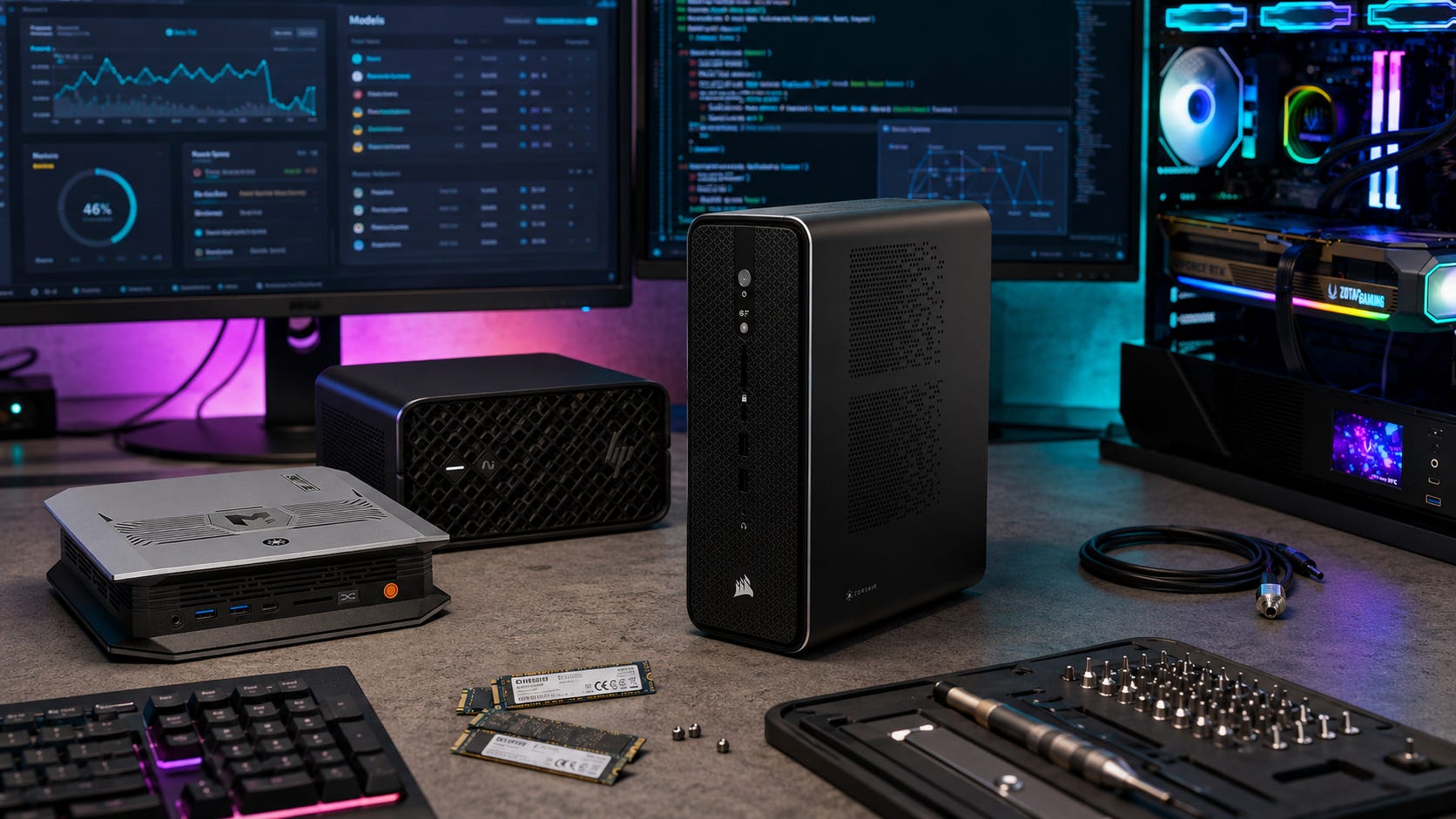
It is the value play if its price is meaningfully lower than HP, Corsair, Framework, and Apple alternatives. It gives you the Strix Halo memory story in a small box. That means 128GB unified memory, a Radeon 8060S integrated GPU, and enough GPU-addressable memory for experiments that ordinary consumer GPUs cannot handle in one pool.
Buy it if you can get the 128GB model at a genuinely good price and accept weaker brand support than HP or Corsair. Skip it if the price climbs near premium workstation territory.
HP Z2 Mini G1a

The HP Z2 Mini G1a is best for professional buyers who want Strix Halo with workstation support.
HP’s Z2 Mini G1a offers up to 128GB unified memory, up to 8TB storage, ISV certification, and up to 50 NPU TOPS. The official HP page emphasizes the ability to assign up to 96GB of memory to the GPU, which is the key local AI feature. StorageReview also found the Ryzen AI Max+ Pro 395 version surprisingly strong for GPT-OSS 120B.
Buy it if you want a more professional chassis, support, and workstation positioning. Skip it if you are paying a large premium over other Ryzen AI Max boxes and do not need HP support.
Corsair AI Workstation 300

The Corsair AI Workstation 300 is best for buyers who want a prebuilt AI-first Strix Halo desktop.
Corsair’s AI Workstation 300 uses the same general Ryzen AI Max+ 395 idea with 128GB LPDDR5X memory. BabelTechReviews tested the Corsair AI Workstation 300 against the HP Z2 Mini G1a and an RTX 5090 desktop, finding that the Corsair box performed well for compact AI-first workstation use while still trailing the RTX 5090 desktop in GPU-heavy tasks.
Buy it if pricing is strong and you want a supported prebuilt. Skip it if you want more ports, more upgrade flexibility, or stronger discrete GPU performance.
Framework Desktop

The Framework Desktop is best for buyers who like Framework’s repairability and small-form-factor design.
Framework lists a Ryzen AI Max+ 395 desktop configuration with 128GB LPDDR5x-8000 memory and Radeon 8060S graphics. The official Framework Desktop page also advertises up to 96GB graphics-addressable memory and a 256-bit memory bus.
Buy it if you want the Framework ecosystem and a compact desktop that is easier to understand and service than many sealed mini PCs. Skip it if the final configured price is much higher than the Bosgame or Corsair option.
Used RTX 3090 build

A used RTX 3090 24GB GPU is best for CUDA-friendly local AI on a budget.
A used RTX 3090 gives you 24GB VRAM and CUDA. That remains a strong combination for ComfyUI, local LLMs, and training workloads that fit. It does not give you the giant single memory pool that Strix Halo offers.
Buy it if you want the easiest software path and can accept used-card risk. Skip it if your target models need more than 24GB on one device.
Be sure to check out our guide to building a local AI PC around an RTX 3090, which is the cleaner direction if CUDA matters more than memory pool size.
More on building a local AI rig around the RTX 3090:

Dual RTX 3090 build
A dual RTX 3090 build is best for serious local LLM users who want 48GB total CUDA VRAM.
Dual RTX 3090s give more total VRAM than a single RTX 5090 and a much more mature software stack than AMD. The build is hotter, louder, bigger, and more annoying than a Strix Halo mini PC.
Buy it if you want a CUDA lab and can handle power, cooling, motherboard spacing, and used-market risk. Skip it if you want a compact low-power machine.
Our guide to dual RTX 3090s for local AI covers that tradeoff in more depth.
More on dual RTX 3090 local AI builds:

RTX 5090 desktop

An RTX 5090 desktop is best for high-speed single-GPU local AI, ComfyUI, and training that fits in 32GB.
The RTX 5090 gives you 32GB GDDR7, fifth-generation Tensor Cores, and a much stronger NVIDIA software path. It is the better choice for fast image generation, many training jobs, and CUDA-heavy tools.
Buy it if speed, CUDA, and GPU-heavy creator workflows matter more than loading the largest possible model. Skip it if your main problem is fitting models above 32GB.
RTX PRO 6000 Blackwell

The NVIDIA RTX PRO 6000 Blackwell Workstation Edition is best for professional users who need 96GB real VRAM and can pay for it.
NVIDIA’s official RTX PRO 6000 Blackwell Workstation Edition page lists 96GB GDDR7 ECC memory, 1792 GB/s memory bandwidth, and 600W maximum power consumption. That is the real high-end answer for users who want both memory capacity and NVIDIA’s software ecosystem.
Buy it if this is a business tool and the budget is justified. Skip it if you are a home-lab buyer trying to make a rational price-to-capability decision.
Mac Studio

A Mac Studio is best for quiet unified-memory local AI on macOS.
A Mac Studio with high unified memory can be attractive for local LLMs, MLX workflows, and creator work. It is quiet, efficient, and polished. The tradeoff is macOS, no CUDA, and a different tooling path from Linux-first AMD or NVIDIA setups.
Buy it if you already like macOS and want a quiet local AI and creator workstation. Skip it if you do not want Apple ecosystem lock-in or need CUDA.
More on local AI on a Mac:

What price makes Strix Halo worth it?
This is the simplest buying rule.
At around €1,700 for a 128GB Strix Halo mini PC, it is a strong buy for a technical local AI experimenter. At that price, the memory pool is hard to ignore. You are buying something that behaves unlike a normal consumer GPU box, and the downside is acceptable if you know what you are doing.
At around €2,400 to €2,800, compare carefully. This is where the Bosgame M5 appears to sit on the current EU listing. At this level, you should compare against RTX 3090 builds, Framework Desktop, Corsair AI Workstation 300, HP Z2 Mini G1a discounts, and Mac Studio pricing.
At €3,000 or more, buy only for the specific memory-pool use case. Once the price gets that high, Strix Halo stops being a clever bargain and becomes a specialized tool. It can still be worth it, but only if large-model local inference is your main workload.
Who should buy a Strix Halo mini PC for local AI?
Buy one if your main goal is running large local LLMs that do not fit on 16GB or 24GB GPUs. Strix Halo is most compelling when you care about GPT-OSS 120B, Qwen3 235B quants, 70B models, and long-context experiments.
It also makes sense if you want a compact machine that can stay on all day and you are comfortable with AMD tooling, ROCm, Vulkan, LM Studio, Ollama, llama.cpp, and occasional backend friction. The best buyer already has access to NVIDIA hardware for CUDA-specific work or is willing to rent cloud GPUs when speed matters more than privacy or convenience.
The buyer should also have a realistic budget for storage and backups. Large GGUFs, checkpoints, LoRAs, datasets, and generated media can fill a small drive quickly. A bigger NVMe SSD and some kind of external backup storage should be part of the plan.
Who should skip it?
Skip Strix Halo if your main goal is ComfyUI speed, fast image generation, video generation, or the easiest LoRA training path. A CUDA machine remains the safer recommendation for those workflows.
Also skip it if you do not want to debug drivers, runtimes, backend behavior, or compatibility issues. The 128GB unified memory number is exciting, but it should not be confused with 128GB of high-bandwidth RTX PRO VRAM.
Strix Halo also becomes harder to recommend if you already own a strong NVIDIA GPU and rarely hit its memory limit. In that case, the money may be better spent on storage, a second used GPU, cloud credits for the few jobs that need more memory, or a future upgrade when the market settles.
Best setup strategy if you buy one
Use Strix Halo as a second machine, not your only AI machine.
Keep the RTX 5080 laptop for CUDA-friendly ComfyUI, image generation, and smaller training runs.
Use the Strix Halo mini PC as an always-on local LLM server.
Run GPT-OSS 120B, 70B models, and large Qwen quants through LM Studio, Ollama, llama.cpp, or KoboldCPP.
Use Open WebUI or another frontend for shared household or lab access.
Keep model files and datasets on a large NVMe drive.
Track every backend, quant, context length, and generation speed in a simple benchmark log.
Use cloud or rented GPUs only when training needs both memory and speed.
That hybrid setup makes more sense than trying to force one box to do everything.
Common buying mistakes
Treating unified memory as normal VRAM
Unified memory helps with capacity. It does not erase bandwidth differences. A model may fit and still generate slowly.
Buying it for ComfyUI first
A CUDA card is still the safer ComfyUI recommendation for most users. Strix Halo can be interesting, but it is not the default.
Assuming all AMD support is equal
ROCm, Vulkan, DirectML, PyTorch, llama.cpp, LM Studio, Ollama, and ComfyUI are different paths. Support in one does not guarantee a smooth experience in another.
Forgetting storage
Large models eat storage quickly. A 2TB drive can fill faster than expected once you keep multiple GGUFs, datasets, checkpoints, LoRAs, and generated media. Budget for more NVMe storage or external backup.
Paying panic prices
The Reddit poster was worried about RAM price increases. That worry was reasonable, but panic buying is still dangerous. If the price has already jumped, the value case changes.
Frequently asked questions
Is Strix Halo good for local LLMs?
Yes, especially for large local LLM inference. A Strix Halo mini PC gives you a large unified memory pool, which can fit models that ordinary consumer GPUs cannot load comfortably. It is better for model fit than maximum speed.
Can a Bosgame M5 run GPT-OSS 120B?
A Bosgame M5 with a Ryzen AI Max+ 395 and 128GB unified memory is well suited to GPT-OSS 120B experimentation. OpenAI’s model card says GPT-OSS 120B is designed to run on a single 80GB GPU using MXFP4, and StorageReview reported close to 40 tokens per second on an HP Z2 Mini G1a with similar Ryzen AI Max+ Pro 395 hardware.
Can Strix Halo run Qwen3 235B?
It can run heavily quantized Qwen3 235B variants through compatible local runtimes, but full-quality deployment is a different class of hardware problem. Treat Strix Halo as a quantization and experimentation machine for Qwen3 235B, not a full-scale serving box.
Is Strix Halo good for ComfyUI?
It can work, but it is not the safest ComfyUI buy. NVIDIA CUDA remains easier for most image-generation workflows, custom nodes, and troubleshooting. Buy Strix Halo for ComfyUI only if you are comfortable experimenting with AMD backends.
Is Strix Halo good for LoRA training?
It depends on the LoRA. For LLM LoRA, QLoRA, pruning, and quantization experiments where memory capacity is the blocker, Strix Halo can be useful. For image LoRAs and many GPU-heavy training workflows, a CUDA GPU is usually faster and easier if the job fits in VRAM.
Is 128GB unified memory better than 24GB VRAM?
For model fit, yes. For speed and software support, not always. A 24GB NVIDIA GPU can be much faster and easier for many workloads, but it cannot load the same large models in one memory pool.
Should I buy Strix Halo if I already have an RTX 5080 laptop?
Possibly, but only as a second machine. Use the RTX 5080 laptop for CUDA-heavy work and the Strix Halo box for large local LLM inference, quantization experiments, and always-on local AI services.
Final recommendation
A Strix Halo mini PC is worth buying for local AI if you want a compact personal lab for large LLM inference and model experimentation. The Ryzen AI Max+ 395 with 128GB unified memory gives you a rare capability: loading models that normal consumer GPUs cannot fit without awkward compromises.
Do not buy it because you expect it to beat NVIDIA everywhere. CUDA still wins on software maturity, ComfyUI convenience, and many training workflows.
At the right price, the Bosgame M5 is a smart tinkerer’s machine. At inflated pricing, it becomes a specialized purchase. Buy it for GPT-OSS 120B, Qwen quant experiments, long-context local inference, and compression research. Skip it if what you really want is a fast, boring, CUDA-friendly AI workstation.
Explore more from Popular AI:
Start here | Local AI | Fixes & guides | Builds & gear | Popular AI podcast
Would you buy a Strix Halo mini PC for massive local LLMs, or stick with NVIDIA CUDA even if it means less memory? What matters most to you: model size, speed, software support, or price?