


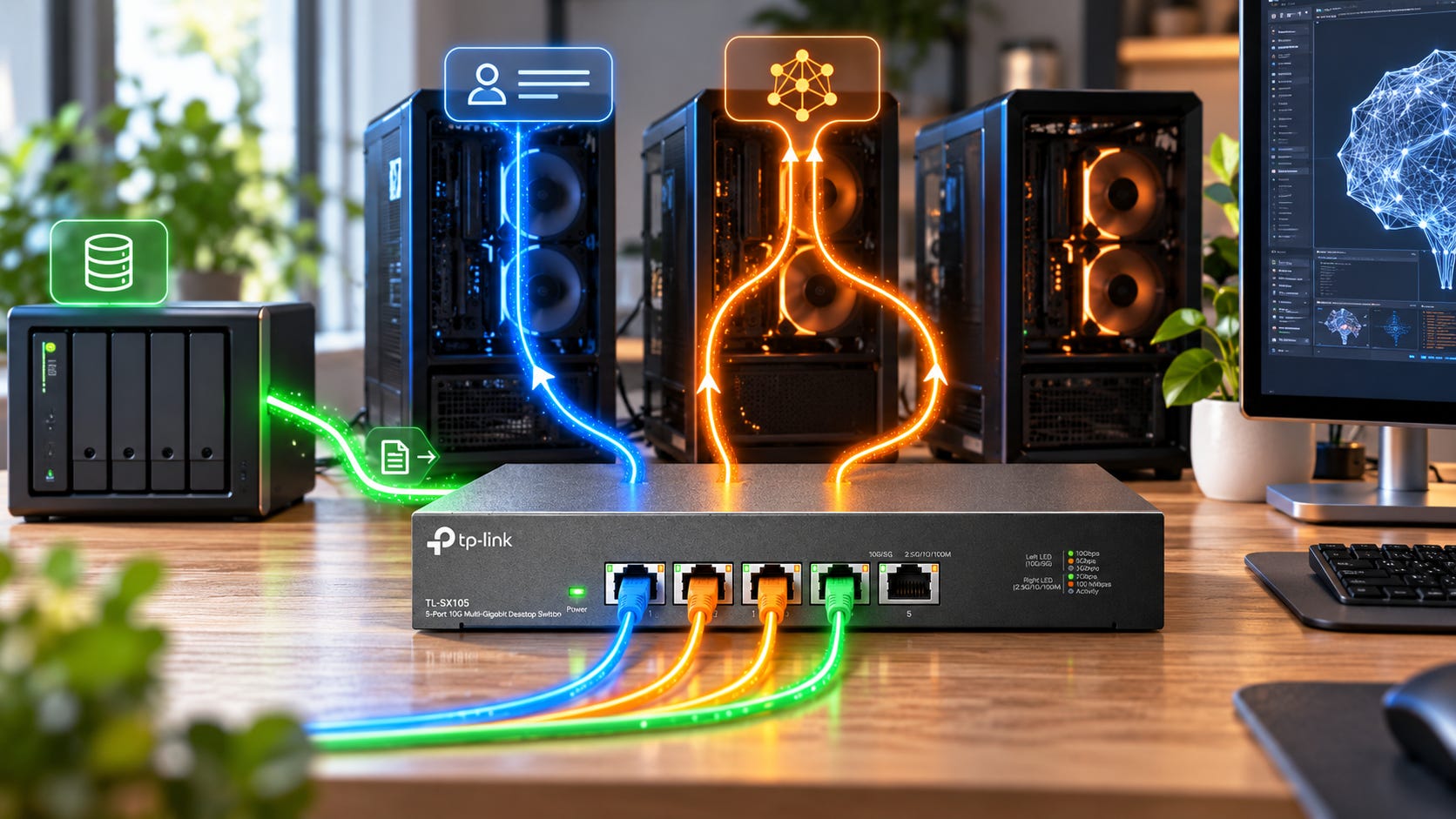
Most multi-PC local AI setups do not need 10GbE. If NVIDIA PAIR sends an entire Ollama or LM Studio request to one machine, start with the Gigabit Ethernet you already own. If llama.cpp RPC splits one model across several machines, 10GbE becomes much easier to justify. If your 50GB to 150GB models live on a NAS, 10GbE can save minutes whenever large files cross the network.
The buying rule is simple: do not upgrade your network until you know what crosses it while the model is generating tokens. A faster link cannot fix traffic that was never using much bandwidth in the first place.
Disclosure: This post includes Amazon affiliate links. If you buy through them, Popular AI may earn a small commission at no extra cost to you.
For buyers who do need more speed, the cheap paths are straightforward. A TP-Link TL-SG105-M2 2.5GbE switch is the low-cost general home-lab option discussed below. A TP-Link TX401 10GbE PCIe adapter is one of the simplest ways to build a fast direct link between two desktops.
More on networked local AI:

Quick verdict
Keep 1GbE if your PCs run models independently and the network mostly carries prompts and generated responses. This includes ordinary NVIDIA PAIR setups, where one complete request goes to one machine.
Buy 2.5GbE if you want a cheap general home-lab upgrade, move large model files regularly, use a NAS, or are experimenting with distributed inference without committing much money. It is the price-to-convenience sweet spot, and a five-port TP-Link TL-SG105-M2 keeps that experiment inexpensive.
Buy 10GbE if
llama.cppRPC regularly splits large models across machines, you load large models from network storage, or several high-speed systems share the same model library. It is a sensible infrastructure target, but it does not guarantee faster token generation.
Spend the money on RAM or VRAM first when your real problem is that the model does not fit. More Ethernet bandwidth does not create memory capacity.
That last point connects directly to the broader local AI upgrade problem. More RAM beats faster RAM when capacity is the limit, while faster local storage mainly helps model loading rather than steady-state inference. Networking follows the same rule. Buy bandwidth when bandwidth is actually in the active path.
Three local AI networks that look similar but are not
“Multi-PC local AI” can describe completely different workloads.
That is where most bad networking advice begins.
▪ PAIR and request routing barely resemble distributed inference
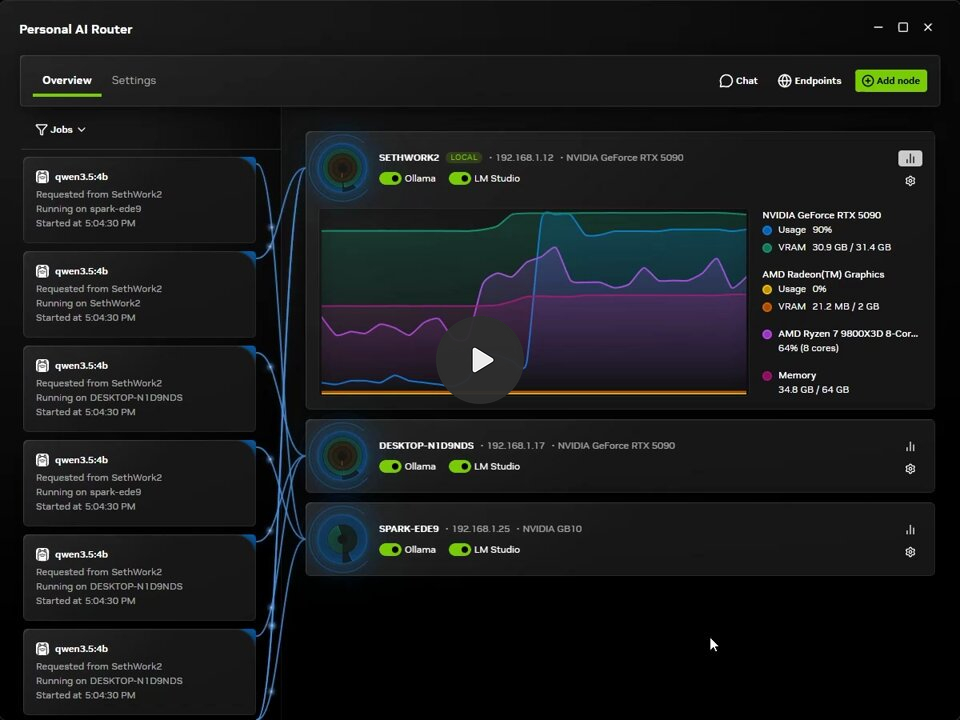
NVIDIA’s current PAIR documentation is explicit: PAIR sends each request to one node. It does not pool GPU memory, combine GPUs into one logical device, or split a model across machines.
The model also needs to be present on whichever node serves it. NVIDIA says nodes do not share their models.
So imagine a desktop asks a 70B model on your server to summarize a document.
The request crosses the LAN. The server performs inference locally. The generated response comes back.
Your 40GB model is not being pumped through the Ethernet cable for every token.
That changes the networking question. The important traffic is the request going out and the generated response coming back, while the expensive model computation stays on the selected node. A 10GbE link gives the request more network headroom, but it does not turn PAIR into a distributed-memory system.
For ordinary text inference, that makes an existing 1GbE connection a perfectly reasonable place to start. Buying a 10GbE switch because you added PAIR is solving a problem PAIR does not create.
Long multimodal inputs, huge file uploads, many simultaneous requests, or centralized storage can change the calculation. Plain local LLM request routing usually will not.
PAIR is therefore the easiest case: keep your current network until measurement gives you a reason not to.

▪ llama.cpp RPC really can put the network inside inference
llama.cpp RPC is different.
The current RPC documentation says llama.cpp can distribute model weights and KV cache across local and remote devices. A main machine can therefore use accelerator memory in another computer as part of one inference workload.
Now the link between those computers participates in the job.
That sounds like an obvious argument for buying the fastest Ethernet you can afford. Real benchmarks complicate the story.
A reproducible 10GbE llama.cpp RPC benchmark connected an M2 Ultra Mac Studio to an NVIDIA DGX Spark over a direct Ethernet link that measured 9.41Gbps with iperf3.
With Qwen2.5-7B Q4_K_M, local Metal inference processed the prompt at 76.1 tokens per second and generated at 91.8 tokens per second. Adding the remote Blackwell GPU through RPC pushed prompt processing to 317.7 tokens per second, a 4.2× increase.
Generation went the other way. It fell to 52.7 tokens per second.
On Qwen2.5-72B Q4_K_M, local inference managed 28.2 prompt-processing tokens per second and 11.1 generation tokens per second. The RPC configuration reached 29.5 and 5.9 respectively.
In other words, a fast networked GPU can make one phase dramatically faster while making another phase slower. A single average “tokens per second” result can hide that split, especially when prefill improves while decode gets worse.
That benchmark’s most useful conclusion is that RPC often buys capacity before it buys speed.
If two computers let you run a model that neither could hold in the desired configuration alone, 30 tokens per second instead of 40 may be a good trade. If the model already fits cleanly on one machine, distributing it just to say you have a cluster can leave you with a more complicated and slower computer.
More on local LLMs:

▪ Network storage is the easy case for 10GbE
A NAS gives networking a much more ordinary job: moving bytes.
At raw line rate, transferring 100GB requires roughly 13 minutes 20 seconds over 1GbE, 5 minutes 20 seconds over 2.5GbE, and 1 minute 20 seconds over 10GbE.
Real transfers take longer because of protocol overhead, storage performance, filesystem behavior, CPU load and other bottlenecks. llama.cpp can also memory-map models rather than always performing one simple full-file copy.
The scale is still useful because the transfer itself is the workload. Unlike PAIR request routing, the network really is carrying the large object you are waiting on.
If your active model library sits on a NAS and you routinely touch 50GB, 100GB or 150GB GGUF files, Gigabit Ethernet becomes tedious long before it becomes technically unusable. Here 10GbE gives a predictable benefit because the network is carrying the large object you are waiting for.
Our local AI SSD guide reaches a related conclusion from the storage side: model loading is one of the places where faster I/O has a clear practical effect.
More on local AI storage:

1GbE vs 2.5GbE vs 10GbE for local LLMs
▪ 1GbE: keep it until it causes a measurable problem
Gigabit Ethernet has a raw line rate of 125MB/s.
That looks laughably slow beside modern NVMe drives and GPU memory bandwidth. It can still be enough when almost none of the heavy data needs to cross the network during inference.
That makes 1GbE the right default for PAIR, independent Ollama servers, distributed agent workers and other designs where each machine performs its own inference locally.
It is also enough for experimenting with RPC if your goal is simply to prove that a distributed model works. Do not mistake “works” for “optimal.”
The 10GbE RPC benchmark projects considerably higher decode overhead at 1GbE, but it did not conduct a matched 1GbE versus 10GbE test. Treat that projection as a warning rather than a measured 10× performance result.
If you already own Gigabit gear, test first. Free is a difficult price for 10GbE to beat.
▪ 2.5GbE: the best cheap upgrade for most home labs
2.5GbE raises raw line rate to 312.5MB/s while remaining unusually cheap.
It is fast enough to make large file transfers much less irritating, commonly works over existing Cat5e cabling, and now costs little more than ordinary consumer networking gear. TP-Link’s TL-SG105-M2 provides five 2.5GbE ports, is fanless, and has 25Gbps of total switching capacity. As of September 14, 2026, B&H lists it at $39.99.
That is cheap enough that 2.5GbE can make sense as a general network upgrade even before local AI alone justifies it.
For llama.cpp RPC, it is harder to call 2.5GbE the answer. A May 2026 llama.cpp issue reported substantial RPC losses over a 2.5GbE link while network utilization stayed at only tens of megabytes per second. The issue was closed and marked bug-unconfirmed, so it does not establish one universal RPC bottleneck. It does show why buying four times more link bandwidth does not guarantee four times more inference performance.
Use 2.5GbE when cost matters, when your cluster is mainly independent nodes, or when NAS transfers are the main annoyance.
For a new machine specifically intended for regular cross-node RPC, I would aim higher.
▪ 10GbE: buy it for active RPC or large shared storage
10GbE gives 1.25GB/s of raw link bandwidth.
That finally puts network storage in the same broad performance class as slower local solid-state storage, and it gives distributed inference substantially more breathing room than Gigabit.
For a serious two-node llama.cpp RPC setup, 10GbE is the sensible conventional target in September 2026. The published Mac Studio/DGX Spark experiment sustained 9.41Gbps on a direct link, so ordinary Ethernet can get quite close to its rated speed when the rest of the system cooperates.
Just do not convert that into “10GbE makes RPC fast.”
One LocalLLaMA experiment reported 50 tokens per second with two RTX 3090s operating locally in one machine, 37 tokens per second when using RPC across two machines over 10GbE, and 38 after moving to 50GbE. Running the second GPU as an RPC device over localhost also produced 38 tokens per second.
That is community testing, not a controlled universal benchmark. The result is still useful. In that setup, throwing another 40Gbps at the network barely changed llama.cpp performance.
The same user later reported 69 tokens per second with vLLM and Ray over the existing 10GbE network, then 120 tokens per second after moving that different stack to 100GbE with RoCE. Software, communication pattern and transport can change the answer as much as the number printed on the Ethernet port.
Another Strix Halo experiment reached a similar conclusion from a different direction. Testing 2.5GbE, 10Gbps Thunderbolt networking and roughly 50Gbps InfiniBand produced a meaningful jump from 2.5 to 10, but relatively small gains from 10 to 50 in several llama.cpp RPC decode tests.
The practical ceiling can arrive before your Ethernet link runs out of zeros.
Before buying 10GbE, measure the right thing
A network utilization graph answers more useful buying questions than the logo on your switch.
Run iperf3 between the two AI nodes first. Then monitor the interface while running your actual model and separate prompt processing from token generation. If you are testing with llama.cpp, its CLI can show timing information after each response, which helps keep those phases separate. Finally, compare local inference against RPC rather than comparing one network speed against another in isolation.
The order matters. iperf3 tells you whether the link can deliver its expected network throughput. The model run tells you whether inference actually asks for that throughput. The local-versus-RPC comparison tells you whether distributing the model helped the workload you care about.
If the link sits near saturation during the slow part of the workload, faster networking has a plausible job to do.
If utilization stays low while inference stalls, investigate latency, runtime behavior, synchronization, compute balance and model placement before spending more.
Also measure model load separately. A system can have perfectly acceptable decode performance and still waste several minutes getting a giant model from network storage onto the node.
That gives you three independent questions: Does the network slow model loading? Does it slow prompt processing? Does it slow decode?
Do not combine them into one “LLM speed” number.
llama.cpp itself now points beyond ordinary TCP bandwidth
There is another reason to stop thinking purely in 1G, 2.5G and 10G increments.
Current llama.cpp RPC documentation supports RDMA transport when suitable hardware is available. On Linux, the documented route uses RoCEv2-capable NICs such as Mellanox ConnectX hardware through libibverbs. Apple Silicon systems can use RDMA over Thunderbolt 5 under the documented macOS requirements.
If RDMA is unavailable, RPC falls back to TCP.
llama.cpp has also added a local RPC cache that stores large tensors on the remote machine, avoiding repeated transfers and speeding model loading.
Those additions tell you something about serious distributed inference. Once 10GbE stops being the obvious bottleneck, the next step may involve reducing communication overhead and latency rather than purchasing a 25, 50 or 100GbE switch and hoping.
There is also a security catch. The project currently describes the RPC backend as proof-of-concept software that is fragile and insecure and should not be exposed to an open network. Keep an RPC cluster on a trusted private network rather than forwarding its port to the internet.
The network hardware worth buying
▪ Best cheap upgrade: TP-Link TL-SG105-M2 2.5GbE switch
For a normal home lab that still runs Gigabit, I would buy 2.5GbE before spending serious money on 10GbE infrastructure unless RPC or shared storage has already proved it needs more.
The TP-Link TL-SG105-M2 has five fanless 2.5GbE RJ45 ports. The switch itself is cheap enough that the NICs in your computers may cost more than the network core.

Buy it for independent AI nodes, NAS access and inexpensive multi-gigabit file transfers. Skip it if you are deliberately building a high-performance RPC cluster and already know 10GbE is the destination.
▪ Cheapest serious 10GbE route: direct-connect two desktops
If exactly two machines need the fast link, you do not necessarily need a 10GbE switch.
The 10GbE benchmark discussed above used a point-to-point connection. Sonnet likewise documents direct attachment as a supported arrangement for its 10GbE adapters.
For desktop PCs with spare PCIe slots, the TP-Link TX401 10GbE PCIe adapter supports 10G, 5G, 2.5G and 1G over RJ45 and includes a Cat6A cable. TP-Link specifies a PCIe 3.0 x4 interface and Windows and Linux support. B&H lists the card at $64.50 as of September 14, 2026.

Two cards therefore cost far less than a premium 10GbE switch. If one machine already has 10GbE onboard, the entry price falls again.
This is my preferred way to add 10GbE solely for a two-node RPC experiment. Do not rebuild the whole house network before the experiment has earned it.
▪ Best simple RJ45 10GbE switch: TP-Link TL-SX105
Once a NAS and three or four compute nodes all need the faster network, direct links become annoying.
The TP-Link TL-SX105 provides five fanless RJ45 ports that auto-negotiate from 100Mbps through 10Gbps, with 100Gbps of switching capacity. B&H lists it at $199.99 as of September 14, 2026.

That is a much larger jump from a $40 2.5GbE switch. Buy it when several devices really need 10GbE, not because one local LLM occasionally answers a question on another PC.
▪ Best SFP+ home-lab route: MikroTik CRS305
RJ45 10GBase-T is convenient because it looks like ordinary Ethernet. SFP+ can be an attractive route for short server-rack links using inexpensive direct-attach copper cables.
The MikroTik CRS305-1G-4S+IN provides four 10Gbps SFP+ ports plus a Gigabit copper port and is passively cooled. MikroTik lists a $149 suggested price.
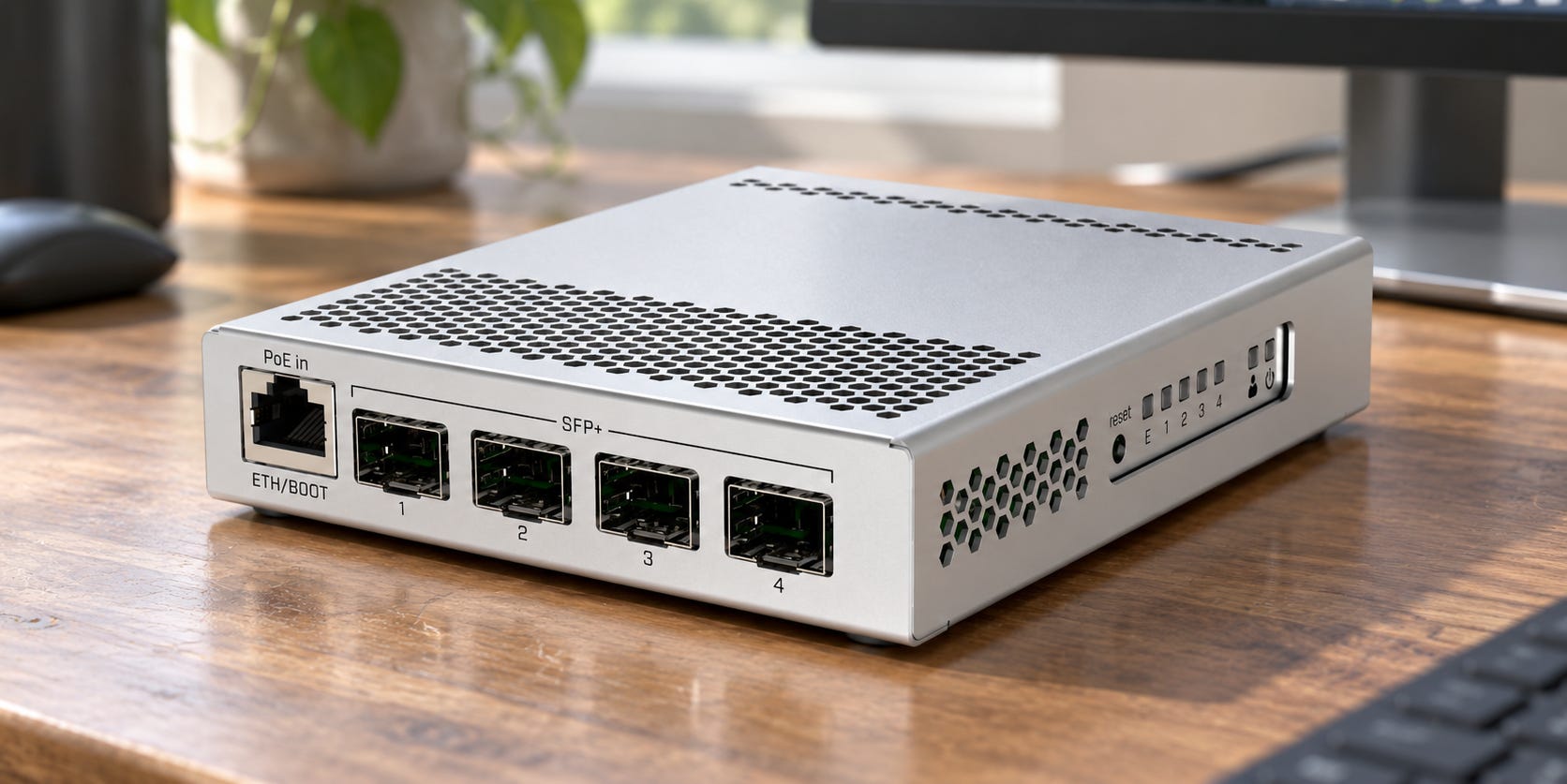
It is better suited to people already comfortable with SFP+ NICs, DACs and home-lab networking. For a first upgrade from an ordinary consumer router and RJ45 wiring, the 2.5GbE or 10GBase-T routes are easier.
▪ Best 10GbE adapter for Macs and compact systems: Sonnet Solo10G
A mini PC or Mac may not give you a spare PCIe x4 slot.
The Sonnet Solo10G adds a 10GBase-T RJ45 port over Thunderbolt. Sonnet’s current specifications list 10G, 5G, 2.5G and 1G support and compatibility with current Thunderbolt-equipped Mac, Windows and Linux systems under its stated OS requirements.
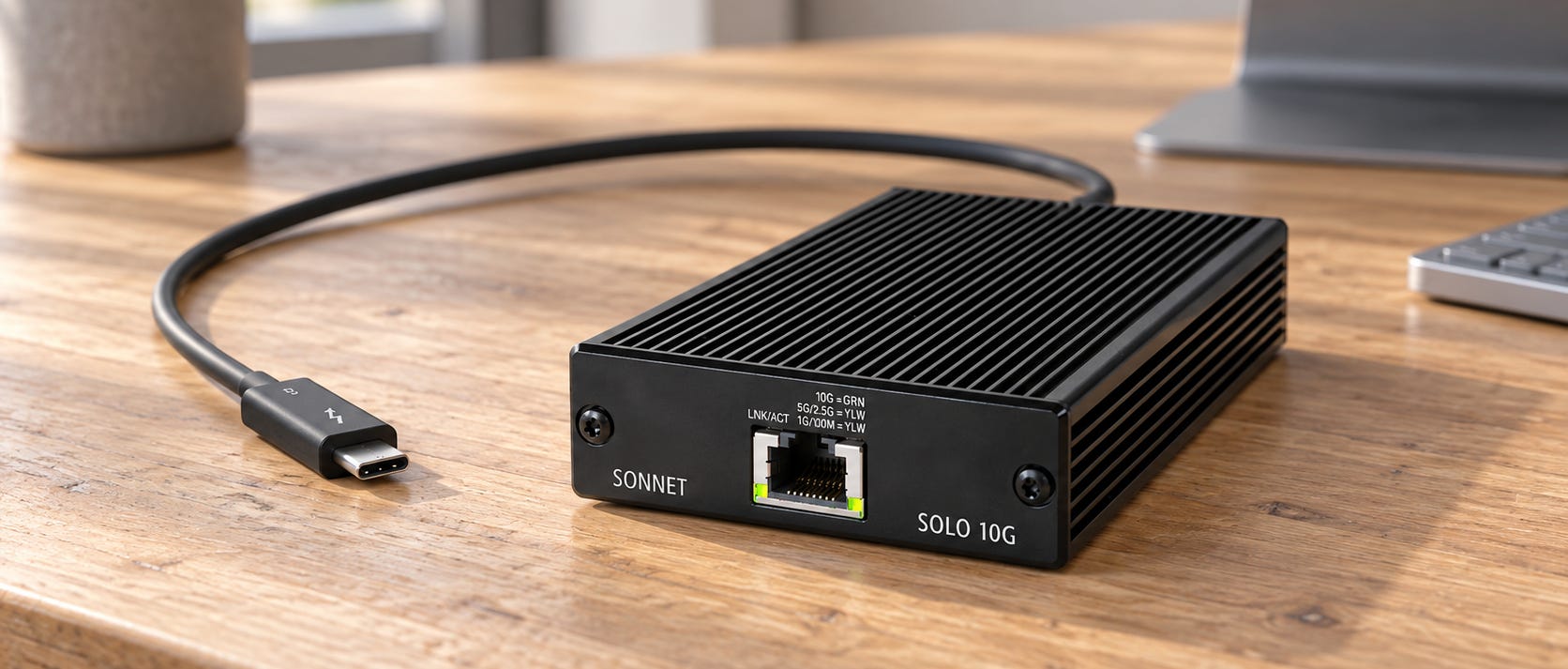
It costs much more than an internal PCIe NIC, so it makes sense when the form factor forces the issue rather than because Thunderbolt is inherently preferable.
Should networking come before RAM, VRAM or NVMe?
Usually no.
If your desired model will not fit, buy enough VRAM or system memory first. A 10GbE cable cannot rescue a GPU that is 8GB short.
If your model already fits but cold loading takes forever from a hard drive, fix storage. The local AI SSD guide explains why a decent Gen4 NVMe drive is already fast enough for most active model libraries.
If one computer handles the model well but several users or agents are fighting over it, PAIR-style request routing may let existing nodes solve the problem without a network overhaul.
Move networking up the purchase list when you can point to cross-node traffic as the limit. That happens most clearly with large shared model storage and with model-level distributed inference.
There is a larger architectural choice hiding behind the Ethernet purchase. A single multi-GPU server keeps GPU communication inside one machine but creates its own PCIe, power and cooling problems. A local AI cluster spreads those machines out but turns the network and distributed software into part of the system.
Neither architecture is free. They just send the bill to different components.
More on local AI networking:


Who should buy, wait or skip
Buy 10GbE now if you routinely use llama.cpp RPC across fast nodes, keep large active models on network storage, or already have several 10GbE-capable systems that are being held back by a Gigabit core.
Buy 2.5GbE if you want a cheap home-lab improvement without pretending you know exactly where your distributed AI experiments will lead. At roughly $40 for a five-port switch in the cited September 14, 2026 listing, the downside is modest.
Keep 1GbE if your local AI “cluster” mostly means PAIR, separate Ollama endpoints, independent agents or machines running their own models. Upgrade after the network becomes measurable friction.
And if you are considering $200 to $500 of networking because one giant model does not fit anywhere, put that money back into the compute budget first. Capacity usually has a much less ambiguous payoff.
FAQ
Does Ollama need 10GbE between two PCs?
Not when each PC is running its own complete model and you are merely routing API requests between them. The prompt and response cross the LAN, while inference remains local to the selected machine. Start with your existing network.
A different answer applies if Ollama is part of a workflow that repeatedly moves large models or source files between the machines.
Does NVIDIA PAIR benefit from 10GbE?
PAIR can benefit from faster networking when requests themselves contain large amounts of data, but PAIR does not split the model across nodes. NVIDIA says each request runs entirely on one selected node. Gigabit Ethernet should therefore be tested before buying faster networking specifically for ordinary text PAIR workloads.
Is 2.5GbE enough for llama.cpp RPC?
It can be enough for useful capacity-first RPC inference, but it is not the network tier I would build around for a serious new distributed LLM setup.
If you are buying networking specifically because two fast machines will share one model through RPC, 10GbE gives more headroom without entering exotic networking territory.
Will 25GbE or 50GbE make llama.cpp much faster than 10GbE?
Do not assume so.
Published community experiments have found diminishing returns above 10GbE in some
llama.cppRPC configurations. Currentllama.cppdevelopment also supports RDMA on suitable hardware, which reinforces the point that transport and latency can become important once raw bandwidth stops being the obvious limit.Benchmark your workload before moving beyond 10GbE.
Can I use a direct 10GbE cable instead of buying a switch?
Yes, if you only need a fast point-to-point connection between two compatible systems. Two compatible 10GbE NICs, such as the TP-Link TX401 for desktops with suitable PCIe slots, can be cheaper than rebuilding the whole network. A direct link is also a practical way to test whether 10GbE changes your RPC or model-loading performance before buying a switch.
Which Ethernet tier should you buy for local AI?
▪ Keep Gigabit for request routing. Buy 2.5GbE for cheap general-purpose home-lab networking. Buy 10GbE when one model, or its storage, genuinely crosses machines.
For most people exploring multi-PC local AI after setting up PAIR, I would spend exactly $0 on the network first.
▪ For someone building a new llama.cpp RPC pair, I would use 10GbE, preferably as a cheap direct link before purchasing a full switch. A pair of TP-Link TX401 adapters is the straightforward desktop route used in this guide.
▪ For a NAS-heavy AI lab, 10GbE is easier to justify than either case because every large model transfer can use the bandwidth. That benefit is simple to see and simple to time. You are moving tens or hundreds of gigabytes, so higher link speed directly attacks the wait.
▪ Beyond 10GbE, stop shopping by port speed. Measure. If 10GbE is barely occupied while decode crawls, a 50GbE switch is an expensive way to discover that Ethernet was not the problem.
Explore more from Popular AI:
Start here | Local AI | Builds & gear | Autonomy & policy | Fixes & guides | Popular AI podcast
What does your local AI network run on right now: 1GbE, 2.5GbE, 10GbE, or faster? Have you ever actually seen networking become the bottleneck?