


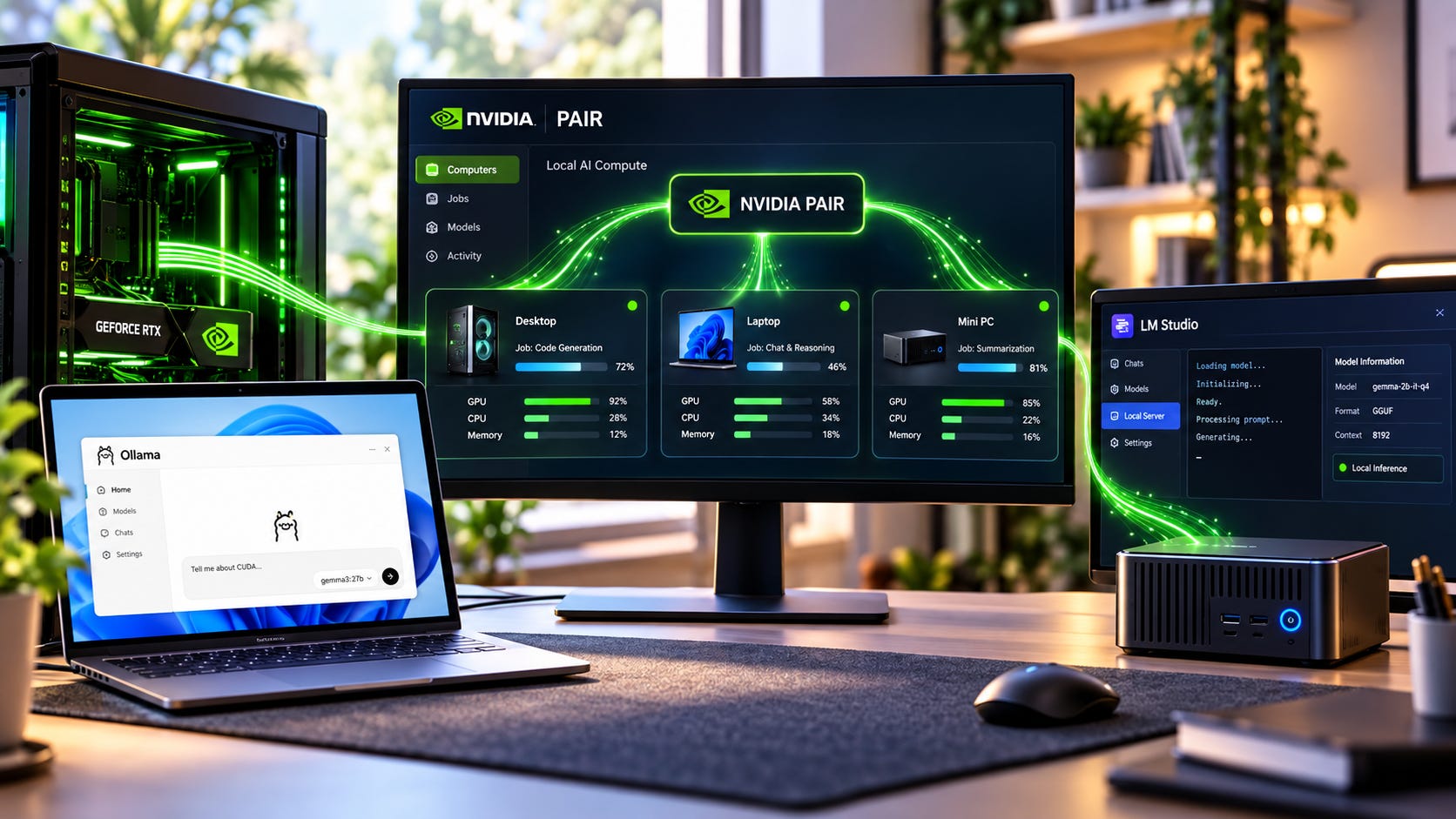
If you already have an RTX desktop, an older gaming PC, and a laptop sitting around the house, NVIDIA PAIR changes the local AI buying question.
Before replacing everything with one expensive workstation, you can use the computers you already own to handle separate Ollama or LM Studio inference jobs. Instead of forcing every local AI request through one GPU, PAIR can send independent work to other compatible machines on your network.
The limitation matters just as much as the opportunity: PAIR does not pool VRAM, merge GPUs into one larger accelerator, shard a model, or split a single inference request across systems. Two 12GB GPUs therefore do not become one 24GB GPU. A request still runs from start to finish on one eligible machine.
PAIR can solve a concurrency problem. It cannot solve a capacity problem.
That distinction should decide whether your next local AI upgrade costs nothing or several thousand dollars.

Quick verdict
Try PAIR before buying anything if several independent agents, users, or local AI jobs are waiting behind one GPU while other capable PCs sit idle.
Buy more memory if the model you actually want to run cannot fit on any single machine. PAIR will not make 12GB + 12GB equal 24GB, or 24GB + 24GB equal one 48GB accelerator.
Build or buy a genuinely larger single-node or multi-GPU system if your workload depends on one huge model, very long context, training, large image or video workflows, or software that can deliberately split one model across several GPUs.
For many existing local AI users, that makes PAIR the most attractive kind of hardware upgrade: software that may let you postpone the hardware upgrade.
The important part is diagnosing the right bottleneck before you spend.
What actually determines whether you need more hardware
The useful question is not how many GPUs you own. It is what is making your workload slow.
Local AI users can run into two very different limits. One is capacity, where the model or working context simply does not fit on the available hardware. The other is concurrency, where the hardware can run the model but too many independent requests are waiting for the same inference engine.
Those situations may feel similar when you are staring at a slow workflow. They require very different upgrades.
▪ Capacity: When the model does not fit
Suppose the model and context you want require more memory than any one machine has available.
Your gaming desktop has 16GB of VRAM. Your spare PC has 12GB. Your laptop has another 8GB.
PAIR does not give one model 36GB.
It finds a suitable node and sends an independent request to that machine. That node needs enough memory and the required inference engine and model to execute the request itself.
If your bottleneck is capacity, adding PAIR does not remove it.
You still need another solution. That could mean a GPU with more VRAM, a larger unified-memory machine, a multi-GPU setup using software that actually supports distributing a model, or CPU and system-RAM offload when the performance penalty is acceptable.
Popular AI’s Qwen3.8-27B hardware guide shows how quantization, context length, and runtime demands compete for the same GPU memory. Whether a particular model fits at the quantization and context you want is fundamentally a memory-capacity problem.
Routing additional requests to another computer does not change that memory calculation.
This is why aggregate VRAM across your house can be a misleading number. You might technically own 40GB or 50GB of GPU memory across several machines and still be unable to run a workload that needs 32GB on one execution node.
For that workload, a bigger memory pool still wins.
More on AI runtime demands:

▪ Concurrency: When too many jobs are waiting
Now imagine the same hardware running an agent workflow.
Your main PC can already run the model. The problem is that a research agent creates five workers. Each worker generates separate model requests, and those requests begin piling up behind the same local inference engine.
Meanwhile, an RTX laptop and another desktop are doing almost nothing.
This is the workload PAIR is designed to attack.
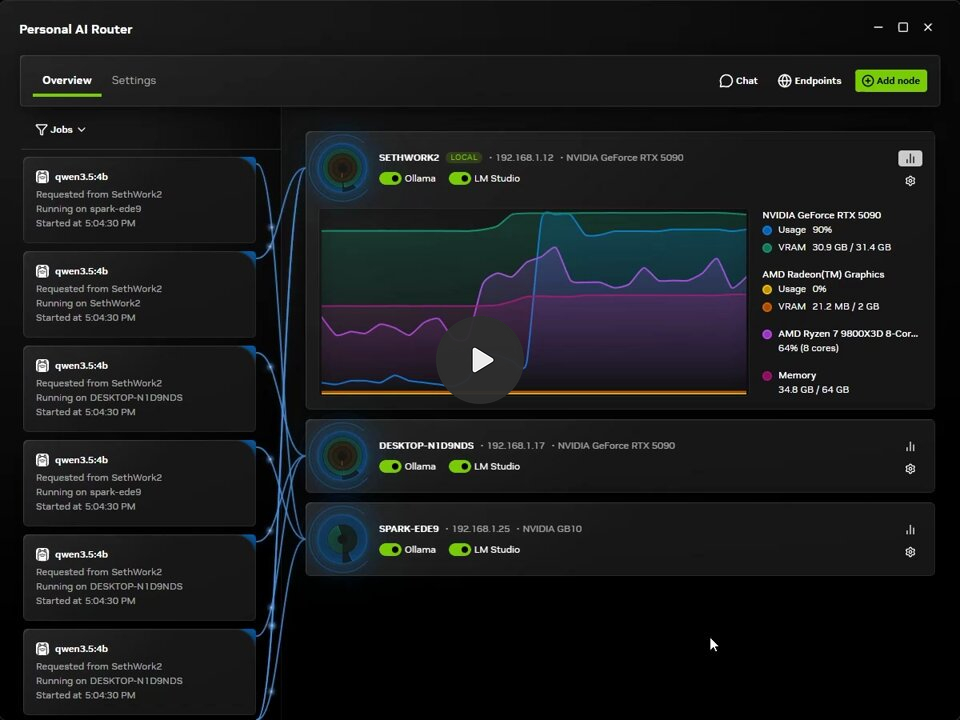
NVIDIA says PAIR discovers participating systems, tracks their readiness, and routes independent Ollama or LM Studio requests to eligible nodes. The application can continue talking to a familiar local endpoint while PAIR decides which available machine should handle each request.
That changes the value of spare hardware.
A second GPU no longer has to help one enormous model fit. It can instead become another worker capable of processing another request at the same time.
For multi-agent workflows, simultaneous local users, background automation, or several applications hitting the same backend, idle computers can become useful inference capacity.
That is a very different reason to own multiple GPUs.
It also means that buying one huge GPU because several small requests are queueing may be an unnecessarily expensive answer. If the model already fits comfortably, the problem may be the queue rather than the GPU’s memory capacity.
PAIR can make an old GPU useful again
The immediate appeal is obvious to anyone with old hardware sitting in a closet.
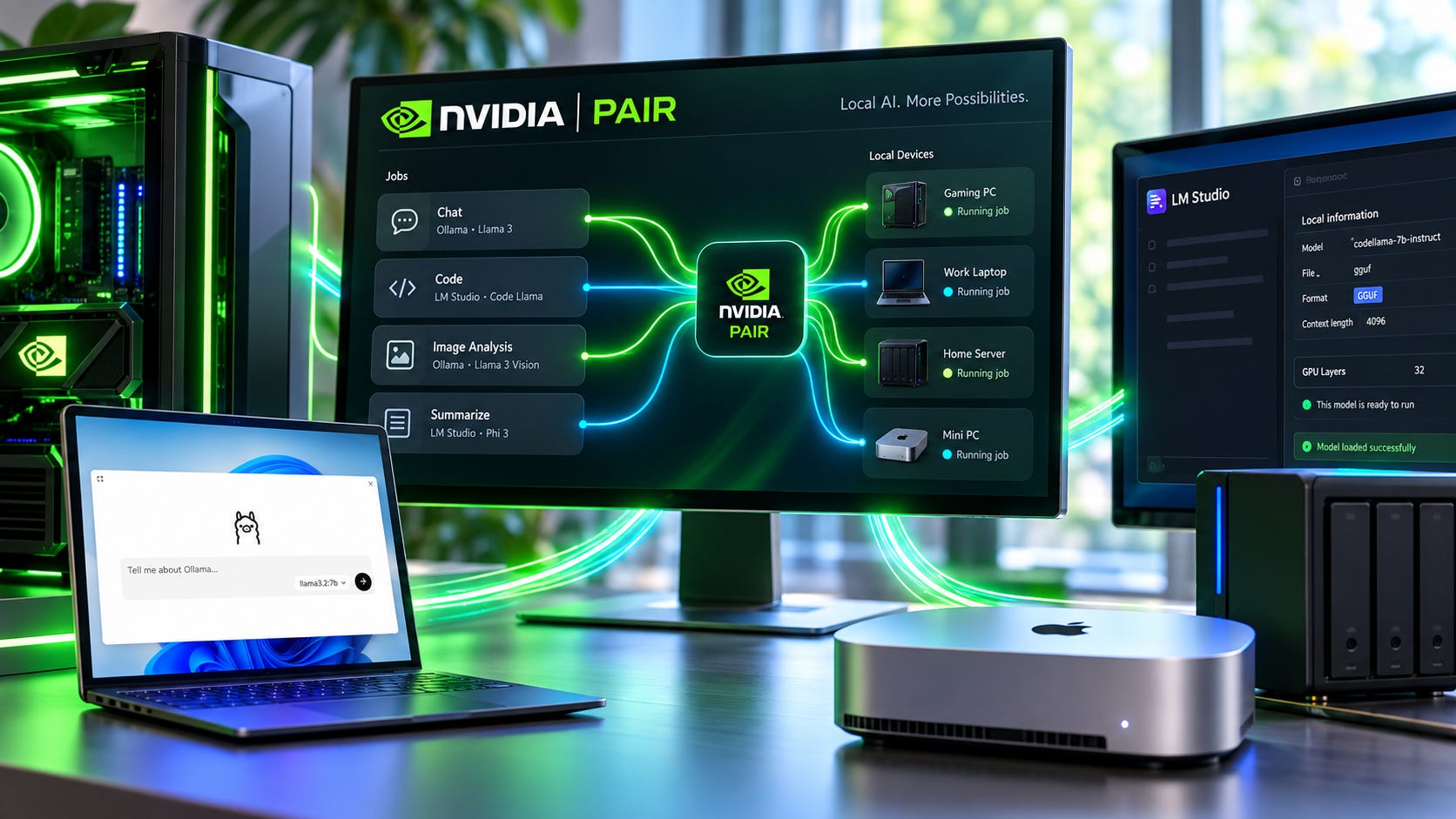
NVIDIA says the beta supports GeForce RTX 20-series and newer systems, RTX PRO workstations, DGX Spark, and Apple M4-or-newer systems. It works across Windows, macOS, and Linux with Ollama and LM Studio. NVIDIA announced PAIR on September 3, 2026 as part of its broader local AI push.
That means hardware such as an RTX 2080 can potentially become useful again.
A Reddit discussion following the launch included an owner considering exactly that use for an old RTX 2080: put the second machine back to work on agent tasks instead of leaving the card to collect dust.
There is still an important condition.
The job you send to that RTX 2080 needs to use a model the machine can actually run.
If your primary system is using a model that needs 20GB of VRAM and the older PC has an 8GB card, PAIR cannot send the request to that 8GB machine and borrow the missing memory from another node.
Think of the older card as another worker rather than another chunk of VRAM attached to your main GPU.


Give it a model it can hold. Let it process independent requests. Keep larger models on the stronger machine when necessary.
An old PC therefore does not need to be powerful enough to replace your main workstation. It only needs to be capable enough to remove useful work from the queue.
For people who already own multiple PCs, that can materially change the upgrade calculation.
NVIDIA’s benchmark is promising, but do not buy hardware from it
NVIDIA demonstrated PAIR with a five-subagent Hermes workload using Ollama.
In that test, the workload averaged 18 minutes on one RTX Spark laptop and 8 minutes 48 seconds on a three-device PAIR setup containing the laptop, a DGX Spark, and an RTX 5090.
NVIDIA explicitly presents the result as a configuration-specific demonstration rather than a universal benchmark or a promise of linear scaling.
That caveat is critical.
Parallel workloads can benefit enormously from having more workers available. Sequential workloads cannot suddenly become parallel because additional GPUs exist.
A five-agent research workflow might expose enough independent inference calls to keep several machines busy. A single chat request asking one model to work through one long task may expose very little that PAIR can distribute.
The demonstration proves that request-level distribution can improve a suitably parallel workload. It does not prove that adding another computer will cut your own completion time in half.
Different models, network conditions, node availability, inference settings, and workflow structure can all change the result.
That is why the benchmark worth using for a hardware decision is the workload you repeatedly run yourself.
Run the buy-nothing test before opening your wallet
Before pricing GPUs, workstations, 10GbE switches, or another AI mini PC, test the machines you already own.
Run one representative workload on your current main machine. Record the total completion time and watch for requests queueing behind the inference engine. Use a real research, coding, RAG, or multi-agent task rather than a synthetic one-line prompt. The goal is to measure the workload you actually care about.
Add one existing compatible machine through PAIR. Make sure the required model can run on that node, repeat the same workload, and confirm that work really reached both machines. A second PC provides little value if every request still lands on the primary system.
Compare end-to-end completion time rather than isolated GPU benchmarks. If the workflow finishes materially faster and your main machine feels less congested, stop shopping. If very little changes, determine whether the task is mostly sequential or whether the real limitation is model capacity.
This test is more useful than staring at GPU utilization in isolation.
The thing you ultimately care about is how long useful work takes.
A spare machine that cuts a 20-minute agent workflow to 12 minutes can be valuable even if neither GPU looks extraordinary by itself. A second computer that saves 15 seconds once a day probably does not justify reorganizing your home network around it.
PAIR gives you an unusually cheap way to find out which case you have because the first experiment can use hardware you already own.
PAIR versus one bigger GPU
PAIR and a larger GPU solve different problems. Treating them as direct substitutes creates bad buying decisions.
A bigger GPU can provide more model capacity, greater single-node performance, or both. PAIR increases the number of independent requests that several suitable machines can handle.
The right answer depends on which type of pressure your workflow creates.
▪ Choose PAIR when throughput is the problem
PAIR is strongest when independent work naturally exists.
Think multi-agent research, several coding workers, simultaneous RAG jobs, multiple family or office users, background local automation, or one person running several AI applications at once.
In those situations, the existing computers can behave more like a small pool of workers.
There is another practical benefit. The biggest GPU does not have to live in the machine you are actively using.
PAIR can move compatible inference work to another node while the primary PC stays available for gaming, content creation, browsing, coding, or other interactive work.
That may be more useful than buying a faster GPU only to let an automated workload monopolize it for long periods.
If your main frustration is that everything waits for the same local inference endpoint, distributing those independent jobs can attack the actual problem without increasing the VRAM of any individual node.
▪ Choose more memory when model fit is the problem
If you spend most of your time asking one large model to do one large job, PAIR changes much less.
This is where VRAM or unified memory remains decisive.
Maybe your current 24GB setup no longer has enough headroom. Maybe a longer context window pushes the real workload beyond the card. Maybe you want a model that requires a substantially larger memory tier.
Then buy capacity.
The Popular AI hardware hub covers consumer GPUs, larger workstations, Apple Silicon, used hardware, and multi-GPU local AI options, which are the kinds of alternatives worth comparing once you know memory is the limiting factor.
PAIR does not make those systems obsolete.
It simply makes it less likely that you need one because several smaller inference jobs were fighting over the same GPU.
That can save a lot of money if you diagnose the bottleneck correctly.
More on AI hardware:

PAIR is different from a real multi-GPU inference box
This distinction is easy to miss because both setups involve more than one GPU.
There are local AI configurations where one model is deliberately distributed across several GPUs. Suitable runtimes can split layers or other parts of the model across multiple cards inside a properly configured system.
That is how two GPUs can sometimes help run a model that cannot fit on one of those cards alone.
PAIR is doing something different.
PAIR can give request A to one computer and request B to another. Request A is still executed by one eligible node rather than being divided between every GPU on the network.
This creates two distinct kinds of scaling.
Model-level distribution can help one large workload use several GPUs. Request-level distribution can help several independent workloads run across several machines.
Those approaches can even complement one another.
One PAIR node could itself be a larger multi-GPU workstation configured to run models that need more memory, while other smaller nodes process separate requests that fit on their own hardware.
At that point, the local setup has model-level scaling inside a machine and request-level scaling across machines.
The Popular AI CPU guide explains why PCIe expansion, RAM capacity, and platform design become increasingly important in serious multi-GPU builds. Once you move into that class of hardware, the purchasing decision is about far more than the GPU alone.
More on multi-GPU AI computing:

Do you need faster networking for NVIDIA PAIR?
Probably not as your first purchase.
PAIR routes prompts, context, and generated responses to another computer. The model remains installed on the node that executes the inference request.
It is therefore very different from trying to make ordinary Ethernet behave like an internal GPU interconnect.
A faster network can still become useful with extremely large context payloads, heavy retrieval pipelines, shared datasets, network storage, or many simultaneous clients. The sensible order is still to measure before spending.
Try the network you already have.
If networking becomes a measurable portion of total job time, then investigate a network upgrade.
If model inference consumes almost all of the runtime, a faster switch does not solve the dominant bottleneck.
That is the same principle that applies to the GPU decision. Measure the part of the system that is actually slowing your workload before upgrading a different part.
The hidden cost is running several computers
Reusing hardware is cheaper than replacing it, but running old hardware is not free.
A spare RTX desktop consumes electricity. It produces heat. Its fans make noise. Every node needs storage for the models it hosts. Several computers also mean several operating systems, drivers, inference-engine installations, and sets of updates to maintain.
There are more machines to troubleshoot when something stops working.
That overhead can be easy to accept when the PCs already exist and PAIR lets them remove a real bottleneck.
The calculation changes if you are considering buying three complete computers specifically because PAIR exists.
At that point, compare the total system cost with one appropriately sized workstation.
Several inexpensive boxes can appear clever until you account for multiple motherboards, power supplies, SSDs, cooling systems, cables, operating environments, and the idle power of every additional machine.
PAIR is therefore most compelling as a reuse technology.
Its strongest use case is turning hardware you already paid for into useful local AI capacity. It is less automatically convincing as a reason to build an entire cluster from scratch.
Who should use PAIR before upgrading?
▪ If you already have two or three compatible computers and the models you need can fit individually on them, PAIR should be one of your first tests before buying more hardware.
That is especially true for agent-heavy workflows.
▪ A lead agent delegating research, coding, verification, extraction, or document work can create exactly the type of independent inference calls that request routing can spread across different machines.
▪ Small teams and households may benefit for the same reason.
If several people want local inference at the same time, adding available nodes can reduce queueing without forcing every request through one oversized workstation.
▪ The same logic applies to a single user who runs several local AI tools at once. A coding agent, background automation, and research workflow do not necessarily need to compete for the same card if suitable spare machines are available.
The strongest buying recommendation is deliberately simple: install the beta on the hardware you already own and measure whether it solves the problem.
If it does, your next GPU purchase can wait.
Who still needs a bigger GPU or workstation?
Buy more memory when you can identify a specific model or workflow that does not fit.
That could be a larger local LLM, a very long context window, a heavy multimodal model, demanding local video generation, fine-tuning, or another workload where one execution requires more memory than any PAIR node provides.
A larger single machine can also win when simplicity matters.
One workstation gives you one operating system, one model library, one primary inference environment, one power connection, and one place to troubleshoot.
For professional use, that operational simplicity can be worth paying for even when several recycled PCs could theoretically deliver comparable aggregate throughput for parallel work.
A faster single node is also the cleaner answer when your workload is mostly one latency-sensitive model call at a time.
PAIR cannot manufacture parallelism that your workload does not contain.
If one job dominates your day and that job wants a faster or larger execution node, spending the money on that node can still be the rational choice.
Who should wait before buying around PAIR?
PAIR launched in beta on September 3, 2026.
That alone is a good reason to avoid buying several systems specifically around it.
Using hardware you already own is a low-risk experiment. Building a new cluster around fresh beta software is a different decision.
Experiment with spare PCs. Measure real workflows. Find out how often requests are distributed. Determine which machines are genuinely useful for the models you run.
If the business case depends on purchasing several additional computers, it makes sense to establish your workload requirements first.
A beta can be an excellent reason to turn on an RTX 2080 you already own.
It is a much weaker reason to order four computers before you have measured whether your workload benefits from request-level concurrency.
FAQ
Does NVIDIA PAIR combine VRAM?
No. NVIDIA PAIR does not merge GPU memory into one larger pool. Each independent inference request is assigned to one eligible node, so the selected machine still needs enough memory to run the requested model and workload.
Can two 12GB GPUs run a model that needs 24GB through PAIR?
Not through PAIR’s request-routing mechanism. If neither 12GB node has enough capacity for the model and its runtime requirements, PAIR cannot combine the two cards into one 24GB accelerator. You would need hardware with enough memory or a different inference setup that deliberately supports distributing one model across multiple GPUs.
Can an old RTX 2080 be useful with PAIR?
Potentially, yes. NVIDIA lists GeForce RTX 20-series and newer hardware among the supported systems. The important limitation is that the model assigned to the RTX 2080 still has to fit and run adequately on that machine.
Does PAIR work with Ollama and LM Studio?
Yes. NVIDIA says the current PAIR beta supports Ollama and LM Studio, allowing compatible applications and agents to route independent requests through the PAIR setup while continuing to use familiar local inference interfaces.
Should I build several cheap PCs instead of buying one large AI workstation?
Reuse existing PCs first. Building several new systems makes sense only after you prove that your workload benefits from request-level concurrency. If your main problem is that one model needs a large memory pool, several small PAIR nodes do not solve that capacity problem.
NVIDIA PAIR makes unused GPUs worth testing before your next upgrade
For people who already own several AI-capable PCs, NVIDIA PAIR should change the order of the buying process.
⚠️ Test the hardware you already have before buying another GPU.
If independent jobs stop waiting behind one inference engine and your real workflow becomes meaningfully faster, keep using the existing machines. You may have solved an expensive hardware problem with software.
That is particularly attractive for multi-agent local AI, where one task can generate many independent inference requests. Hardware that looked obsolete when judged as a replacement for your main workstation can suddenly become valuable as another worker.
If the model you actually want cannot fit on any available node, the answer is different. Stop treating request routing as a capacity upgrade. Buy more memory, use an inference setup capable of splitting the model, or move to a larger unified-memory or multi-GPU system that addresses the constraint directly.
PAIR does not reduce the importance of VRAM for large-model inference.
What it changes is the value of GPUs that were previously sitting idle.
For anyone with several computers already around the house, testing those machines first may be the cheapest local AI upgrade available.
More on GPU upgrades for local AI:


Explore more from Popular AI:
Start here | Local AI | Builds & gear | Autonomy & policy | Fixes & guides | Popular AI podcast
If you could pool several PCs for local AI, would you still spend the money on one bigger GPU, or would you rather put your existing hardware to work?