


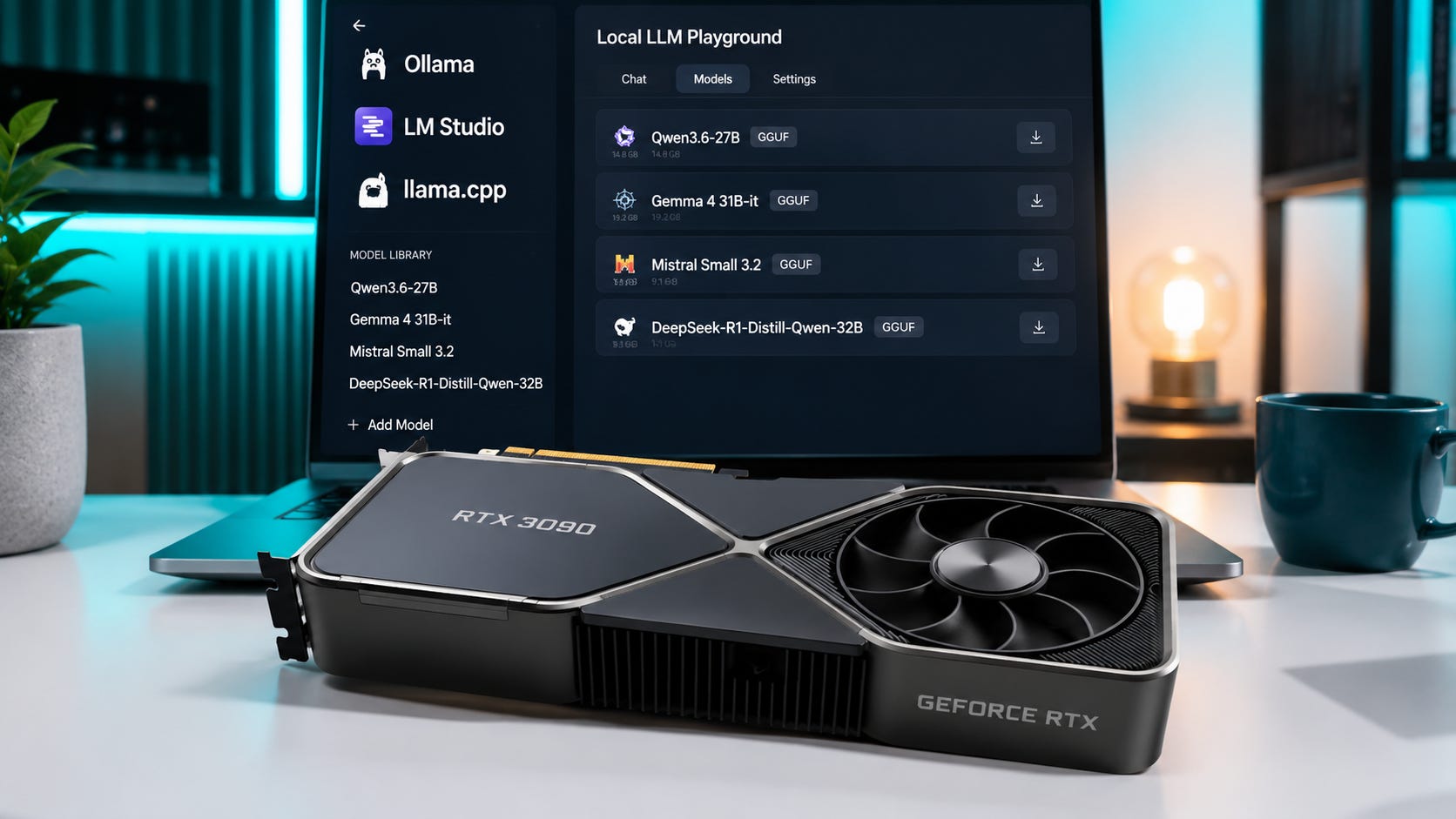
If you are searching for the best local LLM for RTX 3090 24GB in 2026, the useful answer is no longer “run the biggest 70B quant you can squeeze in.” That was the old hobbyist flex. The better RTX 3090 strategy now is to use modern 20B to 35B-class models that fit cleanly, leave room for context, and still respond fast enough for coding, chat, agents, and private document work.
Update, August 2026: Qwen3.8-27B has now replaced Qwen3.6-27B as the model we would test first on an RTX 3090. Practical Q4 builds fit inside 24GB while leaving enough room for meaningful context, and early community testing shows the model working well in long-running coding and tool-use workflows. See our full Qwen3.8-27B hardware and VRAM guide.
The short answer: start with Qwen3.6-27B. Add Qwen3-Coder-30B-A3B-Instruct for local coding agents, Gemma 4 31B-it for general chat and multimodal work, Mistral Small 3.2 24B for polished daily assistant use, and DeepSeek-R1-Distill-Qwen-32B when you want deliberate reasoning and can tolerate slower, longer answers.
The RTX 3090 still matters because NVIDIA lists the card with 24GB of GDDR6X memory, CUDA capability 8.6, and a 350W graphics card power rating. That 24GB VRAM ceiling is the whole game. It is enough for excellent quantized local models, but it is not enough to treat context length as free. If you are still shopping for one, compare current RTX 3090 24GB listings carefully and prioritize cooling, warranty status, seller quality, and card condition over cosmetic appeal.
For broader hardware context, see our guide to choosing the right local LLM for 8GB, 12GB, and 24GB VRAM, the budget RTX 3090 local LLM PC build, and the comparison of RTX 5090 vs RTX 4090 vs RTX 3090 for local AI.
Disclosure: This post includes Amazon affiliate links. If you buy through them, Popular AI may earn a small commission at no extra cost to you.
More on choosing the right LLM:

Quick verdict: the best RTX 3090 local LLM picks
Best overall local LLM for RTX 3090 24GB: Qwen3.6-27B. It has strong coding, reasoning, vision support, and a long native context window, while still fitting practical 24GB workflows when quantized.
Best coding-agent model: Qwen3-Coder-30B-A3B-Instruct. It is built for agentic coding and repository-scale work, with 30.5B total parameters, 3.3B active parameters, and native 262K context.
Best general chat model: Gemma 4 31B-it. Google’s Gemma 4 family gives strong general assistant behavior, multimodal input, and official Q4 memory estimates that fit inside 24GB.
Best polished assistant alternative: Mistral Small 3.2 24B. It is a clean daily assistant model with improved instruction following, reduced repetition, and better function calling versus Mistral Small 3.1.
Best deliberate reasoning pick: DeepSeek-R1-Distill-Qwen-32B. It remains useful for math, code reasoning, and step-by-step problem solving, but it is more verbose and less comfortable as a fast daily chat model.
Best comfortable fallback: gpt-oss-20b. It is an open-weight OpenAI reasoning model that fits well inside the RTX 3090’s memory budget and is worth testing when your runner supports the required format.
Best small reasoning fallback: Phi-4-reasoning-plus. It is a smaller 14B model that leaves more VRAM for context, tools, and background apps.
Do not build your daily workflow around 70B on one RTX 3090. Some 70B models can load with aggressive quantization or CPU offload, but 24GB is better spent on newer 24B to 35B models that fit cleanly.
Why RTX 3090 local LLMs are still popular
The RTX 3090 sits in a strange but useful place in 2026. It is older, hot, power-hungry, and much slower than newer high-end cards. It also has the one spec local LLM users still care about first: 24GB of VRAM.
That makes it more useful for local AI than many newer consumer GPUs with less memory. A smaller GPU may win gaming benchmarks and still lose badly for local LLM work if the model spills out of VRAM.
That is why the search intent behind “best local LLM for RTX 3090 24GB” is so practical. Most readers are not looking for leaderboard bragging rights. They want to know what actually works in Ollama, LM Studio, llama.cpp, vLLM, SGLang, OpenCode, Cline, or a local coding-agent stack.
Usually, the real questions are simple. What model should I run first? What model is best for coding? Can a 32B model fit fully in VRAM? Should I bother with 70B? Which quant should I download? How much context can I use before the setup becomes unstable? Can I run a local coding agent without sending my code to a cloud account?
This article ranks models for a single RTX 3090 24GB, not a dual-GPU workstation. If you have two cards, the decision changes because you can target larger models and different parallelism strategies. Our separate guide to dual RTX 3090s for local AI in 2026 covers that bigger setup.
How these RTX 3090 local LLMs were ranked
The ranking favors models that pass five practical tests.
First, the model has to be useful on one 24GB GPU. Loading the model once is not enough. A good RTX 3090 model should leave room for a working context window, KV cache, the operating system, the runner, and whatever else you are doing on the machine.
Second, the model has to be good at real workloads. Coding, general chat, long-context document work, private research, tool use, and agent loops matter more than raw parameter count.
Third, runner support matters. Models with GGUF builds, llama.cpp support, Ollama support, LM Studio support, or strong vLLM and SGLang support are easier to recommend than models that look great on paper and then fight your local setup.
Fourth, license and access matter. Open weights, permissive licenses, and local operation reduce account risk, cloud dependency, and surprise platform changes.
Fifth, the model has to be worth using in 2026. Older 7B and 13B models still have a place when speed is everything, but they no longer define the best 24GB VRAM experience.
One caveat matters more than anything else: “fits in VRAM” depends on quantization and context length. A model’s weights may fit at Q4, but the KV cache grows as you raise context. A 128K or 256K context setting can break a setup that runs perfectly at 16K or 32K. On an RTX 3090, start smaller, then raise context only when the workload needs it.
1. Qwen3.6-27B: best overall local LLM for RTX 3090 24GB

Verdict: Use Qwen3.6-27B first if you want one local model for coding, reasoning, visual inputs, long context, and agent workflows without jumping straight into a painful 70B setup.
Qwen3.6-27B is the best starting point for a single RTX 3090 in 2026. The official Qwen3.6-27B model card lists it as a 27B-parameter causal language model with a vision encoder, native 262,144-token context, and extension up to 1,010,000 tokens with YaRN-style scaling. It also reports strong coding-agent benchmark results, including 77.2 on SWE-bench Verified and 59.3 on Terminal-Bench 2.0 under Qwen’s stated evaluation setup.
The practical reason it ranks first is fit. A 27B dense model at a good 4-bit quant is exactly where a 24GB card starts to feel serious. It gives you more capability than small 7B or 14B models, while still leaving enough VRAM for a useful context window if you avoid extreme settings.
Use Qwen3.6-27B for local coding help, repo explanations, general chat, long-context document work, private research, multimodal prompts where your runner supports the vision components, and agent experiments with careful context settings.
The catch is context. The same Qwen3.6-27B model card says the model has a default context length of 262,144 tokens and recommends reducing the context window if you hit out-of-memory errors. That warning matters on an RTX 3090. Do not start by maxing the context slider. Start around 16K or 32K, then increase only when the job requires it.
Suggested RTX 3090 setup: Use a Q4-class GGUF, 16K to 32K context for daily work, and higher context only for specific long-context tasks.
Skip it if: you need the fastest possible responses for casual chat, or your current runner does not handle the model cleanly yet.
2. Qwen3-Coder-30B-A3B-Instruct: best local coding-agent model

Verdict: Use Qwen3-Coder-30B-A3B-Instruct if your main goal is local coding, tool use, repo work, and agentic software engineering on a 24GB card.
Qwen3-Coder-30B-A3B-Instruct is the specialist pick for coding agents. The official Qwen3-Coder-30B-A3B-Instruct model card lists 30.5B total parameters, 3.3B activated parameters, 128 experts, 8 activated experts, and native 262,144-token context. It is explicitly positioned for agentic coding, browser use, repository-scale understanding, and function-call-style workflows.
That MoE structure is the appeal. You get a larger total model than a small dense coder, but a much smaller active footprint per token. For local coding agents, that can be a better fit than trying to run a huge dense model with ugly quantization.
Unsloth’s Qwen3-Coder local guide says Qwen3-Coder includes 30B and 480B variants, with the 30B-A3B version supported through local GGUF workflows. It also says the 30B-A3B Dynamic 4-bit quant needs at least 18GB of unified memory or system RAM for 6+ tokens per second, with more memory needed for larger quants.
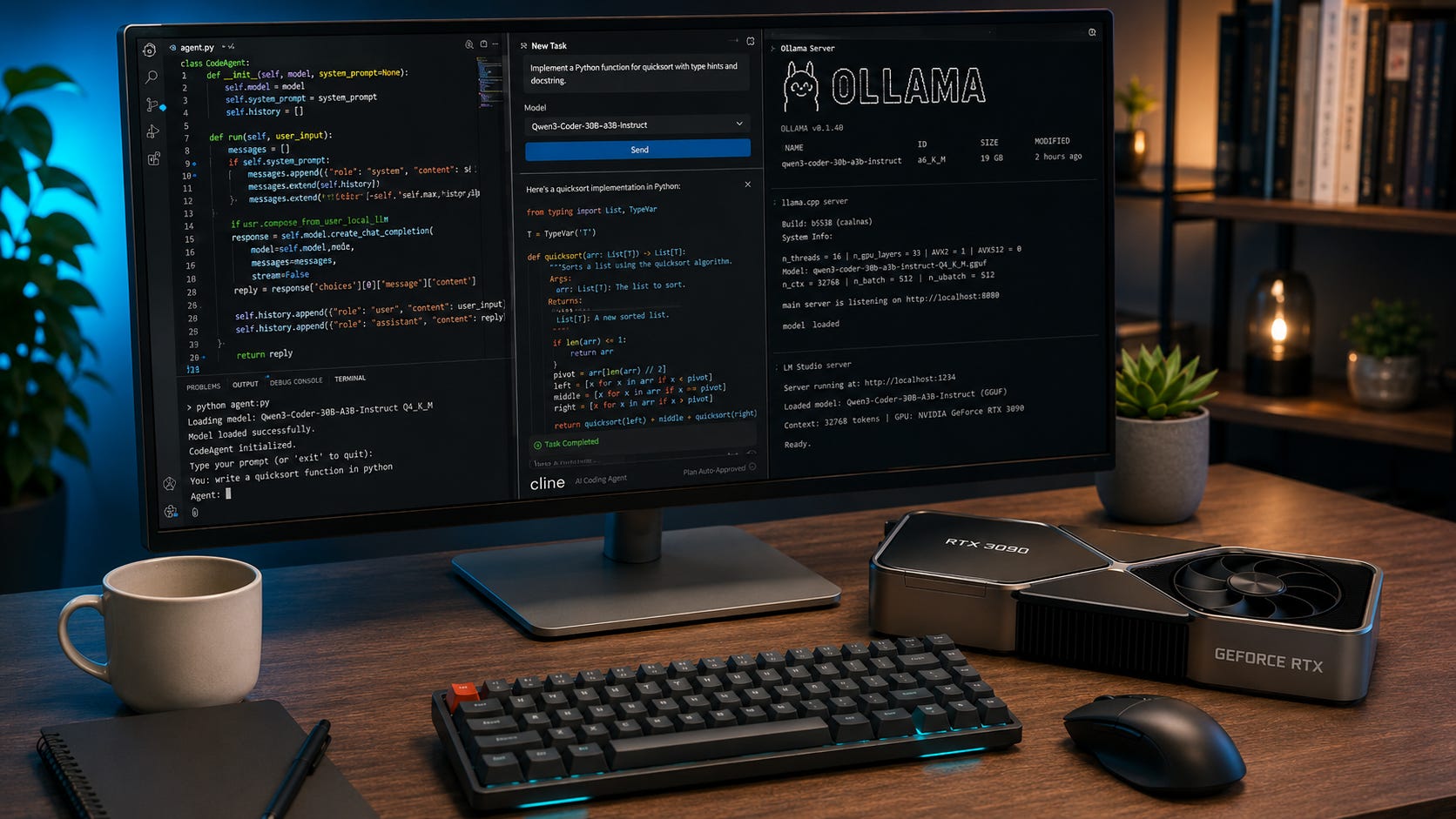
Use Qwen3-Coder-30B-A3B-Instruct for local coding agents, repo navigation, tool calling, Cline-style workflows, OpenCode-style workflows, code review, refactoring, and “explain this codebase” tasks.
The catch is that it is a non-thinking model. The official Qwen3-Coder-30B-A3B-Instruct model card says it does not generate <think></think> blocks. That is fine for coding agents, where concise tool use can matter more than visible reasoning. It is less ideal if you want a model that spends a long time reasoning through math.
Suggested RTX 3090 setup: Use UD-Q4_K_XL or a similar 4-bit GGUF, 16K to 32K context for coding agents, and higher context only when a repo task actually needs it.
Skip it if: you want one model for everything, including creative writing, general chat, and deliberate reasoning.
3. Gemma 4 31B-it: best general chat and multimodal model

Verdict: Use Gemma 4 31B-it if you want a strong general-purpose local assistant with multimodal input and good 24GB fit at Q4.
Gemma 4 31B-it is one of the cleanest general assistant picks for an RTX 3090. Google’s Gemma 4 overview describes the family as open-weight models with commercial use allowed under responsible-use terms, and says the lineup includes a 31B dense model and a 26B A4B MoE model.
The important RTX 3090 detail is memory. Google’s Gemma 4 memory requirements estimate Gemma 4 31B at 17.5GB in Q4_0, while the 26B A4B model is listed at 14.4GB in Q4_0. Those figures are approximate and runner-dependent, but they explain why Gemma 4 is attractive on 24GB GPUs.
Gemma 4 models also support image input and larger context windows. Google says the medium Gemma 4 models support 256K context, while the Gemma 4 31B model card describes Gemma 4 as multimodal, handling text and image input and generating text output.
Use Gemma 4 31B-it for general chat, writing help, summaries, visual question answering, document understanding, private assistant workflows, and mixed creator or research work.
The catch is runner sensitivity. Gemma models can be more particular than older text-only GGUF staples. Make sure your runner supports the specific Gemma 4 quant and chat template you download. If vision support matters, check whether your frontend handles the model’s multimodal components correctly before you build a workflow around it.
Suggested RTX 3090 setup: Use a Q4-class quant for 31B, start with moderate context, and test vision support separately before relying on it.
Skip it if: your main workload is coding agents. Qwen3-Coder or Qwen3.6-27B should usually come first there.
4. Mistral Small 3.2 24B Instruct: best polished daily assistant

Verdict: Use Mistral Small 3.2 24B if you want a smaller, polished, reliable assistant that fits comfortably on an RTX 3090 and does not need to be a coding specialist.
Mistral Small 3.2 24B Instruct is a strong daily-driver model for users who value clean assistant behavior. Mistral’s Mistral Small 3.2 24B model card says Small 3.2 is a minor update to Small 3.1 with better precise instruction following, fewer infinite or repetitive generations, and a more robust function-calling template.
The model card also reports Mistral’s internal comparison against Small 3.1, including higher instruction-following numbers and lower infinite-generation rates. Treat those as vendor-reported benchmarks, not proof that it beats every rival in your workflow. The practical point is still useful: Mistral Small 3.2 is designed to be less annoying as a daily assistant.
Use it for general assistant work, summaries, chat, light coding, function calling, RAG-style workflows, business writing, and lower-friction local deployment.
It is not the flashiest model on this list. That is part of the point. A 24B model has more breathing room on a 24GB card than a 32B or 35B model, especially when you want a real context window and a stable desktop.
Suggested RTX 3090 setup: Use Q5 if you can fit your context. Use Q4 if you want more headroom.
Skip it if: you want the best coding-agent model or the strongest deep reasoning model.
5. Devstral Small 2507: best Mistral-based coding-agent alternative

Verdict: Use Devstral Small 2507 if you want a Mistral-family coding-agent model with a permissive license and a 128K context window.
Devstral Small 2507 is Mistral’s agentic coding pick. The Devstral Small 2507 model card says it is designed for agentic coding tasks, has 24B parameters, uses an Apache 2.0 license, and supports a 128K context window.
This is the model to test if Qwen3-Coder does not behave well with your agent stack, or if you prefer Mistral-family templates and tooling. At 24B, it should be easier to fit than 30B to 35B-class models, which gives the RTX 3090 more breathing room for context and KV cache.
Use it for agentic coding, local code editing loops, tool use, repo-level work, software engineering assistants, and 128K-context experiments with sane settings.
The catch is that Qwen3-Coder and Qwen3.6-27B are stronger default picks for many coding workflows in 2026. Devstral earns its place because it is compact, permissively licensed, and purpose-built for coding agents.
Suggested RTX 3090 setup: Use Q4 or Q5 GGUF, with 16K to 32K context for most coding-agent runs.
Skip it if: Qwen3-Coder works well in your setup and you do not need another coding model.
6. DeepSeek-R1-Distill-Qwen-32B: best deliberate reasoning model

Verdict: Use DeepSeek-R1-Distill-Qwen-32B when you want slower, more deliberate reasoning for math, logic, and hard coding problems.
DeepSeek-R1-Distill-Qwen-32B is older than the newest 2026 releases, but it still earns a spot because it is useful in a different way. DeepSeek’s DeepSeek-R1-Distill-Qwen-32B model card says the R1 distill models were fine-tuned using samples generated by DeepSeek-R1, and reports strong results on math and coding benchmarks such as AIME 2024, MATH-500, GPQA Diamond, LiveCodeBench, and CodeForces rating.
Use it for math reasoning, step-by-step problem solving, competitive programming style tasks, code reasoning, hard debugging prompts, and technical explanations where speed matters less.
The catch is that reasoning models often generate more tokens. More tokens means more time, more heat, and sometimes more rambling. Microsoft makes a similar point for Phi-4-reasoning-plus, noting that its reinforcement-learning version generates on average 50% more tokens and therefore has higher latency.
On an RTX 3090, DeepSeek-R1-Distill-Qwen-32B is useful, but it is not the model most people should leave running as their default assistant. It is a specialist tool for problems where the extra thinking time is worth the wait.
Suggested RTX 3090 setup: Use a Q4-class quant, moderate context, and temperature around the model card’s recommendation when using R1-style prompts.
Skip it if: you want fast back-and-forth chat, coding-agent tool loops, or concise answers.
7. gpt-oss-20b: best open-weight OpenAI reasoning model for 24GB

Verdict: Use gpt-oss-20b if you want an open-weight OpenAI model that runs comfortably inside the RTX 3090’s memory limit and supports local reasoning or agent experiments.
OpenAI’s gpt-oss-20b is not the biggest model here, but it is one of the most interesting local-control options. The gpt-oss-20b model card says gpt-oss-20b has 21B total parameters with 3.6B active parameters, is intended for lower-latency local or specialized use cases, and runs within 16GB of memory due to MXFP4 quantization.
OpenAI’s gpt-oss announcement also says gpt-oss-20b can run on edge devices with 16GB of memory and that both gpt-oss models are released under Apache 2.0.
The catch is format. The model card says the gpt-oss models were trained on OpenAI’s harmony response format and should be used with that format. If your runner or frontend handles it correctly, gpt-oss-20b is a good local model to keep around. If not, it can behave oddly.
Use it for local reasoning, agent experiments, fast private assistant tasks, OpenAI-style local workflows, and testing local alternatives to smaller hosted reasoning models.
It is not the strongest RTX 3090 model for coding if Qwen3.6-27B or Qwen3-Coder runs well. Its advantage is that it fits easily and leaves headroom.
Suggested RTX 3090 setup: Use native MXFP4 or a runner-recommended quant with a frontend that applies the harmony format correctly.
Skip it if: your local app does not support the required response format cleanly.
8. Gemma 4 26B-A4B-it: best efficient multimodal fallback

Verdict: Use Gemma 4 26B-A4B-it if you want a lighter Gemma 4 option with strong multimodal capability and more VRAM headroom than Gemma 4 31B.
Gemma 4 26B-A4B-it is the practical alternative to Gemma 4 31B. Google’s Gemma 4 overview describes the 26B A4B model as a MoE option designed for high-throughput, advanced reasoning, while its inference memory table estimates the Q4_0 version at 14.4GB.
That gives an RTX 3090 more headroom for context and other desktop tasks. If Gemma 4 31B feels cramped in your runner, try the 26B A4B version before giving up on the Gemma family.
Use it for general chat, multimodal local workflows, private assistant tasks, faster Gemma 4 experiments, and long-context tasks that need more VRAM room than the dense 31B model leaves behind.
The catch is that MoE models are not automatically better in every runner. Test your exact frontend, quant, and context settings.
Suggested RTX 3090 setup: Use Q4_0 or another runner-recommended 4-bit quant.
Skip it if: Gemma 4 31B runs comfortably and gives better output for your use case.
9. Phi-4-reasoning-plus: best small reasoning fallback

Verdict: Use Phi-4-reasoning-plus when you want a smaller reasoning model that leaves plenty of VRAM for context, tools, and multitasking.
Phi-4-reasoning-plus is a 14B open-weight reasoning model based on Phi-4. Microsoft’s Phi-4-reasoning-plus model card lists it as a 14B dense decoder-only Transformer with 32K context, focused on math, science, and coding skills.
It is not trying to be the biggest local model on your RTX 3090. Its value is that it runs with room to spare. That matters when you want a responsive machine, a larger context window, or multiple local tools open at the same time.
Use it for lightweight reasoning, math explanations, science and coding prompts, fast local assistant tasks, and systems where you do not want the GPU pinned at the edge all day.
The catch is capability ceiling. A good 27B to 32B model will often beat it on complex tasks. Phi-4-reasoning-plus is a fallback, not the main event.
Suggested RTX 3090 setup: Use a higher-quality quant if available, since the model is small enough to afford it.
Skip it if: you want the strongest local coding model your RTX 3090 can run.
What about 70B models on a 24GB RTX 3090?
A single RTX 3090 is not the best home for 70B models in 2026.
Yes, you can sometimes load a 70B model with very aggressive quantization. You can also offload layers to system RAM. That does not make it a good daily setup.
The problem is load size, quality, context, speed, and workflow friction. A heavily compressed 70B model with weak context headroom can feel worse than a newer 27B, 30B, or 32B model running at a healthier quant.
Use 70B models on a single RTX 3090 only if you are testing a specific model for curiosity, accept low speed, are willing to offload to system RAM, do not need long context, and understand the quality loss from aggressive quantization.
For daily use, a modern 24B to 35B-class model is the better RTX 3090 answer. If you truly want 70B-class local work, move to 48GB or more VRAM. Our guide to 4x or 8x RTX 3090 local AI servers covers the bigger path.
More on multi-3090 builds:

Best local LLMs for RTX 3090 by use case
For coding on an RTX 3090, start with Qwen3.6-27B. Use Qwen3-Coder-30B-A3B-Instruct when you want a coding-agent specialist. Test Devstral Small 2507 if you prefer Mistral-family tooling or need another agentic coding option.
For general chat, use Gemma 4 31B-it first. Use Mistral Small 3.2 24B if you want a smaller, smoother assistant. Use Qwen3.6-27B if your chat often turns into coding, reasoning, or tool use.
For long context, use Qwen3.6-27B or Qwen3-Coder-30B-A3B. Just do not blindly set 262K context on a 24GB card. The model cards may support huge context windows. Your VRAM may not.
For most RTX 3090 users, the practical context ladder is simple. Start at 16K. Move to 32K for coding and document work. Use 64K only when the task needs it. Treat 128K and above as a special workload, not a default.
For agents, use Qwen3-Coder-30B-A3B-Instruct for coding agents. Use Qwen3.6-27B for broader tool use. Use Devstral Small 2507 as a Mistral-based alternative.
For models that fit comfortably, use Mistral Small 3.2 24B, Gemma 4 26B-A4B-it, or gpt-oss-20b. These leave more VRAM headroom than the largest models on the list.
Recommended RTX 3090 local LLM setup
For most users, the clean setup starts with an RTX 3090 24GB, 64GB of system RAM, and a 2TB NVMe drive if you plan to test several models.

Use 64GB RAM as the practical minimum for a serious local LLM workstation. Move to 128GB if you run agents, RAG, Docker, browsers, IDEs, vector databases, local document tools, or CPU offload at the same time. If you are upgrading an older machine, compare compatible 64GB RAM kits or 128GB RAM kits against your motherboard’s memory support list before buying.
Use a 2TB NVMe SSD as the comfortable starting point if you test many models. Model files add up quickly, especially when you keep several quant levels around for comparison.
Linux is usually the smoother operating system for local AI, especially if you are comfortable with drivers, containers, and Python environments. Windows works too, especially with LM Studio, Ollama, and Windows-friendly local tools, but your exact runner stack matters.
For software, use LM Studio for easy model browsing and desktop testing. Use Ollama for simple local serving and command-line workflows. Use llama.cpp when you want more direct control over settings. Use vLLM or SGLang when the model and workload justify a serving-oriented setup.
The default model should be Qwen3.6-27B. Add Qwen3-Coder-30B-A3B-Instruct for coding agents, Gemma 4 31B-it or Mistral Small 3.2 24B for general chat, and DeepSeek-R1-Distill-Qwen-32B or gpt-oss-20b for reasoning.
If you are building the whole machine around this card, see our RTX 3090 coding-agent PC build.
More on local AI coding builds with the RTX 3090:

What to watch out for on 24GB VRAM
Context length marketing is the first trap. A model can support 256K context and still run badly at 256K on your RTX 3090. Long context consumes memory. Use only as much as the task needs.
Bad quant choices are the second trap. Do not download the smallest quant just because it fits. For 24GB VRAM, Q4 is usually the first practical stop for large models. Use Q5 when the model is smaller or your context needs are modest. Ultra-low quants are useful for testing, but they often give away too much output quality.
Runner compatibility is the third trap. Some new models need updated chat templates, tokenizer support, vision files, or inference backends. If a model gives nonsense, the issue may be your runner, not the model.
Agents are the fourth trap. Coding agents can burn through context quickly with tool outputs, file diffs, terminal logs, repeated retries, and long prompts. A model that fits for chat may run out of memory in agent mode.
Heat and power are the fifth trap. The RTX 3090 is a 350W card. A local LLM session can keep it loaded for long periods. Use a case with real airflow, monitor VRAM temperatures, and avoid treating a hot used card like a low-power appliance.
FAQ
What is the best local LLM for RTX 3090 24GB in 2026?
The best overall local LLM for RTX 3090 24GB in 2026 is Qwen3.6-27B. It offers the strongest mix of coding, reasoning, long-context capability, vision support, and practical fit on a single 24GB card.
What is the best coding model for RTX 3090 24GB?
The best coding specialist is Qwen3-Coder-30B-A3B-Instruct. Use it for coding agents, repo work, tool use, and local software engineering workflows. Use Qwen3.6-27B if you want one model that also handles general chat and reasoning well.
Can an RTX 3090 run 32B models?
Yes. An RTX 3090 can run many 32B-class models at 4-bit quantization, but context length matters. DeepSeek-R1-Distill-Qwen-32B is useful on a 3090, but it is close enough to the limit that you should use conservative context settings.
Can an RTX 3090 run 70B models?
Technically, sometimes. Practically, not as a clean daily setup. A single 24GB RTX 3090 is better matched with modern 24B to 35B-class models than heavily compressed 70B models.
Is Ollama or LM Studio better for RTX 3090 local LLMs?
Use LM Studio if you want easy model browsing, testing, and a desktop interface. Use Ollama if you want simple local serving and command-line workflows. Use llama.cpp directly if you want the most control over settings. Use vLLM or SGLang when the model supports it well and you care about serving performance.
How much system RAM do I need with a 3090?
Use 64GB RAM as the practical minimum for a serious RTX 3090 local LLM workstation. Move to 128GB if you run coding agents, browsers, Docker, vector databases, local document tools, or CPU offload.
What quant should I use on a 24GB GPU?
Start with a Q4-class quant for 27B to 35B models. Try Q5 for smaller models or when your context needs are modest. Avoid ultra-low quants unless you are testing fit and do not care about output quality.
Are local LLMs private on an RTX 3090?
Local inference keeps prompts and files on your machine if the runner, frontend, extensions, and models are truly local. Privacy can break if you use hosted inference providers, cloud sync, remote plugins, telemetry, or web-connected agent tools. Local hardware gives you the option to stay private, but the workflow still has to be configured that way.
Should I buy an RTX 3090 for local AI in 2026?
An RTX 3090 24GB can still make sense if you want the cheapest practical path to 24GB VRAM and you understand the tradeoffs: heat, power draw, used-card risk, and lower speed than newer high-end GPUs. For local LLMs, memory capacity is often more important than gaming performance.
The RTX 3090 local LLM sweet spot
For a single RTX 3090 24GB in 2026, install Qwen3.6-27B first. It is the best all-around local model for the card.
Then add models by job. Use Qwen3-Coder-30B-A3B-Instruct for coding agents. Use Gemma 4 31B-it for general chat and multimodal work. Use Mistral Small 3.2 24B for a polished daily assistant. Use DeepSeek-R1-Distill-Qwen-32B for slow, deliberate reasoning. Keep gpt-oss-20b as a comfortable open-weight reasoning fallback.
The RTX 3090 is still good because 24GB VRAM is still good. The mistake is trying to make it behave like a 48GB or 80GB card. Use models that fit cleanly, keep context under control, and let the 3090 do what it does best: run serious local AI without asking a cloud platform for permission.
Explore more from Popular AI:
Start here | Local AI | Fixes & guides | Builds & gear | Popular AI podcast
What local LLM are you running on your RTX 3090, and what matters most to you: speed, coding, reasoning, or long context?