


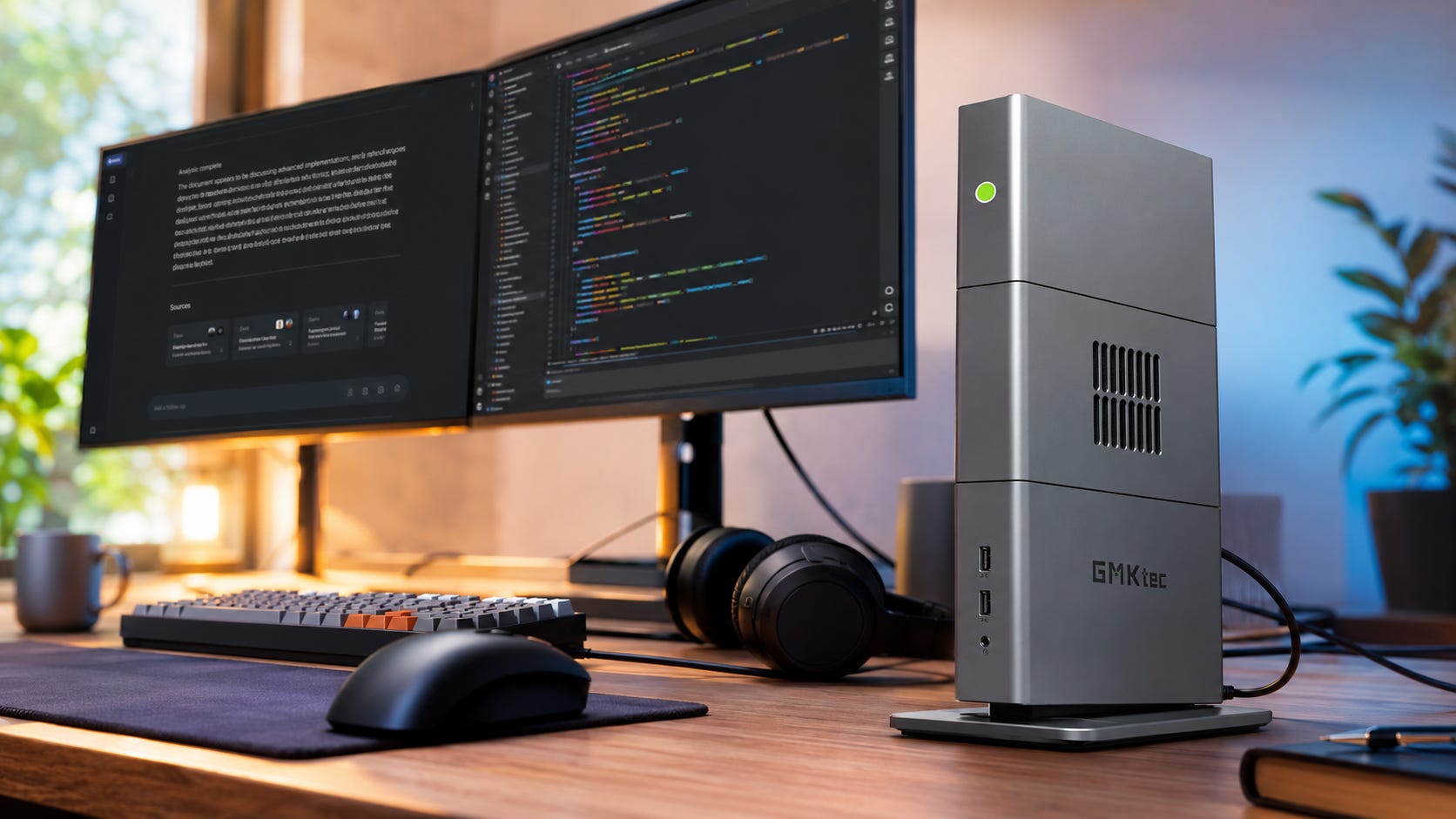
If you are shopping for a 128GB local AI mini PC, the GMKtec EVO-X3 looks like the easy answer at first glance.
It pairs AMD’s Ryzen AI Max+ 395 with 128GB LPDDR5X-8000 memory, 2TB or 4TB SSD options, OCuLink, USB4, and a redesigned cooling system. On paper, that sounds exactly like what local LLM buyers have been waiting for: a compact desktop with enough memory to run much larger models than a normal consumer GPU can handle.
The harder truth is that memory capacity is only one part of a local AI workstation. The real buying decision starts with your workload. Model size, tokens per second, CUDA support, thermals, noise, storage, software backend, and upgrade path all matter.
The EVO-X3 is exciting because it puts a huge shared memory pool into a small desktop. It is risky because it still lives in AMD software territory, where local AI support can be very good for some workflows and frustrating for others.
More on AI mini PCs:

Quick verdict
Best for: The GMKtec EVO-X3 is best for local LLM users who want a compact 128GB machine for GGUF models, private document chat, RAG, coding assistants, and larger quantized models.
Skip it if: Skip it if your workflow depends on CUDA, ComfyUI, video generation, serious fine-tuning, or multi-GPU inference.
Main strength: Its biggest advantage is 128GB unified memory in a small desktop.
Main weakness: Its biggest weakness is that it is still not a CUDA workstation, and the memory is soldered.
Do not overread the 397B demo: Longsys showed a 397B-parameter model running locally on Ryzen AI Max+ hardware, but the demo used storage scheduling and did not include tokens-per-second results.
Wait for reviews: Independent EVO-X3 testing is still needed for sustained AI performance, fan noise, thermals, and BIOS memory behavior.
Bottom line: Buy the EVO-X3 only if your workload benefits more from 128GB unified memory than it benefits from NVIDIA CUDA, upgradeable GPUs, or the raw speed of a tower.
What the GMKtec EVO-X3 is
The GMKtec EVO-X3 is a compact AI workstation built around AMD’s Ryzen AI Max+ 395, also known as Strix Halo. GMKtec’s product page lists the EVO-X3 with a July 6, 2026 launch time, a $3,600 starting price, 128GB RAM plus 2TB SSD, and a second 128GB plus 4TB configuration.
Tom’s Hardware reports the same core structure: two configurations, both with 128GB LPDDR5X-8000, plus dual M.2 2280 PCIe Gen4x4 slots, OCuLink, USB4, HDMI 2.1, Wi-Fi 7, Bluetooth 5.4, Ethernet, USB-A ports, and a headset jack. The same report says units bought during pre-launch are scheduled to ship from July 6.
The chip is the real story. AMD’s Ryzen AI Max+ 395 specification page lists 16 Zen 5 CPU cores, 32 threads, up to 5.1GHz boost, a 45W to 120W configurable TDP range, Radeon 8060S graphics, 40 graphics cores, LPDDR5X-8000 support, up to 126 total TOPS, and up to 50 NPU TOPS.
That gives the EVO-X3 a different value proposition from a normal mini PC. This is a memory-heavy local AI desktop in a compact chassis. It is competing with small workstations, Mac Studio configurations, Framework Desktop systems, Corsair’s AI Workstation 300, NVIDIA DGX Spark-style machines, and GPU towers.
Why 128GB unified memory matters for local AI
Local AI hardware usually fails in a boring way: the model does not fit.
A 24GB GPU can be excellent for smaller local LLMs, SDXL, FLUX-class image workflows, coding models, and ComfyUI. Larger LLMs run into VRAM limits quickly. Dual RTX 3090 builds can help, which is why we made a separate guide on whether dual RTX 3090s are still worth buying for local AI in 2026. The tradeoff is heat, power draw, noise, case size, driver setup, and multi-GPU complexity.
The EVO-X3 attacks the problem from the other direction. Instead of giving you a discrete GPU with fast dedicated VRAM, it gives you a large pool of LPDDR5X unified memory that the CPU and integrated GPU can share.
AMD has shown the Ryzen AI Max+ 395 128GB platform using 96GB of Variable Graphics Memory on Windows for memory-heavy llama.cpp and LM Studio workloads. AMD also says the platform can run Meta’s Llama 4 Scout 109B model in that setup, with the important caveat that Llama 4 Scout is a mixture-of-experts model with 17B active parameters. You can read AMD’s explanation in its post about running up to 128B-parameter LLMs on Ryzen AI Max+ systems with LM Studio.
That distinction matters. A 109B MoE model that activates 17B parameters at a time is a different workload from a dense 109B model. It still needs memory to hold the weights, but active compute demand is different.
The EVO-X3 should be judged by the models you actually plan to use, the quantization level, the context length, and the backend. For readers still deciding what model size fits their hardware, our guide to choosing the right local LLM for 8GB, 12GB, and 24GB VRAM is the better starting point.
The EVO-X3 is for buyers who already know they want to move beyond normal consumer VRAM tiers.

The 397B demo is impressive, but it is not a normal benchmark
The 397B Ryzen AI Halo demo is the headline that will pull many buyers toward systems like the EVO-X3.
At Computex 2026, Longsys said an AI agent host powered by the Ryzen AI Max+ 395 and 128GB DRAM deployed a 397B-parameter LLM locally using its SPU plus iSA storage scheduling approach. Longsys also said 64GB systems ran 80B and 122B models smoothly with optimized long-context support.
That is genuinely interesting, but buyers need the caveat. TechRadar’s coverage of the 397B local AI demo notes that the system had only 96GB of VRAM available to the GPU in a 128GB unified configuration, while the model would normally need much more memory. The trick was offloading inactive experts and using storage as a larger memory layer. TechRadar also notes that Longsys did not provide token-per-second details.
That makes the demo useful, but it should not decide the purchase by itself.
The demo suggests that local AI workstations may get better at stretching memory through caching, offloading, and storage-aware scheduling. It does not prove that an EVO-X3 will feel fast running a 397B model in daily use.
For buyers, the better question is simpler: will the models you actually use fit, respond quickly enough, and stay stable under your chosen software stack?
What the EVO-X3 should handle well
The EVO-X3’s best use case is local LLM chat and research. A 128GB Ryzen AI Max+ system is attractive for larger quantized models, private document search, local research assistants, and heavier coding models that do not fit comfortably on 16GB or 24GB cards.
Software matters more than the mini PC branding here. Ollama, LM Studio, llama.cpp, and related runners decide how useful the hardware feels. Ollama’s hardware support page lists Ryzen AI Max+ 395 under AMD Ryzen AI support on Linux via ROCm and also notes additional Vulkan GPU support on Windows and Linux.
AMD’s own technical material also shows Ryzen AI Max+ systems being used with llama.cpp, ROCm, Ubuntu, and distributed inference. In one guide, AMD used a four-node Framework Desktop cluster with Ryzen AI Max+ 395 and 128GB per node to run a one trillion-parameter model through llama.cpp RPC. That setup is explained in AMD’s article on running a trillion-parameter LLM locally on a Ryzen AI Max+ cluster.
That is not a reason to buy four EVO-X3 boxes. It is evidence that the platform is being treated seriously for local LLM experimentation.
The EVO-X3 is also appealing for private RAG and local document workflows. If your main use case is private document search, notes, legal files, client documents, internal PDFs, codebases, or research archives, keeping the model and files on hardware you control can be more attractive than routing everything through a hosted account.
Local still needs care. Local software can write logs, store chat history, and keep model caches. The advantage is control. You can choose the tools, storage location, networking setup, and retention policy.
Local coding assistants are another strong fit. A 128GB local LLM box can help with coding models, repo search, and private code review when you do not want sensitive work pushed through a hosted model. Speed will depend heavily on the model, backend, quantization, and context length. A CUDA tower may be faster, but the EVO-X3 can make sense if you want one compact desktop for coding, documents, local chat, and general work.
For buyers who want a cheaper CUDA-first coding machine, our RTX 3090 coding-agent workstation guide remains the more practical value path.
The EVO-X3 could also work for small offices, labs, classrooms, and edge AI setups where a full tower is too large. GMKtec is positioning the EVO-X3 for local AI computing, professional creation, and enterprise edge deployments, and its compact size, USB4, OCuLink, Wi-Fi 7, and storage options support that pitch. GMKtec makes that positioning clear in its post announcing that the EVO-X3 is coming as a compact AI workstation for local AI computing.
The missing piece is validation. A business buyer should wait for noise, thermal, BIOS, driver, and support testing before buying several units.

Where the EVO-X3 is the wrong tool
CUDA-heavy workflows are the clearest warning. If your workflow depends on NVIDIA CUDA every day, buy an NVIDIA machine.
Plenty of local AI tools have AMD paths through ROCm, Vulkan, DirectML, or other backends. That does not make AMD equal to NVIDIA for every tool. CUDA remains the safest compatibility path for many image generation, video generation, training, and research workflows.
If you want maximum local AI speed on consumer hardware and your models fit into 32GB, our RTX 5090 local AI guide is the better comparison. If you want cheap VRAM and are willing to deal with heat and power, the budget local AI PC build around a used RTX 3090 remains the value benchmark.
The EVO-X3 can be useful for AI image work, but it is not the first machine to buy if ComfyUI is the core job. ComfyUI users usually care about NVIDIA support, VRAM, custom nodes, speed, and predictable compatibility. A 24GB or 32GB NVIDIA GPU is usually easier to recommend.
If local image generation is your main use case, start with our RTX 3090 ComfyUI performance guide or the budget ComfyUI build guide before paying EVO-X3 money.
Local video generation is even harder on hardware. Video models need memory, speed, storage, and patience. A 128GB unified memory pool is interesting, but local video workflows still tend to favor powerful NVIDIA GPUs because of software support and acceleration. The EVO-X3 should not be your first choice for HunyuanVideo, Wan-style workflows, or heavy video nodes unless independent testing proves it can handle the exact workflow you care about.
Training and fine-tuning are also risky. For light LoRA work, small experiments, and local tinkering, the EVO-X3 may be useful. For serious training or fine-tuning, a discrete GPU workstation is the safer buy.
NVIDIA’s DGX Spark, for example, is positioned around NVIDIA’s AI software stack, 128GB coherent unified memory, fine-tuning models up to 70B parameters, and inference with models up to 200B parameters. NVIDIA explains that positioning on its DGX Spark product page. That is a different class of product from a GMKtec mini PC, even if both appear in the small AI workstation conversation.
More on local AI builds for ComfyUI:

Price and value
The GMKtec EVO-X3 starts at $3,600 for 128GB RAM plus 2TB SSD, with the 128GB plus 4TB model reported at $3,849. That is expensive for a mini PC, but the market around 128GB AI desktops has become strange.

The Framework Desktop uses the same Ryzen AI Max+ 395 and offers a 128GB LPDDR5X-8000 configuration. Framework highlights 128GB memory, Radeon 8060S graphics, Wi-Fi 7, 5Gbit Ethernet, and up to 96GB graphics-addressable memory on its Framework Desktop product page.
The Corsair AI Workstation 300 has also been pulled into the same memory-price problem. Tom’s Hardware reported in April 2026 that the top Ryzen AI Max+ 395, 128GB LPDDR5X-8000, 4TB storage configuration rose to $3,399.99, up from earlier pricing, in its coverage of Corsair AI Workstation 300 price increases.
At the high end, the NVIDIA RTX PRO 6000 Blackwell Workstation Edition offers a much more powerful discrete workstation GPU route. NVIDIA lists the card with 96GB GDDR7 ECC, 1,792GB/s memory bandwidth, and 600W max power on its RTX PRO 6000 Blackwell product page.
That context makes the EVO-X3 easier to understand. It is expensive compared with a normal mini PC. It is not absurd compared with the current 128GB local AI workstation market. The real question is whether its small size and unified memory solve your problem better than a cheaper, louder, more upgradeable tower.
EVO-X3 vs Framework Desktop

Choose the GMKtec EVO-X3 if you want the GMKtec form factor, OCuLink, the redesigned cooling system, and a complete Strix Halo mini workstation.
Choose the Framework Desktop if you care more about repairability, a more open parts ecosystem, configurable front I/O, and a mainboard that can be used in other builds. Framework still has soldered CPU and memory, but its desktop platform is more builder-friendly than most mini PCs.
The Framework route is especially appealing if you like standard PC parts where possible. Framework says its Desktop uses a standard Mini-ITX mainboard form factor, FlexATX power supply, and 120mm CPU fan. That does not make the core APU and memory upgradeable, but it does make the surrounding platform easier to understand and service.
EVO-X3 vs Corsair AI Workstation 300

Choose the GMKtec EVO-X3 if OCuLink, GMKtec’s updated chassis, and pricing at the time of purchase make it the better local LLM box.
Choose the Corsair AI Workstation 300 if you want a more familiar PC brand, broader support expectations, and a compact workstation line from a company many PC builders already know.
The biggest caution is price movement. Corsair’s Strix Halo workstation pricing has already shifted sharply, which makes real-time pricing and availability important before choosing either box.
EVO-X3 vs Mac Studio

Choose the GMKtec EVO-X3 if you want Windows or Linux, AMD ROCm and Vulkan paths, OCuLink, and a more PC-like local AI setup.
Choose Mac Studio if you are already in Apple’s ecosystem, use MLX-friendly local LLM workflows, care about low noise, and also do pro media work. Apple’s Mac Studio M4 Max supports up to 128GB unified memory in the right configuration, and Apple lists Mac Studio technical details on its Mac Studio 2025 specs page.
The tradeoff is control. Apple gives you polished hardware and a strong on-device ecosystem. The EVO-X3 gives you a more open PC software path, with more backend and driver friction to manage.
EVO-X3 vs RTX 3090 or dual RTX 3090 tower
Choose the GMKtec EVO-X3 if you want one compact desktop with far more addressable memory than a single 24GB GPU and you do not want a noisy, high-power tower.

Choose an RTX 3090 or dual RTX 3090 tower if you want CUDA, better ComfyUI compatibility, cheaper used-market value, and a clearer upgrade path. The tower will be bigger, hotter, and less elegant, but it may be the smarter local AI machine for the money.
This is the classic local AI choice: memory capacity in a compact box versus CUDA speed and GPU flexibility in a tower.
EVO-X3 vs RTX 5090 tower
Choose the GMKtec EVO-X3 if your models need more than 32GB memory and you are comfortable with AMD software paths.
Choose an RTX 5090 tower if your workloads fit inside 32GB and you want speed, CUDA, and stronger compatibility with current AI tools.

A 32GB wall is still a wall. Inside that wall, NVIDIA remains hard to beat.
EVO-X3 vs DGX Spark
Choose the GMKtec EVO-X3 if you want x86 Windows or Linux flexibility, lower likely cost, and a general-purpose mini workstation.
Choose NVIDIA DGX Spark if you want NVIDIA’s AI software stack, Grace Blackwell, and a platform designed around NVIDIA’s developer ecosystem.

For many buyers, this is less about raw specs and more about software confidence. DGX Spark is built around NVIDIA’s stack. The EVO-X3 gives you more PC flexibility, but you have to care more about the details.
The OCuLink question
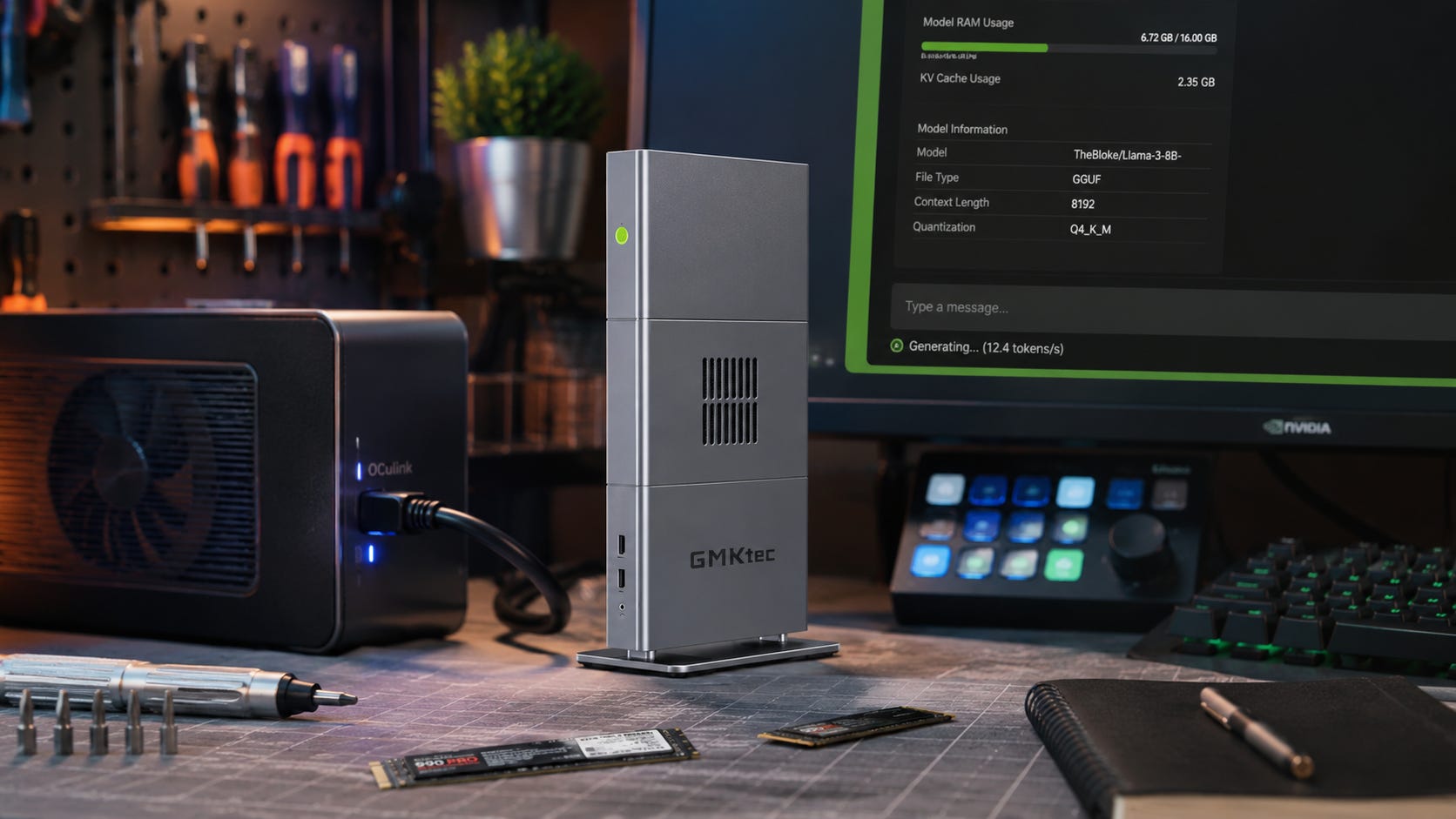
OCuLink eGPU support is one of the EVO-X3’s most important practical features because it gives users an external GPU path.
That matters because it partially softens the biggest weakness of a soldered unified-memory mini PC. You cannot replace the APU or system memory, but you may be able to add a discrete GPU later.
Do not overrate it.
An OCuLink eGPU setup still means an external dock or enclosure, a power supply, cabling, driver stability, desk space, and a willingness to troubleshoot. If you already know you need a discrete GPU every day, a proper tower is cleaner. If you want the option to add a GPU for specific jobs, OCuLink makes the EVO-X3 more flexible than a sealed mini workstation without it.
What to check before buying the EVO-X3
Sustained AI load noise should be near the top of the list. GMKtec says the EVO-X3 has a silent triple-fan thermal system, but that needs testing under long local LLM sessions, not idle desktop use.
Thermal throttling matters too. The Ryzen AI Max+ 395 can run across a wide configurable TDP range. Small chassis design decides how much performance you actually get after a model has been running for a while.
BIOS memory allocation is another key detail. Ask how much memory can be assigned or exposed for graphics and AI workloads in Windows and Linux. A 128GB system is only useful if your tools can access the memory in the way your workflow needs.
Driver support is the make-or-break issue for many users. Check your preferred runner before buying: Ollama, LM Studio, llama.cpp, vLLM, ComfyUI, Open WebUI, or anything more specialized.
Storage expansion deserves attention. A 2TB SSD is not huge for local AI. Large model collections, quantized variants, embeddings, datasets, and generated media can eat storage quickly. The EVO-X3’s dual M.2 slots matter, but buyers should confirm physical access, drive cooling, and supported sizes before planning upgrades.
Warranty, region support, and return policy should also influence the decision. A $3,600 to $3,849 mini workstation should not be an impulse import. If your main workflow fails on AMD drivers or Vulkan support, you want a clean exit.
Who should buy the GMKtec EVO-X3
The EVO-X3 makes sense if you want a compact 128GB local AI workstation and your main use case is local LLM inference rather than CUDA-heavy image or video workflows.
It is especially compelling if you use GGUF models, llama.cpp, LM Studio, Ollama, or similar local LLM tools. It also fits users who care about privacy, local control, and avoiding cloud upload for documents, client files, research archives, and code.
The best buyer values desk-friendly size more than upgradeability. They are comfortable with AMD software paths. They know which models they plan to run. They are willing to wait for independent thermal and noise reviews before treating the EVO-X3 as a finished answer.
Who should skip it
Skip the EVO-X3 if you need CUDA every day, use ComfyUI as your main local AI tool, train or fine-tune models seriously, or want the best tokens-per-second for models that already fit inside 24GB or 32GB VRAM.
Also skip it if you want a machine you can upgrade for years. The unified memory is the point of the product, but it is also soldered. The EVO-X3 is a buy-the-right-capacity-now machine.
If you want the cheapest path to useful local AI, this is probably not it. A used RTX 3090 build, a budget CUDA tower, or a more modest local LLM box will be easier to justify for many users.
And if you do not want to debug drivers, Vulkan, ROCm, BIOS memory settings, or eGPU behavior, be careful. The EVO-X3 may become a great local AI mini workstation, but early adopters should expect some friction.
The best buying logic
The EVO-X3 is a model-fit machine rather than a speed-at-any-cost machine.
Buy it for large local LLM memory in a compact box. Buy an NVIDIA tower for CUDA, ComfyUI, training, video, and maximum software compatibility. Buy a Mac Studio if your workflow fits Apple MLX and you want quiet polished hardware. Buy Framework if repairability and parts reuse matter more than GMKtec’s chassis.
The most important move is to identify the exact models and tools you plan to run before buying anything.
That last point is the one many buyers ignore. A 128GB local AI mini PC is attractive because it feels like an escape from cloud subscriptions. It can be exactly that. It can also become an expensive compromise if the software path does not match your workload.
FAQ
Is the GMKtec EVO-X3 good for local AI?
Yes, if local AI means large local LLM inference, private document chat, coding models, RAG, and experimentation with quantized models. The GMKtec EVO-X3 is less compelling if your local AI workflow depends on CUDA, ComfyUI, video generation, or serious training.
Can the EVO-X3 run 70B models?
The Ryzen AI Max+ 395 128GB platform is designed for memory-heavy local LLM work, and AMD has shown 70B-class and larger positioning for Ryzen AI Max+ systems. Framework also says its Ryzen AI Max+ Desktop can run Llama 70B with up to 96GB graphics-addressable memory.
That does not mean every 70B model, quantization, context length, and runner will feel equally fast. The model, backend, and memory allocation still matter.
Can the EVO-X3 run a 397B model?
Do not treat that as a normal expectation. Longsys demonstrated a 397B model locally on Ryzen AI Max+ hardware, but the demo used storage scheduling, expert offloading, caching, and predictive prefetching. TechRadar reported that token-per-second details were not provided.
The practical answer is that the EVO-X3 should be judged by real-world model speed, not only by whether a massive model can technically be loaded through clever memory and storage tricks.
Is the EVO-X3 better than an RTX 4090 or RTX 5090 for local AI?
It depends on the workload. The EVO-X3 gives you a much larger unified memory pool. An RTX 4090 or RTX 5090 gives you CUDA, faster GPU compute for many workloads, and better compatibility with many AI tools.
If your model fits in GPU VRAM, the NVIDIA tower is usually the safer performance choice. If the model does not fit, the EVO-X3 becomes more interesting.
Is 128GB unified memory the same as 128GB VRAM?
No. Unified memory is shared system memory. It can be very useful for local LLMs, but it is different from 128GB of dedicated high-bandwidth GPU memory.
AMD’s Ryzen AI Max+ 395 uses LPDDR5X unified memory, while workstation GPUs such as NVIDIA’s RTX PRO 6000 Blackwell use dedicated GDDR7 ECC with much higher bandwidth. AMD lists related platform details on its Ryzen AI Max+ PRO 395 page.
Should I buy the 2TB or 4TB EVO-X3?
For local AI, 4TB is safer if the price difference is manageable. Model files, quantized variants, datasets, embeddings, and generated media add up quickly.
The 2TB model can work, but buyers should plan for storage expansion. If you expect to keep multiple large models, a bigger internal SSD or a fast external storage plan will make the machine easier to live with.
Should I wait for the Ryzen AI Max+ 495 version?
Wait if you are not in a hurry and want to see whether 192GB systems become real, available, and reasonably priced. Buy the 395-based EVO-X3 only if 128GB solves your current workload and you are comfortable with the price.
The risk of waiting is that prices, availability, and launch timing may change. The risk of buying now is that early EVO-X3 reviews may reveal noise, thermal, BIOS, or software issues that matter for your workflow.
Final recommendation
The GMKtec EVO-X3 is a serious local AI mini workstation, but it should be bought for the right reason. Its best argument is 128GB unified memory in a compact box with modern I/O and an eGPU escape hatch. That is valuable for large local LLMs, private document work, coding assistants, and local-first experimentation.
Do not buy it because a 397B demo sounds impressive. That demo is a useful signpost for where edge AI storage tricks may go. It is not a guarantee that your desktop will run huge models comfortably.
The EVO-X3 should be judged by real tools, real models, sustained noise, sustained thermals, and whether AMD’s software path works for your workflow.
For most buyers, the rule is simple: choose EVO-X3 for memory-heavy local LLMs in a compact box. Choose NVIDIA for CUDA-heavy work. Choose a tower if upgradeability matters. Wait for independent reviews if $3,600 is real money to you.
Explore more from Popular AI:
Start here | Local AI | Fixes & guides | Builds & gear | Popular AI podcast
Would you buy a Strix Halo mini PC for massive local LLMs, or stick with NVIDIA CUDA even if it means less memory? What matters most to you: model size, speed, software support, or price?