


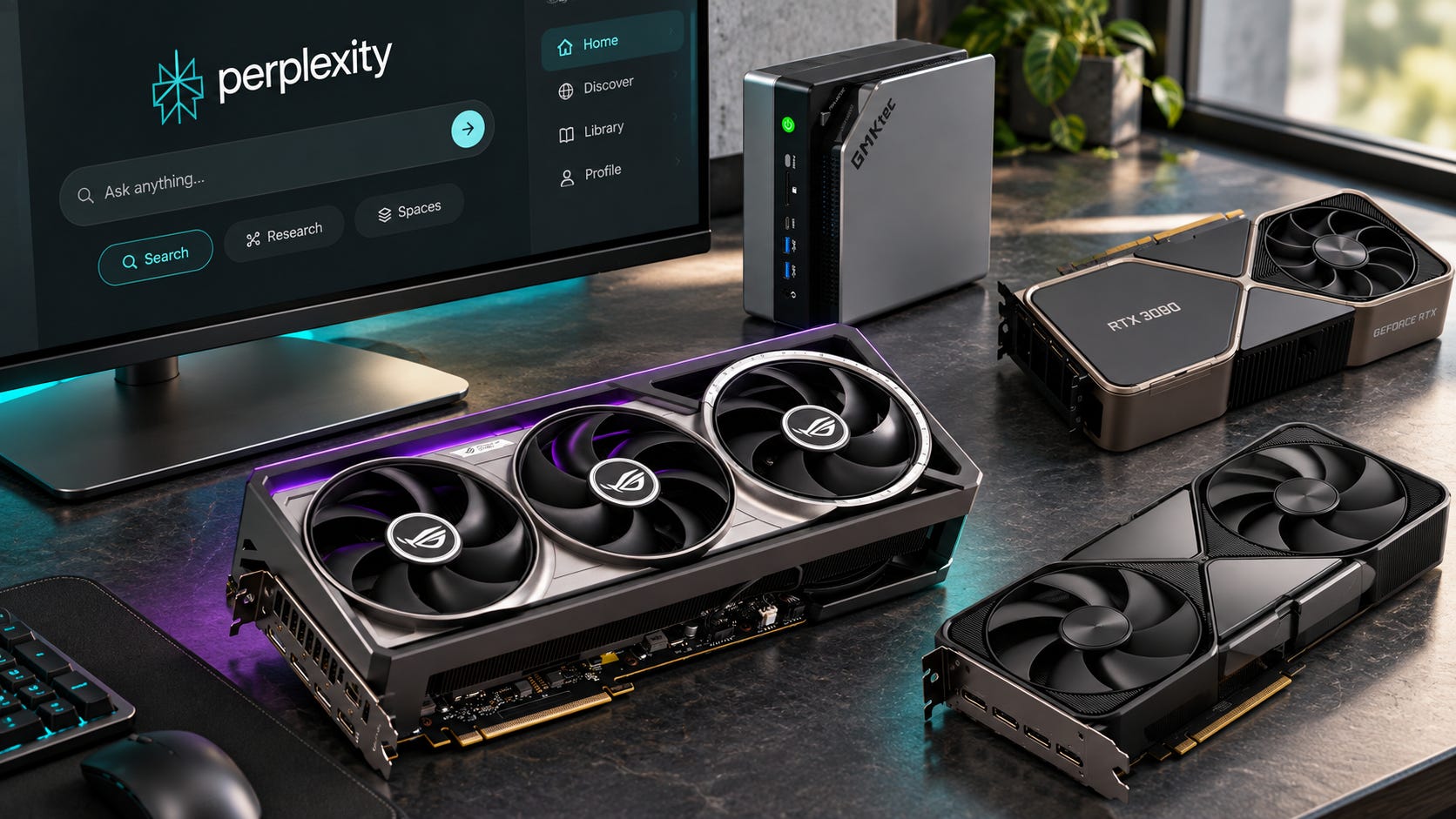
Perplexity Portable Computer no longer makes a 24GB NVIDIA GPU the obvious Windows buying path. On September 24, 2026, Perplexity added support for AMD Ryzen AI Max systems with at least 24GB of GPU-accessible memory, including its PPLX 27B and Qwen 27B local models. Local inference runs without consuming Computer credits, while cloud escalation requires permission.
That changes the hardware recommendation.
If Portable Computer is your main reason for buying a new machine, a 64GB Ryzen AI Max+ 395 system is now the sweet spot. Buy 128GB if you also want to run substantially larger local LLMs outside Perplexity. Stick with NVIDIA if ComfyUI, local video generation, LoRA training, CUDA-heavy development, or broad day-one software compatibility are major parts of the job.
Disclosure: This post includes Amazon affiliate links. If you buy through them, Popular AI may earn a small commission at no extra cost to you.
If you already own a 24GB RTX 3090 Founders Edition or RTX 4090, keep it. AMD support is not a reason to replace working CUDA hardware.
More on Portable Computer hardware:

Quick verdict
Best new PC primarily for Perplexity Portable Computer: Ryzen AI Max+ 395 with 64GB. It gives Perplexity far more than its 24GB memory floor without charging a huge premium for capacity its current 27B models do not require.
Best compact PC for Perplexity plus very large local LLMs: Ryzen AI Max+ 395 with 128GB. Buy this tier when 70B, 100B-plus, long-context, or multiple simultaneous local workloads are already part of the plan.
Best for CUDA-heavy local AI: an RTX workstation. A used RTX 3090 still gives you 24GB and broad CUDA compatibility, although September 2026 pricing has badly damaged its old budget appeal. An RTX 5090 is much faster and has 32GB, but current U.S. pricing is hard to justify for Portable Computer alone.
Best if you need both large dedicated memory and CUDA: NVIDIA RTX PRO 6000 Blackwell with 96GB of GDDR7 ECC. It is workstation hardware with workstation pricing, not a sensible purchase merely to run Perplexity.
Our September 22 guide to the NVIDIA-only decision still covers that side in more detail: Perplexity Portable Computer GPU: RTX 3090 vs 4090 vs 5090.
What changed with Perplexity Portable Computer on AMD
Perplexity’s AMD release supports Ryzen AI Max Series processors and the Ryzen AI Halo developer platform on Windows 10 and Windows 11. The stated requirement is at least 24GB of GPU-accessible memory, roughly 20GB of free storage for initial setup, and an eligible Pro or Max subscription. AMD Portable Computer offers PPLX 27B and Qwen 27B.
The rest of Portable Computer remains recognizable. Perplexity installs the local model, inference engine, agent harness, orchestrator, sandbox, scheduler, and sensitive-content classifier. You choose which local folders it can access. Tasks can begin on-device, and Perplexity says permission is required before information is sent to the cloud. Local inference itself does not consume Computer credits.
There is an important catch. Buying the hardware does not turn Portable Computer into an independent, subscription-free local AI stack. Portable Computer remains available to Pro and Max subscribers. Perplexity currently prices Pro at $20 per month or $200 per year, while Max costs $200 per month or $2,000 annually.
You own the compute. Perplexity still controls the application, supported models, account access, and cloud services.
That arrangement is useful for sensitive local files and recurring inference because locally completed work does not burn Computer credits. It is still different from running llama.cpp, Ollama, or another local stack that can keep working without a Perplexity subscription or Perplexity’s application layer.
For a buyer, that means the machine should make sense beyond one app. A high-memory PC that also runs ordinary local inference tools gives you an exit route if pricing, model support, or the product itself changes later.
64GB versus 128GB Ryzen AI Max: Perplexity does not need 128GB
The simplest mistake is assuming that because Ryzen AI Max can offer 128GB of unified memory, Portable Computer somehow needs it.
It does not.
Perplexity asks for 24GB of GPU-accessible memory. Framework provides a useful concrete example of what Ryzen AI Max memory allocation looks like. Its 64GB Ryzen AI Max+ 395 configuration can expose up to 48GB as dedicated graphics memory on Windows, while the 128GB version can expose up to 96GB. Even Framework’s 32GB Ryzen AI Max 385 can allocate 24GB.
▪ A 64GB machine therefore gives the current Perplexity models plenty of memory headroom on an implementation such as Framework’s. You are not buying to scrape past the requirement. You are buying a system with enough room for the current agent, local model, operating system, and additional local work without paying for the maximum possible memory tier.
▪ The 128GB upgrade buys something else: access to much larger models outside Portable Computer.
Framework, for example, lists its 128GB Max+ 395 configuration running OpenAI’s gpt-oss-120b MXFP4 at about 38 tokens per second in its LM Studio test on Fedora 42. That is a manufacturer benchmark rather than an independent cross-platform comparison, but it shows why 128GB exists. Capacity changes which models fit, even when the processor itself stays the same.
Recent LocalLLM discussions show buyers wrestling with exactly this question. One prospective GMKtec EVO-X2 buyer asked whether 64GB was enough for 27B to 35B models and whether AMD hardware made more sense than staying with cloud subscriptions. Those posts are useful evidence of buyer intent, not controlled benchmarks.
For Portable Computer itself, 128GB is unnecessary today.
For Portable Computer plus a serious local-model lab, 128GB can be very useful. The extra memory is easier to justify if you can already name the models, context sizes, or concurrent services that will use it.
Ryzen AI Max versus RTX for Portable Computer and local AI
The AMD and NVIDIA options solve different hardware problems. Ryzen AI Max gives you an unusually large shared memory pool in a compact PC. NVIDIA gives you dedicated VRAM, much higher memory bandwidth on its fastest cards, and the broadest CUDA software compatibility.
That makes the buying decision fairly straightforward once you know what else the machine needs to run. If Perplexity Portable Computer and local LLM inference are the priority, Ryzen AI Max is now difficult to ignore. If your workload depends on CUDA, ComfyUI, local video generation, training, or NVIDIA-first repositories, an RTX system can still be the better machine even with less usable memory.
▪ Ryzen AI Max+ 395 with 64GB: the best fit for Portable Computer
A 64GB Ryzen AI Max+ 395 machine is the most sensible starting point if Perplexity Portable Computer and local LLM inference are your main workloads. Framework’s implementation can allocate up to 48GB to graphics under Windows, comfortably above Perplexity’s 24GB requirement.

That gives you useful headroom without paying for the largest memory configuration. For Portable Computer’s current 27B models, 64GB is not a compromise tier. It is already well beyond the documented requirement.
You also get an entire computer rather than spending most of the budget on one GPU. That can make a 64GB Strix Halo mini PC especially attractive if you are starting from scratch and do not already own a capable desktop.
The tradeoff is software support. CUDA-first applications can still be easier to install, better optimized, or supported earlier on NVIDIA hardware. The memory is also soldered, so the configuration you buy is the configuration you keep.
Best for: Portable Computer, local agents, coding models, RAG, document processing, and compact local-LLM setups.
Skip it if: ComfyUI, local video generation, LoRA training, CUDA extensions, or NVIDIA-specific repositories make up a large part of your workload.
The GMKtec EVO-X2 with a Ryzen AI Max+ 395, 64GB LPDDR5X, and 1TB SSD is one current complete-system option. As of late September, recent pricing data puts this configuration around the $2,000 to $2,200 range, with occasional promotions below that.
That matters because the comparison is not simply AMD processor versus NVIDIA GPU. At this price, you are comparing a complete high-memory PC against the cost of buying a high-end graphics card and the rest of the desktop around it.
For a buyer whose main jobs are Portable Computer, coding assistants, document processing, RAG, and local chat, the 64GB Ryzen AI Max configuration is the easiest one here to justify.
▪ Ryzen AI Max+ 395 with 128GB: buy it for larger models, not Perplexity
The 128GB version is much harder to justify if Portable Computer is the only reason for the purchase. Perplexity currently runs 27B local models and requires just 24GB of GPU-accessible memory.

The reason to pay for 128GB is what you can run outside Perplexity. On a suitable implementation, close to 100GB can be allocated for graphics. That opens the door to much larger quantized LLMs that simply cannot fit into the 32GB VRAM available on a consumer RTX 5090.
This is where Ryzen AI Max becomes unusual. Instead of buying several GPUs or moving to professional NVIDIA hardware, you can put a much larger local model into one compact machine with one shared memory pool.
Capacity does not make it the fastest option. You are still using shared LPDDR5X rather than dedicated GDDR7 with the enormous bandwidth available on high-end NVIDIA cards. A model that fits into 96GB of allocated memory on Ryzen AI Max can still run more slowly than a smaller model running on a powerful RTX card.
The useful question is therefore not whether 128GB is better. It is whether your actual models need more memory than a 64GB machine can comfortably expose.
Best for: 70B-class and larger local models, large quantizations, long contexts, multiple resident models, and buyers who already know they will outgrow 64GB.
Skip it if: Portable Computer and 20B-to-30B models are your main workloads. You will pay a large premium for memory that those jobs do not require.
The GMKtec EVO-X2 Ryzen AI Max+ 395 with 128GB LPDDR5X and a 2TB SSD is a current option for buyers who need the larger memory pool. September listing data continues to show the 128GB configuration for sale, although pricing has been volatile enough that the checkout price deserves more attention than an older MSRP.
The soldered memory complicates this choice. You cannot start with 64GB and add another 64GB later. If you already run models that justify the extra capacity, buying 128GB now can save you from replacing the whole machine. If you are buying 128GB because you might need it someday, the premium is much harder to defend.
For Portable Computer itself, 64GB remains the sensible tier. Buy 128GB because your other local models need it.
▪ RTX 3090 24GB: still useful, but stop treating it as the cheap option
The RTX 3090 still does something valuable. It gives you 24GB of dedicated GDDR6X VRAM and mature CUDA support. That is enough for Perplexity Portable Computer and remains a useful amount of VRAM for local LLMs, Stable Diffusion, ComfyUI, training, and a huge collection of CUDA-oriented projects.

What has changed is the price argument.
The RTX 3090 built much of its local-AI reputation on the used market because 24GB of VRAM could be bought for far less than a new professional GPU. That logic becomes much weaker when sellers ask high-end modern GPU money for a five-year-old card.
Amazon still has RTX 3090 inventory, including the NVIDIA GeForce RTX 3090 Founders Edition 24GB as a renewed product. Recent price history has put that listing around $1,700, which is difficult to justify for this use.
At that kind of price, you are getting an older GPU with 24GB rather than a complete 64GB Ryzen AI Max computer. CUDA compatibility may still make the 3090 more useful for your particular software, but the hardware is no longer automatically the value choice.
Best for: buyers who need CUDA and can find a trustworthy used card at a genuinely good price.
Skip it if: the card costs anything close to modern high-end GPU money, especially if your main workload is local LLM inference rather than CUDA-dependent software.
The sensible 3090 strategy is to shop the used market carefully and compare the total cost of the finished desktop against a complete 64GB Ryzen AI Max system. Include the power supply, case, CPU, motherboard, storage, cooling, and whatever else is required to turn the GPU into a usable workstation.
If you already own a 3090, keep it. Its 24GB of VRAM and CUDA support remain useful, and Perplexity’s AMD support gives you no reason to replace hardware that already does the job.
▪ RTX 5090 32GB: the speed and CUDA choice
The RTX 5090 is the consumer card to buy when accelerator performance and CUDA compatibility matter more to you than maximum model capacity.

Its 32GB of GDDR7 is much less capacity than a 64GB or 128GB Ryzen AI Max system can expose to local AI. In return, you get enormous memory bandwidth and NVIDIA’s mature CUDA software stack.
That makes the RTX 5090 a much stronger fit for heavy ComfyUI workflows, local video generation, training, high-throughput inference, and software that assumes CUDA from the start. If waiting for a generation job or training run costs you money every day, the speed can have real value.
Portable Computer alone is nowhere near enough reason to pay current RTX 5090 prices.
Best for: high-throughput CUDA inference, image generation, video generation, training, and demanding AI work where finishing jobs faster has financial value.
Skip it if: your main goal is running local LLMs that already fit comfortably on Ryzen AI Max, or you are buying a machine specifically for Perplexity Portable Computer.
The ASUS ROG Astral GeForce RTX 5090 OC 32GB is one current retail option. Recent price tracking has recorded pricing far above NVIDIA’s $1,999 starting price, with September prices reaching levels that are difficult to defend for ordinary consumer use.
At more than $4,000, the buying case changes. You are no longer choosing an expensive gaming GPU that happens to be excellent for AI. You are making a workstation-level purchase and should have a workload that can earn back the premium.
For Portable Computer, 32GB does not give you a meaningful capacity advantage over a properly configured 64GB Ryzen AI Max system. The reason to buy the RTX 5090 is everything else NVIDIA’s hardware and software can do faster.
If those CUDA workloads dominate your week, the RTX 5090 can make sense. If the machine will mostly run 20B-to-30B local LLMs, the additional spending buys speed you may barely use while giving up the larger memory pool available on Ryzen AI Max.
▪ RTX PRO 6000 Blackwell 96GB: when you need huge VRAM and CUDA
The RTX PRO 6000 Blackwell removes the biggest compromise in the AMD-versus-NVIDIA decision. It gives you 96GB of dedicated GDDR7 ECC memory while retaining CUDA and NVIDIA’s professional software stack.

It also costs enough that this stops being an enthusiast buying decision.
This is the workstation route for someone who needs both large-model capacity and CUDA in the same box. It can make sense for commercial AI work, engineering, large local models, professional visualization, or other workloads where the hardware earns its keep.
Buying one primarily for PPLX 27B would be comical.
Best for: professional users who genuinely need roughly 96GB of dedicated VRAM and cannot give up CUDA.
Skip it if: your goal is maximizing local-LLM capacity per dollar. Ryzen AI Max gets you into the high-memory range for dramatically less money.
A NVIDIA RTX PRO 6000 Blackwell Workstation Edition with 96GB is currently listed on Amazon. Listing data updated on September 27 put it at roughly $17,000.
At that price, compare more than the GPU specification. Warranty coverage, seller reputation, support, return terms, and workstation-vendor pricing can matter as much as the convenience of an Amazon checkout.
A five-figure GPU only makes sense when the alternative costs more. If running a large CUDA model locally avoids cloud bills, shortens paid production work, or enables a workload that cannot fit on consumer hardware, there is a business case to calculate. If you simply want more local LLM memory, Ryzen AI Max gives you a much cheaper path.
TL;DR: Which one should you buy?
▪ For Perplexity Portable Computer, start with the 64GB Ryzen AI Max machine. It gives the current Perplexity models ample memory while leaving room for ordinary local LLMs, agents, coding tools, RAG, and document workloads.
▪ Move to 128GB Ryzen AI Max when you already know you need substantially larger models, longer contexts, or several local services sharing the same machine. The extra memory should solve a workload you can name now.
▪ Choose an RTX 3090 when CUDA is important and you can find a trustworthy used card at a genuinely attractive price. Its 24GB remains useful. Paying a premium simply because the 3090 once had a reputation as the cheap local-AI option does not.
▪ Choose an RTX 5090 when speed and CUDA compatibility are worth far more to you than maximum model capacity. Image generation, video generation, training, and NVIDIA-first software are much stronger reasons to buy it than Portable Computer.
▪ Choose an RTX PRO 6000 Blackwell only when 96GB of dedicated VRAM plus CUDA solves a professional problem expensive enough to justify a five-figure GPU.
For most new Portable Computer buyers, the answer is much less exotic. Buy 64GB Ryzen AI Max unless another workload gives you a concrete reason to spend more.
Ryzen AI Max buys a large memory pool in a compact system. NVIDIA buys much higher dedicated-memory bandwidth, mature acceleration, and wider CUDA software compatibility.
The Ryzen AI Max+ 395 uses a 256-bit LPDDR5X-8000 memory interface and supports up to 128GB of memory. NVIDIA’s RTX 5090 has only 32GB, but its dedicated GDDR7 delivers 1,792GB/s of memory bandwidth. Fitting a model and running it as fast as possible are separate hardware questions.
That is why a 128GB Strix Halo box can run a model that simply cannot fit on a 32GB RTX 5090, while the RTX 5090 can be vastly more attractive for a model that does fit and has strong CUDA support. Capacity is not a substitute for bandwidth or optimized kernels.
For a broader explanation of that tradeoff, see Is a Strix Halo mini PC worth buying for local AI?.
More on AI mini PCs:

Why the 64GB Ryzen AI Max+ 395 is now the best Portable Computer buy
Perplexity has created an unusually favorable workload for the 64GB Strix Halo class.

Portable Computer currently runs 27B local models. The software itself only requires 24GB of GPU-accessible memory. A good 64GB Ryzen AI Max+ 395 implementation offers plenty of headroom beyond that requirement without forcing the buyer to pay for 128GB.
The hardware is also available as a complete compact PC rather than requiring a workstation build. GMKtec currently lists its EVO-X2 with a Max+ 395, 64GB LPDDR5X, 1TB SSD, and Windows 11 Pro for $2,199.99 in the U.S.. That price puts a complete high-memory machine in the same conversation as a single expensive NVIDIA card.
Framework’s pricing shows how quickly the next memory tier gets expensive. As of September 28, its Max+ 395 mainboard alone costs $1,659 with 64GB and $3,149 with 128GB. That is a $1,490 jump before storage, enclosure, power supply, operating system, or the other parts required to turn the board into a finished PC.
Paying another $1,490 for memory that Portable Computer does not currently need is difficult to justify.
There is one reason to do it anyway: the memory is soldered. You cannot buy 64GB now and drop another 64GB into the machine next year. If you already know you want large local LLMs, 128GB can avoid replacing the whole platform later.
That is the right way to frame the 64GB versus 128GB decision. Do not ask whether more memory is better in the abstract. Ask whether your actual local models will exceed the useful capacity of the 64GB configuration during the life of the machine.
Our broader AI PC buying guide for local AI reaches the same practical split. High-memory Ryzen AI Max systems become attractive when model fit is the problem. A conventional discrete GPU is harder to beat when the model already fits and accelerator speed is the priority.
More on AI PCs:

When 128GB is worth paying for
A 128GB Ryzen AI Max+ 395 machine starts making sense once Perplexity becomes only one workload among several.
Buy the 128GB version if you expect to run large quantized LLMs, unusually long contexts, multiple resident models or services, or workloads that routinely exceed the practical capacity of 32GB and 48GB GPUs. That can include coding models, local retrieval systems, model routing, or several persistent services sharing one machine.
This is where the architecture gets unusual. Consumer NVIDIA hardware tops out at 32GB on the RTX 5090. Ryzen AI Max can give local software access to a much larger shared memory pool without requiring a multi-GPU tower, workstation-class accelerator, or remote server.
The downside is speed. Memory capacity does not turn LPDDR5X into high-end GDDR7. Our earlier AMD Ryzen AI Halo review found the same pattern: Strix Halo is excellent at fitting models that would overflow ordinary consumer VRAM, while NVIDIA remains much stronger for many throughput-heavy and CUDA-dependent jobs.
There is also a cheaper question hiding here: will you actually run those models?
If your daily work is Perplexity Portable Computer, a 27B coding model, document analysis, and ordinary local chat, buying 128GB because you might someday download a 100GB model is expensive speculation. Soldered memory makes undersizing annoying, but it does not make unused memory free.
The best case for buying a 128GB machine is if you already have a reason. Maybe a 70B-class quantization is part of the daily workflow. Maybe several local services need to stay resident. Maybe the computer doubles as a small lab server. If none of those descriptions fit, 64GB remains the more disciplined purchase.
More on AI mini PC benchmarks:

Why NVIDIA still wins for ComfyUI, video AI, training, and CUDA software
Perplexity has removed one major AMD disadvantage for this particular application. You no longer need CUDA to run Portable Computer on a supported Windows PC.
It has not removed CUDA from the rest of local AI.


NVIDIA remains the safer general-purpose choice for software written explicitly around CUDA, many PyTorch repositories, ComfyUI workflows, local video-generation stacks, training and fine-tuning tools, and projects whose AMD support arrives later or requires extra work.
AMD’s software situation is much healthier than it was. The current ROCm compatibility matrix lists Ryzen AI Max hardware across supported Windows and Linux configurations. That is a meaningful improvement for local inference and development on Strix Halo-class systems.


ROCm support still does not make CUDA and ROCm interchangeable. A program supporting ROCm is good news. A GitHub repository that assumes CUDA kernels, NVIDIA libraries, or a particular CUDA extension can still turn into an afternoon of dependency work on AMD.
If your workstation spends half its week generating video, training LoRAs, compiling CUDA extensions, or experimenting with new repositories, NVIDIA remains the safer decision.


Portable Computer should not outweigh the other 90 percent of your workload. The software you use every day should pick the accelerator, not one attractive memory specification.
The RTX 3090 is still useful, but it is no longer obviously cheap
The RTX 3090 remains appealing because its 24GB meets Perplexity’s NVIDIA memory requirement exactly and gives you mature CUDA compatibility. NVIDIA specifies 24GB of GDDR6X, 350W graphics-card power, a 750W recommended system power target, and a 3-slot Founders Edition cooler.

The problem in September 2026 is price.
A specific RTX 3090 Founders Edition sale checked for this article closed at $1,498.97 on September 21. Other recent sales we checked clustered around roughly $1,400 to $1,600, with occasional lower outliers. A handful of sold listings are not a complete market index, but they are enough to show why old “$700 RTX 3090” buying advice cannot be carried forward blindly.
At $1,400 or $1,500 for the GPU alone, a roughly $2,200 complete 64GB Max+ 395 mini PC becomes much more competitive for someone whose priority is local LLMs and Portable Computer. The comparison is no longer “cheap used GPU versus expensive specialist PC.” It is often one aging card versus most of a complete machine.
CUDA can still make the 3090 worth the premium. If your software expects NVIDIA, the value is in compatibility as much as raw hardware.
If you already own a 3090, though, the answer is easy: keep it. Buying another computer just because Perplexity added AMD support would solve a problem you do not have.
Do not buy an RTX 5090 specifically for Portable Computer right now
The RTX 5090 is exceptional hardware stuck in an ugly market.
NVIDIA specifies 32GB of GDDR7, 1,792GB/s of bandwidth, 575W total graphics power, and a $1,999 starting MSRP.
September 2026 street pricing bears little resemblance to that MSRP. On September 14, Tom’s Hardware reported that first-party online U.S. stock had largely disappeared while third-party sellers were asking roughly $6,500 to $9,500. Its local retail check found a cheapest in-stock option around $4,299.
You can still price-check the ASUS TUF Gaming RTX 5090 on Amazon, but treat any third-party premium as a market condition, not a reason to rush. Stock and seller pricing can move faster than a buying guide.
Portable Computer does not justify that premium.
Perplexity has not announced a special larger Windows model for the RTX 5090 that makes its 32GB fundamentally more capable inside Portable Computer than a qualifying 24GB or 48GB setup. The RTX 5090’s case is external to Perplexity: CUDA performance, image generation, video generation, training, and other workloads that can use the card’s speed.
Buy a 5090 because your wider CUDA workload earns its cost. Do not spend several thousand dollars just to run a 27B Perplexity model locally.
What about the new 192GB Ryzen AI Max+ PRO 495?
AMD already has another memory tier on the way.
The Ryzen AI Max+ PRO 495 raises maximum unified memory to 192GB and allows up to 160GB of graphics memory. AMD also lists LPDDR5X-8533 and 40 Radeon 8065S compute units for the platform. OEM systems based on the Max PRO 400 family began arriving in the third quarter of 2026.
That sounds tempting if 128GB already feels compromised.
For Portable Computer, it is spectacular overkill.
Perplexity’s current floor is 24GB and its AMD models are 27B. Moving from 64GB to 192GB does not unlock a documented higher Portable Computer model today.
Wait for a 192GB system if you already know why 96GB of GPU-addressable memory on a 128GB Strix Halo machine is insufficient. Large-model experimentation, giant quantizations, or consolidating several local AI services can provide that reason.
“Future-proofing Perplexity” cannot.
AMD’s own Ryzen AI Halo page still describes the 192GB Max+ PRO 495 platform as coming soon, so retail availability and pricing deserve another check before you place an order. The 192GB number is impressive. It is not a buying argument until the workload can use it.
Mini PC or Ryzen AI Max laptop?
The mini PC is the better value when portability is irrelevant.
A Max+ 395 can run at a configurable 45W to 120W at the processor level, but sustained performance depends heavily on the cooling and power design chosen by the system manufacturer. A chip specification tells you what is possible. The finished machine decides how much of that performance it can hold under a long local inference load.
Compact desktops have more room for sustained cooling and usually avoid the expensive display, battery, keyboard, and thin-chassis engineering built into mobile workstations. GMKtec’s 64GB EVO-X2 at $2,199.99 is one example. The Minisforum MS-S1 Max is another compact workstation-style option, with 128GB configurations aimed at buyers who need the larger shared memory pool.
Laptops make sense when the local model needs to travel with you. That can be compelling for sensitive documents, coding work, field research, or client data because the inference hardware stays in the bag instead of living on a server somewhere else.
Expect to pay for the privilege. High-memory mobile workstations can become expensive quickly, and memory is generally soldered. Battery life under sustained local AI workloads is a separate constraint too. A laptop can be mobile without being especially pleasant to use unplugged at full load.
Compare the complete laptop against both a compact local server and the cloud subscriptions it is supposed to replace. If the system will live on a desk 95 percent of the time, paying extra for a screen and battery does not improve the inference job.
The control advantage is real, but Portable Computer is still Perplexity
AMD support makes Portable Computer much more interesting from an ownership perspective.
You can buy a compact machine with enough local memory to process documents and recurring tasks without paying cloud inference credits every time. Perplexity says users choose local folders, locally completed work stays on-device, and permission is required before a task escalates information to the cloud.
That is useful, especially for work where the local files themselves are the sensitive part of the task.
The machine does not give you control over the whole product. Portable Computer still requires an eligible Perplexity account. Perplexity chooses which local models are distributed. Its application defines how the agent harness, sandbox, permissions, cloud escalation, and future updates behave.
If independence from Perplexity itself is the goal, spend the same hardware budget on a machine that also runs ordinary local tools well. Then Portable Computer becomes one workload rather than the reason the computer exists.
That is one of the strongest arguments for 64GB or 128GB Ryzen AI Max. Even if Perplexity changes direction, the hardware can still run llama.cpp, LM Studio, ROCm software, local coding assistants, document search, and other workloads under your control.
For more options, our local AI hardware and builds guide covers GPUs, compact PCs, workstations, servers, and other local-AI configurations.
More on local AI hardware:

Who should buy, wait, or skip
▪ Buy a 64GB Ryzen AI Max+ 395 PC if you are starting from scratch, Portable Computer is important, and your broader local work is mostly LLM inference, coding assistants, RAG, document processing, and agent tasks. Around the $2,000 to $2,300 full-system level, this has become a credible alternative to building around an expensive used 24GB NVIDIA card.
The 64GB tier also leaves room for a wider set of local tools without paying the steepest soldered-memory premium. You get more working memory than Portable Computer currently asks for, and you still retain the compact size and shared-memory advantage that make Strix Halo interesting in the first place.
▪ Buy a 128GB Ryzen AI Max+ 395 PC when large local models are already part of the plan. Do it because you expect to use more than roughly the memory available to a 64GB implementation, not because 128GB sounds safer. Soldered memory makes buying too little painful, but current 128GB premiums make buying unused capacity painful too.
The higher tier is easier to defend for a machine that will run 70B-class quantizations, multiple model servers, long-context jobs, or several local AI services at once. It is harder to defend for a PC that spends most of its time running one 27B Perplexity model.
▪ Buy or keep NVIDIA when CUDA compatibility earns money or saves time every week. An existing RTX 3090, 4090, or 5090 remains an excellent Portable Computer platform. NVIDIA is still the stronger general-purpose choice for many image, video, training, and experimental AI stacks.
A new NVIDIA purchase makes sense when those workloads are the reason for the machine. Portable Computer compatibility then comes along for the ride. That is a better buying argument than paying a large premium just because the badge on the card is familiar.
▪ Wait if the only reason you want 128GB or 192GB is hypothetical future Perplexity models. Perplexity has given no reason to size a new machine around that guess. Buy memory for workloads you can describe now, or wait until the software gives you a reason to spend more.
FAQ
Is 64GB enough for Perplexity Portable Computer on Ryzen AI Max?
Yes. Perplexity requires at least 24GB of GPU-accessible memory. A supported 64GB Ryzen AI Max system can provide substantially more than that. Framework’s 64GB implementation, for example, permits up to 48GB of dedicated graphics memory on Windows.
For Portable Computer alone, 64GB is therefore a comfortable tier rather than a bare minimum. The reason to move to 128GB is larger local models and workloads outside Perplexity.
Will 128GB make PPLX 27B faster than 64GB?
There is no published Perplexity benchmark showing that doubling system memory from 64GB to 128GB makes its current 27B models faster. Extra capacity lets larger workloads fit. It should not be confused with compute performance or memory bandwidth.
Buy 128GB because other models need the capacity, not because the memory number itself guarantees higher token throughput.
Can Portable Computer replace my Perplexity subscription once I own the hardware?
No. Portable Computer remains available to eligible Pro and Max subscribers. Local inference can avoid Computer credit consumption, but the application is still account-gated.
Owning the hardware reduces dependence on cloud inference for supported local work. It does not remove Perplexity from the control path.
Is Ryzen AI Max better than NVIDIA for local AI now?
It is better at one increasingly useful job: putting a very large memory pool into a compact PC without workstation-class discrete GPUs.
NVIDIA remains stronger when raw accelerator performance and CUDA compatibility are the priority. AMD’s ROCm support has improved substantially, including Ryzen AI Max support in current releases, but that does not make every CUDA-oriented application portable without work.
If your workload is mostly local LLM inference and model fit is the constraint, Ryzen AI Max is compelling. If you depend on ComfyUI, video generation, LoRA training, CUDA extensions, or new NVIDIA-first repositories, RTX remains the safer general-purpose purchase.
Should I wait for the 192GB Ryzen AI Max+ PRO 495?
Only if you already have workloads that need more than a 128GB Max+ 395 can comfortably expose to the GPU. Portable Computer itself is not one of them today.
The 192GB platform is interesting for very large models and consolidated local services. Buying it solely for a hypothetical future Perplexity model means paying for a requirement Perplexity has not announced.
Perplexity Portable Computer AMD: 64GB is the new starting point
For a new buyer focused on local agents, private file processing, coding assistants, and general local LLM inference, a 64GB Ryzen AI Max+ 395 PC is the most sensible Portable Computer starting point. It clears Perplexity’s requirement comfortably, gives local tools a much larger memory pool than a consumer RTX card, fits into genuinely small computers, and avoids paying today’s large premium for 128GB unless you can use it.
Choose 128GB Ryzen AI Max when large models beyond Perplexity are part of the purchase plan now, not a vague future possibility.
Choose RTX when CUDA-dependent work pays for the machine. The 3090 remains useful if you already have one. The 5090 can be extraordinary for the right CUDA workloads, but Portable Computer alone cannot justify its current market premium.
If you already own a 24GB NVIDIA GPU, keep it. Perplexity has made AMD a first-class alternative. It has not made good NVIDIA hardware obsolete.
The practical buying rule is simple: buy 64GB for Portable Computer and ordinary local LLM work, buy 128GB for models that actually need the capacity, and buy NVIDIA when CUDA compatibility is part of the job.
Explore more from Popular AI:
Start here | Local AI | Builds & gear | Autonomy & policy | Fixes & guides | Popular AI podcast