


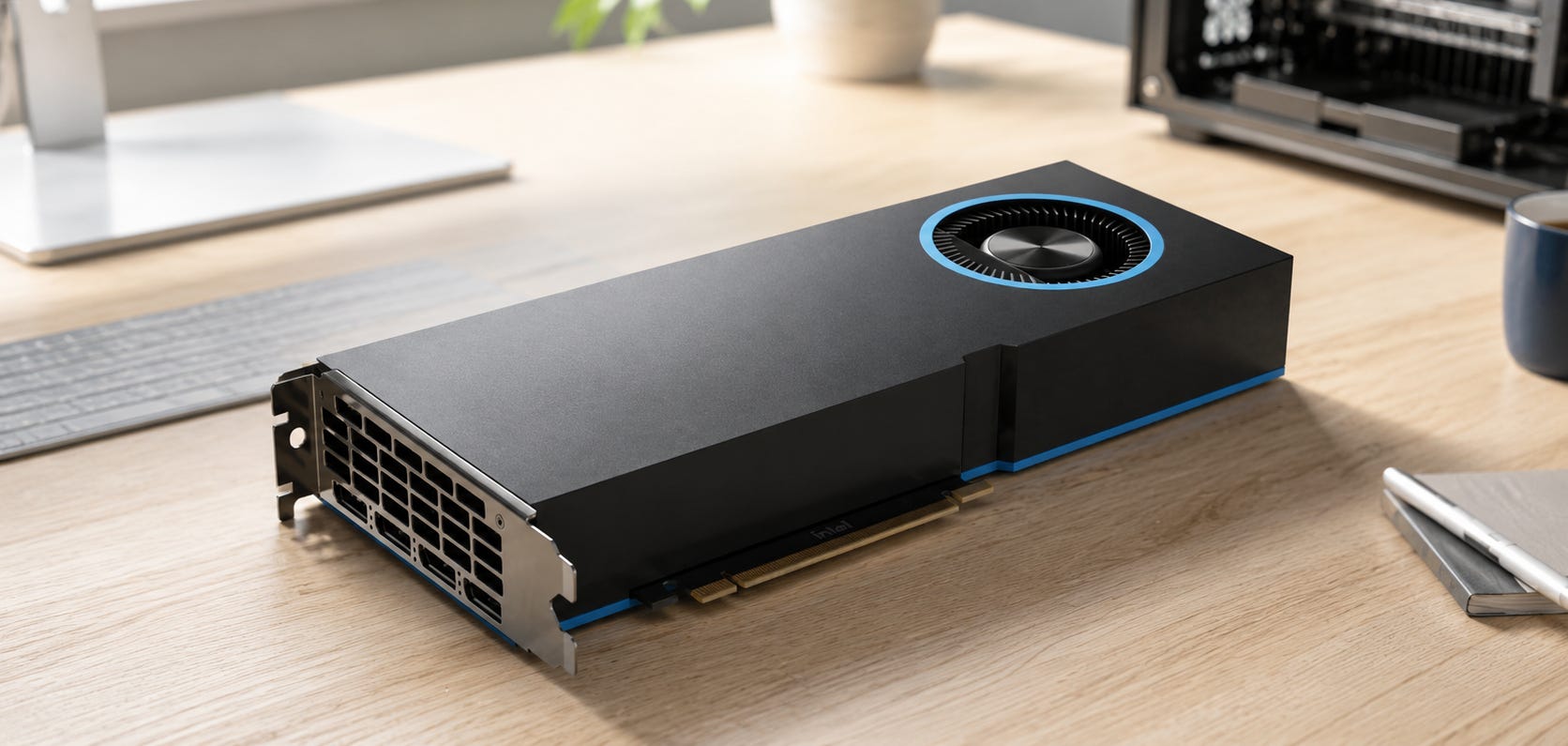
The Intel Arc Pro B70 was easy to understand at $949. You got 32GB of GDDR6, ECC support, a dual-slot 230W card, and enough memory to get beyond the 24GB ceiling without paying NVIDIA workstation prices. Intel launched the B70 on March 25, 2026 with a suggested starting price of $949.
That value proposition has weakened fast. As of August 21, Newegg is showing an ASRock Arc Pro B70 at $1,299.99, while B&H still lists Intel’s reference card at $1,779. Tom’s Hardware reports that U.S. B70 pricing jumped about 30% in August, with even steeper increases in some overseas markets.
The B70 is still worth buying, but for a much smaller group of local-AI users than it was at launch. Buy it when 24GB genuinely is not enough, you want one 32GB card instead of a multi-GPU workaround, and you have already validated the Intel backend you intend to use. Around $1,300, it can still make sense. Near $1,700 to $1,800, the software compromises become much harder to justify.
Disclosure: This post includes Amazon affiliate links. If you buy through them, Popular AI may earn a small commission at no extra cost to you.
Before committing to a card this expensive, check current Arc Pro B70 32GB listings and compare the final price, seller, and return policy with specialist retailers.
More on GPUs for local AI:

Quick verdict: the Arc Pro B70 is now a conditional buy
Around $1,300: the Arc Pro B70 can still be a smart local-AI purchase if you genuinely need more than 24GB on one GPU and your software already works on Intel.
Around $1,700 to $1,800: skip it unless you have a specific tested workload that benefits from the B70’s performance, power density, or form factor enough to overcome the price.
If 24GB is enough: easier and cheaper options become more compelling. Intel’s B60 is around $660, while the used RTX 3090 offers 24GB plus the much broader CUDA ecosystem. Popular AI’s guide to the best budget GPUs for local LLMs in 2026 covers the lower-cost end of that decision in more detail.
If 32GB is mandatory: the B65 and Radeon AI PRO R9700 now matter much more. The B65 keeps Intel’s 32GB capacity at a much lower price, while the R9700 gives you another 32GB path with a different software tradeoff.

The core B70 appeal has not disappeared. It still combines 32GB, strong Intel inference hardware, a compact dual-slot design, relatively modest board power, ECC support, and an Intel software stack that is becoming more credible. What changed is the price. The card is no longer cheap enough to excuse every rough edge in that stack.
What now determines whether the Arc Pro B70 is worth buying
Four questions matter more than the B70 logo or the headline 367 TOPS figure:
Does your workload actually exceed 24GB?
If it does not, paying extra for 32GB buys capacity you may never use.
Does your chosen software run well on Intel XPU, SYCL, Vulkan, or OpenVINO today?
“Supported somewhere” is different from “works cleanly in my workflow.”
Are you buying the B70 near $1,300 or near $1,800?
Those are very different value propositions.
Do you value compact, lower-power hardware enough to accept more setup work?
Intel lists the B70 reference design at 230W, two slots, and 10.5 inches long. The RTX 3090 Founders Edition is three-slot and rated at 350W.
Everything else follows from those answers. If the B70 solves a capacity problem your current card cannot solve, its value remains easy to explain. If you are buying it because 32GB sounds future-proof, the higher 2026 price makes that bet much less attractive.
Why the B70 looked so attractive at launch
Intel released the Arc Pro B70 as the top Battlemage workstation card, with 32 Xe cores, 256 XMX engines, 32GB GDDR6, 608 GB/s of memory bandwidth, PCIe 5.0 x16, 230W total board power, and documented ECC support. The reference card is 10.5 inches long and occupies two slots. Those specifications created an unusually useful option for local AI.
There are plenty of 16GB cards. There are several attractive 24GB cards. Once you want more than 24GB on one discrete GPU, the market gets expensive quickly.
That extra 8GB can matter when a quantized model, larger context, KV cache, image workflow, or a combination of model and supporting components pushes beyond what a 24GB GPU can hold. In local AI, a slower GPU that keeps the whole workload in VRAM can be more useful than a faster GPU that forces part of the workload into system memory.
Intel also built the B70 around a much easier physical envelope than some consumer flagships. The reference card’s dual-slot, 230W design with one 8-pin power connector is easier to cool and easier to multiply inside a workstation than a three-slot 350W RTX 3090. For users planning dense workstation or multi-GPU builds, that part of the B70 argument remains strong.
The launch-price advantage is what changed. At $949, the B70 could justify software experimentation through raw VRAM value. At $1,299.99, it has to solve a real problem. At $1,779, the burden of proof shifts heavily toward a tested workload.
⚠️ One important catch: ECC can reduce available VRAM
There is an especially relevant detail for buyers shopping the B70 because they need every gigabyte.
Intel says that on Windows 11, a B70 with ECC enabled can report 28GB rather than 32GB of available VRAM. Intel identifies this as expected behavior related to ECC overhead. Disabling ECC in Intel Graphics Software restores the reported 32GB.
That creates an awkward decision for a buyer whose main reason for purchasing the B70 is capacity. If your workload needs 29GB to 32GB of actual allocation, you may have to disable ECC to expose the full advertised capacity. If ECC is one of the reasons you chose a workstation GPU in the first place, that distinction deserves attention before purchase.
The B70 still offers ECC support. The practical point is that “32GB with ECC support” does not necessarily mean an application will see the full 32GB while ECC is active on Windows. That matters much more on a card whose primary selling point is fitting workloads that 24GB hardware cannot.
Intel’s software situation is improving, but CUDA is still easier
The strongest argument against the B70 has never been the silicon. It has been everything between your model file and the silicon.
That picture has improved materially in 2026. Current vLLM documentation provides an Intel XPU backend, and its validated-hardware page explicitly lists Intel Arc Pro B-Series graphics as validated hardware. That is a meaningful step beyond treating Arc as an experimental outsider.
The installation details still matter. vLLM’s main GPU installation path requires Linux and does not support Windows natively, although WSL and community-maintained Windows forks are possible. The Intel XPU path also comes with specific driver, Python, vllm-xpu-kernels, and triton-xpu requirements. A buyer who expects the same copy-paste experience as a common CUDA tutorial can still run into extra work.
llama.cpp is friendlier to Intel hardware in some ways. Its official SYCL documentation supports Linux and Windows 11, documents multi-card layer splitting, and shows continued Intel-specific optimization work in 2026. The important caveat is that its verified-device table names the Arc B580 for the B-Series rather than specifically validating the B70.
That distinction captures the B70 experience well. There are working paths. There are increasingly good paths. They remain less standardized than CUDA.
Popular AI reached a similar conclusion when comparing the Arc Pro B60 with the RTX 5060 Ti for local AI: Intel can offer unusually attractive VRAM, while NVIDIA still charges a premium for a software ecosystem that usually asks fewer questions before the model starts running.
More on Intel Arc Pro for local AI:


The hardware can be fast when the stack is right
Software friction should not be confused with weak hardware.
Puget Systems tested the B70 in MLPerf Client and found that it produced the highest token-generation rate of the GPUs in its test set, beating the Radeon AI PRO R9700 and RTX PRO 4000 Blackwell by 7%. Puget also measured substantially better time to first token than several competing cards in that test.
That is meaningful independent evidence that the B70 can perform. It also is not a promise that your GGUF in LM Studio, your preferred quantization in vLLM, or your agent stack will reproduce those results. Benchmark performance and deployment convenience are separate buying questions.
Puget’s later four-B70 test makes that distinction even clearer. The team successfully ran four B70 cards with 128GB of aggregate GPU memory under Ubuntu 25.04 using Intel’s LLM Scaler vLLM container. Once the system was properly configured, Puget reported zero crashes across its full benchmark suite.
The same test also documented the caveats. Initial setup required careful container configuration. Some model and precision limitations remained. The tested workload used a specific Intel-focused stack rather than a generic desktop frontend. That is the B70 in one paragraph: excellent when the software path lines up, much less attractive when you need the software path to disappear into the background.
Real buyers show both the pain and the path forward
One Level1Techs buyer illustrated how dramatically configuration can change the answer.
His B70 initially delivered roughly 20 tokens per second on one workload while his M1 Max managed about 60. After reinstalling Linux, working through the software setup, and discovering that Resizable BAR had been disabled, he later reported more than 80 tokens per second on the B70 with the same model.
The interesting part is not the final benchmark number. This is one community result from one configuration. The important part is that the same expensive GPU went from buyer’s remorse to outperforming the comparison system after enough troubleshooting.
That is part of the product experience. With CUDA, buyers often expect software to be the boring part. With the B70, software selection and configuration can still determine whether the hardware looks disappointing or impressive.
The Intel Community thread about two B70 cards and OpenClaw is now more nuanced than it was earlier in August. The original buyer reported difficulty finding a stable, straightforward Windows 11 or WSL2 backend that would reliably expose both cards to an agent workload. An Intel moderator said on August 5 that the company would investigate and later continued the investigation.
A newer August 19 reply in the same thread adds an important counterpoint. Another community user reported a stable native-Ubuntu dual-B70 setup using llama.cpp built for SYCL and llama-server as an OpenAI-compatible endpoint. The same report described splitting a single model across both cards with layer splitting.
That is encouraging, but it remains a community configuration rather than an Intel-validated deployment recipe. Intel explicitly notes that it does not verify every community solution. The takeaway is more useful than either extreme: dual-B70 local inference clearly can work, and there are now more practical paths for agent workloads, but native Linux and careful backend selection still appear to be the safer route than assuming Windows or WSL2 will behave like a mature CUDA setup.
Arc Pro B65 is now the capacity-value problem for the B70
The B65 may be the most dangerous competitor to the B70 because it attacks the B70’s original reason for existing.
Intel gives the B65 32GB of GDDR6 and 608 GB/s of memory bandwidth, the same headline capacity and bandwidth as the B70. It drops from 32 Xe cores to 20, from 256 XMX engines to 160, and from 367 to 197 INT8 TOPS. Intel’s B65 specifications confirm the 32GB memory, 608 GB/s bandwidth, 160 XMX engines, and 197 INT8 TOPS.
Newegg currently lists the ASRock B65 at $909.99 while the ASRock B70 is $1,299.99. That makes the decision unusually clean.

If you need 32GB because capacity is the constraint, the B65 deserves a serious look before paying another $390 for the B70. Be sure to also check current Arc Pro B65 32GB listings elswhere before deciding whether Newegg’s current price is the better deal.
If you run workloads where XMX compute and inference throughput are important enough to justify the difference, the B70 remains the faster Intel card. Puget’s B70 MLPerf results show that the extra compute can translate into real inference performance when the stack is right.
There is one specification caveat. Intel explicitly lists ECC support on the B70 product page, while the current B65 product specification does not include the same ECC support field. If ECC is mandatory, verify the exact B65 board and driver behavior before treating the two cards as interchangeable.
For pure model-fit buyers, though, the B65 changes the B70 calculation more than any benchmark does. Paying almost $1,300 for the B70 is harder to justify when Intel itself offers the same headline 32GB capacity for roughly $910.
Arc Pro B60 makes more sense when 24GB is enough
The B60 becomes easier to recommend as the B70 gets more expensive.
Current Newegg listings put 24GB Arc Pro B60 cards around $660. The B60 has 24GB GDDR6, 456 GB/s of memory bandwidth, and the same 197 INT8 TOPS headline compute figure as the B65.
If your real workloads peak comfortably below 24GB, paying almost twice as much for an ASRock B70 makes little sense. The B70 should solve a memory problem. If it does not, buy less card.
This is where model fit matters more than prestige. A buyer running 8B to 30B-class quantized models, moderate context, or image workflows that fit comfortably inside 24GB may gain very little from the B70’s extra 8GB. That money can matter more elsewhere in the system.
The B60 still brings Intel’s software tradeoffs, so it is not automatically the best 24GB choice. It is simply a much cheaper way to stay in Intel’s ecosystem when 32GB is unnecessary.
Used RTX 3090 is still the easier CUDA choice
The RTX 3090 remains difficult to kill as a local-AI recommendation because its core advantages have aged well.
NVIDIA gives it 24GB of GDDR6X, CUDA, mature framework support, a three-slot Founders Edition design, and 350W graphics-card power. NVIDIA’s RTX 3090 specifications list 24GB GDDR6X, three-slot dimensions, and 350W card power. The drawbacks are equally familiar: high power consumption, large physical size, older hardware, used-card risk, and no capacity beyond 24GB.
The bigger 2026 problem is price. The used market is no longer full of the bargain $700 RTX 3090s that still appear in stale advice.
As of August 21, ResalePrices puts the used RTX 3090 market average at $1,272 with a fair asking range of $1,201 to $1,299. That puts a clean used card surprisingly close to the $1,299.99 ASRock B70.

If 24GB is enough, the RTX 3090 remains the safer default for someone who wants Ollama, PyTorch, ComfyUI, CUDA extensions, and the enormous pile of NVIDIA-first tutorials to work with minimal drama. Check current RTX 3090 24GB listings, but be especially careful with seller quality, condition, warranty, and return terms because many 3090s are used or marketplace inventory.
If your workload genuinely needs 28GB or 30GB on one GPU, the 3090 is not a cheaper substitute. It is a card that cannot fit the job.
For a deeper NVIDIA comparison, Popular AI’s RTX 3090 vs RTX 4090 vs RTX 5090 local-AI guide covers how the 24GB and 32GB GeForce tiers compare for local inference.
More local AI GPU comparisons:

Radeon AI PRO R9700 becomes more serious as B70 prices rise
The Radeon AI PRO R9700 becomes particularly awkward for Intel once B70 pricing moves into the mid-$1,000s.
The R9700 offers 32GB GDDR6, 640 GB/s of memory bandwidth, and a 300W board-power specification. B&H currently lists the Gigabyte model at $1,459.95 and temporarily out of stock. You can also check current Radeon AI PRO R9700 32GB listings on Amazon if you are comparing availability across sellers.

Puget’s MLPerf Client test favored the B70 by 7% in token generation. That keeps Intel competitive on genuine inference performance rather than VRAM alone.
The more important shift is price. At $949 for the B70 versus roughly $1,460 for the R9700, accepting Intel’s rougher software path was easy to defend. At $1,300 for the B70 versus $1,459.95 for the R9700, the difference is small enough that your validated backend should decide the purchase.
B&H’s comparison page currently puts the Intel reference B70 at $1,779 against the $1,459.95 Gigabyte R9700 listing. At that B70 price, Intel is very hard to recommend on price alone.
Do not assume AMD is the frustration-free alternative. ROCm support is much better than it used to be, and current vLLM documentation covers AMD GPU installation alongside Intel and NVIDIA, but NVIDIA remains the easiest ecosystem for many local-AI applications. The real choice between the B70 and R9700 is which non-CUDA stack you are more comfortable validating and maintaining.


Paying more for 32GB of CUDA is still painfully expensive
If your requirements are “32GB on one card” and “CUDA without compromises,” Intel and AMD look cheap partly because NVIDIA knows how valuable its software ecosystem is.
NVIDIA’s RTX PRO 4500 Blackwell Workstation Edition provides 32GB GDDR7 with ECC, 896 GB/s memory bandwidth, and 200W maximum power in a dual-slot card. That is an excellent physical and software fit for many workstation buyers. It also lives in a much more expensive professional tier.
The GeForce RTX 5090 gives you 32GB and CUDA too, but the 2026 GPU market has pushed pricing into territory where it is difficult to call it a value alternative. RigPrice’s August 21 snapshot puts the used RTX 5090 going rate around $4,800.
If CUDA saves a business enough engineering time, paying the NVIDIA premium can still be rational. For a home local-AI build, paying several thousand dollars simply to avoid learning Intel XPU, SYCL, Vulkan, or ROCm is much harder to justify.
This is why the B70 remains relevant even after the price jump. There still is no cheap, frictionless, 32GB CUDA option. Intel’s problem is that the B65 and R9700 now challenge the B70 from below and beside it, while expensive NVIDIA cards challenge it on software convenience.
How I would choose today
▪ If 24GB is enough: choose the RTX 3090 when software compatibility is the priority. Choose the B60 when you want new hardware, lower power, Intel’s platform, and a much lower purchase price.
▪ If 32GB is mandatory and raw speed is secondary: look at the B65 first. Its current $909.99 price makes it the most interesting Intel capacity play.
▪ If 32GB is mandatory and you want the faster Intel card: buy the B70 only after validating your backend. Around $1,300, there is still a case for it.
▪ If a B70 costs $1,700 to $1,800: skip it unless you have a specific, tested workload where B70 performance, power density, or physical density beats the alternatives.
▪ If you already work comfortably with ROCm: compare the B70 directly with the R9700. Once their prices get close, Intel no longer wins automatically.
▪ If you need CUDA and 32GB on one GPU: prepare to pay substantially more, or reconsider whether 24GB CUDA plus model quantization is a better compromise.
Those choices are also easier to frame if you start from the whole machine rather than the GPU alone. Popular AI’s AI hardware and builds hub covers broader local-AI system planning, including GPU capacity, workstation builds, and multi-GPU tradeoffs.
More hardware for local AI:

Build implications are one of the B70’s real strengths
The B70 is a pleasantly practical piece of hardware.
Intel’s reference version is 10.5 inches long, dual-slot, 230W, and powered through one 8-pin connector. Those reference-card dimensions, slot count, power draw, and connector requirements make it much easier to fit into dense systems than many high-end consumer GPUs.
Compare that with the RTX 3090 Founders Edition at 12.3 inches, three slots, and 350W, with NVIDIA recommending a 750W system power supply. That difference matters when you are dealing with workstation airflow, slot spacing, power delivery, and multiple GPUs.
Puget’s four-card system shows that the physical idea works. Four B70s can produce a 128GB local inference machine without moving into data-center accelerator form factors. The physical density is one of the strongest reasons to keep the B70 on a shortlist even when its single-card price is no longer exceptional.

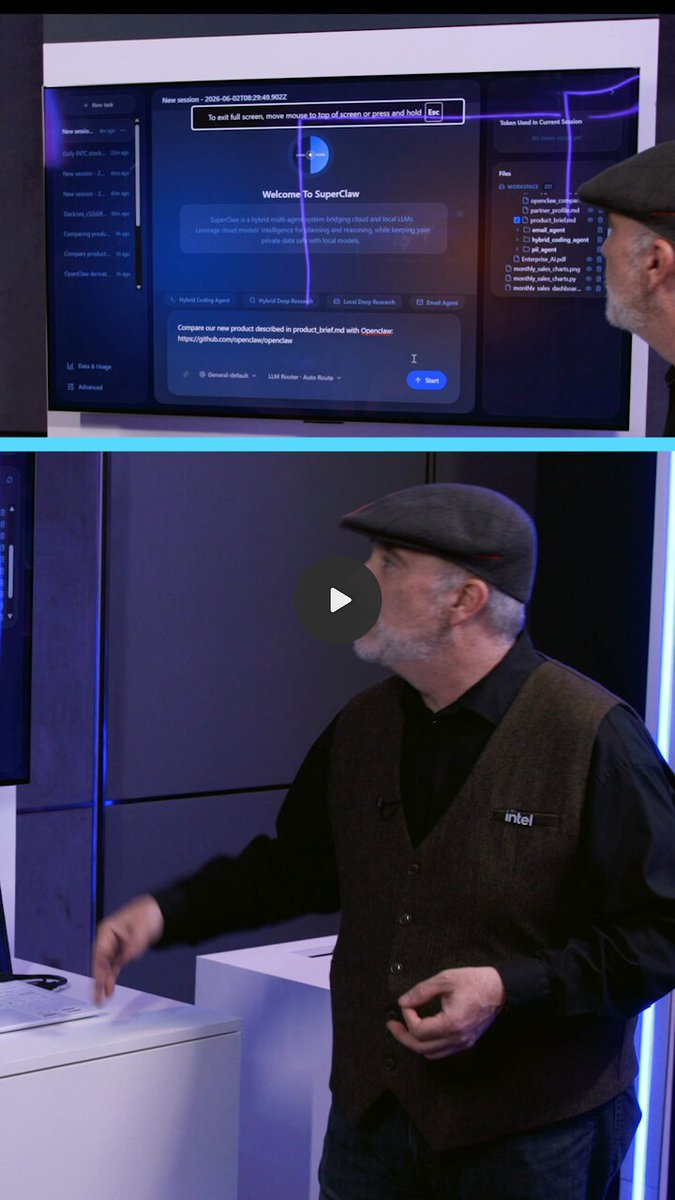
The software setup remains the catch. If you are considering multiple B70s, treat Puget’s tested Ubuntu and Intel LLM Scaler configuration as the type of deployment you are buying into. The newer Intel Community report also points toward native Linux and SYCL for a practical two-card setup. Do not assume a favorite Windows frontend will automatically combine two or four cards simply because the hardware can scale.
Who should buy the Arc Pro B70
Buy the B70 if you routinely hit the 24GB ceiling, want 32GB on one new card, prefer a compact dual-slot workstation design, and already know that your workload behaves correctly under Intel XPU, Vulkan, SYCL, OpenVINO, or the specific Intel container you plan to use.
It also remains interesting for Linux multi-GPU systems where 64GB, 96GB, or 128GB of aggregate VRAM is the goal and physical density matters. Puget’s testing shows that a four-card configuration is more than theoretical, while the latest Intel Community report gives a practical example of a two-card llama.cpp SYCL path for agent workloads.
At roughly $1,300, there is still enough value left to justify experimentation for the right buyer. The card can make sense when its extra 8GB over 24GB alternatives prevents system-memory offload, avoids a second GPU, or lets a specific model and context fit cleanly.
The strongest B70 buyer is therefore someone with a measured capacity need and a known software path. That buyer can evaluate the card as a tool rather than as a speculative bet on future support.
Who should skip the Arc Pro B70
▪ Skip the B70 if you are buying your first local-AI GPU and want the least troublesome setup.
▪ Skip it if 24GB already fits your models and contexts comfortably.
▪ Skip it if your critical application lists CUDA first and everything else as experimental, incomplete, or community-supported.
▪ Skip it if you primarily use Windows and expect vLLM to behave like a native Windows NVIDIA application. Current vLLM documentation remains Linux-first, and Windows requires WSL or a community-maintained alternative.
▪ Skip it if the reason for buying is simply “32GB sounds safer.” At $1,299.99, the B70 needs to solve a concrete workload constraint. The B65 now gives Intel buyers the same headline 32GB capacity for much less, and the R9700 becomes competitive when B70 pricing climbs.
Most of all, skip the B70 at $1,700-plus unless a specific tested workload proves why you need this particular card. At that price, 32GB alone is no longer a sufficient argument.
Price-checking matters more than usual
GPU prices are moving quickly enough that a recommendation can change without the hardware changing at all. The B70 is the clearest example. It was a compelling $949 capacity play at launch, a conditional purchase around $1,300, and a difficult recommendation near $1,800.
For a purchase this expensive, the return policy, seller quality, stock status, and final checkout price matter more than saving the last $20. That is especially true for used RTX 3090 cards and marketplace listings where condition can vary.
The same logic applies to the B65 and R9700. A temporary discount or restock can change the preferred 32GB option by hundreds of dollars. Compare the exact card you can buy today rather than relying on an MSRP or a month-old forum post.
FAQ
Is the Intel Arc Pro B70 good for local LLMs?
Yes, when the software backend supports your model and format properly. The B70 has 32GB of VRAM and strong independent MLPerf Client results, and current vLLM documentation explicitly validates Intel Arc Pro B-Series hardware. Its main disadvantage remains software friction compared with CUDA. If you already know your workload needs more than 24GB, current Arc Pro B70 listings on Amazon are worth comparing with Newegg and B&H before buying.
Can the Arc Pro B70 run vLLM?
Yes. Current vLLM documentation supports Intel XPU, and its XPU validated-hardware page lists Intel Arc Pro B-Series graphics. The main vLLM GPU path is Linux, and the Intel backend has specific driver, Python, XPU kernel, and Triton requirements.
Does the B70 work on Windows?
Yes, but the answer depends on the application. Intel provides Windows Arc Pro drivers, and Windows-compatible Vulkan and SYCL workflows exist.
llama.cppofficially supports its Intel SYCL backend on Windows 11. vLLM itself does not run natively on Windows, so that workflow requires WSL or another path.
Is a used RTX 3090 better than an Arc Pro B70?
If 24GB is enough, the RTX 3090 is usually the easier local-AI choice because CUDA support is so widespread. If your workload genuinely needs more than 24GB on one GPU, the 3090 cannot substitute for the B70 regardless of software maturity. The price comparison is also much closer in 2026, with the used 3090 fair asking range now around $1,201 to $1,299.
Should I buy the B65 instead of the B70?
Possibly. The B65 is the card to investigate first when 32GB capacity is the reason you are shopping Intel. It has the same 32GB headline capacity and 608 GB/s memory bandwidth as the B70 at a much lower current price, but considerably less compute. Buy the B70 when its extra compute changes your workload. Buy the B65 when fitting the workload matters more than finishing it as fast as possible.
Arc Pro B70 still makes sense only when 32GB solves a real problem
Buy the Arc Pro B70 around $1,300 only if you need its 32GB capacity and have already validated an Intel-friendly software stack. Skip it near $1,700 to $1,800.
The B70 has not suddenly become bad hardware. Independent testing shows real inference performance, current vLLM support is meaningfully better than it was, and a dual-slot 230W 32GB GPU remains an appealing building block for local AI. The latest community evidence also shows that practical dual-B70 native-Linux setups are becoming easier to document, even if they still require more deliberate software choices than a typical CUDA build.
What changed is how much patience the price can reasonably demand.
At $949, the B70 was cheap enough to justify learning Intel’s stack.
At roughly $1,300, it needs to solve a real 24GB memory limit.
At $1,779, 32GB is no longer enough of an excuse.
If that $1,300 case describes your workload, check current Arc Pro B70 32GB availability. If it does not, the B65, B60, RTX 3090, or R9700 will usually give you a cleaner reason to spend the money.
Explore more from Popular AI:
Start here | Local AI | Builds & gear | Autonomy & policy | Fixes & guides | Popular AI podcast
Would you still buy an Intel Arc Pro B70 for local AI at today’s prices, or would you take 24GB with better software support instead?