

Scale local AI beyond one workstation with multi-GPU servers, home clusters, distributed inference, and realistic hardware guidance for huge open models.
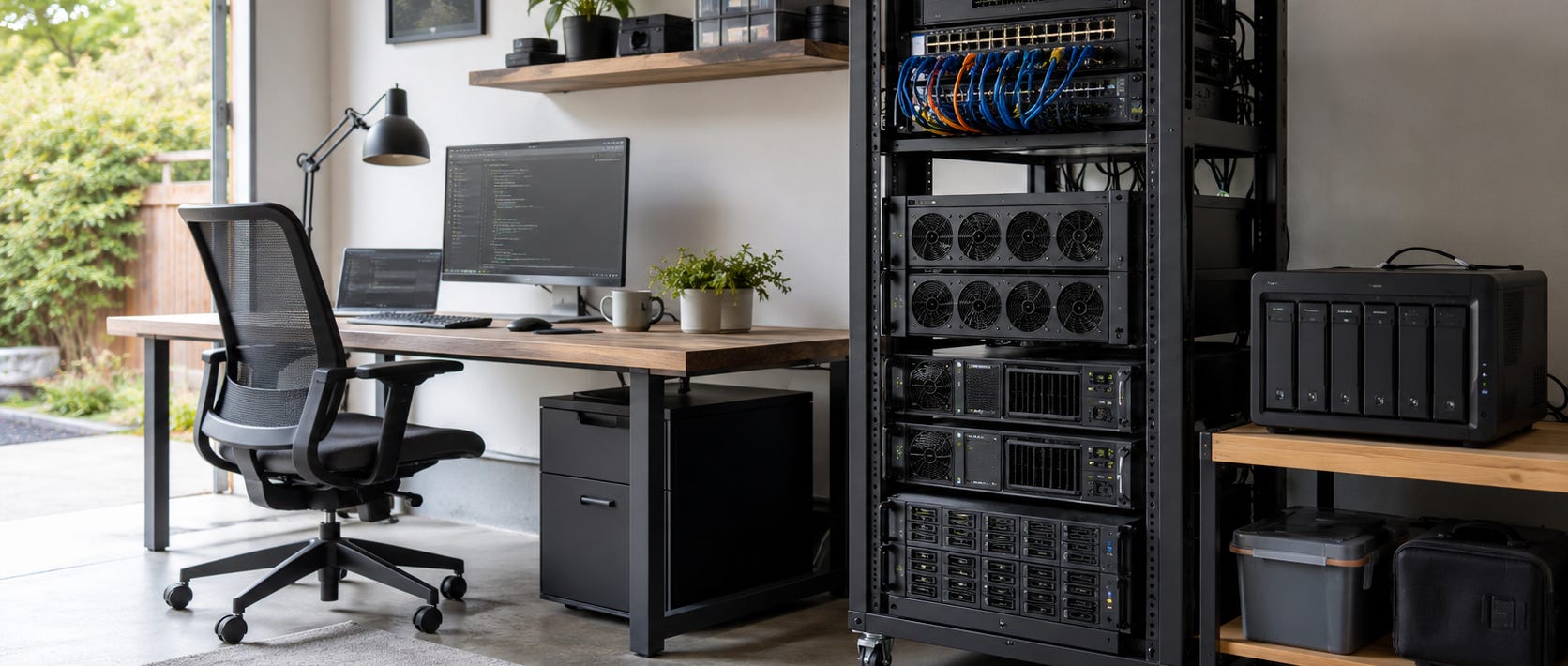
A local AI cluster is what comes after one GPU, one workstation, and eventually one very expensive power supply stop being enough. Instead of sending the next workload to a cloud GPU provider, you can add GPUs, servers, storage, and network capacity that you control.
The important part is understanding what a cluster can actually pool. Four computers with 24GB GPUs do not automatically become one 96GB GPU. The model, inference engine, workload, and network determine whether those machines can cooperate on one job or merely process separate jobs in parallel.
For most home users, the second approach is simpler and more useful. For very large models, real distributed inference becomes a networking and systems problem.
The practical answer
Build outward in stages.
Start with one machine and enough VRAM for the models you use. Move to multiple GPUs inside one node when model fit is the problem. Add separate nodes when you need more simultaneous workloads, physical room, power distribution, or a cleaner upgrade path. Use true multi-node model sharding only when a model genuinely cannot fit inside a sensible single server.
That order avoids turning a useful home AI setup into a miniature data center before the workload requires one.
A good reality check is Popular AI’s analysis of whether local AI hardware is worth buying in 2026. Buying more compute makes sense when sustained usage, privacy, offline access, model choice, or control justify the capital cost. A cluster built merely to avoid a modest API bill can become an extremely expensive way to save twenty dollars.

Start here
If you are still deciding what models fit ordinary hardware, start with the local LLM guide for 8GB, 12GB, 24GB, 48GB, and larger memory tiers. Model fit should determine the hardware rather than the other way around.
Once one GPU is no longer enough, the dual-GPU local LLM build guide covers the first serious step up. It compares configurations built around dual RTX 3090, RTX 5090, and RTX PRO hardware, including the less glamorous constraints that decide whether a multi-GPU machine is actually usable: PCIe lanes, slot spacing, power delivery, cooling, RAM, and storage.


Beyond that, Popular AI’s 4x and 8x RTX 3090 local AI server guide covers the point where the machine starts behaving more like server infrastructure than a desktop. If you already own thick consumer cards, the newer 4x RTX 3090 triple-slot server build tackles the physical problem directly with open-frame layouts, remote GPU mounting, cooling, and full-length PCIe connections.


One big server or several smaller nodes?
This is the first important cluster decision.
A large multi-GPU server gives the GPUs a relatively fast path to each other and avoids sending every distributed operation across your LAN. That makes it attractive when your main problem is fitting one large model.
Several smaller nodes are usually easier to build incrementally. They spread heat and power across machines, let you reuse existing hardware, and allow different nodes to run different models or services. One machine might serve a coding model while another handles embeddings, transcription, image generation, or batch jobs.
The tradeoff is communication. When the workload requires constant GPU-to-GPU synchronization, the network between servers becomes part of the inference engine.
Current vLLM parallelism and scaling documentation supports tensor and pipeline parallelism across GPUs and nodes. Its multi-node guidance also emphasizes consistent environments and model paths across the machines. For tightly coupled distributed inference, faster interconnects become increasingly important.
This leads to a useful rule: scale jobs across ordinary home nodes when you can. Split one model across machines when you must.
What “pooling VRAM” really means
VRAM is not a network share.


If you have four 24GB GPUs, you possess 96GB of aggregate GPU memory. Whether a single model can make productive use of all 96GB depends on the inference software and model architecture.
Inside one machine, frameworks can split model layers, tensors, or experts across multiple GPUs. Across several machines, the same idea requires distributed execution plus communication between nodes.
The network can become the limiting factor because the GPUs may need to exchange intermediate results repeatedly during every generated token. vLLM’s distributed-serving guidance explicitly supports multi-node inference and separates tensor, pipeline, data, and expert-parallel strategies because different workloads need different kinds of coordination.
For a home cluster, this is why “four cheap PCs equal one giant GPU” is usually the wrong mental model.
Think of the cluster as a pool of compute resources first. Treat pooled memory for one enormous model as a specialized capability.
Scale storage along with compute
Large local AI installations can consume storage faster than expected because the same model may exist as an original checkpoint, one or more quantizations, conversion files, caches, and backups.
Multi-node serving adds another problem. Nodes need predictable access to the same model files. vLLM recommends keeping the execution environment and model path consistent between nodes, either by placing the model appropriately on each machine or using storage accessible throughout the cluster.
For a small home cluster, local NVMe storage on each inference node can be simpler and faster than making every model load depend on one NAS. Shared storage still makes sense for archives, datasets, backups, and centralized model management.
As your model library moves from hundreds of gigabytes toward terabytes, storage stops being an accessory. It becomes part of the compute architecture.
Kimi K3 shows where home clustering stops being practical
Kimi K3 is an unusually useful stress test for the idea of completely independent local AI.
Moonshot AI has now released the full Kimi K3 weights. Its official model card lists 2.8 trillion total parameters, 104 billion activated parameters, 896 experts, 16 selected experts per token, MXFP4 weights, and a 1,048,576-token context window. The current Hugging Face repository is approximately 1.56TB.


That is already far beyond normal desktop model storage, but storage is the easy problem.
Moonshot says K3 benefits from large high-bandwidth communication domains and recommends supernode configurations with 64 or more accelerators. Sparse activation reduces the computation required for each token, but the enormous expert pool still has to be available and routed efficiently.
Popular AI’s Kimi K3 local hardware and cluster cost breakdown puts those requirements into more familiar hardware terms, including storage, accelerator memory, networking, and the cost of renting enough GPUs to approximate this class of deployment.
K3 therefore marks an important boundary. Open weights can remove a vendor’s API as the mandatory access point without making the model practical for one person to run at home.
A 2-node or 4-node home cluster can dramatically expand what you can do locally. It does not turn commodity gaming hardware into a 64-accelerator supernode.

Build around workloads, not theoretical maximum size
A home cluster becomes much more attractive when its resources stay useful even if you stop chasing the largest model available.
A pair of GPU servers can run separate coding agents, private document services, image-generation workers, embeddings, transcription, RAG, or several smaller language models concurrently. When one node is offline, the rest of the environment can continue doing useful work.
This is often a better use of owned compute than forcing every GPU into one enormous distributed model.
The same logic favors incremental upgrades. A single RTX 3090 server can become a second node later. A dual-GPU workstation can remain your heavy inference node while cheaper machines handle supporting services. A NAS or storage server can hold datasets and archives without consuming valuable GPU-server bays.
If you want to organize that first server cleanly before adding nodes, the Proxmox AI server build for Ollama is a useful starting point for separating infrastructure from individual AI workloads.

Networking is where distributed AI gets serious
For ordinary cluster tasks, the network mostly moves requests, files, and finished results.
For distributed inference, it may move intermediate model data over and over again.
That distinction is enormous.
A network that feels extremely fast when copying a model once can still be painfully slow when several GPUs must synchronize continuously during token generation. vLLM’s documentation specifically calls out high-speed networking for efficient cross-node tensor parallelism and distinguishes raw socket communication from technologies such as InfiniBand and GPU Direct RDMA in demanding deployments.
That does not mean a useful home cluster requires data-center networking. It means the architecture should match the network you actually own.
If the LAN is modest, distribute whole jobs. If the model requires constant cross-node communication, price the network into the cluster before buying another pile of GPUs.
When a local cluster is worth building
The best reason to build a local AI cluster is that you already have a workload that one machine handles poorly.
Maybe you need more VRAM. Maybe several people or agents need inference simultaneously. Maybe one chassis cannot safely cool another GPU. Maybe you want image generation and LLM serving running independently. Maybe you need enough owned capacity that a cloud account, outage, rate limit, or pricing change no longer decides whether your workflow works.
Those are concrete reasons to scale.
If one good workstation still handles everything comfortably, keep the workstation. Distributed systems bring more drivers, networking, orchestration, monitoring, storage synchronization, power consumption, and failure modes. Independence is useful. Complexity still sends an invoice.
The goal is not the biggest home cluster you can assemble. It is enough hardware under your control that your important AI workloads continue to work on your terms.
▶ View all local AI hardware and builds articles
Explore more from Popular AI:
Start here | Local AI | Fixes & guides | Builds & gear | Popular AI podcast