


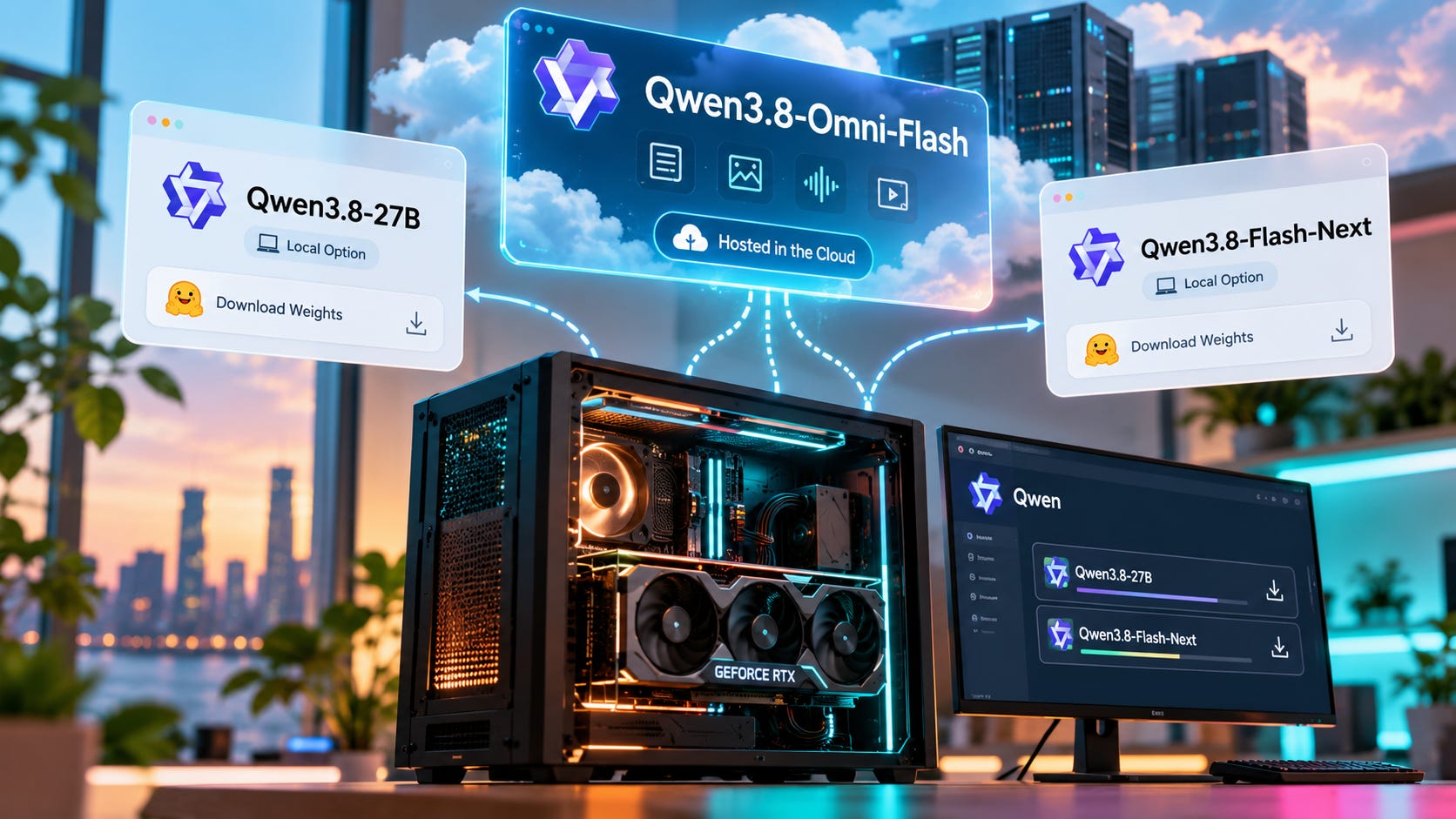
Qwen3.8-Omni-Flash looks like the kind of Qwen release that should show up in Hugging Face, llama.cpp, and a pile of GGUF conversions within days. As of September 25, 2026, it has not.
The model can process text, images, audio, and video across a 1 million-token context window. It can reason over media, call tools, and power agent workflows for meeting analysis, long-video research, and video editing. But Alibaba serves Qwen3.8-Omni-Flash as a hosted model, and Qwen has not released downloadable Omni-Flash weights.
That gives local AI users a simple answer. There is no official Qwen3.8-Omni-Flash GGUF, there is no meaningful consumer VRAM requirement to calculate, and there is no way to reproduce the complete model locally today.
The confusing part is the tooling around it. Qwen released Qwen-MM-Plugins as an Apache 2.0 project that connects multimodal capabilities to agent harnesses such as Claude Code, Codex, Qwen Code, Gemini CLI, and OpenCode. You can install that software on your own computer. The Omni model used for its hosted audio-video operations still runs through an API.
Qwen3.8-Omni-Flash local: key takeaways
Qwen3.8-Omni-Flash is hosted only as of September 21, 2026. Qwen has not published its weights in the Qwen model catalog on Hugging Face.
There is no official Qwen3.8-Omni-Flash GGUF. A GGUF conversion needs model weights to convert, and those weights have not been released.
The open Qwen-MM-Plugins do not make Omni-Flash local. The plugin can run on your machine while its audio-video understanding calls the hosted
qwen3.8-omni-flashmodel.
The hosted model is unusually cheap. QwenCloud lists $0.15 per 1 million input tokens, $0.47 per 1 million output tokens, and $0.016 per 1 million cached input tokens.
For local Qwen inference, Qwen3.8-27B is the more relevant release. Its weights are downloadable under Apache 2.0, and quantized builds can run on realistic local hardware.
What Qwen3.8-Omni-Flash actually is
Qwen publicly announced Qwen3.8-Omni-Flash on September 18, while the QwenCloud model changelog dates its availability to September 17.
It is a native multimodal model that accepts text, images, audio, and video and returns text. Alibaba Cloud’s model documentation lists a 1 million-token context window, up to 131,072 output tokens, adjustable reasoning effort, custom tool calling, web search, context caching, multichannel spatial audio, and support for 113 audio languages and dialects.
Those capabilities target jobs where the soundtrack carries information that a normal vision-language model can miss. A meeting recording has speakers, tone, timing, slides, screen content, and visual context. A lecture may depend on both spoken explanation and diagrams. Film analysis can require dialogue, music, action, and visual continuity. Searching a long video for one event is easier when the model can reason over both what happened and what was said.
Qwen’s larger pitch is agentic media processing. In the official Qwen3.8-Omni-Flash launch announcement, the model is presented as part of a workflow that decides which parts of long media deserve closer inspection and then calls tools to finish the task.


That approach becomes useful with long video because brute-force processing gets expensive fast. Qwen reports that, on OmniVideoBench, agentic understanding increased accuracy from 63.4 to 67.8 while reducing token use from 145,736 to 79,117. That is a roughly 45.7 percent reduction in tokens. The figures come from Qwen’s own benchmark material mirrored by Alibaba Cloud, so they should be read as vendor-reported results rather than independent measurements.
The practical idea is still interesting. A model that can identify the relevant slice of a long recording before spending tokens on deeper analysis can be more useful than a system that blindly pushes every available frame into context.
API-only access limits independent testing. Researchers can benchmark the service, but they cannot inspect or reproduce the exact checkpoint on their own hardware.
Can you run Qwen3.8-Omni-Flash locally?
No, not the actual Qwen3.8-Omni-Flash model.
As of September 21, Qwen had not released Omni-Flash weights through its Hugging Face organization, and Alibaba Cloud identifies Model Studio as the inference provider. The launch material does not provide a weight download, model repository, or local inference instructions. MarkTechPost also reported at launch that no open weights had been announced.
That leaves local runners with nothing official to load. llama.cpp, Ollama, LM Studio, vLLM on your own server, and similar tools all need access to a compatible checkpoint. A local frontend cannot turn an API-only model into a local model.


This is also why screenshots of a terminal, local file picker, or desktop agent do not prove that Omni-Flash itself is running on the same machine. A local program can package files, call an API, receive a response, and then control local tools. The interface can feel completely local while the expensive inference step happens in Alibaba’s infrastructure.
There is no Qwen3.8-Omni-Flash GGUF
There is no official Qwen3.8-Omni-Flash GGUF because Qwen has not published the underlying checkpoint.
GGUF is a model file format used heavily by llama.cpp and other local runtimes. Converters can transform compatible released weights into GGUF. They cannot reconstruct a checkpoint that was never published.
Qwen3.8-27B shows the difference clearly. The official Qwen3.8-27B repository contains downloadable weights under Apache 2.0. Local-model developers can quantize those weights, test different runtimes, and build hardware guidance around actual files.

The same broad local-access point applies to Qwen3.8-Flash-Next, whose model files are published on Hugging Face. Qwen explicitly describes Flash-Next as an open-weight release and provides the files needed for local deployment.
Qwen3.8-Omni-Flash sits in a different access category. You can call it. You cannot download the model itself.
Qwen3.8-Omni-Flash hardware requirements are not knowable yet
There is no useful VRAM number for Qwen3.8-Omni-Flash today.
Qwen has not published a local checkpoint or enough deployment detail to calculate a sensible consumer GPU requirement. Saying that the model needs 24GB, 48GB, 80GB, or some particular multi-GPU setup would be guesswork.
If weights eventually appear, the answer will depend on more than the headline parameter count. Precision and quantization will matter. So will the model architecture, KV-cache behavior, the vision and audio encoders, target context length, runtime support, offloading, and any extra memory used by multimodal preprocessing.
Long context makes this especially easy to oversimplify. A model may technically support a huge context window while requiring far more memory to use that context at practical precision. A quantized checkpoint may fit on a GPU while leaving too little headroom for useful context or multimodal features. “It loads” and “it is comfortable to use” are different hardware questions.
Until downloadable weights exist, buying hardware specifically for Qwen3.8-Omni-Flash would mean buying for an unknown checkpoint with no supported local runtime path.
Why Qwen-MM-Plugins makes Omni-Flash look more local than it is
The source of much of the confusion is legitimate open-source software.
Qwen-MM-Plugins adds media and tool capabilities to agent harnesses. Parts of the stack can run locally. Its core capability can read local images, video frames, documents, and other files in native mode. It can also connect an agent to local programs such as Blender and FreeCAD.
Then there is the API capability. That component handles jobs such as audio transcription, speaker diarization, audio-video captioning, media grounding, event analysis, and other Omni operations.
The project’s configuration documentation sets QWEN_MM_API_OMNI_MODEL to qwen3.8-omni-flash as the default Omni model for audio-video understanding tools, Omni memory, and Omni ChatCut.
In plain English, the plugin can run on your machine while Qwen3.8-Omni-Flash runs somewhere else.
The repository also explains why the split exists. Most supported agent harnesses cannot yet pass audio directly to the main model, so the audio path is handled through the API for now.
That produces a workflow that can look local from the user’s seat. Your agent may run in a terminal on your PC. FFmpeg may process media locally. Blender may open on the same desktop. Plugin code may sit in a folder you can inspect.
The Omni inference call can still leave the machine. If local control is the reason you are interested in the model, that is the control point to watch.
What is actually happening in the Qwen video-agent demos?
Qwen3.8-Omni-Flash does not need to contain a complete nonlinear video editor inside the checkpoint to produce an impressive editing demo.
The demo workflow combines a model, an agent harness, Qwen-MM-Plugins, media-processing code, and external tools. The model understands the request and media, decides what should happen, and calls tools that can perform the work.
Qwen-MM-Plugins exposes separate capabilities for media understanding, video editing, Blender, FreeCAD, video-to-note workflows, long-video memory, and other jobs. Its configuration also supports external services for tasks such as speech processing and generation.
That separation tells you where each capability lives. Media reasoning can come from Omni-Flash. Cutting, rendering, transforming, or exporting media can come from another program. The agent harness coordinates the steps.
It also explains why installing the same plugins around another capable model does not automatically reproduce Qwen’s demo. The harness is one component. The model doing Qwen’s native audio-video reasoning is another. Tool compatibility does not make two underlying models equivalent.
For local AI users, the same rule applies to agents more broadly. A local-looking workflow can contain cloud model calls, hosted search, remote storage, or external APIs. If the requirement is that nothing leaves the machine, you have to trace the complete path rather than stopping at the user interface.
Qwen3.8-Omni-Flash pricing makes the cloud option hard to ignore
There is a good reason to use the hosted version even if you normally prefer local models.
$0.15 per 1 million input tokens
$0.47 per 1 million output tokens
$0.016 per 1 million cached input tokens
Qwen also says the API cost per hour of audio input fell by more than 98 percent compared with Qwen3.5-Omni-Plus, while audio-video input fell by more than 93 percent.
For occasional meeting analysis, transcription plus reasoning, video research, or agent experiments, those prices can make hosted inference easier to justify than building a complicated local audio-video stack.
The economics change with volume. A team processing large amounts of media may care about recurring API spend, data location, throughput limits, predictable latency, or the ability to keep working without the provider. A hobbyist who runs a few long recordings each month may spend less through the API than the power, hardware, and setup time required for a comparable local stack.
There is also a control tradeoff. Alibaba owns the inference layer. You get cheap access and avoid local deployment work, but you depend on the service remaining available on acceptable terms.
Your media still leaves the machine
Cheap hosted inference is still hosted inference.
Alibaba Cloud says Model Studio customer data is not used for model training. The same privacy page says Model Studio stores data generated from model and application calls in accordance with applicable laws and points customers to its agreements for more detail about data processing, privacy, and security.
Media workflows add another practical layer. Qwen-MM-Plugins can use DashScope temporary storage for oversized local files. Its media API documentation says oversized local media can go to model-bound temporary OSS before the model processes it.
Alibaba’s temporary-file documentation says those uploaded files expire after 48 hours and are automatically deleted. That is useful operational detail, but it does not make the workflow local. The file still leaves your hardware for hosted processing.
For public video, disposable media, or ordinary creator work, that may be an acceptable trade. Private meetings, unreleased footage, customer recordings, confidential research, and other sensitive material need a stricter decision.
If privacy is the reason you are looking for local inference, map the entire path. Popular AI’s broader local AI guide covers the relationship between models, privacy, hardware, and APIs. A local agent with one remote multimodal call is still a hybrid system.
More on AI privacy:

What local Qwen users should run instead
If your requirement is “Qwen, downloadable weights, and inference on hardware I control,” Qwen3.8-27B is the practical starting point.
Qwen3.8-27B is a 27B dense vision-language model with downloadable Apache 2.0 weights, native image and video understanding, a 262,144-token native context, and support for extending context toward 1 million tokens. That is a much clearer local deployment target because the checkpoint is actually available.
It also fits a hardware class that many local AI users can reach. Popular AI’s Qwen3.8-27B hardware analysis puts 24GB VRAM in the practical starting range for quantized setups. If you are comparing several memory tiers rather than targeting one model, the local LLM guide for 8GB, 12GB, and 24GB VRAM gives you a better way to work backward from the GPU you already own. RTX 3090 owners can also use the 24GB RTX 3090 local LLM guide to compare alternatives in the same hardware class.


The limitation is audio. Qwen3.8-27B does not provide the same unified audio-video model as Omni-Flash.
A fully local workaround is to split the job. Run local speech recognition on the soundtrack, use a local vision-language model for frames or video, then let a local agent combine the outputs. That adds plumbing and loses some of the native cross-modal reasoning that makes Omni-Flash interesting. In exchange, the source media and model inference can stay under your control.
The other Qwen branch worth watching is Qwen3.8-Flash-Next. Its weights are public and it shares architectural lineage with Omni-Flash. Qwen’s Flash-Next repository describes a 125B-parameter main model, 51B of n-gram embeddings, and 6B active parameters per token. That makes it a much heavier local project than Qwen3.8-27B, even though its sparse architecture reduces the active compute per token.
If you want to compare outside the Qwen family, Popular AI’s guide to open-source and open-weight LLMs for local AI and private use covers the broader set of downloadable options.
More on Qwen hardware requirements:


Who should use Qwen3.8-Omni-Flash?
Qwen3.8-Omni-Flash makes sense for people who need serious audio-video analysis without building a custom multimodal pipeline first.
Meetings are an obvious fit because both speech and visual material can matter. Long lectures, subtitles, media search, film analysis, and agent-driven video workflows also match the model’s design. The low API price lowers the cost of experimenting before you decide whether a more elaborate stack is worth building.
Qwen-MM-Plugins makes sense if you want to connect those capabilities to an existing agent harness and you are comfortable with a hybrid architecture. It gives you open code around the workflow while preserving access to the hosted Omni model where the audio-video reasoning happens.
Sensitive media is the harder case. If sending the source to a hosted service is unacceptable, Qwen3.8-Omni-Flash is the wrong model for that workload today. Use a local pipeline built from downloadable components instead, even if that means separate speech recognition and vision models.
And if the question that brought you here is simply “Which new Qwen model can I download and run on my GPU?”, focus on Qwen3.8-27B first. It has released weights, established local paths, and hardware requirements you can actually measure.
Qwen3.8-Omni-Flash FAQ
Is Qwen3.8-Omni-Flash open source?
The core Qwen3.8-Omni-Flash model is not an open-weight release as of September 21, 2026. Qwen has released open-source companion software such as Qwen-MM-Plugins, but that repository does not include the Omni-Flash model weights.
Is there a Qwen3.8-Omni-Flash GGUF?
There is no official Qwen3.8-Omni-Flash GGUF because the underlying model weights have not been published. A GGUF converter needs released weights as its input.
Can Ollama or LM Studio run Qwen3.8-Omni-Flash?
Not the actual Qwen3.8-Omni-Flash model today. Ollama, LM Studio, llama.cpp, and other local applications need access to model weights or a supported local checkpoint. A local client can call a hosted API, but that does not make model inference local.
Can I reproduce the Qwen video demos locally?
You can run parts of the surrounding tool stack locally, including Qwen-MM-Plugins and some tools it controls. The Qwen3.8-Omni-Flash inference used for native audio-video understanding still requires hosted access, so reproducing the complete Omni workflow locally is not possible with the released components.
What is the parameter count of Qwen3.8-Omni-Flash?
Qwen’s launch materials and Model Studio model page cited in this article do not publish a parameter count. Hardware estimates based on an assumed count should therefore be treated as speculation.
What is the best local alternative to Qwen3.8-Omni-Flash?
For most local Qwen users, Qwen3.8-27B is the practical starting point because it has downloadable Apache 2.0 weights, native image and video understanding, and realistic quantized deployments on consumer hardware. Qwen3.8-Flash-Next provides a much larger open-weight alternative for users with more ambitious hardware.
Qwen3.8-Omni-Flash is cloud-only, so plan the stack around that
Qwen3.8-Omni-Flash is compelling for exactly the workloads where multimodal systems get awkward: long recordings, mixed audio and video, meetings, media research, and tool-driven editing.
The pricing makes experimentation unusually cheap. The open plugins also make it easy to connect the model to agent workflows that run partly on your own machine.
But the model at the center of that workflow is still hosted as of September 25, 2026.
There is no official Qwen3.8-Omni-Flash GGUF. There is no published checkpoint to size against your GPU. Installing Qwen-MM-Plugins does not change where Omni-Flash inference happens.
For local Qwen work today, Qwen3.8-27B is the cleaner choice. For unified audio-video reasoning, Omni-Flash is an API decision. If Qwen releases the weights later, the hardware question becomes real. Until then, searching for the perfect Omni-Flash quant is solving a deployment problem before the deployable model exists.
Explore more from Popular AI:
Start here | Local AI | Builds & gear | Autonomy & policy | Fixes & guides | Popular AI podcast
Would you run Qwen3.8-Omni-Flash locally if you could? What would matter most to you: privacy, cost, offline access, or full control?