


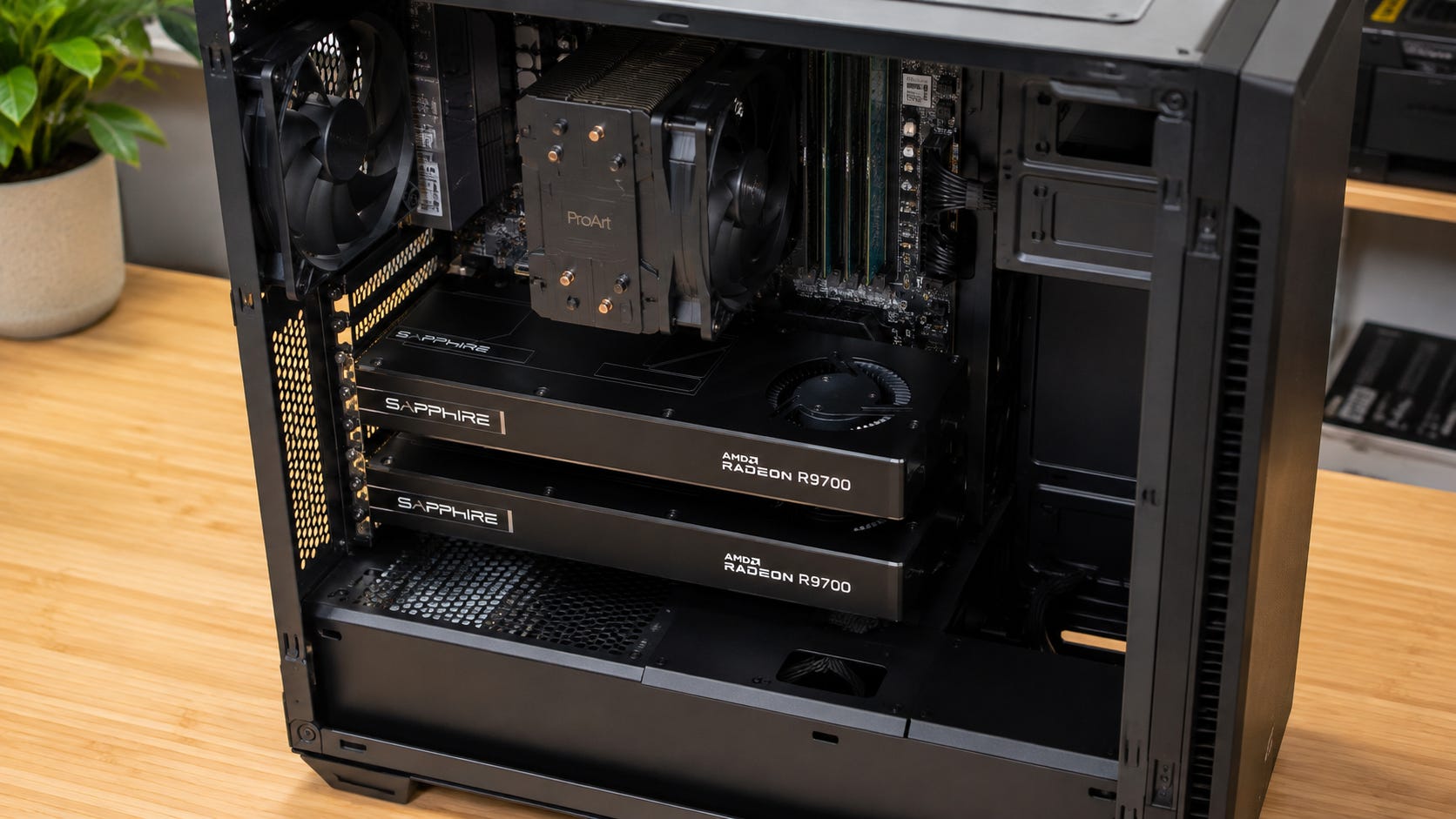
Two Radeon AI Pro R9700s can be a very good local AI buy if you already know your workload works through llama.cpp or another proven AMD path. The pair gives you 64GB of aggregate VRAM, and recent testing shows that memory can be put to useful work for larger local LLMs, longer context windows, and workloads that simply do not fit inside one 32GB card.
That makes a dual R9700 local AI workstation unusually interesting. You can get substantially more memory capacity than a single high-end consumer NVIDIA card while staying with dual-slot workstation GPUs designed for dense systems.
The catch is large enough to change the recommendation. Stock vLLM still cannot reliably span two R9700s on RDNA 4. If you need production vLLM serving, CUDA-first training, broad ComfyUI compatibility, or random GitHub AI projects to work without special treatment, buying the second card for its extra 32GB can leave you with memory that your preferred software cannot actually use.
This is therefore a workload-first purchase rather than a spec-sheet purchase. If your existing stack already works on AMD and benefits from model sharding, two cards can make sense. If you are hoping that 64GB of aggregate VRAM will behave exactly like one 64GB accelerator, the architecture and software reality are more complicated.
Disclosure: This post includes Amazon affiliate links. If you buy through them, Popular AI may earn a small commission at no extra cost to you.
Quick verdict
The Radeon AI Pro R9700 itself is no longer an experimental ROCm purchase. AMD lists the card with 32GB of GDDR6, 640GB/s of memory bandwidth, PCIe 5.0 x16, 300W board power, and Linux ECC support. AMD’s ROCm Linux support matrix also lists the R9700 and its gfx1201 target as officially supported.


The second R9700 is where the answer becomes workload-specific. Puget Systems successfully served Qwen3.6-27B Q4_K_M across two cards with llama.cpp at 23.4 tokens per second for one user. The same testing found that stock vLLM could not initialize tensor parallelism or pipeline parallelism across the two RDNA 4 GPUs.
The important distinction is capacity versus transparency. Two R9700s provide 64GB of aggregate VRAM, but software has to split a workload across the two 32GB devices. A backend that cannot perform that split does not suddenly see one seamless 64GB GPU.
That makes the buying rule fairly simple: buy two R9700s for a tested AMD workflow. Do not buy them because “64GB VRAM” looks like a cheap substitute for one large-memory NVIDIA GPU. If that tested workflow is already part of your setup, the Sapphire Radeon AI Pro R9700 is one suitable option.
What determines whether two R9700s make sense
The first issue is what “64GB” really means.
Two 32GB graphics cards give you 64GB of aggregate memory. They remain two independent GPUs, each with its own local VRAM. Your inference backend has to know how to distribute model weights, KV cache, or other tensors across both devices.
llama.cpp can do that. Its multi-GPU documentation describes layer splitting across multiple GPUs, with model layers and KV cache distributed between devices. Layer splitting is the default and most compatible approach. The project also supports row splitting and an experimental tensor-parallel mode, although those alternatives put greater demands on GPU-to-GPU communication.
The ROCm-specific details matter here. llama.cpp can use AMD’s RCCL for cross-GPU reductions in tensor mode, but its documentation says RCCL is disabled by default because it was not universally beneficial in testing. That is a useful reminder that “multi-GPU support” is not one feature. Different split modes can behave differently on the same pair of cards.
For the dual R9700 buyer, this is the heart of the decision. Aggregate VRAM is valuable when the software can shard the workload. Without that support, the second GPU cannot rescue a model or application that only knows how to use one device.
The second issue is software breadth. CUDA still has the stronger position when you want to install an arbitrary AI repository and have a high probability that its optimized kernels, extensions, tutorials, Docker images, and community fixes were built with your GPU stack in mind.
ROCm support has improved significantly, and official support for the R9700 removes one of the biggest historical objections to buying AMD for AI. But one remaining question sits higher in the software stack. A framework may support ROCm while an individual image, training, video, or research project still depends on CUDA-specific components.
The same tradeoff appears at lower prices in our Arc Pro B60 versus RTX 5060 Ti local AI comparison. More memory is a meaningful advantage only when the software you plan to run can make practical use of it.
The third issue is whether you need capacity or speed.
Two R9700s solve a memory-capacity problem much more convincingly than they solve a single-user latency problem. In Puget’s Qwen3.6-27B test, the second card roughly doubled the usable context ceiling. One R9700 could load the model at a 32K context but failed at 64K. The dual-card configuration loaded 64K and failed at 128K.
That is exactly the type of result that can justify the second card. If your model fails because it does not fit, doubling available aggregate VRAM can move the workload from impossible to usable.
The speed story is different. llama.cpp’s default layer split places different layers on different GPUs. Tokens move through those layers sequentially, so adding another card does not make the two devices behave like one accelerator with twice the compute performance. More aggressive split modes can introduce parallelism, but they also increase communication demands and may not be stable or faster on every architecture.
That means a second R9700 can be excellent value when memory capacity is the blocker. It is a much weaker purchase when your current model already fits comfortably on one card and your only goal is lower latency.
More local AI GPU tradeoffs:

How these recommendations were chosen
The central evidence is Puget Systems’ August 18, 2026 testing of two Radeon AI Pro R9700 cards. The test platform gave both GPUs full PCIe 5.0 x16 connectivity and evaluated single-GPU vLLM, dual-GPU llama.cpp, and ComfyUI rather than attempting to infer AI behavior from gaming benchmarks.
Puget used the ROCm vLLM 0.20.2 image for its single-GPU inference testing and llama.cpp for the working multi-GPU path. That prevents two separate questions from being collapsed into one. The R9700 can run vLLM on a single card. The demonstrated failure is stock vLLM spanning two RDNA 4 R9700s.
Official AMD specifications and the ROCm support matrix provide the basis for the hardware and supported-platform claims. llama.cpp’s own documentation provides the explanation for its multi-GPU split behavior. NVIDIA, Intel, Apple, and MLX documentation provide the basis for the main alternatives.
This is not a Popular AI hands-on benchmark. The performance results belong to their respective test sources, and cross-platform results should not be treated as perfectly controlled head-to-head benchmarks when model precision, runtime, GPU count, context, and test methodology differ.
Pricing also needs to be treated as a snapshot rather than a permanent specification. On August 28, B&H listed the Gigabyte Radeon AI Pro R9700 at $1,459.95 and temporarily out of stock, while the ASUS Turbo Radeon AI Pro R9700 was $1,899.99 and temporarily out of stock. At those prices, two cards imply roughly $2,920 to $3,800 in GPU spending before the rest of the workstation.
That spread is large enough to affect the value argument. A dual R9700 build near the lower end of that range looks much more compelling as a 64GB llama.cpp workstation than the same build near $3,800. Availability and board-partner pricing should therefore be checked again immediately before purchase.
The serious contenders
▪ Best for 64GB llama.cpp inference: two Radeon AI Pro R9700s
This is the configuration that makes AMD’s memory-per-dollar proposition genuinely interesting.

Puget served Qwen3.6-27B Q4_K_M across two R9700s using llama.cpp’s layer split at 23.4 tokens per second for one user. Aggregate throughput reached 55.7 tokens per second at four concurrent users and 56 tokens per second at eight users.
The more important result is memory headroom. The second GPU moved the tested Qwen3.6-27B configuration from a 32K maximum successful context on one card to a 64K successful context on two cards. For a local coding assistant, document system, RAG server, long-context research tool, or other LLM workload, that extra capacity can matter more than benchmark bragging rights.
More aggregate VRAM can also create room for a larger model, a less aggressive quantization level, more KV cache, additional concurrent requests, or multiple resident workloads. Exactly which benefit matters depends on the model and backend, but all of them start from the same requirement: the runtime has to distribute memory across both GPUs successfully.
This is why llama.cpp changes the R9700 value equation. It gives the second card a practical job rather than leaving it as idle capacity.
The limitation is that the exact split mode still matters. Puget found that layer split was the reliable path for Qwen3.6-27B, while row splitting failed under concurrent decode on that architecture. A generic statement that llama.cpp “supports multiple GPUs” therefore does not guarantee that every multi-GPU execution mode will behave identically.
For buyers already committed to that ecosystem, the recommendation is straightforward. Buy the pair when llama.cpp is an acceptable deployment backend and 32GB is the memory ceiling preventing you from running the model, context, or concurrency level you need.
The Sapphire Radeon AI Pro R9700 is one option for checking current card availability, but the board design, chassis spacing, power supply, motherboard topology, and price of both GPUs should be planned together.
▪ Best if 32GB is enough and compatibility matters more: RTX 5090
The RTX 5090 loses the raw capacity comparison immediately. NVIDIA gives you 32GB on one card rather than 64GB spread across two R9700s.
If the workload fits inside that 32GB envelope, however, the RTX 5090 has a much easier argument.
NVIDIA specifies 32GB of GDDR7, PCIe Gen 5, CUDA capability 12.0, and 575W total graphics power. Our RTX 5090 local AI analysis also examines its 1,792GB/s memory bandwidth and the practical consequences of its hard 32GB VRAM ceiling.
Compared with the R9700’s 640GB/s, that is a dramatic bandwidth advantage for workloads that fit. More importantly, the CUDA ecosystem reduces the probability that your next attention kernel, training extension, image workflow, video package, or research repository becomes a compatibility project.

A single GPU is also simpler to configure. There is no need for the inference runtime to distribute a model across devices, no concern about how the second PCIe slot is wired, and no cross-GPU communication path to tune.
This does not make the RTX 5090 a universal answer. Its 32GB capacity is a real limit. If the model, context, KV cache, or complete workflow requires more memory, additional CUDA compatibility does not make the workload fit.
That is why the right comparison is not “64GB AMD versus 32GB NVIDIA” in isolation. It is “does my real workload fit on one 32GB NVIDIA card?”
If the answer is yes, the RTX 5090 is usually the cleaner high-performance choice. If the answer is no and llama.cpp can shard your target workload across the R9700 pair, AMD becomes far more interesting.
More on the RTX 5090 for local AI:

▪ Best if multi-GPU vLLM is the requirement: Arc Pro B70
Intel becomes relevant for a narrower but important reason. Puget has demonstrated a working multi-GPU vLLM path on the 32GB Arc Pro B70.
In June 2026, Puget tested four Arc Pro B70 cards with 128GB of aggregate VRAM using vLLM tensor parallelism. Its Qwen3.6-27B dense FP16 model required roughly 54GB and ran across the four cards at 13.1 tokens per second for one user. Aggregate throughput reached 95.9 tokens per second at eight concurrent users.
Those numbers should not be treated as a direct speed victory or loss against the dual R9700 result. Puget’s AMD configuration used a 4-bit GGUF model across two cards with llama.cpp. The Intel configuration used FP16 across four cards with vLLM. The workloads differ in precision, runtime, GPU count, and serving characteristics.
The more useful comparison is architectural and operational. Intel has a tested multi-GPU vLLM deployment path, while stock vLLM does not currently provide a working two-R9700 path on RDNA 4.

The B70 approach comes with its own tradeoffs. Four GPUs demand more physical slots, more motherboard planning, more power and cooling consideration, and an Intel-specific software stack. It is therefore not a universal replacement for two R9700s.
It becomes the more relevant option when vLLM tensor parallelism is a firm requirement rather than a feature you would merely prefer to have.
▪ Best if you want one large memory pool and can wait: Mac Studio with M5 Ultra
Apple introduced another option only three days before this article was written.
The new M5 Ultra Mac Studio was announced on August 25, 2026. The M5 Ultra configuration starts with 96GB of unified memory, can be configured to 256GB or 512GB, and provides 1.2TB/s of memory bandwidth. Apple says the system starts at $5,499, with availability beginning September 22 and the 512GB configuration following in late October.
For local LLM inference, the memory architecture changes the nature of the capacity problem. Apple’s MLX documentation explains that the CPU and GPU directly access the same unified memory pool. A local inference application does not have to make two separate 32GB GPU memories behave like a larger accelerator in the same way a dual discrete-GPU workstation does.

That makes the M5 Ultra Mac Studio’s combination of up to 512GB unified memory and 1.2TB/s bandwidth especially relevant to people whose first requirement is simply fitting a very large quantized model into accessible local memory.
The tradeoff is software and platform flexibility.
A Mac Studio is not a replacement for a Linux CUDA or ROCm server when your applications require those environments. If you need vLLM deployment, CUDA extensions, Linux-specific infrastructure, NVIDIA training software, internal PCIe GPUs, or the ability to replace individual accelerators later, the Mac solves a different problem.
If your workload revolves around llama.cpp, MLX, LM Studio-style local inference, coding models, and other single-user LLM tasks, the M5 Ultra deserves attention before an expensive multi-GPU purchase. Independent local-LLM benchmarks will matter once systems begin reaching users.
Buying two R9700s immediately can still make sense when you already know you want Linux, discrete GPUs, and the ROCm path. The argument for waiting becomes stronger when your entire buying decision is driven by memory capacity rather than platform requirements.
Two R9700s versus the main alternatives
▪ Against one RTX 5090, the R9700 pair wins on aggregate capacity when the backend can split the workload. The RTX 5090 wins on single-GPU simplicity, software breadth, CUDA support, and memory bandwidth. If your workloads fit inside 32GB, NVIDIA is the safer general-purpose AI purchase. If 32GB itself is the reason the workload fails, two working 32GB AMD cards can solve a problem the 5090 cannot.
▪ Against Arc Pro B70, AMD has a compelling two-card llama.cpp configuration, while Intel has stronger evidence for multi-GPU vLLM serving. The B70 demonstration required four cards for 128GB aggregate VRAM, so the physical and platform requirements are different. The correct choice follows the server software you intend to deploy rather than the logo on the GPU.
▪ Against M5 Ultra, the distinction is even clearer. Two R9700s give you discrete, replaceable workstation GPUs, Linux, and ROCm. Mac Studio gives you a much larger unified memory pool in a compact system but locks the hardware and software choices into Apple’s environment.
▪ For pure large-model local inference, one accessible pool can be extremely attractive. For heterogeneous AI development, Linux serving, PCIe hardware expansion, and workloads that specifically target ROCm, the dual-R9700 workstation is more flexible.
There is also a much more expensive NVIDIA route. If you want one large CUDA GPU and price is secondary, the RTX PRO 6000 Blackwell provides 96GB of ECC VRAM. That removes many of the memory-distribution problems associated with two smaller GPUs, but its roughly $13,000-class pricing places it in a different buying category.

This is ultimately why memory capacity alone cannot rank these systems. A 32GB card with perfect software compatibility can be more useful than 64GB aggregate memory for one workload. A 64GB dual-GPU configuration can be vastly more useful when it makes a larger model fit. A 96GB or larger unified-memory system can solve the capacity problem again while moving you into a completely different operating environment.
More on CUDA for local AI:

Compatibility and ownership cost matter before the second card
Two R9700s also change the workstation around them.
AMD rates each card at 300W. A pair therefore represents 600W of combined rated board power before the CPU, motherboard, memory, storage, fans, or PSU conversion losses enter the picture. AMD’s 750W minimum PSU recommendation applies to a single card and should not be interpreted as a sensible total-system target for a dual-R9700 workstation.
A high-quality 1200W-class ATX 3.1 power supply is a reasonable planning point for many two-card systems, although the exact requirement depends on the CPU and the rest of the machine. A high-power Threadripper build can justify substantially more headroom.
Physical fit is better than with many oversized gaming GPUs. The Gigabyte model is a 267mm full-height, dual-slot workstation card, while ASUS describes its Turbo R9700 as a two-slot design intended for compact workstations and multi-GPU configurations.
Dual-slot does not automatically mean every case or motherboard will work well. Slot spacing affects airflow. Blower-style cooling helps move hot air out of dense systems, but two 300W accelerators still create a significant thermal load that the chassis has to handle continuously.
The motherboard is an even easier place to make an expensive mistake.
Two x16-shaped PCIe slots do not guarantee two useful CPU-connected x16 links. Depending on the platform, the second physical slot may run at x8, receive fewer lanes, connect through the chipset, or sit too close to the first card for the cooling arrangement you intended.
Puget’s benchmark system gave both R9700s full PCIe 5.0 x16 connectivity. A mainstream desktop motherboard should not be assumed to reproduce that topology simply because two full-length connectors are visible in a product photo.
For llama.cpp’s default layer split, extreme interconnect performance may be less important than it is for tensor-parallel execution because less simultaneous cross-GPU communication is required. Even so, llama.cpp warns that multi-GPU performance can become limited by interconnect speed. The motherboard manual deserves the same attention as the GPU specification sheet before the second card is ordered.
Linux remains the safer environment for this particular workstation. AMD officially supports the R9700 under ROCm, but support applies to specific operating-system versions. In ROCm 7.2.2, the R9700 is limited to particular Ubuntu and RHEL releases within AMD’s official matrix.
That matters more in a machine intended for paid production work than in a hobby system. Staying inside AMD’s supported Linux matrix reduces one variable when debugging a workload that already depends on a less universal software ecosystem than CUDA.
What about ComfyUI, training, and AI video?
This is where the attraction of “64GB” can become especially misleading.
Puget’s ComfyUI test produced 1024×1024 Z-Image Turbo images in about 3.6 seconds after warm-up, with the model using roughly 18GB on one R9700. That is useful evidence that the card can handle a real ROCm image-generation workload.
It does not demonstrate that a second R9700 doubles ComfyUI speed. It also does not demonstrate that arbitrary 64GB image-generation workflows will automatically span the two GPUs.
That’s important to note because image-generation ecosystems often depend on more than PyTorch itself. Custom nodes, attention implementations, quantization tools, compiled extensions, model loaders, and third-party plugins can introduce their own CUDA assumptions even when the basic framework supports AMD.
The same warning becomes stronger for training, fine-tuning, AI video, and specialized research repositories.
Framework-level ROCm support is the first compatibility layer. The exact project may still depend on CUDA-specific kernels, libraries, instructions, or container images. A training repository that assumes NVIDIA collectives or a video tool with a CUDA-only extension can erase the theoretical value of the second 32GB card.
If one of those workloads is the reason you are spending several thousand dollars, test the exact repository, branch, model, precision, and backend before buying. “PyTorch supports AMD” is useful context, but it is not sufficient evidence that a particular end-to-end pipeline will work.
The R9700 pair is strongest when the workload has already crossed that verification barrier.
Who should buy two R9700s, start with one, wait, or skip
▪ Buy two R9700s now if you are building a Linux local inference machine, llama.cpp is an acceptable backend, and you have a real model, context, or concurrency requirement that exceeds one card’s 32GB.
In that situation, the second card buys meaningful capacity. Puget has demonstrated a credible two-card deployment rather than a theoretical configuration, including Qwen3.6-27B at useful interactive throughput and a larger context window than one card could sustain.
▪ Buy one R9700 first if you are still discovering your workload.
A single card already gives you 32GB, official ROCm support, working single-GPU vLLM in Puget’s testing, and enough capacity to find out whether AMD’s stack works with the actual applications you expect to use. If those workflows prove reliable and you later hit a real memory ceiling, the second card becomes an evidence-based upgrade rather than a bet.
▪ Choose NVIDIA if compatibility, raw bandwidth, and single-GPU simplicity matter more than capacity per dollar. Our RTX 5090 versus RTX 4090 versus RTX 3090 local AI guide is the better starting point when CUDA support is a hard requirement rather than a preference.
▪ Choose Intel when multi-GPU vLLM serving is central to the machine and you are willing to design around Intel’s demonstrated four-card path.
▪ Wait for independent M5 Ultra local-LLM benchmarks if your main goal is running very large models from one accessible memory pool and you do not specifically require Linux, CUDA, ROCm, or replaceable GPUs. The first systems are scheduled to begin arriving on September 22, 2026, which is close enough that an expensive purchase today should have a concrete reason not to wait.
▪ Skip the second R9700 if your important workloads already fit inside 32GB and you have no demonstrated need for the extra memory. Spending another roughly $1,500 to $1,900 on capacity that sits unused is a weak form of future-proofing, particularly when the software stack that might need the memory could change before you use it.
More on CUDA local AI GPUs:

FAQ
Do two R9700s’ 64GB of VRAM behave like one 64GB GPU?
No. The system has 64GB of aggregate VRAM across two independent GPUs. Software such as llama.cpp can distribute model layers and KV cache across them, which makes the capacity useful, but the application has to support multi-GPU distribution. A program that only uses one device still sees the practical limit of one 32GB card.
Does vLLM work on the Radeon AI Pro R9700?
Yes on a single card, based on Puget’s testing with the ROCm vLLM image. The current problem is stock multi-GPU vLLM across two RDNA 4 R9700s. Puget found tensor parallelism and pipeline parallelism failed during RCCL initialization, while an open vLLM issue documents a dual-R9700 TP=2 deadlock while TP=1 works.


Is ROCm finally good enough for local AI?
For specific validated workloads, yes. The R9700 has official ROCm support and demonstrated high-value local AI paths, including single-GPU vLLM, dual-GPU llama.cpp inference, and ComfyUI image generation. ROCm still should not be treated as interchangeable with CUDA across every repository, extension, kernel, training framework, or multi-GPU serving setup.
Should I buy the second R9700 later?
For many buyers, that is the safer approach. Start with 32GB and verify the operating system, models, inference backend, image workflows, and other tools you expect to use. Add the second card after a real workload reaches the first GPU’s memory ceiling. If you already have a proven dual-card deployment, planning the motherboard, chassis, cooling, and PSU around two cards from day one is cleaner.
Are two R9700s better than a 96GB unified-memory Mac?
It depends on the software you need. Two R9700s are the more direct choice for a Linux ROCm workstation with replaceable PCIe GPUs. M5 Ultra offers a cleaner memory model for fitting very large local LLMs because the CPU and GPU share unified memory. The Mac is less suitable when the workload specifically requires Linux, CUDA, ROCm, vLLM deployment, or internal GPU expansion.
Dual R9700 local AI verdict: buy the backend before the VRAM
Two Radeon AI Pro R9700s are worth buying for local AI in 2026 when you can name the backend before you buy the hardware.
For llama.cpp-based Linux inference, the pair is compelling. You get 64GB of aggregate VRAM from two dual-slot workstation cards, and Puget has demonstrated a 27B-class model operating across them at useful interactive speeds. More importantly, its test showed the practical benefit that matters most: the second card created enough memory headroom to run a context size that one card could not.
For stock multi-GPU vLLM, the recommendation is different. The working single-card path does not translate into a reliable two-card RDNA 4 deployment today. Spending thousands of dollars on the assumption that a future ROCm, RCCL, or vLLM update will eventually rescue the intended workflow is a poor basis for a workstation purchase.
For buyers whose real models fit inside 32GB, the RTX 5090 remains the easier high-performance option. For multi-GPU vLLM, Intel’s B70 path deserves serious consideration. For huge local LLMs where one accessible memory pool matters more than Linux or replaceable GPUs, M5 Ultra is close enough to release that independent benchmarks are worth waiting for.
The Radeon AI Pro R9700’s problem is no longer that AMD cannot run useful local AI. Official ROCm support and real application testing make that argument outdated.
The decisive question is whether your local AI stack can use the second card.
When the answer is yes, the Radeon AI Pro R9700 can turn 64GB of aggregate VRAM into a genuinely useful local inference tier. When the answer is no, the attractive memory number stops being a bargain and becomes capacity you paid for without a reliable way to use it.
Explore more from Popular AI:
Start here | Local AI | Builds & gear | Autonomy & policy | Fixes & guides | Popular AI podcast
Would you trade CUDA compatibility for 64GB of aggregate VRAM if your local AI workload could use it? What would make you choose dual R9700s over NVIDIA?