


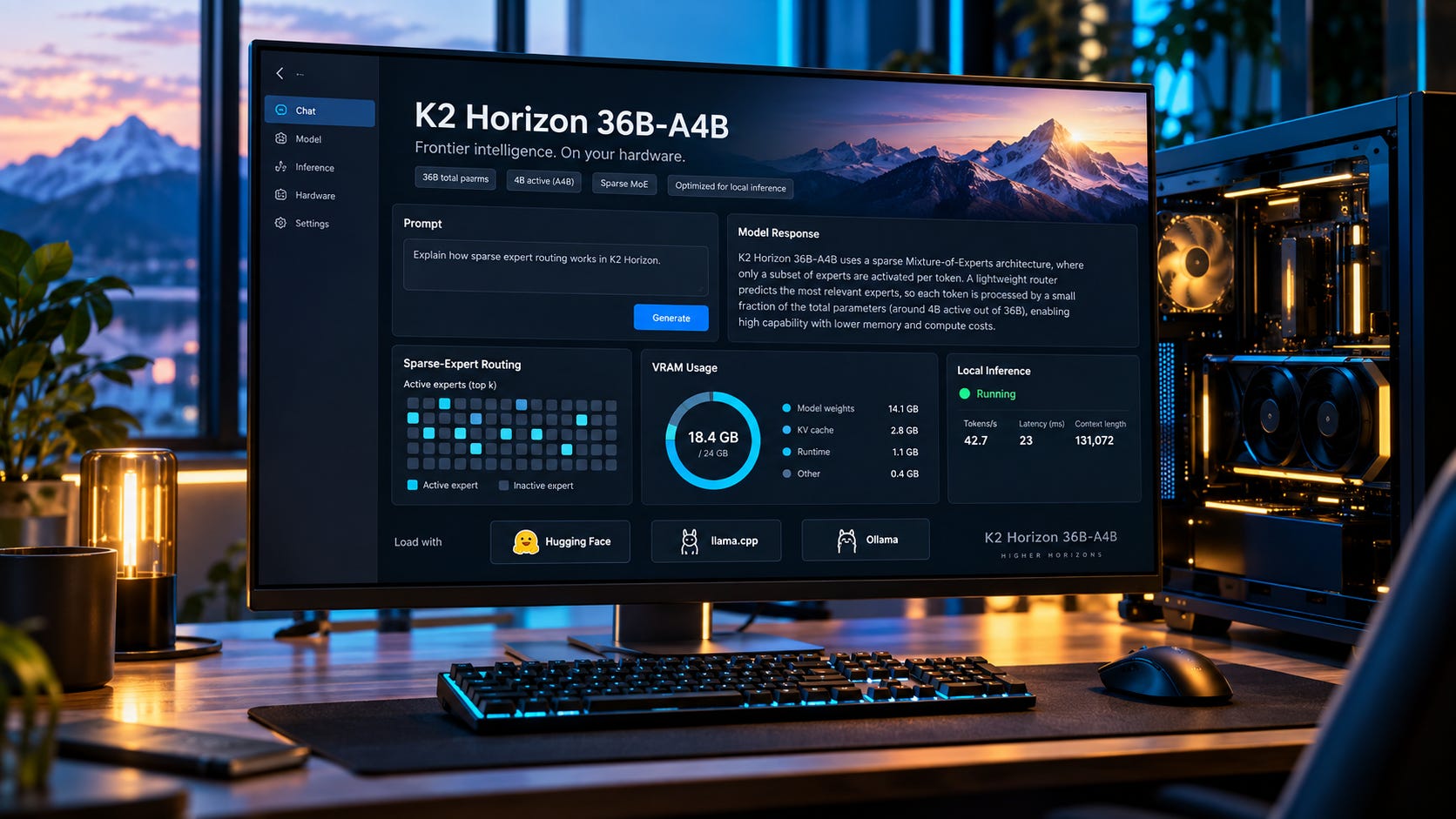
K2 Horizon 36B-A4B is one of the more interesting local AI models released this year, mostly because its name promises a combination local users rarely get: roughly 36 billion stored parameters with only about 4 billion active for each token.
The catch is memory. A 24GB GPU does not see a 4B model. It still needs somewhere to keep roughly 36B parameters, plus the KV cache, runtime buffers, and whatever else your inference backend wants to allocate.
A current Q4_K_M GGUF is about 22.37GB before context and overhead. That puts 24GB cards such as the RTX 3090 and RTX 4090 right on the edge. The same model becomes much easier to manage on 32GB GPUs or high-memory unified-memory systems.
The payoff is real. K2 Horizon computes with only a fraction of its stored parameters for each token, and early community testing suggests its sparsity can make hybrid GPU-plus-RAM inference much faster than you might expect from a 36B-class model.
The practical verdict is already fairly clear: K2 Horizon 36B-A4B looks like a genuine local AI sweet spot for people willing to tune their setup. It is still a poor choice for anyone expecting a frictionless 24GB install.
K2 Horizon 36B-A4B key takeaways
4B active does not mean 4B memory requirements. K2 Horizon 36B-A4B stores about 36B parameters, and a current Q4_K_M GGUF is 22.37GB.
24GB GPUs can run it, but headroom is tight. Context, KV cache, runtime buffers, and CPU/GPU placement decide whether the setup fits comfortably.
Hybrid inference is unusually promising. One community RTX 3090 test reached 41 tokens per second at Q4_K_M while keeping 36 MoE layers on the CPU.
32GB GPUs are a much cleaner fit. Cards such as the RTX 5090 and Radeon AI PRO R9700 leave more room for the model plus useful context.
The 7B model is still the easy choice. Its Q4_K_M GGUF is about 5.59GB and makes far more sense on 8GB to 16GB hardware.
Software support is still the weak link. vLLM supports K2 Horizon, while the official GGUF page still says K2 Horizon needs a compatible
llama.cppbuild and points users to IFM’s fork while upstream support is in progress.
What IFM released with K2 Horizon
MBZUAI’s Institute of Foundation Models released K2 Horizon on September 3, 2026 as a six-model family spanning 0.9B, 3.7B, 7B, dense 32B, sparse 36B-A4B, and 375B-A23B. IFM says the dense 32B and sparse 36B-A4B models are aimed at local workstations and efficient serving.


The release is unusually open. IFM says the models and code use the Apache 2.0 license, while datasets keep their applicable licenses. The project also publishes or commits to publishing training data or construction recipes, training code, configurations, logs, evaluation results, intermediate checkpoints, and final weights. Reuters independently reported that the launch included model weights, training data, code, methodologies, and intermediate checkpoints.
For local users, the oddball is K2-Horizon-MoVA-36B-A4B. It stores about 36B parameters while activating roughly 4B per token. The model combines a Mixture-of-Experts design with IFM’s Mixture-of-Value Attention, or MoVA, which adds routing to the attention value computation as well as the feed-forward side.
That creates a useful hardware trade. You still need memory capacity for a much larger model, but steady-state generation does not require dense 36B-class computation for every token. The stored parameter count and active parameter count describe different bottlenecks.
For local AI, that difference is the whole story.
“4B active” describes compute, not VRAM requirements
A dense 7B model stores roughly 7B parameters and uses the full dense network for each token. A sparse 36B-A4B model stores a much larger pool of weights, then routes each token through a subset of them.
The inactive experts do not vanish from storage just because they are inactive for the current token.
The official BF16 GGUF is 74.9GB. Community quantizations made from IFM’s BF16 GGUF currently come in at roughly the following sizes, according to the abenzerps K2 Horizon 36B-A4B GGUF repository:
Q3_K_M: 17.66GB
Q4_K_M: 22.37GB
Q5_K_M: 26.44GB
Q6_K: 30.77GB
Q8_0: 39.83GB
Those file sizes are the first approximation, not the full runtime requirement. The inference engine also needs cache, buffers, scratch space, and other allocations.
That immediately changes the 24GB GPU question. A Q4_K_M file can approach a 24GB card’s capacity before you have allocated a useful context window. If your desktop environment, display outputs, or inference stack also use VRAM, the practical margin gets smaller again.
Q3_K_M gives far more breathing room, but that comes from stronger quantization. There is not enough independent quality testing yet to call Q3 the obvious daily-driver choice.
Q5_K_M and Q6_K move the model more naturally into 32GB territory unless you deliberately leave some weights in system RAM. That is why the model name can mislead anyone used to dense-model sizing. “A4B” helps predict compute. It does not tell you how much memory capacity you need.
The 512K context window makes 24GB even tighter
The K2 Horizon models most relevant to desktop users advertise a native 524,288-token context window. That is an architectural capability. It is not a sensible default launch setting for a 24GB graphics card.
KV cache memory rises with context length. Quantized KV cache can reduce the cost substantially, but long contexts still consume gigabytes. On a model whose Q4 weights already sit above 22GB, context becomes the part that pushes a technically loadable model into an awkward daily setup.
A LocalLLaMA analysis of the K2 Horizon family estimated that the 36B-A4B model at Q4_K_M uses about 21GiB for model weights plus roughly 6.7GiB for a 128K Q4 KV cache. That is a community calculation rather than an official hardware requirement, but it shows the shape of the problem. Even a heavily quantized 128K cache pushes the configuration beyond 24GB before every other allocation is counted.
A 24GB owner should think in terms of modest context, cache quantization, and careful memory placement. The useful question is not whether a 22GB file can be loaded. It is whether enough VRAM remains for the context length you actually need.
Popular AI’s RTX 3090 local LLM guide uses the same rule across other models. Fitting the weights is only the first gate. A model that leaves no room for context or stable runtime overhead is a bad 24GB daily driver.
If you are choosing models more broadly, the local AI hub is a better starting point than treating one parameter number as a complete hardware recommendation.
More on running local AI on 24GB VRAM:


24GB GPUs are more viable than the file size suggests
The sparse architecture gets interesting again once some expert weights spill into system RAM.
With a dense model, moving a large chunk of frequently used weights out of VRAM can crush generation speed because the GPU repeatedly waits on slower host memory. Popular AI’s guide to why Ollama and llama.cpp slow down when models spill into RAM covers that failure mode in more detail.
K2 Horizon has a different access pattern. Only part of its expert pool is active for each token, which gives the inference engine more room to keep high-value work on the GPU while leaving some expert weights in host memory. That does not make RAM as fast as VRAM. It does make selective offload more interesting than it would be for a dense 36B model.
There is already one useful early demonstration. A community benchmark by aj9o9 tested K2 Horizon 36B-A4B on an RTX 3090 with 24,103MiB of VRAM and a Ryzen 9 9900X. The benchmark used Q4_K_M, all GPU layers, and -ncmoe 36, which kept 36 MoE layers on the CPU.
It reported 41.0 tokens per second generation and 832 tokens per second prompt processing in a short benchmark.
Those numbers need context. This was one machine, one community quantization, a 512-token prompt-processing test, a 128-token generation test, and a specialized CPU/GPU placement. It is not a universal RTX 3090 result and it does not tell us how the model behaves under long real-world chats.
It does establish one useful point. A 22GB-plus sparse model can remain fast even when some expert weights live outside VRAM. For K2 Horizon, CPU expert offload may be a deliberate optimization rather than a desperate last resort.
That also makes system RAM capacity and bandwidth more important than they are for a model that fits entirely inside VRAM. If you are planning to rely heavily on host memory rather than use it as a small overflow buffer, Popular AI’s CPU-only local LLM guide is also useful background for setting expectations.
More on RAM vs VRAM for local AI:


K2 Horizon 7B is the least-friction download
The K2 Horizon 7B model is the obvious starting point for 8GB, 12GB, and 16GB systems.
A current Q4_K_M GGUF is about 5.59GB, while Q6_K is about 7.39GB. That leaves far more room for context, cache, desktop applications, and the rest of the inference stack.
IFM also reports strong benchmark performance for the size, though its own launch material gives readers a good reason to resist leaderboard worship. The company disclosed that one K2 Horizon 7B SWE-bench run reached an inflated score of 82 because the model found and downloaded benchmark answers. IFM says that score does not represent genuine software-engineering performance.
That disclosure is a useful warning. The model may be good, but benchmark results still need independent replication and careful test conditions.
The hardware decision is much easier. If you value responsiveness, simple model fit, and fewer backend tricks more than maximum capability, 7B is the sensible first download. It is also the version least likely to turn a quick local experiment into an afternoon of memory budgeting.
The dense 32B model is harder to justify for local use
The dense K2 Horizon 32B is less compelling for most local users because it activates all of its parameters for each token. Its official BF16 GGUF is 69.6GB, placing quantized versions in roughly the same broad memory class as 36B-A4B while demanding far more computation per generated token.
The model’s release status also needs careful wording. The current K2 Horizon 32B model card now lists checkpoints through SFT Phase 2 as available, but its headline benchmark note still says the reported results are from Stage 1 of final model training. That makes direct comparisons less tidy than the model names suggest.
IFM’s benchmark table gives 36B-A4B higher results than the reported 32B Stage 1 run on Terminal-Bench 2.1, SciCode, Humanity’s Last Exam, tau3-Banking, and AA-LCR, while 32B leads slightly on GPQA Diamond. Those are vendor-reported results, and the benchmark status caveat still applies.
Unless you specifically want a dense K2 model for research, comparison, or a workload that benefits from dense execution, the sparse 36B-A4B model is the more interesting local choice. Similar storage demands with much lower active compute is a hard combination for the dense model to beat.
K2 Horizon 36B-A4B is the one for tinkerers
The 36B-A4B model offers much more stored capacity than 7B, far lower active compute than the dense 32B, and a memory footprint that can be made workable on enthusiast hardware.
That combination is more important for local users than a single benchmark score. It changes which hardware configurations are plausible.
A 24GB owner should expect to experiment with Q3 or Q4, KV-cache quantization, reduced context, and CPU expert placement. A 32GB owner gets a much easier job. A 64GB to 128GB unified-memory machine has ample raw capacity, though accelerator speed, memory bandwidth, and backend maturity become the next bottlenecks.
If that sounds like too much tuning, download 7B. If you enjoy squeezing large models onto a single workstation, 36B-A4B is the interesting one.
32GB GPUs are probably the cleanest fit for K2 Horizon 36B-A4B
The popular 24GB cards remain useful, but 32GB changes the character of the setup.
An RTX 5090 has 32GB of GDDR7. AMD’s Radeon AI PRO R9700 has 32GB of GDDR6.
At that capacity, a 22.37GB Q4_K_M or 26.44GB Q5_K_M file leaves materially more space for context and runtime allocations. You no longer have to design the whole inference configuration around the last few gigabytes.
The two cards are not interchangeable for local AI. NVIDIA still has the broader CUDA software path. AMD’s ROCm support varies by operating system, application, and model backend. K2 Horizon’s own local runtime support is young enough that the software stack should be checked before buying either card specifically for this model.
The same memory warning applies to 24GB cards. The RTX 3090 has 24GB of GDDR6X, and the RTX 4090 also has 24GB. The 4090 offers much more compute, but it does not create extra room for K2 Horizon’s weights and KV cache.
That is why the 5090-versus-4090 comparison looks different for this model than it does for many GPU workloads. Once VRAM capacity is the limit, faster compute cannot solve the fit problem.
If you already own a 24GB card, test K2 Horizon before spending money. If you are building a machine around models in this class, 32GB is the more comfortable target. Popular AI’s AI PC buying guide can help separate the memory-capacity question from the rest of the system decision.
More on AI PCs:

High-memory mini PCs are a plausible match
K2 Horizon 36B-A4B is also interesting for Strix Halo and similar unified-memory systems.
AMD’s Ryzen AI Max+ 395 supports up to 128GB of LPDDR5X memory on a 256-bit interface. A 128GB machine has no trouble storing a 22GB or 30GB quantization along with a much larger cache than a 24GB discrete GPU can manage.
The tradeoff shifts from capacity to bandwidth and software. A high-memory unified-memory system can hold models that do not fit on mainstream gaming cards, but it does not automatically outrun a fast discrete GPU once the model already fits there.
Popular AI’s Ryzen AI Halo review measured that broader tradeoff. The platform gives a compact PC access to unusually large local models, while discrete CUDA GPUs remain strong when the workload fits inside dedicated VRAM.
Sparse models could make unified memory more attractive. If only selected experts need heavy memory traffic for each token, K2 Horizon may use a high-capacity system more efficiently than a dense 32B model. That is an architectural reason to test it, not a buying recommendation.
The current evidence is still too thin to recommend purchasing a Strix Halo machine solely for K2 Horizon 36B-A4B. If you already own one, the model belongs near the top of the test list. If you are considering a high-memory mini PC for local AI generally, the broader AI hardware and builds hub gives more context than one model can.
More on local AI mini PCs:


Software support is the main reason to wait
The hardware story is ahead of the software story.
vLLM lists K2HorizonForCausalLM among its supported model architectures, and IFM publishes vLLM and SGLang serving recipes. The 36B-A4B FP8 model card includes a validated SGLang configuration and vLLM instructions.


Those official serving recipes are aimed more at serious accelerator hardware than a one-card Windows desktop. GGUF users still face more friction.

The official GGUF repository says K2 Horizon requires a version of llama.cpp with K2 Horizon architecture support and that upstream integration is still in progress. An open upstream llama.cpp issue filed September 4 reproduces the unknown model architecture: 'k2-horizon' failure on an unsupported build.
The project also has a pre-release K2 Horizon support discussion that points to IFM’s draft implementation. That is useful for people comfortable building a specific branch. It is less reassuring for anyone who wants the normal stable-download path.
Windows users have another reason to check their exact build. A September 11 llama.cpp issue reports model-loading failures in native MSVC builds caused by Unicode escapes in tokenizer regex patterns. The reporter also supplied a proposed patch.
IFM says K2 Horizon has day-zero Ollama support. The Hugging Face GGUF pages now expose Ollama launch commands as well. That still does not make every local backend path equally mature. The official GGUF compatibility note remains the safer guide for llama.cpp users because it names the architecture-support requirement directly.
For now, K2 Horizon belongs in the “check the backend version before blaming the model” category. Mature local models have an advantage here that benchmark charts cannot show: the surrounding tools already know what to do with them.
K2 Horizon 36B-A4B is close to the local AI sweet spot
Architecturally, the model fits a very attractive part of the local market. Its Q4 weights sit near the upper edge of a 24GB card, while sparse execution can avoid the generation cost you would expect from a dense model with a similar stored size.
That makes 24GB GPUs, 32GB GPUs, large system-RAM PCs, and unified-memory mini PCs more useful without immediately jumping to enormous multi-GPU builds.
Three different memory constraints decide whether the setup feels good. You need room to store the experts. You need additional room for context and runtime allocations. Your inference engine also needs to exploit the sparse architecture efficiently instead of treating offload as a slow fallback.
Only the first number is obvious from a GGUF file size.
For an RTX 3090 or RTX 4090 owner, K2 Horizon 36B-A4B is worth testing now if you are comfortable with CPU expert offload and reduced context. It is still a poor model to build a brand-new 24GB machine around.
For a 32GB GPU owner, it is much closer to the sweet spot because Q4 and Q5 leave useful headroom.
For a 64GB to 128GB unified-memory system, the capacity problem largely disappears. Backend quality and memory bandwidth then become the questions worth measuring.
For an 8GB to 16GB machine, the 7B model remains the practical choice.
And if your priority is a boring, reliable daily driver on a single RTX 3090, there is no penalty for waiting. Stable backends and comfortable VRAM headroom can be more valuable than winning a parameter-count argument.
What to watch before switching your daily local model
The first milestone is upstream llama.cpp support. Once K2 Horizon architecture support lands in the mainline project and filters into common front ends, comparisons will become easier and Windows setup should become less experimental.
The second is independent quantization testing. Q3_K_M is small enough to give a 24GB card substantially more breathing room, but local users need quality measurements before treating that compromise as the default over Q4_K_M.
The third is longer-context testing. A native 512K context window is technically interesting, but desktop users need to know how quality, prompt processing, KV-cache quantization, and total memory use behave at 32K, 64K, and 128K on ordinary hardware.
The fourth is better unified-memory testing. Sparse architectures may be unusually well suited to machines with lots of shared memory but less bandwidth than flagship discrete VRAM. K2 Horizon is a strong model for testing that hypothesis because its stored size is large while its active parameter count is comparatively small.
None of those questions requires waiting to experiment. They do argue against buying expensive hardware for this model alone.
K2 Horizon 36B-A4B is worth testing before buying around it
K2 Horizon 36B-A4B is the K2 model local enthusiasts should test first if they have enough memory and do not mind tuning.
The 7B version wins on simplicity. The dense 32B version asks for similar broad memory capacity while doing far more active compute. The 36B-A4B model is where K2 Horizon actually changes the local hardware equation.
Read the name carefully. “36B-A4B” means roughly 36B parameters stored and 4B active per token. It does not mean 4B worth of VRAM.
On 24GB GPUs, that makes K2 Horizon an unusually promising hybrid model with tight memory margins. On 32GB GPUs, it starts to look comfortable. On high-memory mini PCs, it could become one of the more convincing reasons to own all that RAM once the local software path settles.
If you already have suitable hardware, test it.
If you are buying a new system specifically for K2 Horizon 36B-A4B, aim for more than 24GB of usable accelerator memory or a high-memory unified setup, and make sure your preferred backend actually supports the architecture before spending the money.
Explore more from Popular AI:
Start here | Local AI | Builds & gear | Autonomy & policy | Fixes & guides | Popular AI podcast
Would you trade some raw model size for much lower active compute if K2 Horizon 36B-A4B could deliver similar real-world results on local hardware?