


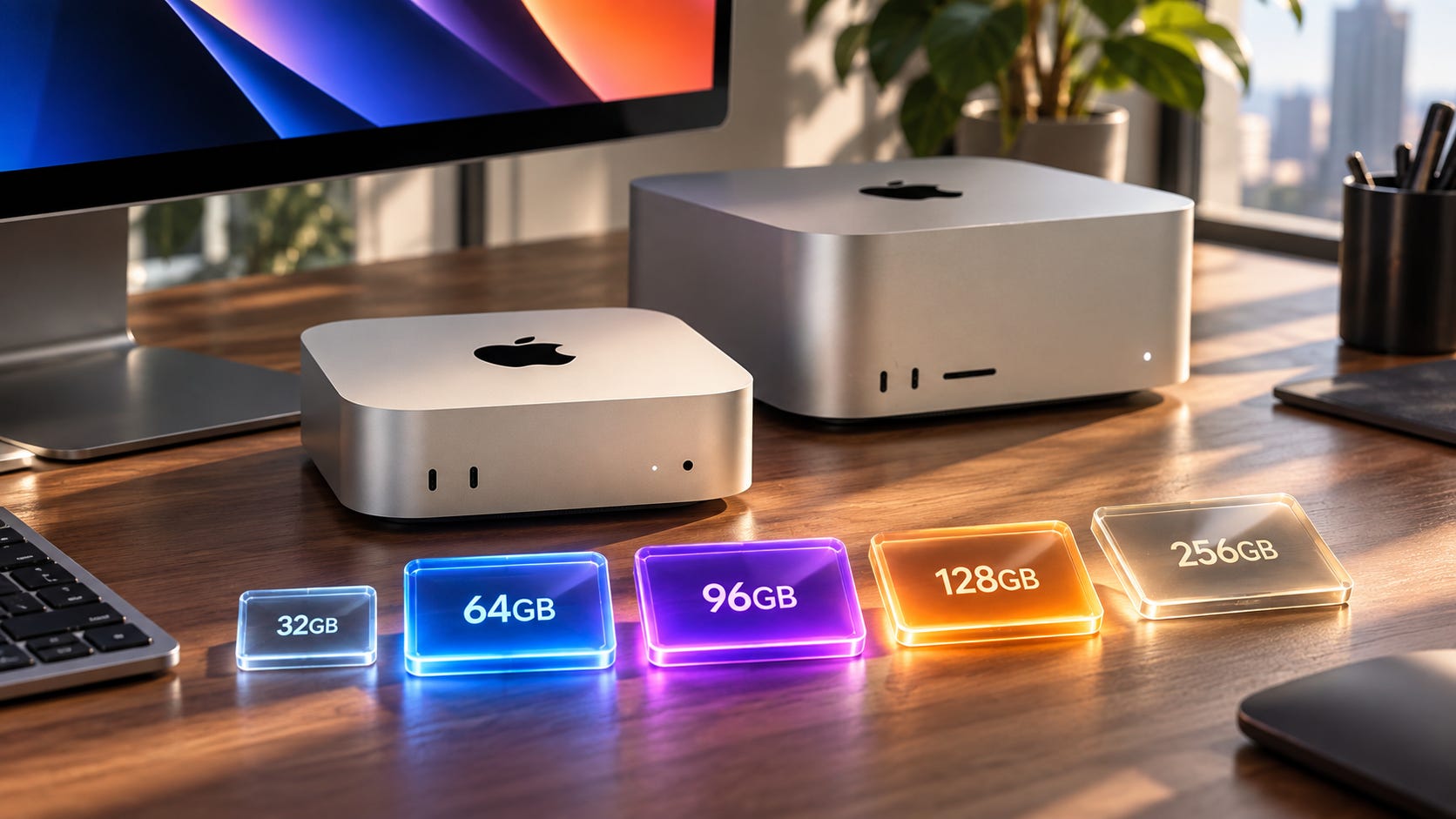
Apple now sells desktop Macs with everything from 16GB to 512GB of unified memory. If local AI is a major reason you are buying one, most of that ladder can be ignored.
For serious local LLM use, 64GB is the sensible Mac mini target. The 96GB M5 Ultra is the best high-end choice when your models fit comfortably inside it. The 128GB M5 Max is a specialized capacity-first configuration. The 256GB M5 Ultra is the first tier that makes today’s genuinely huge local models comfortable.
Very few people need 512GB.
The buying logic is simple. A local model has to fit before faster memory can help it. Once the weights, context, KV cache, runtime overhead, macOS and your other applications all fit with room to spare, memory bandwidth becomes much more valuable.
That turns Apple’s awkward 128GB M5 Max versus 96GB M5 Ultra choice into a workload question instead of a spec-sheet contest. If 96GB fits your real working set, take the Ultra’s bandwidth. If your workload genuinely needs more than 96GB but stays comfortably below 128GB, the Max has a reason to exist.
Disclosure: This post includes Amazon affiliate links. If you buy through them, Popular AI may earn a small commission at no extra cost to you.
Quick verdict: which Mac should you buy for local AI?
M6 Mac mini with 32GB: the cheaper entry point for serious experimentation. It is a good match for 4-bit 20B to 30B models. Skip 16GB if local AI is a major reason for buying the machine.
M5 Pro Mac mini with 64GB: the best Mac mini configuration for local AI. Its 307GB/s bandwidth and 64GB memory ceiling give you far more room than M6 without moving into Mac Studio territory.
M5 Max Mac Studio with 64GB: buy this when your models already fit in 64GB and you are willing to pay for much higher inference bandwidth. The 40-core GPU configuration reaches 614GB/s.
M5 Ultra Mac Studio with 96GB: the best high-end Mac for buyers running models with roughly 65GB to 70GB of weights or less. It has enough capacity for models such as gpt-oss-120b in MXFP4 while delivering 1.2TB/s of memory bandwidth.
M5 Max Mac Studio with 128GB: buy it when 96GB genuinely blocks a workload and the model still fits comfortably below 128GB. Otherwise, the similarly priced 96GB Ultra gives bandwidth-sensitive inference much more memory bandwidth.
M5 Ultra with 256GB: the serious large-model tier. Buy this when 100GB-plus model files are part of the actual plan. The 512GB option is for unusually large models, high precision, multiple resident models or professional research workloads.
Apple announced the new Mac mini on August 25, with availability beginning September 22. The new Mac Studio also begins reaching customers on September 22, while the 512GB M5 Ultra configuration is due in late October.
With retail systems not reaching customers until September 22, there is not yet a broad body of independent production-hardware benchmarking for these machines. This buying guide therefore starts with the part we can answer before retail systems are widely available: what actually fits in memory, and where additional bandwidth is likely to help once it does.
Start with model fit, because the model file is only the floor
The easiest way to waste money on a local-AI Mac is to compare unified memory directly with the advertised parameter count.
A 27B model does not require 27GB. Quantization changes weight size. Context creates a KV cache. The runtime needs working memory. Vision projectors, draft models and other components can add more allocations. macOS, your browser, your IDE and every other application also draw from the same unified memory pool.
Apple’s Metal documentation exposes a recommendedMaxWorkingSetSize, an approximate GPU working-set limit. MLX can likewise warn when a model approaches the GPU’s recommended working-set limit. Installed unified memory and comfortable GPU working memory are not the same number.
So a 96GB Mac should not be treated as a 96GB model container.
A more useful buying rule is to choose enough unified memory for the model weights, the context size you actually plan to use and runtime overhead, then leave room for the rest of the machine. That margin gets more important if the Mac will also run an IDE, browser, vector database, agent server, image model, draft model or multiple concurrent requests.
The number printed next to the model name is only the beginning of the calculation.
Qwen3.8-27B shows why quantization changes the Mac you need
Qwen3.8-27B is a useful example because it is large enough to expose memory tradeoffs without immediately pushing every buyer toward a Mac Studio.
The official ggml conversion lists the Q4_K_M GGUF at 19GB, Q8_0 at 28.6GB and BF16 at 53.8GB. The MLX Community conversion puts the 4-bit Apple Silicon version at 16.1GB.
Those numbers tell you far more about the purchase than “27B.”
A 32GB Mac can run a 4-bit version with useful headroom. Q8 is a poor target for 32GB because 28.6GB of weights leaves very little for the rest of the workload. At 48GB and 64GB, Q8 becomes much easier to use without treating every open application as an enemy.
Then context arrives with another bill.
The official Qwen3.8 configuration has 64 layers, full attention every fourth layer, 4 KV heads, a 256 head dimension and a 262,144-token maximum position length. With 16 full-attention layers and a 16-bit KV cache, the full-attention KV portion works out to roughly 64KiB per token. That is about 1GB at 16K tokens, 2GB at 32K, 4GB at 64K and 16GB at the model’s 262K native context.
That estimate still does not include every runtime allocation.
This is why our Qwen3.8-27B hardware guide treats quantization, context and memory capacity as one buying problem. A model that technically loads can still be a miserable daily configuration if useful context pushes the machine into constant memory pressure.
More on LLM quantization:

M6 Mac mini: buy 32GB or accept a small-model ceiling
The M6 Mac mini starts at $899. Apple offers up to 32GB of unified memory, with 170GB/s memory bandwidth on the 24GB and 32GB M6 configurations.
A 16GB M6 can run useful local models. It is still the wrong purchase if local AI is a major reason you are buying a new computer in late 2026. The ceiling arrives too quickly.
The 24GB configuration is better, but models around 20GB can already put it in the same uncomfortable territory older 24GB Macs occupy. The model loads, then context, macOS and normal desktop use start fighting over what is left. You end up buying a new computer and immediately learning which browser tabs you can afford to keep open.
👉 The 32GB M6 is the configuration worth considering for local AI.
It has enough room for Qwen3.8-27B at 4-bit precision, smaller coding models, local RAG, transcription, compact agents and plenty of 8B to 14B models without turning every session into a memory-management exercise. It is also a reasonable choice if local AI is one workload among many rather than the machine’s main purpose.

Disclaimer: this configuration was not yet available at the time of publication.
Its main limitation is throughput. M6 tops out at 170GB/s, while M5 Pro gives the Mac mini 307GB/s. When token generation is limited by how quickly model weights can move through memory, that difference is hard to ignore.
For a machine whose main job is local LLM inference, moving up to M5 Pro buys both more capacity and substantially more bandwidth.
Readers comparing with the previous generation can use our M4 Mac mini model-by-memory guide to see how sharply model choice changes when unified memory runs out. That basic constraint has not changed.
More on LLMs for Mac mini:

M5 Pro Mac mini 64GB: the best Mac mini for serious local AI
Apple’s M5 Pro Mac mini supports up to 64GB of unified memory and provides 307GB/s of memory bandwidth. That pairing is the sweet spot in the new Mac mini lineup.
At 64GB, Qwen3.8-27B Q8 leaves meaningful room for context, applications and agent workloads. Larger 4-bit models in roughly the 30B to 70B range become much more realistic. You can keep a useful model resident while development tools continue doing their jobs around it.

Disclaimer: this configuration was not yet available at the time of publication.
The extra capacity also gives you freedom to choose a better quant instead of automatically reaching for the smallest file that will load. That is a better use of an expensive memory upgrade than buying capacity you cannot connect to a real workload.
Still, 64GB does not give you a comfortable home for every model whose file happens to be smaller than 64GB.
The official gpt-oss-120b GGUF conversion is about 63.4GB in MXFP4. Putting 63.4GB of model weights on a 64GB Mac is not a serious deployment plan. There is no useful margin for cache, runtime allocations or the operating system.

Qwen3.8-27B in BF16 makes the same point at a smaller scale. Its roughly 53.8GB model file might be loadable under favorable conditions, but buying a 64GB Mac specifically to keep a 54GB model resident leaves too little breathing room for the rest of the system.
Use 64GB for high-quality quants of medium models, not heroic fits.
For most buyers who specifically want a quiet, compact Mac for regular local inference, M5 Pro with 64GB is where the Mac mini lineup should end. Beyond that point, the Mac Studio starts offering the bandwidth that makes a more expensive machine easier to justify.
M5 Max 64GB: pay more when the same models need to run faster
The M5 Max Mac Studio begins at 36GB, but the interesting local-AI configurations use the 40-core GPU. Apple rates that version at 614GB/s of memory bandwidth, which is twice M5 Pro’s 307GB/s.
That bandwidth does not let a larger model fit into the same 64GB memory pool.
It can make a model that already fits run much faster, particularly during bandwidth-sensitive token generation. M5 Max also brings substantially more GPU compute, which can help prompt processing and non-LLM AI workloads.
This is the right upgrade when 64GB already holds the models you use and latency or generation speed has become the bottleneck. A buyer running the same 20GB to 40GB class of models every day can get real value from the faster memory system without changing model size.

Disclaimer: this configuration was not yet available at the time of publication.
The wrong reason to buy M5 Max 64GB is future-proofing against models that do not fit. A 75GB working set still does not fit in 64GB.
Our RAM-speed guide for local LLMs reaches the same capacity-first result on conventional PCs. Capacity opens the door. Bandwidth starts paying after the workload is through it.
More on RAM for local AI:

M5 Ultra 96GB vs M5 Max 128GB: capacity first, then speed
This is the awkward choice that deserves the most attention.
Apple’s current U.S. configurator prices a 40-core M5 Max with 128GB and 1TB at $5,399. The base M5 Ultra starts at $5,499 with 96GB and 1TB.
The M5 Max gives you 32GB more memory. The M5 Ultra gives you 1.2TB/s of memory bandwidth and a 64-core GPU on the base configuration, compared with 614GB/s and 40 GPU cores on that M5 Max.
For most local-AI buyers spending this much, the 96GB M5 Ultra is the better machine.

Disclaimer: this configuration was not yet available at the time of publication.
Take Qwen3.8-27B. Its 28.6GB Q8 weights fit easily on both systems. The extra 32GB on M5 Max buys little unless the workload involves unusually large context, many concurrent sequences or additional resident models.
Now take gpt-oss-120b in its roughly 63.4GB MXFP4 form. Both machines have enough capacity to make that model realistic. The 96GB Ultra still leaves roughly 32GB before the rest of the workload is counted, while its much higher memory bandwidth is available once inference begins.
The 128GB M5 Max starts making sense when the real working set exceeds what 96GB can comfortably hold.
That qualifier is the whole decision.
A buyer targeting an 80GB or 90GB model file may genuinely prefer 128GB. The Ultra’s 1.2TB/s cannot accelerate weights that never fit into memory. If the working set lands at 100GB after context and runtime allocations, the slower machine can still be the only useful machine of the two.

Disclaimer: this configuration was not yet available at the time of publication.
Buyers are already asking exactly this in r/MacStudio, where the 96GB Ultra is being weighed against the 128GB Max for local LLMs and in r/LocalLLaMA, where the same choice is framed as bandwidth versus capacity.
Do not assume that 128GB automatically turns the M5 Max into the better big-model machine. It only wins when those extra 32GB are the difference between a comfortable fit and a failed one.
Why 128GB is a strange stopping point for huge models
Qwen3.8-Flash-Next shows where the 128GB configuration becomes uncomfortable.
A current GGUF conversion puts Q4_K_M at about 119.6GB, Q8_0 at 188.3GB and BF16 at 354GB.
A 119.6GB model file and a 128GB Mac are a terrible pairing. Before meaningful context, runtime allocations and macOS have had their share, almost all the unified memory is already gone.
More aggressive quants can bring the model below 100GB, which gives the 128GB M5 Max a legitimate use case. The buyer is then choosing the machine around a specific compressed model because the next Apple memory tier costs much more. That can be rational. It is not a general reason to prefer 128GB over 96GB.
If your intended model is 30GB, 50GB or 65GB, buy the 96GB Ultra and take the bandwidth.
If your real working set consumes 85GB to 100GB, the 128GB Max can make sense even though it is slower.
If the target model file is already around 120GB before cache and runtime overhead, neither machine is a comfortable fit. Trying to save money by buying a $5,000-class workstation that immediately runs against its memory ceiling is false economy.
M5 Ultra 256GB: where truly large local models start making sense
The 256GB M5 Ultra is the first configuration in this generation that materially changes which current large models can be used without constant memory Tetris.
Apple’s configurator currently shows a $4,000 memory premium to move from 96GB to 256GB on the referenced base M5 Ultra chip configuration.
That is painful. It also buys a capability the cheaper systems do not provide.
A roughly 120GB Q4 model can now live beside a substantial context cache and normal system use. Qwen3.8-Flash-Next’s roughly 188GB Q8 file also fits with dozens of gigabytes left for the rest of the workload.
Every M5 Ultra configuration retains 1.2TB/s of memory bandwidth, so moving to 256GB does not force the capacity-versus-bandwidth compromise that defines the 96GB Ultra versus 128GB Max choice.
For researchers, large-model hobbyists, people running heavyweight local coding agents or anyone deliberately buying around 100GB-plus quantized models, 256GB is the M5 Ultra configuration that makes sense.

Disclaimer: this configuration was not yet available at the time of publication.
The key is deliberately. Do not spend another $4,000 because an unknown future model might use the memory one day. Open-model development moves quickly. A later model may be smaller, sparser or easier to quantize while delivering better results for your workload.
Buy 256GB because a workload you can name needs it now or is part of a concrete near-term plan. Memory that never holds a model is an expensive ornament.
Who actually needs 512GB of unified memory?
Apple says the M5 Ultra can reach 512GB, with that configuration becoming available in late October.
For ordinary local inference, 512GB is a workstation capacity tier, not a sensible future-proofing upgrade.
It becomes defensible when the work itself requires hundreds of gigabytes of resident weights. Qwen3.8-Flash-Next at BF16 is already about 354GB. Multiple large resident models, high-precision research, fine-tuning and unusually large datasets can push memory demand higher again.

Disclaimer: this configuration was not yet available at the time of publication.
Those are very different workloads from running a local coding assistant or a normal RAG stack.
A developer buying a Mac to run a 27B coding model does not need 512GB. Neither does someone running 70B-class Q4 models, gpt-oss-120b MXFP4 or an ordinary local RAG setup.
If you cannot name the workload that consumes hundreds of gigabytes, you probably do not need to pay for hundreds of gigabytes.
Mac or NVIDIA: unified memory does not fix software compatibility
The Mac becomes unusually attractive when memory capacity is the problem. Unified memory lets Apple sell desktop systems with capacities that are difficult to match with a single consumer GPU.
Consumer NVIDIA hardware still reaches a hard VRAM wall quickly. The RTX 5090 has 32GB of GDDR7, while its roughly 1.8TB/s memory bandwidth makes it extremely fast when a workload fits. Our RTX 5090 local-AI analysis covers that speed-versus-capacity tradeoff in more detail.

NVIDIA’s professional lineup raises the ceiling. The RTX PRO 5000 Blackwell comes with 48GB or 72GB of GDDR7 and 1,344GB/s of memory bandwidth. RTX PRO 6000 reaches 96GB.

There is also DGX Spark. NVIDIA sells it for $4,699 with 128GB of coherent unified memory and 273GB/s of memory bandwidth. That bandwidth is far below the M5 Ultra’s 1.2TB/s, but DGX Spark’s advantage is not an Apple-style bandwidth comparison.

Its advantage is CUDA and NVIDIA’s software stack.
That can outweigh Mac memory bandwidth immediately if your application depends on CUDA kernels, TensorRT, NVIDIA-specific training software or a research repository whose “cross-platform” instructions quietly turn into NVIDIA-only commands halfway through setup.


AMD has a similar capacity-versus-software question. The Radeon AI PRO R9700 gives you 32GB of GDDR6 and 640GB/s peak memory bandwidth, and multiple cards can provide more aggregate capacity. Our dual R9700 local-AI guide explains why the backend determines whether that combined memory is actually useful.

For local LLM inference through MLX, llama.cpp, LM Studio and similar tools, Apple has a strong argument because the memory pool can be much larger than consumer GPU VRAM.
For CUDA-first training, ComfyUI workflows with NVIDIA-specific extensions, AI video, specialized research code and jobs where raw GPU throughput dominates, buy NVIDIA because the software needs NVIDIA. A 512GB Mac does not make CUDA appear.
Capacity can solve a model-fit problem. It cannot solve a platform dependency.
More on GPUs for local AI:


Spend on unified memory before Apple’s internal SSD
Unified memory cannot be upgraded later. Model storage can.
That makes memory one of the few Mac upgrades local-AI buyers should prioritize aggressively. Buying too little memory can make a model unusable. Buying too little internal storage is usually a problem you can solve later with external hardware.
A serious model collection can consume terabytes, but those files do not all need to live on Apple’s internal SSD. External NVMe storage is much cheaper to add later, and loading a model from a good external SSD is a smaller compromise than discovering that the model cannot run because the unified-memory ceiling is permanent.
Buy enough internal storage for macOS, applications and active work. Put the upgrade money into memory first.
This is also one of the few areas where waiting does not create a hidden technical penalty. You can add a larger external SSD when your model library grows. You cannot order another 32GB of unified memory and bolt it into a Mac Studio later.
More on storage for local AI:

The right unified-memory tier for your local AI workload
For a new local-AI Mac, 32GB is the minimum worth deliberately buying, 64GB is the best mainstream target, 96GB is the high-end sweet spot and 256GB is the serious large-model tier.
▪ The M6 Mac mini with 32GB makes sense for buyers who want a general-purpose Mac that can also run capable 4-bit local models. It is the affordable entry point, but its 32GB ceiling means you should already be comfortable with quantization and smaller models.
▪ The M5 Pro Mac mini with 64GB is the better choice for people who know local AI will be a regular workload. It gives medium models breathing room and avoids the compromises that appear as soon as a 32GB machine starts carrying 20GB-plus weights, long context and a normal desktop workload at the same time.
▪ The M5 Max Mac Studio with 64GB makes sense when those same models need more speed. Buy it because the workload fits and you want bandwidth, not because the Max name sounds more future-proof.
▪ The 96GB M5 Ultra is the strongest high-end configuration for most local LLM users. If Qwen3.8-27B, gpt-oss-120b or another model with a sub-70GB weight footprint is the actual target, there is little reason to give up so much memory bandwidth for the 128GB M5 Max unless your context, concurrency or additional resident models push the real working set past 96GB.
▪ Buy the 128GB M5 Max when you can identify the workload that needs more than 96GB and still fits sensibly below 128GB. That is the one case where its extra capacity beats the Ultra’s much faster memory system.
▪ If the answer is a 120GB model file, stop trying to squeeze it into 128GB. The next real tier is the 256GB M5 Ultra, where the model can coexist with context, runtime allocations and normal system use without living on the edge.
And if you are considering the 512GB M5 Ultra because it sounds safer, check the model folder first. Apple may be offering four times more memory than your work will ever use.
Explore more from Popular AI:
Start here | Local AI | Builds & gear | Autonomy & policy | Fixes & guides | Popular AI podcast
What’s your ideal unified-memory tier for local AI: 64GB, 96GB, 128GB, 256GB, or are you actually crazy enough to need 512GB?